SAP SD output problem: Identify the output framework before changing NACE or BRFplus
A manufacturer sees an output item for an order or delivery, but the expected PDF or email has not completed successfully.

Source review:
START HERE · NO PRIOR TOPIC KNOWLEDGE NEEDED
What it is. Why it matters.
SAP output management determines and processes business-document outputs. The active framework for the application decides which configuration, status records and processing tools are relevant.
Completely new to SAP?
Manufacturers use SAP to connect work such as buying components, recording inventory, planning production, shipping equipment and accounting for costs. SAP S/4HANA is an enterprise resource planning system: it connects these activities through shared business data.
Sales and Distribution connects customer orders, logistics and billing. Each stage has its own documents, quantities and status, so one stage’s success does not prove the whole sale is complete.
A transaction code, or t-code, is a shortcut to a task in classic SAP GUI. Fiori apps provide another way to work. Names and screens depend on the product and release; you do not need a live system to learn the concepts in this guide.

Scope and source-review notes
Scope and evidence
Source review by FAST SAP SOLUTIONS® editorial. This badge describes our editorial review; it does not represent SAP certification or independent endorsement.
ERP and S/4HANA SD output investigation for SD, form developers and Basis. Private/on-premise framework coexistence and Public Edition output-control documentation are distinguished. Framework activation, forms, channels and reprocessing options depend on application, edition and release.
Documentation review on 14 November 2026 used the available official SAP indexed excerpts; several SAP Help pages returned no readable full text. The worked case and proposed checks are original illustrative teaching material, not execution evidence from a customer SAP system. Exact fields, permitted actions and behavior must be confirmed against the installed product, release and configuration.
A MANUFACTURING EXAMPLE
Diagnose an equipment dispatch document output
Find the failed output stage
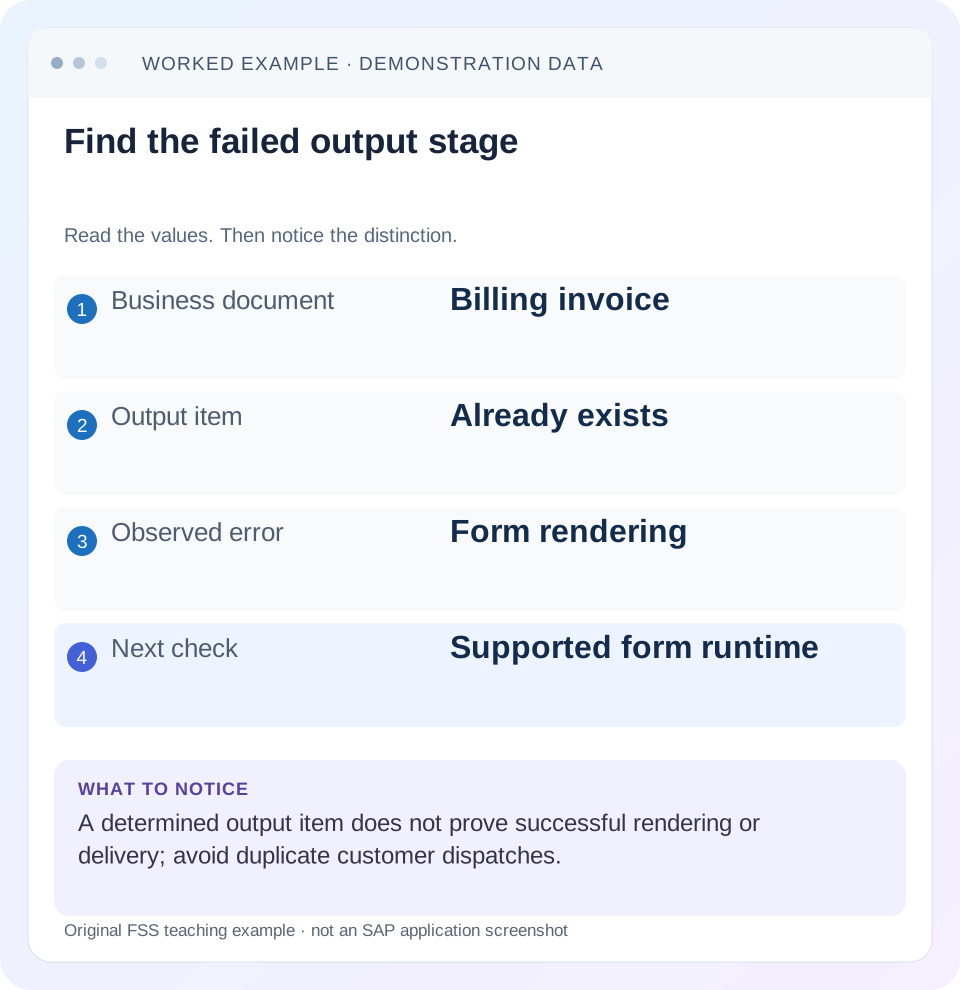
Read the example values
- Business document
- Billing invoice
- Output item
- Already exists
- Observed error
- Form rendering
- Next check
- Supported form runtime
Words you’ll meet in this guide
- Sales order
- A record of a customer’s order.
- Delivery
- A document organizing goods to be sent.
- Billing
- The process that creates a customer charge.
- HANA
- SAP’s database platform.
Preview the practical steps
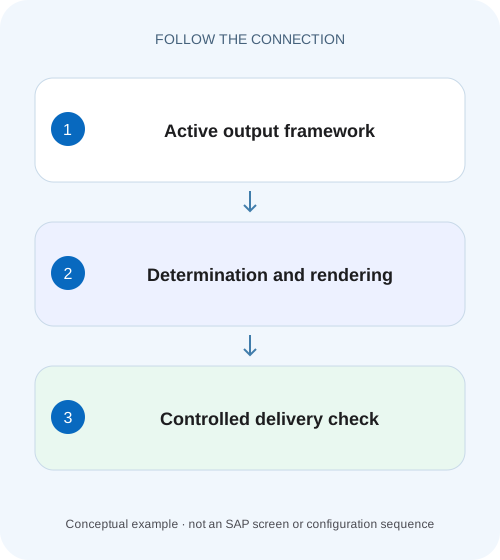
SEE THE CONNECTION
See it in a simple example.
A small example to make the idea concrete.
Diagnose an equipment dispatch document output
A manufacturer sees an output item for an order or delivery, but the expected PDF or email has not completed successfully.
Identify the active solution for the actual application
When an invoice email is missing, first identify edition, release, business application and active output solution.
Prerequisites and the request being investigated
This guide is for SD support, form developers and Basis/integration owners with permitted document and output display.
Mechanism: determination, rendering and dispatch
Output processing chooses parameters, obtains document data, renders a form where required and passes output to its channel.
Diagnose an equipment dispatch document output
A manufacturer sees an output item for an order or delivery, but the expected PDF or email has not completed successfully.
Identify the actual output framework and processing stage before changing condition records or repeating the send.
| Reader | Business question | Evidence to carry forward |
|---|---|---|
| Equipment and component sales, dispatch and customer-service teams | Diagnose an equipment dispatch document output | Identify the actual output framework and processing stage before changing condition records or repeating the send. |
01 Identify the active solution for the actual application
When an invoice email is missing, first identify edition, release, business application and active output solution. NACE-based output determination and S/4HANA output-parameter rules belong to different diagnostic paths. The product name S/4HANA alone does not establish which path owns this billing document.
SAP documents application-level framework choice and coexistence for S/4HANA/private deployments, while Public Edition sales documentation describes its output-control framework in its own scope. Inspect the application's actual configuration and output records. A generic training statement about a default is weaker evidence than the installed application's active design. [1] [3]
02 Prerequisites and the request being investigated
This guide is for SD support, form developers and Basis/integration owners with permitted document and output display. Obtain invoice, intended recipient/channel, output-item identity if present, timestamp and exact processing message. Establish whether output was never determined, failed during rendering or failed during delivery.
Begin with display and authorized preview. Customer dispatch is a separate action that can duplicate a legal or business communication. The worked case uses a fictional controlled recipient in a training process. No real invoice is sent, and the article does not prescribe switching an application's output framework as an incident workaround.
03 Mechanism: determination, rendering and dispatch
Output processing chooses parameters, obtains document data, renders a form where required and passes output to its channel. A record can exist before rendering succeeds. A rendered PDF can exist before email or print delivery completes. Each boundary has its own evidence.
For S/4HANA output control, SAP documents decision tables determining parameters such as channel, form template, email template and dispatch time. Classic NAST examples use output types, condition records and processing routines. These mechanisms can achieve similar business goals, but changing a rule in the inactive framework cannot explain the active output item's failure. [2] [4]
04 Worked case: the email item exists but the PDF fails
Our fictional invoice INV-A for company 1000 has a determined EMAIL output item OUT-1. It names the intended training recipient and form ZBILL_A. Processing reports a rendering error before an email attachment is successfully produced. The invoice itself remains visible with its separate accounting status.
The next investigation belongs to the selected form/data/runtime path. Adding another receiver rule is unlikely to repair the observed rendering failure. It can instead create extra output items and complicate later dispatch. Preserve OUT-1 and its exact message before attempting any supported regeneration or reprocessing.
| Stage | OUT-1 observation | Meaning |
|---|---|---|
| Determination | EMAIL item exists | Do not begin by adding another output |
| Parameters | ZBILL_A and training receiver | Inspect actual selected values |
| Rendering | Error before attachment complete | Form/data/runtime branch |
| Dispatch | Not yet established | Verify separately after rendering |
05 Establish framework scope without guessing from screens
For private/on-premise S/4HANA, review the application's active output solution using the documented configuration, including Manage Application Object Type Activation where applicable. Confirm that the business application supports the selected framework and that the output record belongs to it. [1]
For Public Edition sales/billing, use the relevant output-control documentation and authorized apps rather than importing classic NACE maintenance instructions. If classic NAST is active in the installed application, investigate its output type and processing records. Two systems with the same invoice type can legitimately use different frameworks after different landscape decisions. [3]
06 If NAST is active, inspect its actual output path
In a documented NAST-based billing example, SAP shows NACE configuration connecting output type with processing routines and form/driver context, plus condition records. Use that as the mechanism to inspect, not as a universal QR-bill configuration recipe for every invoice. [2]
Determine whether the required output type was found for the invoice and whether its medium, partner/language and processing routine match the approved design. If no output was determined, inspect the relevant condition keys/requirements. If it exists and processing fails, follow the exact routine/form error. Avoid maintaining unrelated pricing condition records merely because both mechanisms use conditions.
07 If output control is active, inspect determined parameters
Inspect OUT-1's output type, receiver, channel, dispatch time, form and email parameters through the supported application display. Compare these with the relevant Output Parameter Determination rules and current document inputs. SAP documents the app's decision-table approach for billing. [4]
A wrong form can be a determination issue; a correct form failing on document data is a different branch. A manual output item can also have different determination history from an automatically created one. Record how the item was created and the selected parameters instead of assuming the current decision-table row necessarily produced every existing item.
08 Diagnose rendering using the chosen form and payload context
For ZBILL_A, confirm the expected template version and its data/interface requirements with the form owner. Compare an equivalent working training invoice and the failed document's relevant data shape. A missing field, invalid binding, custom logic failure or runtime issue needs its actual error evidence before choosing a correction.
Do not embed unreviewed calculations in a form simply to reproduce an accounting amount. The rendered invoice should reflect approved document data and business rules. If only a large or complex document fails, compare item/condition volume and custom form logic. SAP documents rendering-performance limitations in its Public Edition sales-output scope; use the installed release's actual limits rather than inventing a universal item threshold. [3]
09 Distinguish a correct PDF from a correct recipient
After preview works, inspect recipient determination separately. The bill-to, payer and output receiver need not be the same party. Public Edition documentation describes receiver-role and email-recipient determination behavior; the actual role and address in the document must match the intended communication contract. [3]
For OUT-1, the positive fixture uses an approved training inbox. A correctly rendered invoice sent to another party is still a failed business result. Keep addresses and document contents protected in incident evidence. Correct the authoritative partner/contact data or rule through the applicable process, rather than hard-coding a convenient address into every output.
10 Inspect the channel handoff and its actual evidence
For print, connect the output record to spool/output-request evidence and the intended device. For email, inspect the supported application/channel processing result and delivery context available in the landscape. An output status may describe technical processing rather than a human recipient opening the message.
State the boundary actually verified. “PDF rendered, ” “message handed to channel” and “controlled recipient confirmed receipt” are different observations. If the failure occurs after rendering, investigate that channel rather than repeatedly editing the form. If an external output-management service is involved, preserve its request/reference relationship too.
11 Reconcile previous dispatch before reprocessing
Before retrying OUT-1 or creating another item, inspect whether an earlier attempt already delivered output. A timeout after handoff can leave the application uncertain while the recipient has received the invoice. Reprocessing without checking can generate duplicate customer communications.
Use the supported recovery option for the installed application and item state. If parameter redetermination is intended, establish whether it updates existing items or creates additional ones under that procedure. Record original and recovery identities, current rules and resulting dispatch. Do not assume editing a rule automatically repairs or resends every previously created output item.
| Observation | Inspect next |
|---|---|
| No output item | Active framework determination/rules |
| Wrong form selected | Actual parameters and matching determination |
| Correct form, rendering error | Data binding, custom logic and runtime message |
| PDF correct, no delivery | Channel handoff/status and prior dispatch |
| Delivered to wrong recipient | Receiver role, address source and output parameters |
12 Verify a controlled correction stage by stage
After an approved form correction, preview the original failing fixture and compare invoice identity, quantities, amounts and page layout. Then use controlled dispatch with the intended test recipient/channel. Confirm the original rendering error is resolved and the dispatch result matches the actual boundary being tested.
The negative test uses another permitted document outside a specific output rule and checks that it does not acquire an unintended email item. A boundary test checks an alternate language or a multi-page invoice relevant to the template. Another fixture deliberately gives a wrong recipient: the learner should reject the result even when rendering and technical sending succeed.
13 Build a useful output incident worksheet
Record business document, active framework, output item, creation method, determined parameters, first actionable error, preview result and channel evidence. For the worked case, the worksheet should show OUT-1 already exists and rendering is the first unresolved stage. This prevents the support handoff from reverting to a vague NACE-versus-BRFplus debate.
Also record changes that are temporary to the test, such as a controlled recipient override, with restoration evidence under the approved procedure. Compare the original and final item populations so a fix does not leave duplicate outputs waiting for a later scheduled dispatch. The operational result includes both correct output and a cleanly explained dispatch history.
For a concrete rendering comparison, make the fixture contain two invoice items with distinct material descriptions and a continuation page. Check that the preview contains each item once, preserves the correct invoice identity on every page and totals the actual document values. A form that renders without an exception can still omit an item or repeat a line. Those content checks complement the runtime result and should precede controlled email delivery.
14 Questions that select the next tool
Does S/4HANA mean every application uses one output framework? SAP documents coexistence in private/on-premise scope. Does a determined item prove form rendering succeeded? No. Does a readable PDF prove email delivery? No. Can a recipient-rule change fix every rendering error? Follow the actual failed stage.
A useful conclusion says: “INV-A uses the verified active framework; OUT-1 EMAIL exists with ZBILL_A and intended test receiver. Rendering failed; form/runtime correction verified by preview; controlled dispatch and prior-attempt reconciliation recorded separately.” That gives each stage its evidence and makes the next action clear without speculative framework switching.
Related services and next steps
Primary sources
Found this useful?
Share this guide with your network, or leave a like.
Your like is saved in this browser.