SAP document locked by another user? Diagnose before deleting the SM12 entry
Two users at a manufacturer try to change the same operational document, and the second user reports a lock.

Source review:
START HERE · NO PRIOR TOPIC KNOWLEDGE NEEDED
What it is. Why it matters.
An SAP lock protects data while a user or process works on it. SM12 displays relevant lock entries, helping administrators find the owner before considering any intervention.
Completely new to SAP?
Manufacturers use SAP to connect work such as buying components, recording inventory, planning production, shipping equipment and accounting for costs. SAP S/4HANA is an enterprise resource planning system: it connects these activities through shared business data.
SAP Basis work keeps relevant SAP systems running. Logs, background jobs and connection tools help explain what happened to a task at a particular time.
A transaction code, or t-code, is a shortcut to a task in classic SAP GUI. Fiori apps provide another way to work. Names and screens depend on the product and release; you do not need a live system to learn the concepts in this guide.

Scope and source-review notes
Scope and evidence
Source review by FAST SAP SOLUTIONS® editorial. This badge describes our editorial review; it does not represent SAP certification or independent endorsement.
ABAP SAP ERP/S/4HANA landscapes with classic SM12 lock administration. Exact lock objects, keys, modes, enqueue architecture and recovery procedures depend on release and application. This is an investigation guide, not blanket authorization to delete locks.
Documentation review on 14 November 2026 used the available official SAP indexed excerpts; several SAP Help pages returned no readable full text. The worked case and proposed checks are original illustrative teaching material, not execution evidence from a customer SAP system. Exact fields, permitted actions and behavior must be confirmed against the installed product, release and configuration.
A MANUFACTURING EXAMPLE
Explain a locked purchasing document
Who owns the protected record?
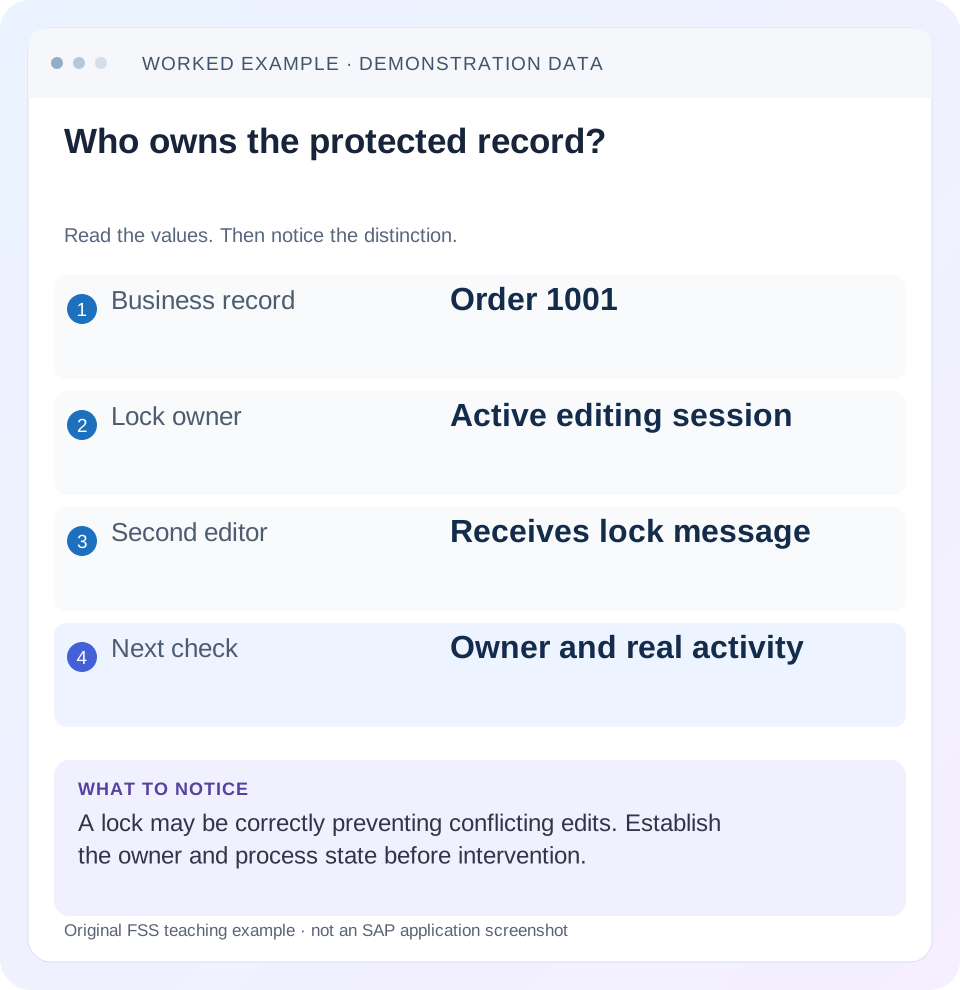
Read the example values
- Business record
- Order 1001
- Lock owner
- Active editing session
- Second editor
- Receives lock message
- Next check
- Owner and real activity
Words you’ll meet in this guide
- Instance
- A running SAP application-server environment.
- Client
- A logically separate data and configuration context in an ABAP system.
- Log
- A recorded sequence of events and messages.
- FI
- Financial Accounting: the SAP area for financial postings and reporting.
Preview the practical steps
SEE THE CONNECTION
See it in a simple example.
A small example to make the idea concrete.
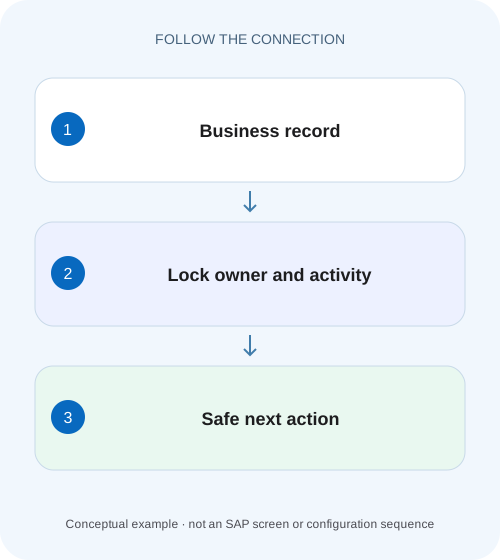
Explain a locked purchasing document
Two users at a manufacturer try to change the same operational document, and the second user reports a lock.
A lock normally protects valid work
A message that another user holds a document lock often means SAP is correctly preventing conflicting changes.
Prerequisites and investigation scope
This tutorial is for application support and authorized Basis operators.
Mechanism: why the lock can outlive one screen
An SAP business transaction can span several dialog steps and database logical units of work.
Explain a locked purchasing document
Two users at a manufacturer try to change the same operational document, and the second user reports a lock.
Identify the lock owner and active business context before deleting an entry or assuming that the first update failed.
| Reader | Business question | Evidence to carry forward |
|---|---|---|
| SAP developers and application teams supporting manufacturers | Explain a locked purchasing document | Identify the lock owner and active business context before deleting an entry or assuming that the first update failed. |
01 A lock normally protects valid work
A message that another user holds a document lock often means SAP is correctly preventing conflicting changes. First identify the business object, key, client, owner and attempted action. Deleting the visible SM12 row without establishing its purpose can remove protection while the original process is still using the data.
SAP documents automatic setting and release of logical locks and requires that manually deleted entries be established as invalid without impairing active sessions or updates. Age alone is not that evidence. The practical objective is to explain who owns the work and how it should finish, then verify the business result. [1] [4]
02 Prerequisites and investigation scope
This tutorial is for application support and authorized Basis operators. Obtain the exact lock message, document reference, time, system/client and user context. Begin with display access and coordinate with the business owner. You need permitted session, process and update information when the lock's ownership is unclear.
SM12 concerns SAP logical locking. It is not a universal database-blocking monitor or a business-status-block editor. A delivery block, credit hold or FI-CA business lock can represent an application rule with a different lifecycle. Confirm that the reported issue is actually a logical lock conflict before searching or altering lock entries.
03 Mechanism: why the lock can outlive one screen
An SAP business transaction can span several dialog steps and database logical units of work. SAP logical locks protect the relevant business data across that broader activity, while database locks have their own shorter transaction scope. A user sitting on a change screen can therefore hold a legitimate logical lock without a continuously busy work process. [5]
The lock object and key define the protected scope. Depending on the application, the scope may be a whole document or a broader set of related records. Do not assume that one row corresponds to exactly one visible screen item. Interpret the lock argument using the relevant object definition and application context.
04 Worked case: two users changing one order
In our fictional training client 200, user SALES_A opens order 47000123 for change at 10:00. SALES_B tries to change the same order at 10:03 and receives a lock message naming SALES_A. A permitted SM12 display shows a matching client/key and owner context.
At this point, the expected behavior is rejection of the competing change. SALES_A may still be editing, may have submitted an update or may have lost the session. Those alternatives require different recovery decisions. The fictional order number and timeline are examples, not evidence that any particular SAP-delivered lock object uses a specific key layout.
| Time | Event | Meaning |
|---|---|---|
| 10:00 | SALES_A opens 47000123 for change | Potential valid owner |
| 10:03 | SALES_B receives conflict | Protection operating |
| Investigation | Check session and update ownership | Choose correct resolution branch |
| Recovery | Verify persisted order and normal locking | Cleared row alone is insufficient |
05 Select and match the relevant SM12 entry
Narrow the display by the known user and other supported selection fields. Inspect client, lock table/object context, argument, mode and owner information available in your release. Preserve the relevant entry and observation time. Use the application-specific interpretation of the argument to confirm the business key.
Do not select every entry under a technical user simply because that user appears in the error. One interface identity can own unrelated work. Likewise, a wildcard in a lock argument can protect more than the single document in the ticket. If the key cannot be decoded confidently, obtain its documented object context before planning any operational action.
06 Check whether normal completion can release it
Contact the owning user or process owner with the specific document reference. If SALES_A is actively editing, agree whether they should complete or exit normally using the application process. Then refresh the lock evidence and let SALES_B retry only when normal ownership has ended.
A user saying “I closed the window” is useful context but not final proof of process completion. Another session, background execution or update can still matter. Check the appropriate session/process context under the operations procedure. Avoid terminating all sessions for a user when only one business transaction is involved.
07 Follow update ownership when indicated
SAP lock management is integrated with update processing. The documented selection view identifies locks inherited by the update task with the backup indicator. Such a lock can remain important after the original dialog phase finishes, so inspect the corresponding update state rather than treating it as an abandoned dialog lock. [2] [3]
If the update is pending or terminated, use SM13 and the application recovery procedure to establish persistence and the appropriate action. Removing the lock does not repair the failed update. It can instead permit another transaction to change data while recovery still depends on the original consistency boundary.
08 Distinguish a stale entry from a merely old entry
A stale-lock hypothesis needs evidence that the owning work has ended and no active session, update or other process still depends on the lock. Collect the abnormal-session context, relevant process/update state and business-object status. Follow the installed operational procedure for confirmation. [4]
For the fictional case, suppose SALES_A's session ended unexpectedly, no relevant update remains and the owner confirms no other work is active. That can support a controlled stale-entry review. It does not justify clearing all SALES_A locks or all locks in client 200. The recovery scope should remain tied to the established invalid entry and business key.
09 Why deletion can create a lost-update problem
Imagine SALES_A read an order quantity of 10 and is preparing a change to 12. If protection is removed and SALES_B changes it to 15, SALES_A's later save may conflict with or overwrite work depending on the application behavior. The lock existed to prevent this concurrent-edit situation.
This is why “the second user can now enter the screen” is insufficient recovery evidence. You must establish what happened to the original work and the final persisted document. A cleared lock row says only that the entry is absent at that moment; it does not prove data consistency or explain why the owner failed to release it.
10 Choose the resolution branch from evidence
If the owner is active, prefer normal application completion. If update processing owns the lock, investigate and resolve that update through the supported procedure. If an abnormal termination left an established invalid entry, an authorized administrator can review narrowly scoped manual recovery under local controls.
If the lock immediately returns, identify the process that recreated it. Repeated deletion masks an active owner or recurring defect. If many unrelated locks accumulate, investigate the broader session/update/enqueue problem and affected workload instead of treating each row as an independent cleanup task. The underlying cause determines the durable correction.
| Evidence | Next action |
|---|---|
| Owner actively editing | Normal application completion or exit |
| Update-related ownership | Correlate SM13 and persistence |
| Session ended, ownership uncertain | Complete process/update investigation |
| Invalidity established | Review narrow authorized recovery |
| Entry recreated immediately | Identify recreating process and cause |
11 Practice the normal conflict safely
In an approved training system, use a disposable permitted object and two authorized sessions. Open it for change in the first session, attempt the competing change in the second and observe the controlled conflict. Display the corresponding lock information without deleting it. Exit the first transaction normally and inspect the released state.
This positive exercise demonstrates the protection lifecycle. A negative exercise uses a different document that should not conflict under the actual application's locking scope. A boundary exercise changes the paper fixture to update ownership: the learner should choose SM13 correlation rather than manual deletion. Do not deliberately crash productive sessions to manufacture stale locks.
12 Verify a controlled recovery
After an authorized recovery, inspect the original document's relevant fields and change state using supported display. Reconcile any attempted saves and ask both users which inputs were intended. Then perform the smallest appropriate business action and confirm its outcome. Check that normal locking still protects a competing change.
Record original entry/key, owner context, evidence of invalidity or completed work, approved action and final document result. If the root cause was an application exception, link the runtime incident and permanent correction. Recovery and prevention are separate deliverables; deleting a symptom cannot establish that the next session will release its locks correctly.
In the two-user training case, compare the order before and after normal release: quantity, relevant status and intended unsaved edits. SALES_B should retry only after the owner’s supported completion, and the final document should reflect the agreed business input. If SALES_A abandoned an intended quantity change from 10 to 12, that lost input must be recognized by the business owner rather than assumed to have been saved.
For a stale-entry review, write the supporting facts individually: specific session no longer active, relevant update state checked, application object inspected and no other owner identified under the applicable procedure. If one fact remains unknown, state it. The purpose of the record is to justify the narrow recovery boundary, not to collect a checklist that automatically authorizes deletion.
For a lock-key boundary exercise, suppose a fictional application deliberately locks an entire order while either item 10 or 20 is edited. Two different item selections can then conflict because the protected business scope is broader than the visible item. The analyst should inspect the lock-object/key definition rather than assume different item numbers guarantee independence. Conversely, a similarly named table entry with a different client/key may be unrelated. This teaches why the actual argument and object semantics matter before any ownership or deletion decision, without asserting a particular delivered SAP lock layout.
13 Questions that resolve common confusion
Does a long-held lock prove a stuck work process? No; a user can legitimately remain in a change transaction. Does a backup indicator mean the entry is safe to remove? It points toward update-related ownership, which needs investigation. Does no SM12 entry prove no database lock? These are different locking layers.
Can an administrator delete a lock just because the user is unavailable? SAP's documented condition concerns invalidity and avoiding harm to active work, not merely user availability. A useful handover names client, business key, lock argument interpretation, owner/session/update evidence and unresolved recovery decision. Continue with SM13 or work-process analysis according to that actual ownership.
Related services and next steps
Primary sources
Found this useful?
Share this guide with your network, or leave a like.
Your like is saved in this browser.