ABAP timestamps and time zones: Investigate the one-hour or one-day mismatch
A manufacturer compares an event recorded in UTC with a plant's local daily report and finds a calendar-day difference.

Source review:
START HERE · NO PRIOR TOPIC KNOWLEDGE NEEDED
What it is. Why it matters.
A timestamp identifies an instant; a business date identifies a calendar day for a purpose. Time zones can change how an instant is displayed, but should not blindly change a date-only commitment.
Completely new to SAP?
Manufacturers use SAP to connect work such as buying components, recording inventory, planning production, shipping equipment and accounting for costs. SAP S/4HANA is an enterprise resource planning system: it connects these activities through shared business data.
ABAP is SAP’s programming language for business applications. A program reads data, applies rules and produces a result. Start with the objects involved before investigating code.
A transaction code, or t-code, is a shortcut to a task in classic SAP GUI. Fiori apps provide another way to work. Names and screens depend on the product and release; you do not need a live system to learn the concepts in this guide.

Scope and source-review notes
Scope and evidence
Source review by FAST SAP SOLUTIONS® editorial. This badge describes our editorial review; it does not represent SAP certification or independent endorsement.
ABAP temporal semantics and documented classic/XCO conversion concepts; exact types, API variants and maintained timezone rules depend on release and platform.
Primary documentation reviewed on 14 November 2026 using official indexed excerpts. Documentation review only; authored examples were not compiled or executed in an SAP system.
A MANUFACTURING EXAMPLE
Place a factory event on the right local day
Instant or business date?
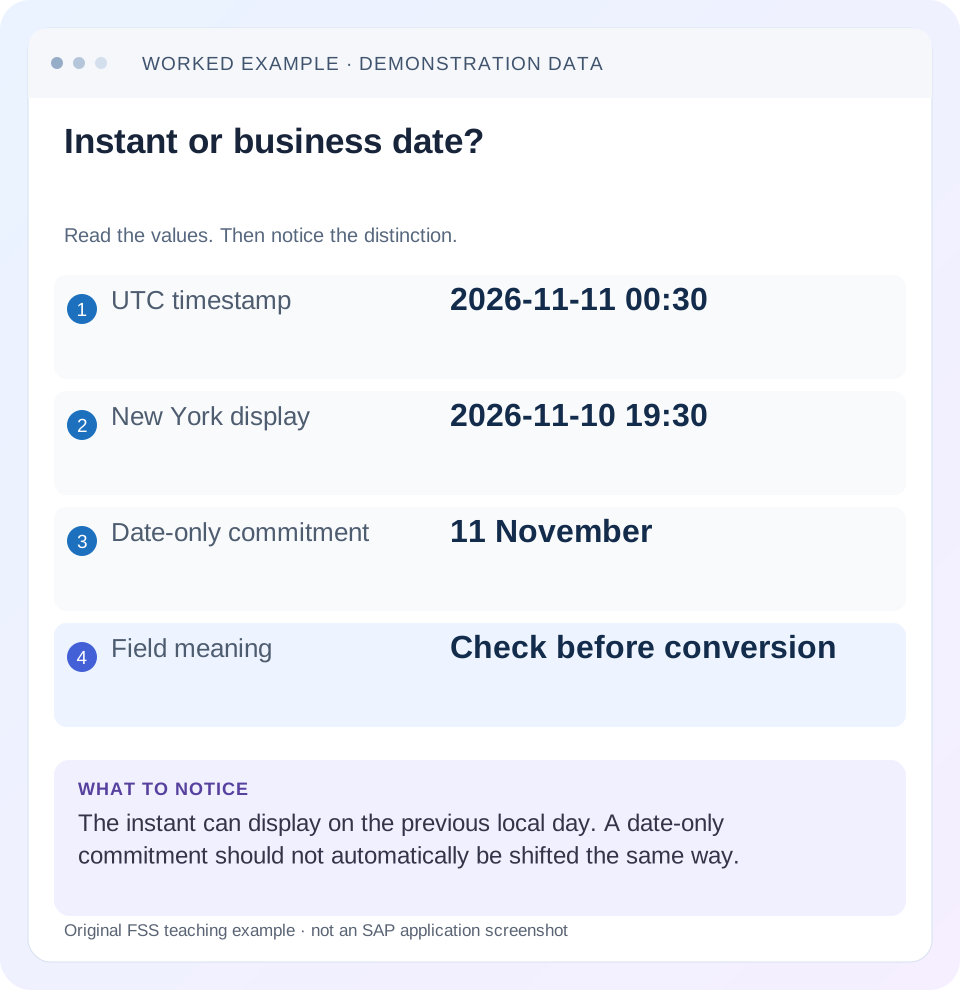
Read the example values
- UTC timestamp
- 2026-11-11 00:30
- New York display
- 2026-11-10 19:30
- Date-only commitment
- 11 November
- Field meaning
- Check before conversion
Words you’ll meet in this guide
- Program
- A set of instructions executed by a computer.
- Class
- A reusable unit that groups data with operations called methods.
- Database
- Organized information kept beyond one program execution.
- Internal table
- A list of rows held temporarily in an ABAP program’s memory.
- Key
- One or more fields used to identify or find a record.
- ABAP
- SAP’s programming language for business applications.
- API
- A defined interface through which programs exchange data or request actions.
Preview the practical steps
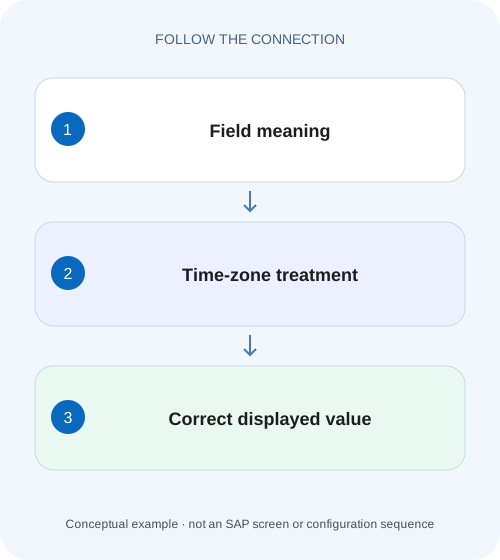
SEE THE CONNECTION
See it in a simple example.
A small example to make the idea concrete.
Place a factory event on the right local day
A manufacturer compares an event recorded in UTC with a plant's local daily report and finds a calendar-day difference.
First decide whether the value is an instant or a business date
A timestamp identifies an instant; a date-only business field identifies a calendar day for a defined purpose.
Scope and prerequisites
This guide covers ABAP timestamp/timezone concepts and documented conversion facilities.
Understand UTC, offsets and maintained zone rules
An offset such as minus five hours describes a relationship to UTC at a particular instant.
Place a factory event on the right local day
A manufacturer compares an event recorded in UTC with a plant's local daily report and finds a calendar-day difference.
Preserve the instant and use the intended time zone before treating a shifted date as a missing event.
| Reader | Business question | Evidence to carry forward |
|---|---|---|
| SAP developers and application teams supporting manufacturers | Place a factory event on the right local day | Preserve the instant and use the intended time zone before treating a shifted date as a missing event. |
01 First decide whether the value is an instant or a business date
A timestamp identifies an instant; a date-only business field identifies a calendar day for a defined purpose. A UTC event near midnight can correctly display on the preceding day in another zone. A promised delivery date should not automatically move because someone represented it as midnight and applied a timezone conversion.
Investigate a one-hour or one-day mismatch by retaining the raw value, type, source-zone assumption, serialized representation and target display zone at each boundary. Do not subtract an hour merely because that makes one screenshot look right. This tutorial follows an illustrative event and a separate delivery date through an integration route.
02 Scope and prerequisites
This guide covers ABAP timestamp/timezone concepts and documented conversion facilities. Classic timestamp types, UTCLONG and XCO abstractions are not interchangeable in every release. XCO library variants and availability differ by product; inspect the actual released APIs and installed keyword documentation before selecting an implementation.
You need access to a sanitized source payload, ABAP field metadata and consumer formatting configuration. Record the system, release, technical-user context and intended business zone. The examples are paper calculations and proposed development checks. They are not evidence that any customer's timezone customizing or runtime behavior has been tested.
03 Understand UTC, offsets and maintained zone rules
An offset such as minus five hours describes a relationship to UTC at a particular instant. A named timezone can include historical and daylight-saving rules that change that relationship over the calendar. SAP documents timezone indicators with references to timezone and daylight-saving rules. A hard-coded offset therefore cannot represent every instant in a zone that changes rules. [1]
Use a maintained zone appropriate to the business context and preserve the original instant for correlation. The application server's local clock, a technical user's zone and the reader's display zone can differ legitimately. Decide which one applies to the requirement instead of relying on whichever default happens to be active during a developer test.
04 Worked case: one instant, two local calendar days
Take fictional event timestamp 2026-11-11T00:30:00Z. For a display context whose applicable offset at that instant is UTC minus five hours, the corresponding local value is 2026-11-10 19:30. Adding the five-hour difference returns the original UTC instant. The date difference is expected; no event was moved in time.
Now consider a separate promised_delivery_date of 2026-11-11. Its contract says “the agreed delivery calendar date at the receiving location.” Turning it into 2026-11-11T00:00:00Z and displaying it through the same offset would show 10 November, which changes the commitment. Preserve the date's meaning and model any required location/time-window information explicitly.
| Field | Raw value | Intended interpretation |
|---|---|---|
| event_time | 2026-11-11T00:30:00Z | One global instant |
| Local event display | 2026-11-10 19:30 at offset -05:00 | Same instant, another calendar date |
| promised_delivery_date | 2026-11-11 | Business calendar date |
| Incorrect date conversion | Midnight UTC shifted to prior day | Changes date-only meaning |
05 Trace every conversion boundary
List the producer, ABAP application, serializer, middleware and UI. At each stage, record the value and whether it includes a zone/offset. A string ending in Z explicitly denotes UTC in an ISO-style timestamp contract; a plain local date/time without offset cannot identify an instant without additional context.
Look for the first divergence. If ABAP already sends the wrong UTC instant, investigate source interpretation and conversion. If the payload is correct and the screen differs by the expected zone offset, the remaining question may be display policy. If middleware shifts a value and the UI shifts it again, the defect is duplicate conversion. Keep these hypotheses separate until raw values support one.
Classify the field
Write instant, local wall-clock time or business date beside the source type.
Expected observation: The intended semantic contract is explicit.
Capture raw representations
Record sanitized values before and after each transformation.
Expected observation: The first changed instant/date is identifiable.
Record zone ownership
Identify source zone, conversion target and user/display zone.
Expected observation: No hidden default is needed to explain the result.
Calculate a known example
Use 00:30 UTC and the fixture offset to predict 19:30 on the prior day.
Expected observation: The arithmetic can be checked independently.
06 Use explicit ABAP conversion contracts
Classic ABAP supports CONVERT TIME STAMP ... TIME ZONE ... INTO DATE ... TIME ... and the reverse date/time conversion form in compatible releases. Use the correct timestamp type and a valid maintained timezone key. Check the documented return/error behavior of the exact variant before consuming the result; invalid input must not become an earlier valid local date. [2]
The code below intentionally demonstrates a UTC conversion only, which has an unambiguous expected result. For another maintained zone, supply the actual key from the system rather than assuming an IANA name or abbreviation is accepted unchanged. Keep business-date fields out of this conversion path unless their contract explicitly defines an instant.
DATA instant TYPE timestamp VALUE '20261111003000'.
DATA local_date TYPE d.
DATA local_time TYPE t.
DATA zone TYPE c LENGTH 6 VALUE 'UTC'.

CONVERT TIME STAMP instant TIME ZONE zone
  INTO DATE local_date TIME local_time.
IF sy-subrc = 0.
  " UTC fixture expects 20261111 and 003000.
ELSE.
  " Handle the documented conversion failure; do not use stale output.
ENDIF.

" promised_delivery_date remains a date-only business value.
DATA promised_delivery_date TYPE d VALUE '20261111'.
07 Use XCO only where its abstraction and release fit
SAP documents XCO date, time, moment and UNIX-timestamp abstractions in supported environments. The library provides explicit user-zone and UTC contexts; when a zone is omitted for the documented current date/time/moment retrieval, the active user's zone is used. UNIX timestamp handling represents UTC-based elapsed time. [3]
Pay attention to what an object retains. The reviewed XCO documentation says timezone information is not part of the date/time/moment object's state. Converting or serializing those components therefore still requires an explicit semantic contract. A method returning a moment object does not absolve the caller from knowing which zone produced its components. Select the appropriate XCO variant and released visibility for the actual platform. [3]
08 Daylight-saving transitions create gaps and repeated local times
A local clock can skip an interval when moving forward and repeat an interval when moving backward. A local value in the skipped interval may have no corresponding instant under the applicable rules. A value in the repeated interval can correspond to more than one instant unless additional offset or daylight-saving information disambiguates it.
Design the input contract accordingly. An event received as an explicit UTC instant is easier to order than an unqualified local clock value. For a scheduling requirement, document how invalid or ambiguous local input is rejected or resolved by the supported API. Do not select an arbitrary occurrence merely to avoid an error. Use the actual maintained rules and transition dates for the chosen zone.
09 Troubleshooting hour and day mismatches
The size of the difference is a clue, not a diagnosis. A one-day difference may be a correct midnight-boundary display or a wrongly converted date-only field. A one-hour difference may involve daylight saving, a mistaken source zone or repeated conversion.
| Observation | Question | Next evidence |
|---|---|---|
| Prior-day display near midnight | Same instant in another zone? | Raw UTC plus target offset/rule |
| Date-only delivery changes day | Was a business date treated as midnight instant? | Field and serialization contract |
| Exactly one-hour seasonal error | Are maintained DST rules used? | Zone key and relevant transition fixture |
| Double-sized offset | Was conversion applied twice? | Values at middleware and UI boundaries |
| Works for developer, fails for integration user | Is a user-zone default involved? | Explicit versus implicit timezone |
| Local time cannot be converted | Gap or repeated interval? | Supported API result and disambiguation policy |
10 Verify positive, negative and calendar-boundary cases
A positive check converts the UTC fixture to UTC and expects the same calendar components. Another uses a maintained target zone and independently verifies its applicable offset at that instant. A negative check supplies an invalid zone or malformed input through the supported interface and confirms a controlled failure rather than stale output.
Boundary checks include 23:59:59/00:00:00, month end, year end and the chosen zone's forward/backward transition. Test two users with different display zones against the same event instant. Separately assert that promised_delivery_date remains 11 November under its business-date contract. Round-trip checks are useful, but an incorrectly chosen source zone can still round-trip consistently; verify semantics as well as reversibility.
11 Log correlation and business selection need different clocks
Use an instant with explicit zone context for correlating integration and backend logs. Record observation time and timezone when matching a Gateway error or short dump. Two displayed clock times are not comparable until their zone bases are known. Preserve precision sufficient for the diagnostic task and any available correlation identifier.
For daily business selection, define which location's calendar day is intended. A UTC date filter and a receiving-plant local-day filter can select different events around midnight. Derive explicit interval boundaries for the business day using supported rules rather than extracting a date from whichever timestamp display is convenient. Keep date-only posting or commitment semantics distinct where the process defines them.
12 Frequently asked questions
Should every date be stored as UTC? An instant is commonly represented on a UTC basis, but a business date has another contract. Do not invent a midnight instant for every date-only field.
Can I fix this by subtracting one hour? Only if the actual documented transformation requires that exact adjustment for the relevant instant; use maintained rules rather than a seasonal patch.
Why does the same payload display differently for two users? Their display zones may differ while the instant remains identical. Compare raw values and intended display policy.
What should the incident record contain? Field meaning/type, raw value, source-zone assumption, each transformation, target zone and expected boundary examples. That evidence distinguishes a correct local display from a changed event or commitment.
Related services and next steps
Primary sources
Found this useful?
Share this guide with your network, or leave a like.
Your like is saved in this browser.