BTP application router routes: Check matching order and destination rewrites
A manufacturer's BTP application sends an operational API request that is intercepted by a broader application route.

Source review:
START HERE · NO PRIOR TOPIC KNOWLEDGE NEEDED
What it is. Why it matters.
An application router sends incoming web requests to the right service. Its route rules are matched in order, so a broad early rule can catch a request intended for a later rule.
Completely new to SAP?
Manufacturers use SAP to connect work such as buying components, recording inventory, planning production, shipping equipment and accounting for costs. SAP S/4HANA is an enterprise resource planning system: it connects these activities through shared business data.
SAP Business Technology Platform, or BTP, provides cloud services for applications, data and integration. A connection needs a route, an identity and permission to perform the intended task.
A transaction code, or t-code, is a shortcut to a task in classic SAP GUI. Fiori apps provide another way to work. Names and screens depend on the product and release; you do not need a live system to learn the concepts in this guide.

Scope and source-review notes
Scope and evidence
Source review by FAST SAP SOLUTIONS® editorial. This badge describes our editorial review; it does not represent SAP certification or independent endorsement.
SAP BTP application-router xs-app.json routing. Managed-router services and deployed router versions can add configuration and destination-resolution differences.
Documentation review on 14 November 2026 using official SAP sources and indexed official excerpts where full Help text was unavailable. Scope and service or release differences are explained in the lesson. All datasets, requests and checks are illustrative; no customer SAP runtime execution or measured results are claimed.
A MANUFACTURING EXAMPLE
Route the plant app's API request correctly
The first match wins
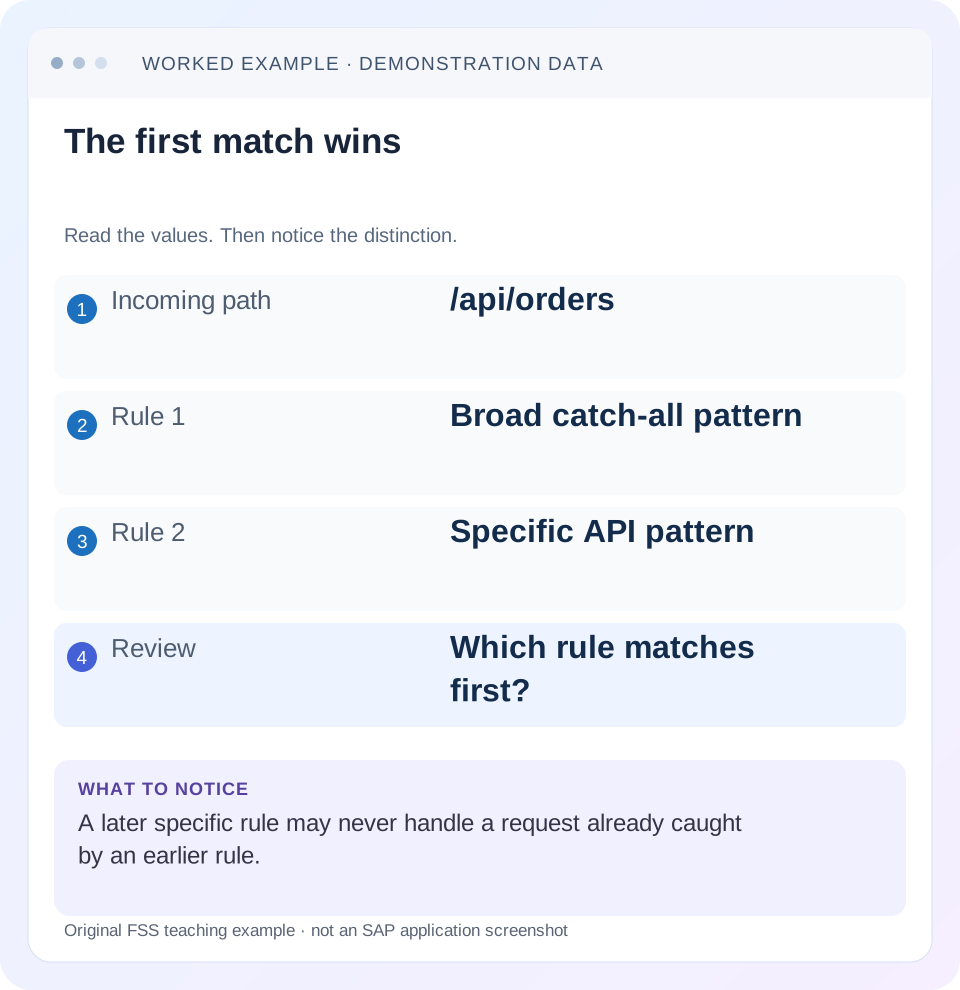
Read the example values
- Incoming path
- /api/orders
- Rule 1
- Broad catch-all pattern
- Rule 2
- Specific API pattern
- Review
- Which rule matches first?
Words you’ll meet in this guide
- Backend
- The service or system doing the work behind an interface.
- Destination
- Named connection settings for another service.
- Credential
- Access information used to prove an identity.
- Subaccount
- A BTP scope for applications, services and access settings.
- BTP
- SAP Business Technology Platform: cloud services for applications, data and integration.
- API
- A defined interface through which programs exchange data or request actions.
- HTTP
- The request-and-response protocol used by web applications and APIs.
- CSRF
- Cross-Site Request Forgery. A CSRF token helps a service reject unwanted cross-site write requests.
Preview the practical steps
SEE THE CONNECTION
See it in a simple example.
A small example to make the idea concrete.
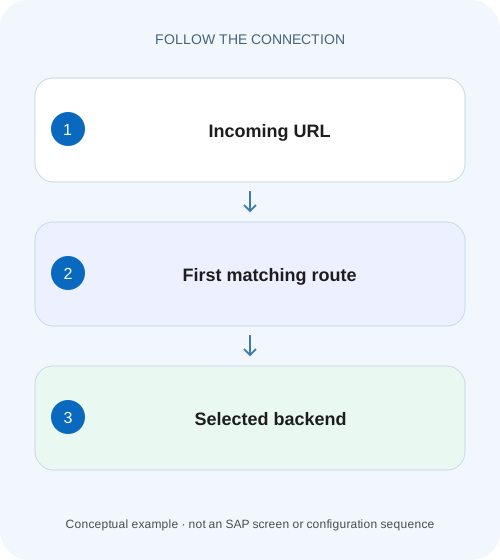
Route the plant app's API request correctly
A manufacturer's BTP application sends an operational API request that is intercepted by a broader application route.
Start with the request that was actually routed
When an SAP BTP application router sends a request to the wrong backend, evaluate the deployed routes in their declared order, including any HTTP-method restrictions, and then calculate the selected route’s target rewrite.
Separate browser navigation, router matching and backend addressing
A browser may show a long URL containing an application prefix, query parameters and a fragment.
Worked case: an orders request is swallowed by a generic route
Use this fictional request: GET /api/orders/4711.
Route the plant app's API request correctly
A manufacturer's BTP application sends an operational API request that is intercepted by a broader application route.
Compare the ordered route definitions with the actual request path before treating a returned page as the expected service response.
| Reader | Business question | Evidence to carry forward |
|---|---|---|
| SAP developers and application teams supporting manufacturers | Route the plant app's API request correctly | Compare the ordered route definitions with the actual request path before treating a returned page as the expected service response. |
01 Start with the request that was actually routed
When an SAP BTP application router sends a request to the wrong backend, evaluate the deployed routes in their declared order, including any HTTP-method restrictions, and then calculate the selected route’s target rewrite. The first eligible match handles the request. With unrestricted methods in the worked case, a broad earlier source captures the request before a later, more specific source. Destination correctness becomes relevant only after you know which route selected it. [1]
This tutorial is for developers maintaining xs-app.json in a standalone application router or an HTML5 application consumed through a supported managed router. You need the deployed descriptor, the incoming HTTP path and method, the relevant destination configuration and a harmless backend read. Managed-router services, authentication providers and router package versions differ; use their matching documentation rather than assuming that every standalone setting is available.
02 Separate browser navigation, router matching and backend addressing
A browser may show a long URL containing an application prefix, query parameters and a fragment. A client-side UI5 navigation fragment is not the same object as the path matched by the application router. Capture the network request for the failing service call in browser developer tools. Record its path, query, method, response status, content type and timestamp. A page navigation can succeed while a later API call fails.
The router evaluates source, selects a destination or local resource and applies target substitution. The destination then contributes its endpoint and authentication or proxy settings. Treat those as successive transformations. For example, receiving HTML where JSON was expected often suggests a local UI fallback or login response; it does not prove the remote API returned malformed JSON. Inspect the response before changing the API parser.
03 Worked case: an orders request is swallowed by a generic route
Use this fictional request: GET /api/orders/4711. The application expects the order backend resource /orders/4711 through destination order-api. An earlier generic rule uses source ^/api/(.*)$, target /$1 and destination generic-api. A later rule uses source ^/api/orders/(.*)$, target /orders/$1 and destination order-api. Both sources match the request, so the generic rule is selected.
Its capture group contains orders/4711. Substituting that group yields /orders/4711, which happens to look correct. The backend is still wrong because the selected destination is generic-api. This is a useful diagnostic case: a correct-looking rewritten path does not establish that the request reached the intended service. Compare the destination identity separately from the path.
| Order | Expression | Result |
|---|---|---|
| 1 | ^/api/(.*)$ | Matches; generic-api selected |
| 2 | ^/api/orders/(.*)$ | Also matches, but never selected |
04 Put the specific route first and make captures explicit
The revised order below gives the orders endpoint first opportunity to match. It intentionally retains authentication on both routes. It is an illustrative fragment, not a complete security descriptor or deployable application: order-api and generic-api must resolve in the actual consumer context, and xsuaa must be appropriate to your application’s supported security setup. [1]
The anchors express an exact path family. The slash before the capture means /api/orders/4711 matches, while /api/orders alone does not match the first rule. Decide whether that collection URL should be supported and add an intentional expression for it if required. Do not accidentally change the collection behavior while fixing the item request.
{"routes":[
  {"source":"^/api/orders/(.*)$","target":"/orders/$1","destination":"order-api","authenticationType":"xsuaa"},
  {"source":"^/api/(.*)$","target":"/$1","destination":"generic-api","authenticationType":"xsuaa"}
]}
05 Calculate the rewritten path before deploying
Write down the incoming path, selected expression, captures, target and destination base URL. Suppose order-api has an illustrative URL https://orders.example.invalid. Then /orders/$1 produces the resource path /orders/4711. If the destination URL already contains a service-root path, determine how that root combines with the route target in the deployed router. A duplicated service segment is a separate defect from route order.
Watch greedy captures, optional groups and slash boundaries. An expression that searches for orders without anchoring may also match /reports/orders-summary. A capture containing an empty string may produce a collection request when you intended an item. Test the expression using representative paths and the actual router behavior. A generic regular-expression tester can help explain captures, but it is not evidence about destination resolution, authentication or runtime-specific rewriting.
06 Inspect the deployed descriptor and resolved destination
A common investigation dead end is reading the right file in the wrong deployment. Record the application or HTML5 application version serving the request, the subaccount and the relevant runtime. Compare the shipped xs-app.json with the local source. For HTML5 repository scenarios, also establish which application’s descriptor the managed router loaded. A successful source edit proves little if a previous artifact remains deployed.
SAP documents destination lookup behavior for the relevant application-router context. Check the exact destination name and supported resolution sources; similarly named destinations in another subaccount or environment are not interchangeable. Preserve sanitized identifiers in the incident record. Keep client secrets, bearer tokens and cookies out of screenshots and debug output. [1] [2]
07 Use observations to select the next investigation
After fixing order, repeat the same read with the same identity and timestamp correlation. If the response still differs, classify the result by evidence. A backend 404, an authentication failure and a local UI response imply different next steps. Repeatedly moving rules without establishing the selected route makes the configuration harder to explain.
| Observation | Likely boundary | Next comparison |
|---|---|---|
| HTML returned for an API read | UI fallback or login response | Content type, response body and selected rule |
| Correct backend, wrong resource | Target or service-root composition | Capture groups and resulting path |
| Wrong backend, plausible resource | Early match or destination resolution | Rule order and resolved destination |
| 401 or 403 | Authentication or authorization | Actual caller and route security requirements |
| Only production differs | Artifact or environment drift | Deployed descriptor, destination and app version |
08 Test method and security behavior deliberately
A source match is only part of a route’s contract. Method restrictions and security settings can change which requests are accepted. Build your verification around the configured behavior rather than assuming a read and a write are equivalent. Start with GET or another documented harmless operation; a successful read does not establish permission to create or delete business data.
Do not disable authentication, scopes or CSRF protection to diagnose a rewrite. Those changes can hide the actual issue while changing access behavior. If an authorized read works but a write fails, capture the method, token context and CSRF exchange expected by that interface. Investigate that boundary without broadening a route’s security contract. A login redirect is also not a backend business response.
09 A small regression set that exposes unintended matches
Write expected destinations before running the requests. Include the original item URL, a neighboring service, the collection boundary, an unknown path and a path that contains the same word in another position. Compare response identity as well as status: two services can both return 200 while only one returns the expected resource.
Verify the repaired item request
Request /api/orders/4711 with an authorized test identity and confirm the order response through order-api. Correlate sanitized backend or router evidence where available.
Expected observation: The specific orders rule handles the request and the rewritten resource is /orders/4711.
Verify the generic service remains reachable
Request an existing harmless endpoint under another /api/ path. Establish that the generic rule still handles its intended family.
Expected observation: The route change preserves the neighboring service contract.
Check unmatched and boundary paths
Evaluate /api/orders, /api/orders/, /reports/orders-summary and an unknown path. Document the intentional result for each instead of treating any 200 as success.
Expected observation: No unintended request is silently redirected to the orders backend.
10 Make a path ledger for collection, item and query requests
Extend the worked case with an explicit ledger before changing the pattern. /api/orders/4711 captures 4711 and targets /orders/4711. /api/orders/ captures an empty string and targets /orders/. /api/orders has no slash after orders, so it falls through to the generic route under the illustrated configuration. If the collection should belong to order-api, that final result is a configuration gap you should resolve intentionally.
Include query strings in source-expression tests. SAP explicitly documents that the regular expression is applied to the full URL including query parameters. Under the illustrated ^/api/orders/(.*)$ source, /api/orders/4711?$select=ID,Total places 4711?$select=ID,Total in the capture. Substitution into /orders/$1 therefore yields /orders/4711?$select=ID,Total as the rewritten request string. Check the resulting resource and query at the real backend. A stricter expression ending in numeric digits followed by $ can fail when the query is present; test that boundary rather than assuming only the bare path is matched. [1]
If you add httpMethods restrictions, review method eligibility alongside path ownership. SAP documents using the same source with GET directed to one destination and write methods directed to another. It also documents an unrestricted catch-all serving remaining methods and 405 when the shown restricted arrangement has no eligible method. Test GET, the intended write method and a method outside the allowed set. Place an unrestricted source deliberately because it can absorb requests before later method-specific routes. [1]
| Incoming path | Destination | Target path |
|---|---|---|
| /api/orders/4711 | order-api | /orders/4711 |
| /api/orders/ | order-api | /orders/ |
| /api/orders | generic-api | /orders |
| /api/customers/22 | generic-api | /customers/22 |
11 Useful follow-up questions
Can I just put the catch-all last? Usually a broad fallback belongs after the more specific paths it would otherwise capture, but first list which paths each rule intentionally owns. Moving it last without understanding local-resource and API families can change unrelated application behavior. The review should explain ownership of URL families, not merely the new array order.
Why does destination connection testing pass? That diagnostic does not exercise the browser path, source matching and target rewrite together. It may establish one connectivity boundary while the application chooses another destination. Use the actual consumer request to verify the repair.
What should a change review include? Include the deployed artifact identity, original failing path, selected rule before and after, capture substitution, final backend resource and neighboring-path checks. The related destination and Cloud Connector lessons explain later boundaries if route selection is already correct.
Related services and next steps
Primary sources
Found this useful?
Share this guide with your network, or leave a like.
Your like is saved in this browser.