SAP Cloud Transport Management: Trace the node and route before importing
A manufacturer's application build reaches quality assurance but is absent from the intended production transport queue.

Source review:
START HERE · NO PRIOR TOPIC KNOWLEDGE NEEDED
What it is. Why it matters.
SAP Cloud Transport Management moves supported content between environments. Nodes represent locations and routes connect them, helping teams control where a version goes.
Completely new to SAP?
Manufacturers use SAP to connect work such as buying components, recording inventory, planning production, shipping equipment and accounting for costs. SAP S/4HANA is an enterprise resource planning system: it connects these activities through shared business data.
Migration moves business data into a target system. Lifecycle management controls how software or configuration changes move between environments; both need evidence of the target result.
A transaction code, or t-code, is a shortcut to a task in classic SAP GUI. Fiori apps provide another way to work. Names and screens depend on the product and release; you do not need a live system to learn the concepts in this guide.

Scope and source-review notes
Scope and evidence
Source review by FAST SAP SOLUTIONS® editorial. This badge describes our editorial review; it does not represent SAP certification or independent endorsement.
SAP Cloud Transport Management requests, transport nodes/routes and import-queue status. Content providers and target deployment adapters have additional prerequisites.
Documentation review on 14 November 2026 using official SAP sources and indexed official excerpts where full Help text was unavailable. Scope and service or release differences are explained in the lesson. All datasets, requests and checks are illustrative; no customer SAP runtime execution or measured results are claimed.
A MANUFACTURING EXAMPLE
Trace the release of a plant extension
Follow the content version
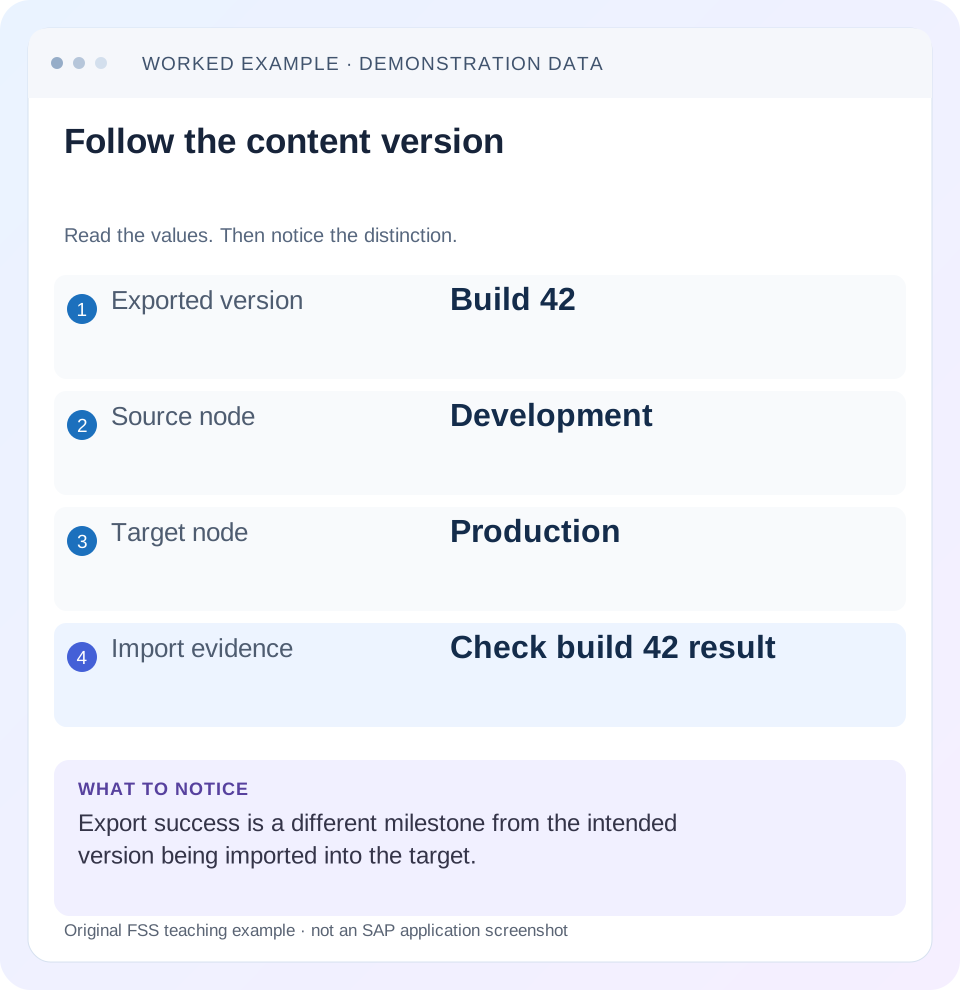
Read the example values
- Exported version
- Build 42
- Source node
- Development
- Target node
- Production
- Import evidence
- Check build 42 result
Words you’ll meet in this guide
- Source
- The system or dataset information comes from.
- Target
- The destination system or dataset.
- Validation
- A check that information meets required rules.
- ABAP
- SAP’s programming language for business applications.
Preview the practical steps
SEE THE CONNECTION
See it in a simple example.
A small example to make the idea concrete.
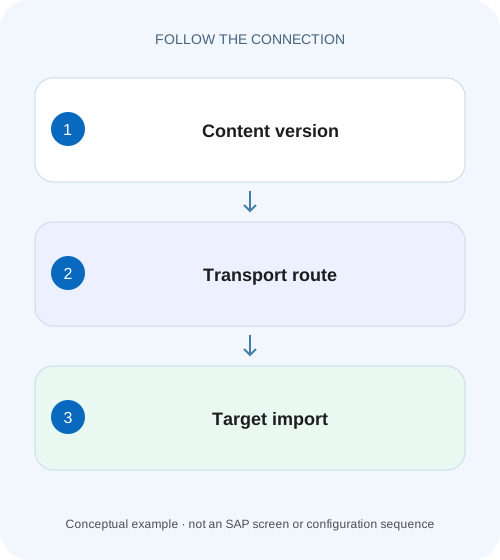
Trace the release of a plant extension
A manufacturer's application build reaches quality assurance but is absent from the intended production transport queue.
Trace content identity, route, target queue and deployment separately
When content exports successfully but the target still shows an older version, follow the exact transport request through its node and route into the target import queue.
Understand nodes, routes and requests as different objects
Transport nodes represent source or target deployment locations; routes connect nodes to describe the intended content path.
Worked case: build 42 reaches QAS but never enters production
Imagine content build 42 exported into DEV_NODE and routed to QAS_NODE.
Trace the release of a plant extension
A manufacturer's application build reaches quality assurance but is absent from the intended production transport queue.
Trace the actual nodes, routes and import evidence before rebuilding or redeploying the same version blindly.
| Reader | Business question | Evidence to carry forward |
|---|---|---|
| SAP developers and application teams supporting manufacturers | Trace the release of a plant extension | Trace the actual nodes, routes and import evidence before rebuilding or redeploying the same version blindly. |
01 Trace content identity, route, target queue and deployment separately
When content exports successfully but the target still shows an older version, follow the exact transport request through its node and route into the target import queue. Request lifecycle status and per-node import status are different. A Released request does not establish a successful production import or the version seen by a business user. [1] [2]
This tutorial is for SAP Cloud Transport Management operators and application teams. You need the request ID, content type/version, source/target nodes and authorized queue/log access. Supported target deployment mechanisms and prerequisites depend on the content provider. Cloud Transport Management containers and node queues are not classic ABAP contributor tasks, even though both services use transport terminology.
02 Understand nodes, routes and requests as different objects
Transport nodes represent source or target deployment locations; routes connect nodes to describe the intended content path. A transport request is a container for content, which can include files or references depending on the supported scenario. The same request can have different import outcomes in different node queues. [1] [3]
Node display names are not enough to identify the deployment destination. Inspect the actual node identity, content type and applicable target connection/configuration. A node called PROD_TEST can point to another subaccount or tenant than someone assumes. Record non-secret target identifiers and keep credentials in their supported stores.
03 Worked case: build 42 reaches QAS but never enters production
Imagine content build 42 exported into DEV_NODE and routed to QAS_NODE. The QAS import succeeds. Production still serves build 40, and the request is absent from PROD_NODE. The approved landscape should contain DEV_NODE → QAS_NODE → PROD_NODE, but the actual route configuration ends at QAS_NODE or forwarding has not occurred under its configured mode.
The next check is routing/forwarding evidence, not a production reimport of a request that never entered that queue. Do not create an extra informal route merely to make the request appear. Reconcile the approved landscape and current configuration so the correction also behaves correctly for future content.
| Boundary | Observed state | Conclusion |
|---|---|---|
| Source export | Build 42 in known request | Content accepted into transport path |
| DEV → QAS | Request in QAS_NODE | Route/forwarding reached QAS |
| QAS import | Succeeded for build 42 | QAS deployment result |
| PROD queue | Request absent | Production import not yet established |
| Production consumer | Build 40 | Actual consumer remains old |
04 Confirm what the request actually contains
Open request details and compare the content identity with the release record. A request description containing “build 42” is weaker evidence than the actual attached content/reference and version. Some requests are created automatically, while modifiable requests can contain several files under the documented lifecycle. Review the complete container, not just one remembered item. [1]
Check dependencies and content order. If build 42 requires an earlier schema, configuration or provider release, identify that prerequisite and its target state. Transporting a UI artifact does not automatically provision every required service or destination. The content provider’s deployment documentation determines which dependencies are included and which need separate handling.
05 Inspect the approved landscape and effective forwarding
SAP documents routes as connections between transport nodes. Compare every expected hop, source/target identity and the node’s supported forwarding behavior. A working DEV-to-QAS route does not imply QAS-to-PROD exists. If several branches are configured, establish which one owns the production destination. [3]
Use landscape action logs where available to inspect recent node, route and scheduled-import changes. A request exported before a route correction may need scenario-specific handling; do not assume editing the landscape retroactively proves that all existing requests were forwarded. Preserve the original queue observations and follow the documented recovery method. [4]
06 Separate queue arrival from import execution
After the request appears in PROD_NODE, inspect whether import has started and what import mode applies. The import queue can be manually operated, automatically imported or scheduled according to supported configuration. A queue entry in Initial state has not yet been imported. Check the actual state and scheduled operation rather than repeatedly exporting the same source content. [2] [5]
Before enabling or changing automatic imports, review the affected queue and intended release controls. That setting can apply to future arrivals, not only the one request under investigation. The operating goal is a controlled deployment path whose behavior is understood, not merely a green result for build 42.
07 Read status meanings before selecting a retry
SAP distinguishes Error, Fatal, Succeeded and other per-queue outcomes. Error can mean partial import or content errors, while Fatal can mean no objects imported because deployment could not start or rolled back. These meanings affect the recovery decision. Repeating unchanged content is not a remedy for a deterministic content problem. [2]
Also inspect Skipped. The documentation includes virtual nodes where physical import is not possible and content-provider situations that intentionally skip deployment. A status treated as successful for transport progression does not prove physical target content changed. Compare node type and deployment logs with the consumer’s actual version. [2]
| State | What it indicates | Next question |
|---|---|---|
| Initial | Added to node; import not started | When/how should import run? |
| Running | Import in progress | What does target deployment report? |
| Error | Content partially imported or imported with errors | Which objects and cause need correction? |
| Fatal | No objects imported under documented conditions | Did connection/authentication or rollback prevent deployment? |
| Succeeded / Skipped | Transport outcome requires its documented interpretation | Was target deployment actually performed? |
08 Inspect target deployment prerequisites and effective configuration
If import fails before deployment, compare the target destination and supported authentication/authorization setup. If it fails during deployment, inspect the provider’s detailed object errors and required content compatibility. Keep the Cloud Transport Management error linked to the target service’s deployment evidence; the outer status can summarize several deeper operations.
For an MTA or application-content scenario, target-specific descriptors/configuration can influence the resulting deployment. Use the supported content-type procedure. A source file being correct does not prove the target’s environment settings are ready. Avoid copying production credentials into another node as a diagnostic; compare safe endpoint and configuration identity instead.
09 Troubleshoot the first missing hop or failed operation
Use the ledger to choose the next action. Route, forwarding, queue execution and content deployment are different boundaries with different owners and evidence.
| Observation | Question | Next evidence |
|---|---|---|
| Request absent from next node | Did routing/forwarding reach it? | Effective route and forwarding mode |
| Request Initial in target | Has import been triggered or scheduled? | Queue configuration and operation history |
| Fatal before deployment | Can target operation start? | Destination, authentication and target availability |
| Error after partial content | Which objects failed and why? | Provider deployment log and target state |
| Skipped, target still old | Was physical import intentionally omitted? | Virtual-node/provider semantics |
| Succeeded, user sees old version | Does consumer use the deployed artifact? | Target artifact identity, app route and cache context |
10 Recover with target-state reconciliation and dependency order
Before resetting or repeating an import, inspect what reached the target and what remains incomplete. A partial import can leave a mixed release. Follow the supported request/status procedure and the content provider’s recovery plan rather than assuming a transport reset rolls back application state.
If corrected content is required, link the replacement request to build 42’s failed attempt and preserve dependencies. If the issue was only the wrong route or target connection, verify the approved correction before replay. Do not remove queue history merely to make the landscape look clean. Operators need the failed request and its disposition to explain the target version.
A rollback can require an explicitly supported previous artifact and compatible data/configuration. It is not guaranteed by deleting the transport request or importing an old description. Document which target effects can be reversed and which require application reconciliation.
Extend the build-42 fixture after the approved path has been repaired. Assume the actual supported content provider can process two independent content units and reports a partial import: unit A reaches revision 42, while unit B remains at 40 after its deployment fails. This is an illustrative provider outcome, not a promise that every content type allows partial deployment. Use the provider logs to establish whether this scenario is possible for your artifact.
The target is now a mixed release. A test hitting only unit A may display 42 even though a business path invoking B still uses 40. Record the intended identity and observed outcome for each unit. Resolve B’s specific error and compatibility requirements before selecting the supported repeat or corrected-content procedure. Do not assume resetting an outer request status reverses A or repairs B.
If the provider instead performs an atomic deployment and documents rollback, verify that rollback actually completed and inspect both units. The recovery plan differs from the partial-import case. This is why an outer Error or Fatal status must be paired with provider evidence and a target inventory. Keep those observations with the request so a second operator does not retry based on an incorrect assumption about what changed.
| Content unit | Intended revision | Observed revision | Acceptance |
|---|---|---|---|
| A | 42 | 42 | Unit check still required |
| B | 42 | 40 | Unresolved deployment exception |
| Combined release | 42 across required units | Mixed 42/40 | Cannot accept as complete build 42 |
11 Verify build identity and behavior in the actual consumer
For the positive fixture, prove build 42 reaches PROD_NODE, imports under the intended deployment method and is the artifact the production consumer uses. Perform a harmless representative feature check and record the visible version or another safe identity exposed by the application. A queue status alone is insufficient.
For a negative development check, omit a required route or configure a deliberately invalid test destination under a controlled fixture and confirm the failure is attributable to that boundary. For a boundary check, inspect a virtual/Skipped node and explain why it cannot serve as proof of physical deployment.
Include an earlier dependency and another branch in the test review. Correcting the production path should preserve the approved QAS route and import ordering. State which tests were executed and which remain proposed; no customer deployment is claimed here.
12 Keep a transport handoff that survives another operator
Record request/content version, source and target node IDs, route/forwarding observations, import status/logs and final consumer evidence. Include pending or partially imported objects and their owner. If build 42 never entered production, say that plainly rather than reporting only export success.
What does Released prove? It is a request lifecycle state whose meaning differs from a queue’s deployment result. Can I solve a content error by reimporting? Correct the causal content or prerequisite and reconcile target state first. The related classic CTS lesson explains task/request release separately, while the destination lesson helps investigate target connection boundaries.
Related services and next steps
Primary sources
Found this useful?
Share this guide with your network, or leave a like.
Your like is saved in this browser.