Cloud Foundry app crashes after deployment: Read logs before restaging
A manufacturer's cloud application repeatedly exits after startup because its required configuration may not be present.

Source review:
START HERE · NO PRIOR TOPIC KNOWLEDGE NEEDED
What it is. Why it matters.
Cloud Foundry runs deployed applications as processes. Logs explain failures; restaging rebuilds the runnable application package, so it solves a different problem from changing business data.
Completely new to SAP?
Manufacturers use SAP to connect work such as buying components, recording inventory, planning production, shipping equipment and accounting for costs. SAP S/4HANA is an enterprise resource planning system: it connects these activities through shared business data.
SAP Business Technology Platform, or BTP, provides cloud services for applications, data and integration. A connection needs a route, an identity and permission to perform the intended task.
A transaction code, or t-code, is a shortcut to a task in classic SAP GUI. Fiori apps provide another way to work. Names and screens depend on the product and release; you do not need a live system to learn the concepts in this guide.

Scope and source-review notes
Scope and evidence
Source review by FAST SAP SOLUTIONS® editorial. This badge describes our editorial review; it does not represent SAP certification or independent endorsement.
SAP BTP Cloud Foundry application and multitarget deployment logs. Runtime commands, buildpacks and retention depend on the environment and installed tooling.
Documentation review on 14 November 2026 using official SAP sources and indexed official excerpts where full Help text was unavailable. Scope and service or release differences are explained in the lesson. All datasets, requests and checks are illustrative; no customer SAP runtime execution or measured results are claimed.
A MANUFACTURING EXAMPLE
Explain an operational extension that keeps restarting
Repair the actual cause
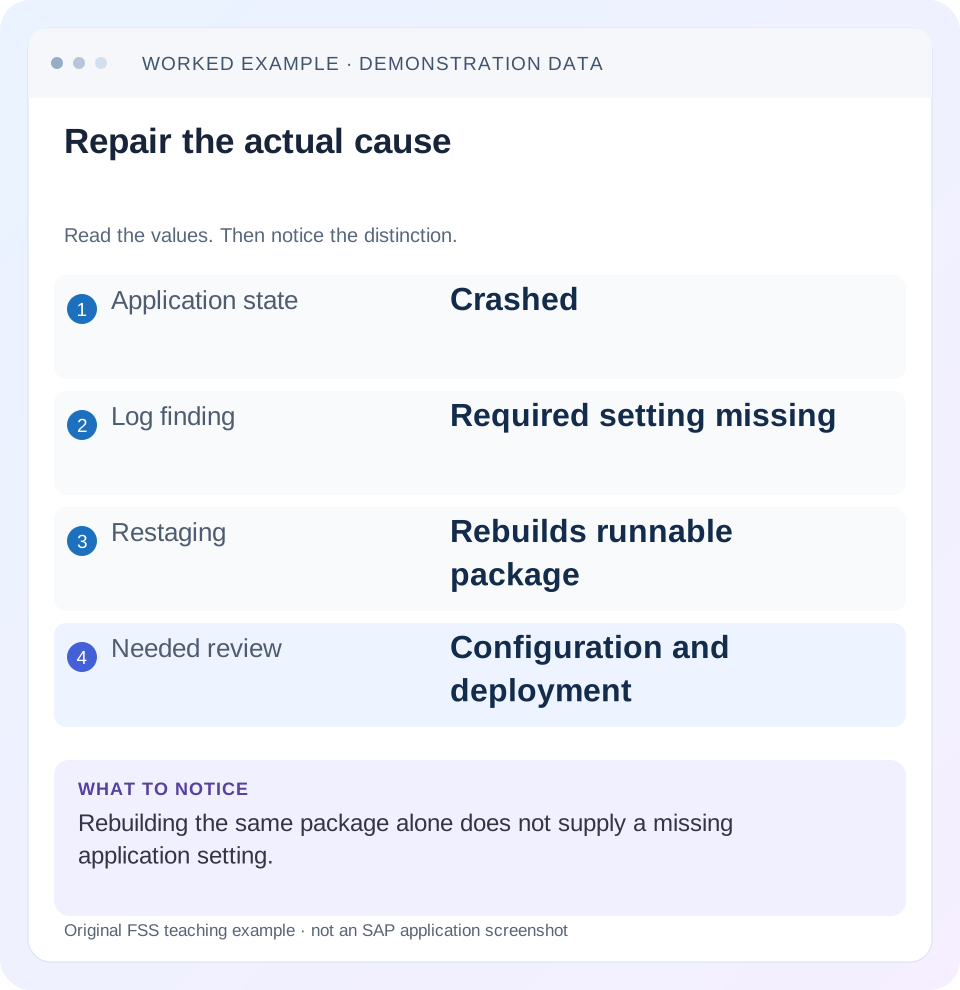
Read the example values
- Application state
- Crashed
- Log finding
- Required setting missing
- Restaging
- Rebuilds runnable package
- Needed review
- Configuration and deployment
Words you’ll meet in this guide
- Backend
- The service or system doing the work behind an interface.
- Destination
- Named connection settings for another service.
- Credential
- Access information used to prove an identity.
- Subaccount
- A BTP scope for applications, services and access settings.
- BTP
- SAP Business Technology Platform: cloud services for applications, data and integration.
- API
- A defined interface through which programs exchange data or request actions.
Preview the practical steps
SEE THE CONNECTION
See it in a simple example.
A small example to make the idea concrete.
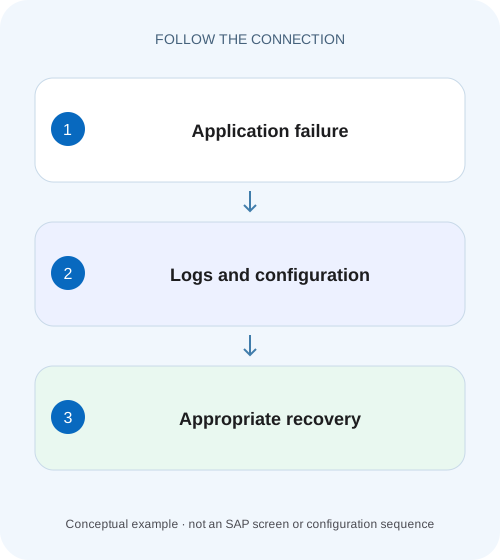
Explain an operational extension that keeps restarting
A manufacturer's cloud application repeatedly exits after startup because its required configuration may not be present.
Find the failing phase before choosing a lifecycle command
When a Cloud Foundry application crashes after deployment, preserve its recent logs and determine whether the failure occurred during staging, startup, health checking or a later request.
Separate deployment, staging and runtime outcomes
A deployment can upload content and complete platform operations while one application process later fails.
Worked case: a missing required setting causes repeated startup exits
Imagine application order-api version 2.4.0 in acme-dev/integration with two desired instances.
Explain an operational extension that keeps restarting
A manufacturer's cloud application repeatedly exits after startup because its required configuration may not be present.
Read crash and startup evidence before deciding whether configuration, restart or a new staged build is needed.
| Reader | Business question | Evidence to carry forward |
|---|---|---|
| SAP developers and application teams supporting manufacturers | Explain an operational extension that keeps restarting | Read crash and startup evidence before deciding whether configuration, restart or a new staged build is needed. |
01 Find the failing phase before choosing a lifecycle command
When a Cloud Foundry application crashes after deployment, preserve its recent logs and determine whether the failure occurred during staging, startup, health checking or a later request. Restaging builds a new runnable droplet; it does not automatically supply a missing application setting, repair invalid business data or correct an unavailable backend. Choose a remedy that matches the observed failure. [1] [2]
This tutorial is for developers operating SAP BTP Cloud Foundry applications. You need authorized read access to the correct organization and space, the deployed artifact identity and the application’s expected startup behavior. CLI versions, buildpacks, log retention and MTA deployment tooling vary. The fictional log sequence below illustrates diagnosis; it is not output captured from an SAP customer system.
02 Separate deployment, staging and runtime outcomes
A deployment can upload content and complete platform operations while one application process later fails. Staging runs the buildpack workflow that creates a droplet. Startup launches the configured process from that artifact. Health checks decide whether the platform considers a process healthy. Runtime code can still fail on a particular request after all those stages succeeded.
Keep evidence aligned with the failing phase. Application logs identify runtime components and instances, while a deployment-operation failure needs its corresponding deployment evidence. A deployer error about creating a service needs different evidence from an application exception after startup. If a multitarget application contains several modules, identify the module that failed rather than describing the whole MTA as one process. [1]
03 Worked case: a missing required setting causes repeated startup exits
Imagine application order-api version 2.4.0 in acme-dev/integration with two desired instances. The previous release was healthy. The new application validates REQUIRED_BACKEND_URL at startup. The deployment omitted that setting. Both processes log a configuration error and exit before opening their listening socket. Repeated restaging uses the same source and same missing configuration, so the same startup failure returns.
The diagnostic goal is to connect the setting’s absence to the first exception and process exit. A downstream router error is a consequence. Increasing memory because the application is “crashed” would change an unrelated resource. Instead, compare release configuration, supply the approved backend URL through the established deployment mechanism and apply the lifecycle action required by when the application consumes it.
Now contrast an unavailable backend: if the setting is present and the application logs a connection refusal only when /orders is requested, the first causal error has moved to runtime connectivity. A startup-only repair is no longer the right hypothesis. Compare endpoint, destination and binding evidence using that request’s timestamp. Keeping the two cases separate prevents a successful startup from being reported as a repaired business operation.
14:02:10 APP/0  Starting order-api version 2.4.0
14:02:10 APP/0  Configuration error: REQUIRED_BACKEND_URL is absent
14:02:10 APP/0  Process exited before listener startup
14:02:12 APP/1  Starting order-api version 2.4.0
14:02:12 APP/1  Configuration error: REQUIRED_BACKEND_URL is absent
04 Capture state and logs while the original evidence remains available
Confirm the target before reading logs. Then inspect desired and actual process state, recent events and the startup sequence. The following are standard read-oriented CF CLI observations; use installed help and tenant policy for retention and access. Recent output can be incomplete, so record the observation time and preserve the relevant sanitized window.
Follow the first meaningful error, not only the last line. A generic exit or failed health-check message can follow a more specific configuration or dependency exception. Keep the lines immediately before and after that exception, including instance identifiers. Do not collect complete payloads, tokens or environment dumps just because they are available.
cf target
cf app order-api
cf events order-api
cf logs order-api --recent
05 Read instance identity and time as part of the error
SAP’s application-log documentation shows component and instance markers such as APP/1. A two-instance application can have one healthy process and one repeatedly failing process. A single successful browser request can be served by the healthy one and conceal that difference. Compare startup and error events per instance and correlate them with the deployed release. [1]
Also distinguish process age from release age. If a process restarts repeatedly, its recent startup does not imply a new source deployment. Compare the platform events with artifact and configuration changes. In the worked case, both instances emit the same missing-setting error after the 2.4.0 deployment, which supports a shared release-input cause rather than a single transient process problem.
06 Compare the effective inputs with the last healthy release
Inspect the application artifact version, start command, buildpack/runtime requirements, non-secret environment settings, service-binding identities and health-check configuration. Compare actual effective values with the intended manifest or deployment descriptor. A correct file in source control does not prove the same file was used for the failed deployment.
For REQUIRED_BACKEND_URL, compare presence and the safe endpoint identity; do not dump every environment value. If the missing item is a service binding, verify the intended instance and credential delivery rather than manually embedding credentials in the application. If a start command was overridden in a previous deployment, the buildpack’s default may not be the command being used. Inspect the effective command before changing code.
If only a later request fails, compare that request’s input and dependency path. An application can start successfully without opening every external connection. A 500 on the first order read may reflect a lazy database connection or invalid request handling rather than a platform startup defect.
07 Choose restart, restage or a new deployment for a stated reason
Cloud Foundry documents restart as starting the app from its existing staged droplet, while restage creates a new droplet from the existing application content. A runtime-only environment update commonly needs a restart for the process to read it. A buildpack-consumed setting requires restaging. Source changes require the appropriate new deployment rather than assuming restage uploads new code. [2]
In the worked case, establish how order-api consumes REQUIRED_BACKEND_URL. If its runtime reads the setting at startup and no staging behavior depends on it, a supported restart after updating deployment configuration can be sufficient. If build-time generation embeds the setting, restage or redeployment may be required. Record that reason so the recovery remains understandable and reproducible.
08 Troubleshoot by evidence rather than by the word crashed
The same visible application state can result from different causes. Use the specific exception, process exit context and platform event to pick the next comparison. Resource increases should follow evidence of a limit, not the assumption that all crashes are capacity problems.
| Observation | Likely phase | Next comparison |
|---|---|---|
| Buildpack dependency download fails | Staging | Buildpack/runtime support and dependency access |
| Required setting absent | Startup | Effective release configuration |
| Process exits before expected listener | Startup | Start command and first application exception |
| Health check fails, process remains active | Readiness/health contract | Configured health check and actual listening behavior |
| Only one instance repeatedly fails | Instance-specific state | Per-instance logs and platform events |
| Crash after a large request | Runtime workload | Request path, resource evidence and application processing |
09 Handle health-check and resource hypotheses carefully
A failed health check does not automatically mean the health check should be disabled. Compare the configured type and endpoint with the application’s documented startup behavior. An application listening on an unexpected interface or port can remain alive while unreachable to the platform. A health endpoint that performs an expensive dependency check can also behave differently from a simple process check.
For suspected memory exhaustion, preserve the relevant termination or platform evidence and compare it with the workload and limits. A large payload, unbounded cache or startup allocation may need an application fix as well as an appropriate limit. Raising the limit without understanding the growth can postpone the same failure. Conversely, do not insist on an application leak when platform evidence shows a legitimate configured limit is too small for the documented workload.
10 Apply the correction while preserving a recovery path
Update the authoritative deployment configuration so a future release will not undo the repair. Keep the change limited to the observed cause where practical. In the worked case, include the required backend endpoint in the release configuration and validate it through the supported mechanism. Record the artifact version, configuration revision and lifecycle action used.
If the previous healthy release is a supported recovery option, understand its data and service compatibility before selecting it. Rolling application code back does not necessarily reverse schema changes or business writes. For partial MTA deployments, inspect which modules and services changed before retrying. Repeatedly redeploying the entire package can obscure a single-module defect and introduce more state changes than necessary.
11 Verify stable behavior over the original failure path
For a positive check, confirm every intended instance reaches the expected state and perform a harmless order read through the normal route. Check logs for the original missing-setting error. Define the observation window explicitly; a successful minute does not prove indefinite stability. If the original crash occurred only during a specific job, exercise the corresponding controlled workload.
For a negative development check, omit the required setting in an isolated fixture and verify that startup fails with a clear non-secret diagnostic. For a boundary check, supply an invalid endpoint and distinguish configuration validation from later connectivity failure. The expected messages should identify the failed boundary without exposing credentials.
What closes the incident? State the first causal error, the mismatched release input, the corrected configuration, why restart or restage was appropriate, and which instances and operations were verified. If only logs were reviewed and no runtime change was executed, say so. The related binding and destination lessons cover the next boundary when startup succeeds but a backend operation still fails.
Related services and next steps
Primary sources
Found this useful?
Share this guide with your network, or leave a like.
Your like is saved in this browser.