SAP SLT initial load versus replication: Investigate freshness without restarting everything
A manufacturer's reporting copy has the expected row count but may be missing recent operational changes.

Source review:
START HERE · NO PRIOR TOPIC KNOWLEDGE NEEDED
What it is. Why it matters.
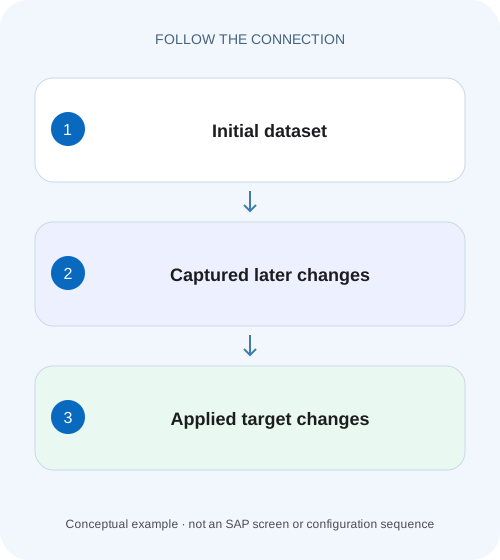
An SLT initial load establishes a starting dataset. Ongoing replication processes later source changes when the configured replication mode and supporting processing are active.
Completely new to SAP?
Manufacturers use SAP to connect work such as buying components, recording inventory, planning production, shipping equipment and accounting for costs. SAP S/4HANA is an enterprise resource planning system: it connects these activities through shared business data.
SAP HANA is a database platform. Data models describe how records relate; queries ask for results. Start with the intended result before looking at storage or performance.
A transaction code, or t-code, is a shortcut to a task in classic SAP GUI. Fiori apps provide another way to work. Names and screens depend on the product and release; you do not need a live system to learn the concepts in this guide.

Scope and source-review notes
Scope and evidence
Source review by FAST SAP SOLUTIONS® editorial. This badge describes our editorial review; it does not represent SAP certification or independent endorsement.
SAP Landscape Transformation Replication Server concepts. Monitoring screens and available actions depend on SLT version, target adapter and integration scenario.
Documentation review on 14 November 2026 using official SAP sources and indexed official excerpts where full Help text was unavailable. Scope and service or release differences are explained in the lesson. All datasets, requests and checks are illustrative; no customer SAP runtime execution or measured results are claimed.
A MANUFACTURING EXAMPLE
Explain missing changes in a factory data copy
A completed load is only the start
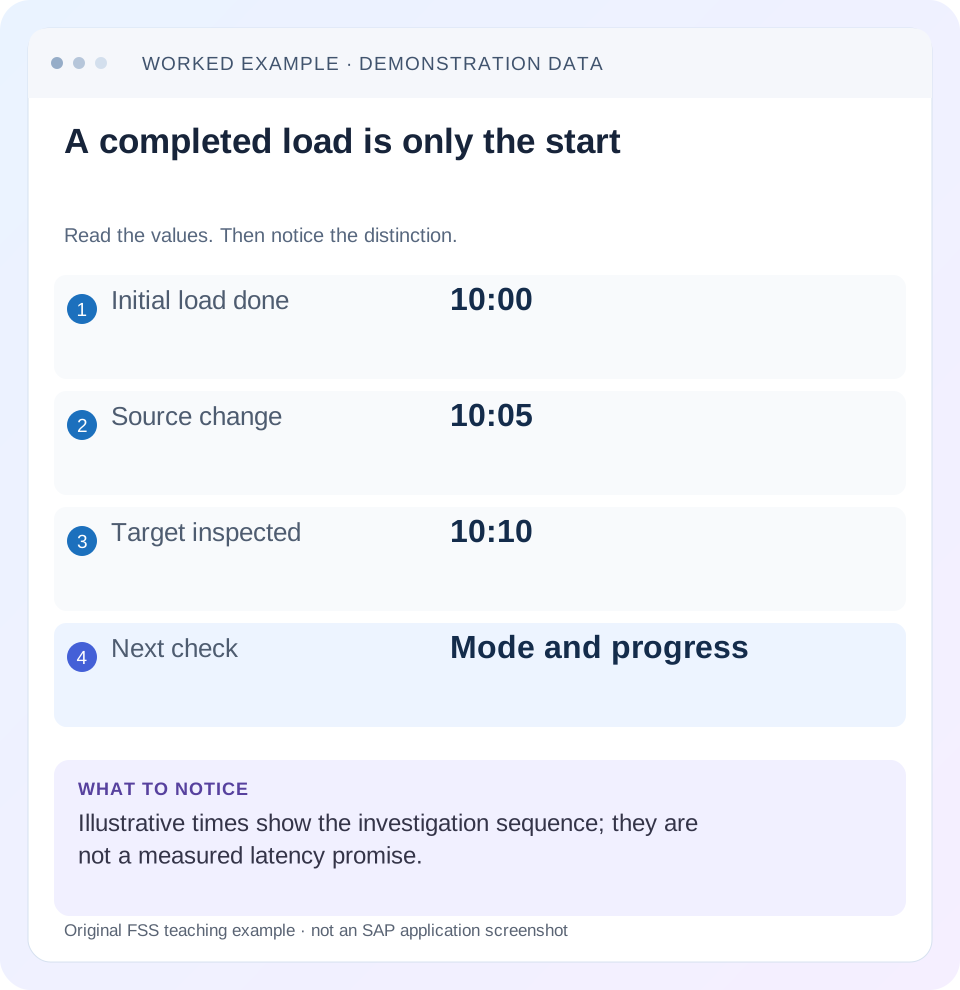
Read the example values
- Initial load done
- 10:00
- Source change
- 10:05
- Target inspected
- 10:10
- Next check
- Mode and progress
Words you’ll meet in this guide
- Query
- A request to retrieve or calculate data.
- Table
- Data organized into rows and columns.
- Persistence
- Keeping data in storage so it survives beyond memory.
Preview the practical steps
SEE THE CONNECTION
See it in a simple example.
A small example to make the idea concrete.
Explain missing changes in a factory data copy
A manufacturer's reporting copy has the expected row count but may be missing recent operational changes.
A finished initial load proves a baseline, not continuing freshness
An SLT initial load copies the selected starting dataset.
Separate baseline loading, capture and target application
Think of three questions: was the starting dataset copied, were later changes recorded and were those changes applied to the intended target?
Worked case: identical row counts conceal three missing changes
Use a fictional table ZDEMO_BALANCE with keys A, B and C and values 10, 20 and 30 at the 10:00 baseline.
Explain missing changes in a factory data copy
A manufacturer's reporting copy has the expected row count but may be missing recent operational changes.
Compare initial-load and ongoing-replication evidence, including actual changed records, before declaring the data current.
| Reader | Business question | Evidence to carry forward |
|---|---|---|
| SAP developers and application teams supporting manufacturers | Explain missing changes in a factory data copy | Compare initial-load and ongoing-replication evidence, including actual changed records, before declaring the data current. |
01 A finished initial load proves a baseline, not continuing freshness
An SLT initial load copies the selected starting dataset. Ongoing replication transfers later source changes under the configured scenario. If a target table is present but a recent update is missing, first establish which mode was started and whether capture, transfer and target application are progressing. Restarting every table before making that distinction can destroy useful evidence and create an unnecessary reload. [1]
This tutorial is for SAP Landscape Transformation Replication Server operators and data engineers investigating table freshness. You need the mass transfer/configuration identity, source and target context, table-level monitor and a permitted known-key comparison. The LTRC action examples are documented for cited SLT versions; Central Finance has additional application prerequisites. Legacy trigger recording and newer subscription-based change capture must not be treated as identical implementations. [2] [3]
02 Separate baseline loading, capture and target application
Think of three questions: was the starting dataset copied, were later changes recorded and were those changes applied to the intended target? A successful baseline does not answer the latter two. A captured backlog can exist while target application fails. Conversely, a load-only configuration may never have been intended to capture future changes.
SAP’s SLT performance guidance distinguishes legacy recording from subscription-based mechanisms in supported source scenarios. Do not assume every landscape has the same trigger or logging-table objects. Identify the installed SLT release, source-system release, connection and configured recording mode before interpreting low-level evidence. Use supported monitors and application logs rather than manually editing capture artifacts. [3]
03 Worked case: identical row counts conceal three missing changes
Use a fictional table ZDEMO_BALANCE with keys A, B and C and values 10, 20 and 30 at the 10:00 baseline. At 10:05, an authorized test changes A to 12, deletes B and inserts D with 40. At 10:10, the target still contains A=10, B=20 and C=30. Both source and target have three rows, so a row-count check alone looks reassuring.
The expected current source identities are A, C and D and their values total 82. The stale target identities are A, B and C and total 60. Compare identities and values, not only count or the presence of the table. These values and times are an authored diagnostic fixture, not a measured SLT latency promise or a standard SAP application table.
| Key | 10:00 baseline | 10:05 source | Expected replicated state |
|---|---|---|---|
| A | 10 | 12 | 12 |
| B | 20 | Deleted | Absent |
| C | 30 | 30 | 30 |
| D | Absent | 40 | 40 |
| Total | 60 | 82 | 82 |
04 Identify the exact configuration and object scope
Record source system/client or database, target schema/context, mass transfer ID, source object and target object. Compare filters, transformations and key handling. A target row absent because it is deliberately filtered is different from a missing delta. Two SLT configurations can process the same source table into different targets or scopes.
For the fixture, define that all four possible keys are in scope and values are copied without transformation. If a real configuration filters B or transforms amounts, adjust the expected ledger before diagnosing a defect. Also confirm that the consumer query reads this target rather than an old schema, a cached report or another replica. A stale dashboard is not proof that the table underneath is stale.
05 Read the selected LTRC data-provisioning action
The cited general SLT LTRC guide documents Start Load as a one-time initial copy and Start Replication as initial loading followed by continuous or scheduled replication. That distinction answers the first branch of the fixture: if only Start Load was requested, the unchanged target after 10:05 can be consistent with the chosen mode. [1]
Do not silently switch modes on a productive table as a diagnostic. Compare the intended design and current state, then plan the supported change. For Central Finance, initial-load and replication objects and application settings have their own prerequisites. A general table-copy example does not establish that accounting postings can be loaded safely by copying arbitrary tables. [2]
06 Inspect progress and errors before deciding that replication stopped
In LTRC, inspect the relevant table and data-transfer information for the actual configuration, then review application logs with a filter that covers the failure window. The cited Central Finance setup identifies Data Transfer Monitor and Application Log views; exact fields and available actions vary by release and scenario. Preserve the original messages and timestamps. [2]
If capture is active but processing is behind, compare the oldest unresolved work, recent throughput observations and target-side errors. If the error concerns an invalid target value or duplicate key, repeating an initial load may reproduce it. If no ongoing replication was configured, there may be no backlog to drain. The same stale row therefore needs different next actions depending on the mode and progress evidence.
07 Distinguish suspend from stop before using either action
The documented LTRC lifecycle distinguishes suspending a table from stopping it. In its trigger-based context, suspend retains recording so later changes can accumulate, while stop removes associated capture artifacts and requires restarting the process. Confirm the installed scenario’s documented behavior before selecting an action; these choices are not interchangeable pause buttons. [1]
If a target outage requires a pause, estimate how much recorded work can accumulate and monitor the applicable storage/resource limits. If a full stop and reload is required, plan source impact, target replacement and consumer availability. A seemingly harmless stop can turn a freshness investigation into a long baseline rebuild. Do not manually remove triggers or clear logging data to make a monitor look clean.
08 Investigate an apparent missing update by key and operation
For A=12, establish the source commit and the exact target observation. For deleted B, confirm whether the configured target contract propagates deletes or uses another documented representation. For inserted D, confirm its key and filter eligibility. A successful update test does not establish insert and delete behavior.
Preserve each operation’s identity and timestamp. During catch-up, a target can temporarily show some changes and not others; interpret that within the configured transaction and replication semantics. Do not claim a globally consistent multi-table business snapshot merely because one table is current. An application report joining several replicated objects needs its own consistency and reconciliation design.
Define the source commit boundary for each fixture operation. A row edited in a transaction that has not committed should not be treated as a missing committed change in the target. Record the business key, committed value and observation time from an authorized source view. If two teams inspect different transaction states, they can disagree without any replication defect.
For the delete check, do not use only a sum. A target with A=12, B=20, C=30 and D=20 also totals 82 but has the wrong identities and values. The fixture acceptance therefore requires the exact key set A/C/D and each expected value. A row count plus a total is stronger than either alone, yet still weaker than a small key-by-key reconciliation. Keep the detailed fixture small enough to inspect and use broader aggregate checks only as additional evidence.
09 Use a decision table to avoid unnecessary reloads
Find the first mismatch between intended mode, recorded progress and target result. A reload is a supported recovery option in some cases, but it should address an established need rather than substitute for understanding the pipeline.
| Observation | Likely question | Next evidence |
|---|---|---|
| Initial load done, no later changes | Was load-only chosen? | Requested action and intended replication mode |
| Changes recorded, target stale | Where is transfer/application blocked? | Table progress and target/application errors |
| Target count matches, keys differ | Were deletes/inserts applied? | Key/value operation ledger |
| Only one report stale | Does it read the current target? | Schema, query path and report cache |
| Repeated duplicate-key errors | Does existing target state conflict? | Supported target initialization and recovery plan |
| Recording backlog grows while suspended | Is capture retained and capacity sufficient? | Applicable recording mechanism and storage evidence |
10 Verify a correction with insert, update and delete cases
After an approved correction, repeat the known-key comparison and confirm A=12, B absent, C=30 and D=40 for the stated fixture. Record when each observation was made and which flow/configuration processed it. Then perform or identify a later permitted change to prove the pipeline continues after catching up, rather than only matching one refreshed snapshot.
For a negative case, use a deliberately excluded test key and verify it remains excluded according to the filter contract. For a boundary case, update the same key twice in a controlled sequence and verify the expected final value plus any required audit semantics. A current-state replica does not necessarily preserve every intermediate business event.
If a reload is necessary, validate the target before reopening dependent reporting. Compare key sets, representative values and relevant totals, then verify continuing deltas. Keep the old evidence and the reload boundary in the record so later operators know which baseline the target represents.
11 Plan source impact and recovery as explicit work
A large initial load can consume source read capacity, network bandwidth and target resources. Its duration and impact depend on configured reading type, data volume and platform. Use the relevant SLT performance guide and actual measurements; this article supplies no universal batch size or throughput benchmark.
Also account for restores of the SLT, source or target systems. Their metadata and data positions can diverge after recovery. Follow the appropriate SLT recovery guide rather than deleting leftover objects by analogy with another incident. A source-target key reconciliation is still required after the technical process resumes.
What should the handoff contain? Configuration and object identities, intended mode, capture mechanism, the 10:00/10:05/10:10 ledger or its real equivalent, causal error, supported correction and verification results. State unresolved lag or consistency limits. The related Datasphere lesson extends the same freshness reasoning to remote versus replicated reads.
Related services and next steps
Primary sources
Found this useful?
Share this guide with your network, or leave a like.
Your like is saved in this browser.