EWM warehouse task versus warehouse order: Movement and work package
A factory warehouse groups component movements for execution, and the supervisor needs to distinguish each task from the containing order.

Source review:
START HERE · NO PRIOR TOPIC KNOWLEDGE NEEDED
What it is. Why it matters.
A warehouse task describes a specific warehouse action. A warehouse order groups tasks into an executable work package for a resource.
Completely new to SAP?
Manufacturers use SAP to connect work such as buying components, recording inventory, planning production, shipping equipment and accounting for costs. SAP S/4HANA is an enterprise resource planning system: it connects these activities through shared business data.
Warehouse Management organizes where goods are and how they move. Stock identity, physical location, movement tasks and confirmed execution are separate pieces of the picture.
A transaction code, or t-code, is a shortcut to a task in classic SAP GUI. Fiori apps provide another way to work. Names and screens depend on the product and release; you do not need a live system to learn the concepts in this guide.

Scope and source-review notes
Scope and evidence
Source review by FAST SAP SOLUTIONS® editorial. This badge describes our editorial review; it does not represent SAP certification or independent endorsement.
EWM product-task and warehouse-order concepts, with historical product-WT and official support references. HU tasks, grouping, resource management, exception handling and PI packages require installed-release verification.
Reviewed the cited official SAP indexed documentation excerpts on 14 November 2026. Direct Help Portal opens did not consistently expose readable page text. This is documentation-based teaching, not customer-system execution. All document identifiers, quantities and outcomes in the worked case are illustrative; installed release, edition, configuration and authorizations require local verification.
A MANUFACTURING EXAMPLE
Separate a movement from its warehouse work package
One movement, one work package
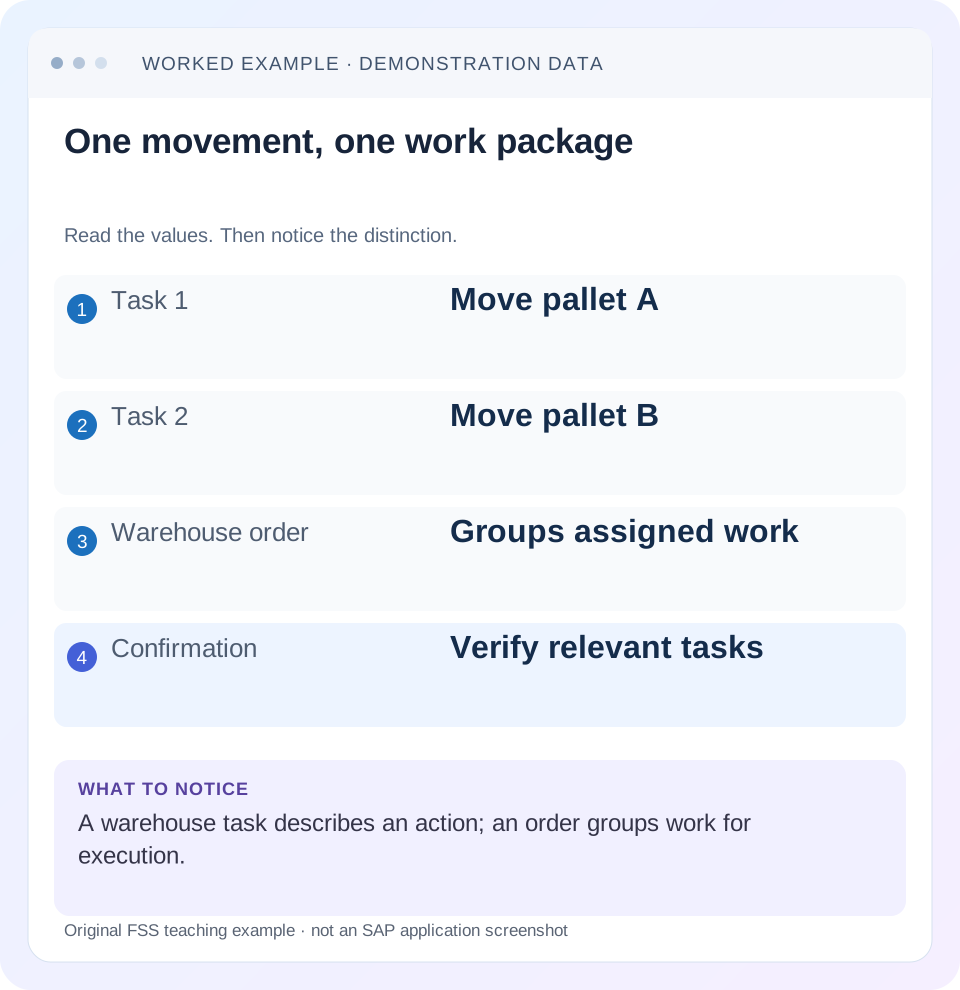
Read the example values
- Task 1
- Move pallet A
- Task 2
- Move pallet B
- Warehouse order
- Groups assigned work
- Confirmation
- Verify relevant tasks
Words you’ll meet in this guide
- Bin
- A named warehouse storage location.
- Handling unit
- An identified package of goods and packaging.
- Confirmation
- A record that relevant warehouse work was performed.
- Stock
- The goods recorded as held in a given business and location context.
- EWM
- Extended Warehouse Management: SAP’s application for warehouse processes.
- WM
- Warehouse Management: the warehouse application or component in the relevant SAP product.
Preview the practical steps
SEE THE CONNECTION
See it in a simple example.
A small example to make the idea concrete.
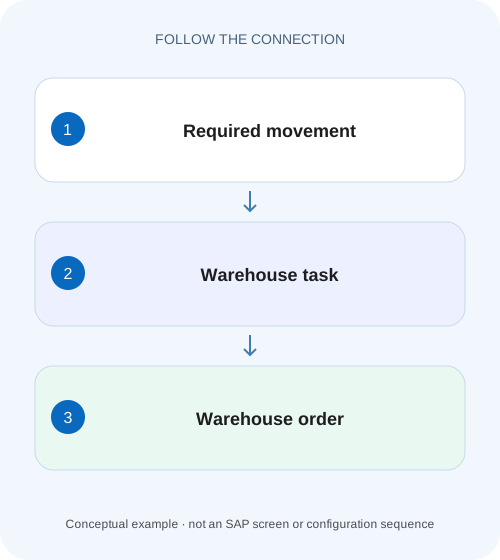
Separate a movement from its warehouse work package
A factory warehouse groups component movements for execution, and the supervisor needs to distinguish each task from the containing order.
A task defines activity; an order packages work for execution
In EWM, a warehouse task represents a specific warehouse activity or stock change.
Scope and prerequisites
The guide concerns EWM product-task and warehouse-order concepts in supported embedded/decentralized landscapes.
What a product task records
SAP describes a product WT as information for moving a product or recording relevant stock changes, including product, quantity, source and destination.
Separate a movement from its warehouse work package
A factory warehouse groups component movements for execution, and the supervisor needs to distinguish each task from the containing order.
Read task quantities, order grouping and confirmation state separately before reporting completed production supply.
| Reader | Business question | Evidence to carry forward |
|---|---|---|
| Plant stores, warehouse and materials teams | Separate a movement from its warehouse work package | Read task quantities, order grouping and confirmation state separately before reporting completed production supply. |
01 A task defines activity; an order packages work for execution
In EWM, a warehouse task represents a specific warehouse activity or stock change. A warehouse order is an executable package containing warehouse tasks or physical-inventory items. They have different identities and status questions: a created package does not prove its tasks were completed, and one confirmed task does not prove the whole package is finished. [1] [2]
This tutorial follows two picking tasks for the same product, grouped into one order. It explains quantity coverage, individual confirmation, package/resource visibility and recovery after an exception. Use the actual EWM objects rather than translating the names directly into classic WM transfer-requirement/transfer-order terminology.
02 Scope and prerequisites
The guide concerns EWM product-task and warehouse-order concepts in supported embedded/decentralized landscapes. HU tasks, physical inventory, resource management and specific grouping rules can have additional behavior. The historical product-WT reference explains the basic object, while current installed documentation must confirm operational details.
Collect warehouse, request/delivery item, task IDs, warehouse-order ID, product, quantity/unit, source/destination and actual status/exception evidence. Obtain authorized display access to tasks, orders, stock and request flow. Proposed confirmation/cancellation/recovery belongs in an approved training process.
Do not infer the exact number of orders from the number of tasks. Warehouse-order creation rules define how work is grouped in the installed setup, and a task can have a different package from a superficially similar task.
03 What a product task records
SAP describes a product WT as information for moving a product or recording relevant stock changes, including product, quantity, source and destination. Task creation and confirmation are different lifecycle events. Confirmation records what was actually processed and can involve differences or partial handling in the supported process. [1]
A task also participates in quantity reservation, so existing open tasks matter to availability. Creating a replacement for work that already exists can reserve the same business requirement again or conflict with its stock context.
Read the task’s reference and actual activity. Putaway, picking, internal movement and posting-related work should not all be treated as identical physical transfers. The task’s purpose, source/destination and document flow establish what its completion means.
04 What a warehouse order adds
SAP documents the WO as an executable work package for a warehouse employee. Warehouse-order creation rules control its scope/type. Grouping provides an execution context; it does not merge all task identities into a single movement. [2]
Read package status, constituent tasks and applicable assignment/queue/resource context together. A worker reporting “my order is done” may mean they completed one visible task while another remains open, or that an exception changed the remaining work. Verify the actual package and task evidence.
Do not assume every order is picking or that every package contains product movements. The documented definition also includes physical-inventory items. Identify the activity before applying the two-pick fixture.
05 Worked case: eight plus twelve in one package
Fictional delivery/request item REQ-A requires 20 PC of PROD-W. WT-1 picks eight PC from BIN-A to PACK-01, and WT-2 picks twelve PC from BIN-B to PACK-01. The approved creation rules group them into WO-10 in warehouse WH01. The example excludes other tasks, shortages and corrections at first.
WT-1 is confirmed for eight while WT-2 remains open for twelve. The request’s planned task coverage is twenty, but confirmed quantity in this fixture is eight. The package is not proven complete merely because the first task succeeded. The remaining twelve should be investigated through WT-2 and WO-10.
The quantity total does not predict resource visibility. An assigned worker can still see another subset or encounter an eligibility/queue/status issue according to the configured execution design. Read actual package assignment and messages before calling the twelve-piece task missing.
| Object | Quantity and route | Current fixture state |
|---|---|---|
| REQ-A | 20 PC PROD-W required | Business requirement |
| WT-1 | 8 PC BIN-A → PACK-01 | Confirmed |
| WT-2 | 12 PC BIN-B → PACK-01 | Open |
| WO-10 | Groups WT-1 and WT-2 | Inspect package plus remaining work |
| Coverage comparison | 20 planned;8 confirmed;12 open | Do not count package as another 20 |
06 Inspect request, task and order in sequence
The sequence preserves all three identities and separates creation, assignment and confirmation.
Read the requirement
Confirm REQ-A/WH01/PROD-W twenty PC and its actual reference/state.
Expected observation: The expected work population is defined.
Map existing tasks
Find WT-1 eight and WT-2 twelve with source/destination, units and states. Include cancellations or differences.
Expected observation: The twenty-piece task coverage is verified by identity.
Inspect the package
Read WO-10 membership, actual status and relevant assignment/queue context.
Expected observation: A task is distinguished from its execution package.
Trace the unresolved task
For WT-2, inspect physical stock, availability, worker message and any exception.
Expected observation: The twelve-piece issue has a specific operational explanation.
Verify supported completion/recovery
After the authorized action, inspect actual task outcomes, package state and request document flow.
Expected observation: No extra task was created for already covered work.
07 Grouping rules explain different package counts
Two tasks may be grouped together in one scenario and separated in another because the configured order-creation design differs. Review the applicable rule and business grouping requirements before assuming an extra order is a duplicate. [2]
For a worksheet alternative, put WT-1 in WO-10 and WT-2 in WO-11. The product task coverage remains twenty and confirmed quantity remains eight until WT-2 is processed. The number of packages changes, but physical demand does not become forty.
Capacity, activity or other grouping criteria must be read from the actual installed rule. Do not invent a universal maximum number of tasks or a fixed weight limit. A training comparison should vary one relevant rule/context and record the resulting packages.
08 Resource visibility is later than task creation
If WT-2 exists but the picker sees no work, inspect WO-10’s current processing state and applicable resource/queue selection. The correct question is no longer whether the task was created. A task can exist while its package is not currently eligible or visible to that resource.
Capture the user/resource, warehouse, queue/filter context and exact message. Do not reassign arbitrary work or change grouping configuration without understanding why the package belongs to its current execution flow.
For a controlled test, compare the same WO/task through the authorized monitor and intended execution interface. If the monitor shows open WT-2, investigate assignment/selection instead of creating another twelve-piece pick.
09 Exceptions and partial confirmations need actual quantities
Suppose WT-2 can physically pick only ten of its planned twelve. Use the supported exception/partial/difference process for the installed scenario and inspect what it creates or changes. Do not assume a universal remaining-task algorithm. [1]
The verified actual pick can then be eight plus ten, or eighteen in the fixture, with a two-piece question. That question might require shortage handling, another approved source or correction; the system’s generated task/request states must be read.
Do not confirm twelve merely to finish WO-10 when ten moved. A completed package with false quantity evidence creates downstream delivery and stock problems. Preserve planned, actual and difference quantities and the exception reason.
10 Stock and request document flow provide cross-checks
After confirmation, inspect the intended source/destination stock effects and request relationship. A confirmed task can document warehouse movement while later packing, staging or goods issue remains separate in the overall outbound process.
Twenty picked to PACK-01 is not automatically twenty shipped to the customer. Likewise, completing one package does not prove all packages for the delivery finished. Follow the actual delivery/request status and documents.
In the original eight/twelve fixture, compare existing tasks before any recovery. Their full planned twenty already covers the stated requirement, so an additional twelve-piece task needs a supported reason rather than a general desire to make the worker’s list nonempty.
11 Troubleshooting decisions
Use task and package evidence together. The package is a coordination object, not a second quantity movement.
| Observation | Question | Next evidence |
|---|---|---|
| WO exists, no confirmed movement | Were constituent tasks processed? | Task states and actual quantities |
| One task confirmed, package unresolved | What other work remains? | WO membership and WT-2 |
| Task exists, resource sees no work | Is package eligible/assigned for that context? | Queue/resource/status and message |
| Two WOs instead of one | Did grouping rules split work? | Applicable creation rule and task membership |
| Planned 12,actual 10 | Which exception/difference process applies? | Confirmation and resulting request/tasks |
| All picks done, shipment not posted | Which outbound step remains? | Packing/staging/GI document evidence |
12 Common mistakes in warehouse recovery
Do not confuse a WO number with a task number in a support ticket. Record both and the business reference. Do not add WO quantity to its tasks as though it were additional physical work.
Do not recreate WT-2 after a delayed execution response until its actual state is checked. A successful first confirmation can be followed by a communication failure, and repeating the action can produce an unnecessary recovery attempt.
Do not cancel an entire package because one task has a shortage without reviewing the supported item-level exception and dependencies. Preserve completed work and follow the installed process for the unresolved portion.
13 Verification exercises
For the positive worksheet check, reconcile eight plus twelve to twenty planned, with eight confirmed and twelve open. After legitimate completion, verify both tasks and the package, then inspect the request’s next stage.
For the negative check, mark WO-10 finished after WT-1 alone or create another twelve-piece task while WT-2 is open. Explain the lost-work or duplicate-coverage risk.
For boundary checks, split the tasks into two WOs, use a physical-inventory package, compare intended resource visibility and confirm ten of twelve through the authorized exception process. Record the installed outcomes and actual generated references; no runtime execution is claimed here.
14 Questions and the handover
Is one task one order? The configured grouping decides; the objects remain distinct. Does an order contain only picking tasks? SAP’s definition includes other work, including physical inventory. Does confirmation prove shipment? Follow the outbound process beyond warehouse movement.
A useful result names REQ-A twenty, WT-1 eight confirmed, WT-2 twelve open, WO-10 membership and the exact execution issue. After recovery it records actual quantities, package state and remaining delivery work.
Continue with wave release, monitor investigation and physical-versus-available stock to inspect how tasks were created, where they are visible and which stock they can use.
Related services and next steps
Primary sources
Found this useful?
Share this guide with your network, or leave a like.
Your like is saved in this browser.