SAP FB03: Read an accounting document before diagnosing the posting
A plant buyer reports a purchasing problem, but finance first needs to read the referenced accounting document and its organizational context.

Source review:
START HERE · NO PRIOR TOPIC KNOWLEDGE NEEDED
What it is. Why it matters.
FB03 displays an accounting document in classic SAP. Its header and line items show the dates, accounts and amounts needed to understand a posting.
Completely new to SAP?
Manufacturers use SAP to connect work such as buying components, recording inventory, planning production, shipping equipment and accounting for costs. SAP S/4HANA is an enterprise resource planning system: it connects these activities through shared business data.
Financial Accounting records business events as accounting documents. An account groups relevant amounts; individual entries explain how the total arose.
A transaction code, or t-code, is a shortcut to a task in classic SAP GUI. Fiori apps provide another way to work. Names and screens depend on the product and release; you do not need a live system to learn the concepts in this guide.

Scope and source-review notes
Scope and evidence
Source review by FAST SAP SOLUTIONS® editorial. This badge describes our editorial review; it does not represent SAP certification or independent endorsement.
Classic FI entry-view/general-ledger document display using ERP documentation. S/4HANA journal-entry applications and ledger views can differ.
Reviewed relevant official SAP indexed documentation excerpts on 14 November 2026. Examples, identifiers, amounts and expected observations are illustrative; no customer SAP execution was performed. Transaction availability, labels and results depend on the installed release, deployment and local configuration.
A MANUFACTURING EXAMPLE
Trace an accounting posting behind plant activity
Identify the accounting document
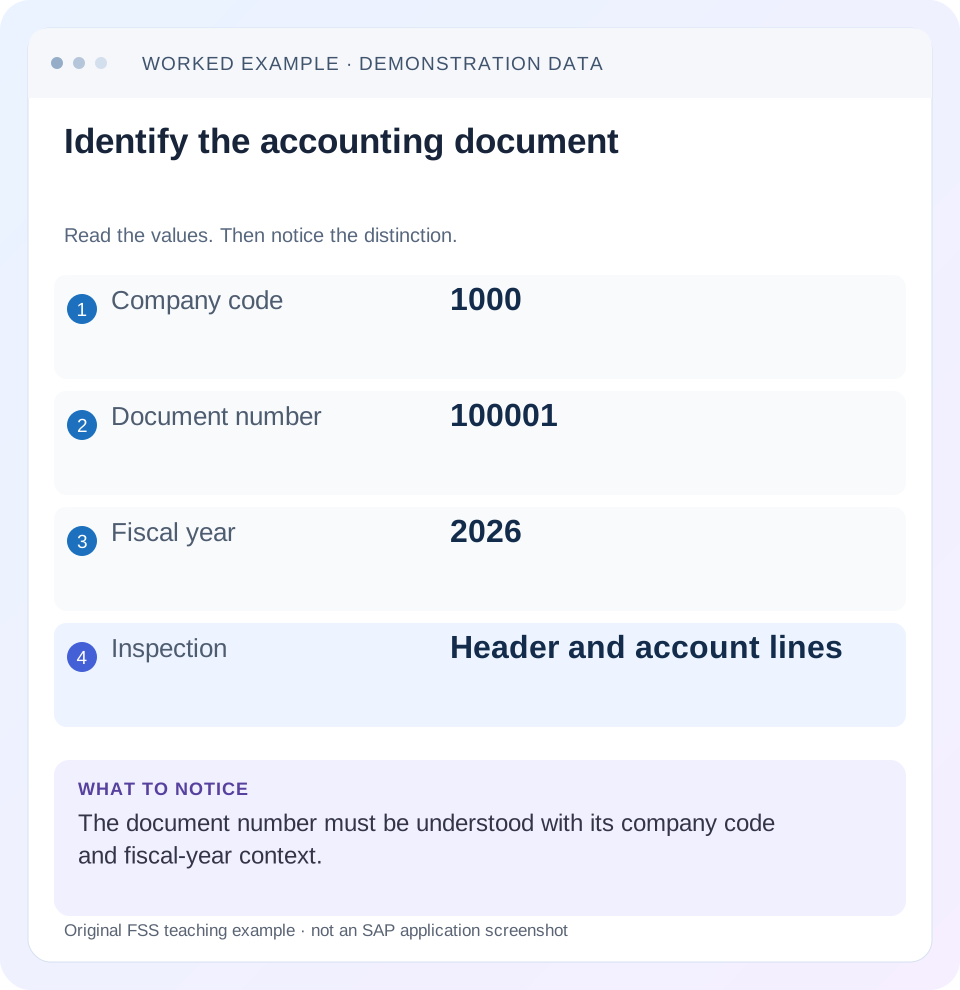
Read the example values
- Company code
- 1000
- Document number
- 100001
- Fiscal year
- 2026
- Inspection
- Header and account lines
Words you’ll meet in this guide
- Posting
- Recording a financial entry.
- General ledger
- The main collection of financial accounts.
- Open item
- An accounting entry still needing matching or settlement.
- Company code
- An organizational unit used for separate financial accounts.
- Accounting document
- A record of a financial entry with a header and individual account lines.
- HANA
- SAP’s database platform.
- FI
- Financial Accounting: the SAP area for financial postings and reporting.
Preview the practical steps
SEE THE CONNECTION
See it in a simple example.
A small example to make the idea concrete.
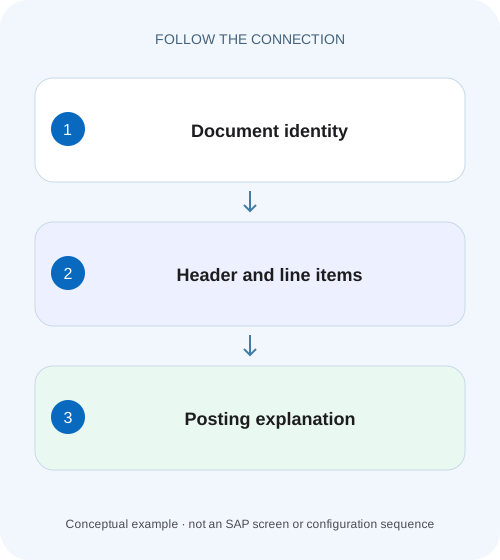
Trace an accounting posting behind plant activity
A plant buyer reports a purchasing problem, but finance first needs to read the referenced accounting document and its organizational context.
Use FB03 to establish what was posted
FB03 is a classic accounting-document display route.
A document number alone is not the identity
Record document number, company code and fiscal year.
Read the header as context, not a verdict
Inspect posting date, document date, document type, document currency, reference and relevant source/origin information.
Trace an accounting posting behind plant activity
A plant buyer reports a purchasing problem, but finance first needs to read the referenced accounting document and its organizational context.
Use the correct document number, company code and fiscal year, then inspect the lines before diagnosing the posting.
| Reader | Business question | Evidence to carry forward |
|---|---|---|
| Manufacturing finance, controlling and purchasing teams | Trace an accounting posting behind plant activity | Use the correct document number, company code and fiscal year, then inspect the lines before diagnosing the posting. |
01 Use FB03 to establish what was posted
FB03 is a classic accounting-document display route. Use it to identify a posted document, read its header and lines, and connect the accounting evidence with the business question. It is an effective starting point for diagnosing an unexpected account, amount, date or clearing state, provided the document is identified completely. [1]
This guide is for FI learners, functional support and finance analysts using classic ERP or a supported S/4HANA document-display process. The reviewed ERP New G/L documentation explains entry and general-ledger views; current journal-entry apps can present equivalent evidence differently. You need authorized display access. The example is a fictional supplier invoice, not a customer-system posting or a universal screen layout.
02 A document number alone is not the identity
Record document number, company code and fiscal year. SAP’s documented display entry uses all three, and the session may propose the last processed document number. Confirm the identity after opening the document rather than assuming a remembered or defaulted number is correct. [1]
Also capture the relevant line item when the issue is line-specific. A document can contain several expense assignments or business references. “Document 100001 is wrong” leaves the next analyst to infer which line and which company/year. “Company 1000, FY2026, document 100001, supplier line 3, unexpected payment block” defines a reproducible question. Protect sensitive references in any external handover.
03 Read the header as context, not a verdict
Inspect posting date, document date, document type, document currency, reference and relevant source/origin information. Each field answers a different question. The posting date drives the accounting period under the fiscal setup; the document date describes source-document timing. A reference can help connect the invoice but is not a unique identity in every process.
A balanced document with a plausible header can still belong to the wrong supplier or cost assignment. Use the supporting business evidence to establish expectation. The display shows what SAP recorded; it does not independently verify that the commercial invoice was valid, received only once or approved for payment.
04 Read each line with account category, direction and currency
For the affected line, retain account identity, account type, debit/credit direction, amount and currency, then the relevant cost center, profit center, tax or other account assignments. Do not copy a bare number. Some layouts show credits as negative; others use a separate direction column. Establish that convention before reconstructing totals.
An ordinary supplier credit line represents a different business effect from an expense debit, even when their displayed absolute amounts match. Read the entire balancing relationship. If tax or multiple currencies appear, reconstruct each relevant basis separately rather than adding local-currency and document-currency columns together.
05 Worked case: understand a 1,200 supplier invoice
Fictional document 100001 in company 1000, FY2026, records an eligible direct FI supplier invoice. It debits maintenance expense 1,000, debits illustrative recoverable tax 200 and credits supplier S100 1,200, all in EUR. The tax amount is a declared arithmetic input, not a tax-rate recommendation. Assume the expense should be assigned to maintenance cost center MA100.
The document balances because 1,000 + 200 = 1,200. If MA200 was entered instead, the document can be arithmetically correct while responsibility is wrong. If the supplier line remains open, the display does not establish payment. The investigation must preserve all three distinctions: arithmetic, business assignment and item lifecycle.
| Line | Account meaning | Debit | Credit | Relevant observation |
|---|---|---|---|---|
| 1 | Maintenance expense | 1,000 | 0 | Check MA100 versus actual assignment |
| 2 | Recoverable tax | 200 | 0 | Illustrative tax amount only |
| 3 | Supplier S100 | 0 | 1,200 | Inspect open/cleared and payment context |
| Total | Balanced entry | 1,200 | 1,200 | Balance does not certify business correctness |
06 Entry view and general-ledger view can have different lines
SAP describes the entry view as lines originally entered or transferred from the source component. The general-ledger view applies to a specific ledger and can include split lines or additionally generated clearing lines. Therefore a larger line count in the ledger view is not automatically a duplicate business posting. [1]
When comparing FB03 with a ledger report, record view and ledger as well as document identity. In the worked example, a supported splitting design could produce additional presentation lines for accounting dimensions. Do not add entry-view supplier liability to ledger-view representations as if they were separate invoices. Establish which view answers the report’s question.
07 Follow the source and subsequent relationships
Use supported document navigation to inspect the originating invoice or other source process where applicable. A logistics invoice, sales billing document and direct FI journal have different correction chains. The accounting document can be a follow-on representation rather than the only business object requiring correction.
Also inspect clearing and reversal relationships relevant to the question. A supplier invoice may be matched with a credit memo, paid through a payment process or reversed. Those states have different meanings. Record the related document identities and dates. A clearing number alone does not prove the supplier received cash, and a payment proposal is not the same evidence as a posted payment or bank confirmation.
08 A practical document-reading sequence
Keep the expected-versus-observed statement narrow enough to verify. For the example, ask whether the 1,000 maintenance expense was assigned to MA100 and whether the 1,200 supplier item is still open.
Locate the full identity
Enter or navigate to company 1000/FY2026/document 100001, then confirm the header and source reference.
Expected observation: A session default has not selected another document.
Reconstruct the journal
Read all lines, signs and currencies; calculate the 1,200 debit and credit totals.
Expected observation: The accounting relationship is understood.
Inspect the disputed assignment
Compare the saved cost center and relevant dated master/source evidence.
Expected observation: The actual MA100/MA200 relationship is observed.
Trace related states
Read clearing/reversal and source references, then inspect supporting documents where authorized.
Expected observation: Payment, reversal and source-origin questions remain distinct.
Align the comparison report
Record entry/ledger view, ledger, currency, period and filters on both sides.
Expected observation: A presentation difference is separated from a posting difference.
09 Troubleshoot the evidence you actually see
An empty or unexpected display can result from identity, authorization, archive or view scope. A changed report total can result from selection rather than a changed document. Avoid inferring a missing posting from one screenshot.
| Observation | Check first | What it may explain |
|---|---|---|
| Document not found | Company/year/number and source reference | Wrong identity or different fiscal-year context |
| Old document appears unexpectedly | Session default and header | Last processed number was reused |
| More lines in ledger view | View, ledger and splitting context | Additional accounting representation |
| Balanced but wrong department | Saved cost assignment | Business classification can be wrong despite zero balance |
| Invoice visible but supplier unpaid | Open item, blocks and payment evidence | Display is not a payment confirmation |
| Credit signs look inconsistent | Layout direction and currency fields | Different display conventions |
10 Verification exercises for a reliable reading
For a positive worksheet check, reconstruct the three-line 1,200 invoice and state the complete identity and currency. In an authorized training display, find the saved cost assignment and link it to the relevant source evidence. Verify both header and the affected line rather than only the total.
For a negative case, use the same document number in a different company/year and explain why it is a different identity. For a boundary case, compare entry and ledger views and identify any additional lines without labeling them duplicate invoices. Another exercise supplies a cleared supplier item: state exactly what the clearing evidence proves and which further evidence would establish cash payment. These checks are proposed; no SAP document was executed or displayed in a customer system for this article.
11 Prepare the correction handover without preselecting the fix
Write the observed fact first: “Expense line 1 has MA200; approved source evidence indicates MA100.” Then include complete document identity, source origin, period, view and relevant related documents. This allows the accountant to choose the supported correction route. A source-module document may need correction in its originating process; an ordinary FI journal can have different reversal prerequisites.
After an approved correction, revisit the original and resulting documents. Verify account, assignment, amounts, dates and relevant open-item state. Do not assume that a changed report means the original was reversed or that an updated reference changed the financial posting. Preserve the relationship from original to correction and any replacement.
12 Use a line-reading worksheet for a focused handover
For the illustrative invoice, make three separate worksheet rows rather than copying the header total. Row 1 records expense account, debit 1,000 EUR and the saved cost center. Row 2 records tax account, debit 200 EUR and the applicable tax evidence. Row 3 records supplier S100, credit 1,200 EUR and the actual clearing/block context. Add source reference and complete document identity once for the group.
This worksheet exposes several different defects: a wrong expense account, a wrong responsibility assignment, an unexpected tax line or a supplier-state issue. Each defect has a different next investigation. If row 1 is correct but row 3 is unpaid, changing the expense account cannot solve payment eligibility. If row 3 is cleared by a credit memo, describe that settlement composition rather than reporting that the bank paid 1,200. Keeping line meaning explicit prevents a balanced total from hiding the real question.
13 Frequently asked questions
Does FB03 change the document? Its purpose here is display; maintenance and correction use their supported processes and authorizations. Why can two reports show different lines for the same document? Entry view, ledger view, splitting, currencies and filters can differ. Does a reference identify the invoice uniquely? Treat it as evidence within company/source context, not a universal unique key.
Can I decide the posting is correct because debits equal credits? No; check business evidence, account category and assignments. If the issue is account classification, use the document-type/posting-key lesson. If it is item status, use the line-item and open-item lessons. If the original is wrong, use reversal guidance after establishing source and clearing prerequisites.
Related services and next steps
Primary sources
Found this useful?
Share this guide with your network, or leave a like.
Your like is saved in this browser.