SAP document type versus posting key: Header rules and line-item rules
A plant's accounts-payable analyst needs to distinguish the header controls on a supplier invoice from the controls on each accounting line.

Source review:
START HERE · NO PRIOR TOPIC KNOWLEDGE NEEDED
What it is. Why it matters.
A document type classifies an accounting document at header level. A posting key controls aspects of an individual line, including account type and debit or credit direction.
Completely new to SAP?
Manufacturers use SAP to connect work such as buying components, recording inventory, planning production, shipping equipment and accounting for costs. SAP S/4HANA is an enterprise resource planning system: it connects these activities through shared business data.
Financial Accounting records business events as accounting documents. An account groups relevant amounts; individual entries explain how the total arose.
A transaction code, or t-code, is a shortcut to a task in classic SAP GUI. Fiori apps provide another way to work. Names and screens depend on the product and release; you do not need a live system to learn the concepts in this guide.

Scope and source-review notes
Scope and evidence
Source review by FAST SAP SOLUTIONS® editorial. This badge describes our editorial review; it does not represent SAP certification or independent endorsement.
SAP ERP and S/4HANA FI document types and posting-key concepts. Classic keys are examples; Fiori applications and released interfaces can derive keys from semantic inputs.
Reviewed relevant official SAP indexed documentation excerpts on 14 November 2026. Examples, identifiers, amounts and expected observations are illustrative; no customer SAP execution was performed. Transaction availability, labels and results depend on the installed release, deployment and local configuration.
A MANUFACTURING EXAMPLE
Read a component supplier invoice posting
Header rule versus line rule
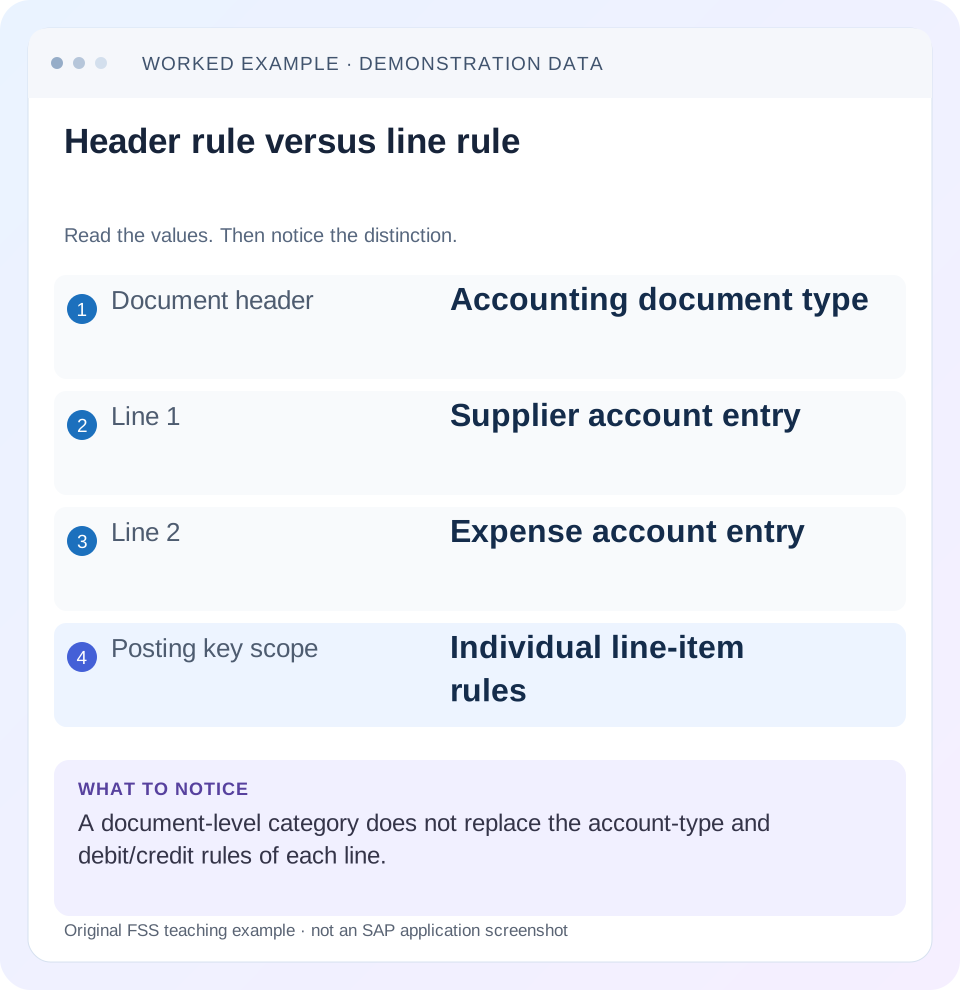
Read the example values
- Document header
- Accounting document type
- Line 1
- Supplier account entry
- Line 2
- Expense account entry
- Posting key scope
- Individual line-item rules
Words you’ll meet in this guide
- Posting
- Recording a financial entry.
- General ledger
- The main collection of financial accounts.
- Open item
- An accounting entry still needing matching or settlement.
- Company code
- An organizational unit used for separate financial accounts.
- Accounting document
- A record of a financial entry with a header and individual account lines.
- HANA
- SAP’s database platform.
- API
- A defined interface through which programs exchange data or request actions.
- FI
- Financial Accounting: the SAP area for financial postings and reporting.
Preview the practical steps
SEE THE CONNECTION
See it in a simple example.
A small example to make the idea concrete.
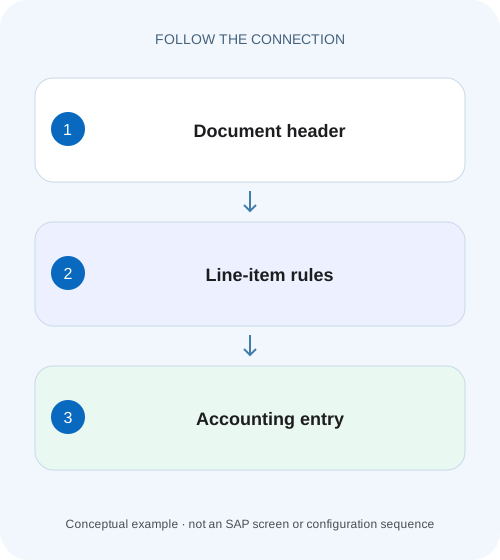
Read a component supplier invoice posting
A plant's accounts-payable analyst needs to distinguish the header controls on a supplier invoice from the controls on each accounting line.
Header classification and line behavior are different controls
The document type classifies the whole accounting document and helps control permitted account types and number assignment.
Read the document type as a document-level contract
SAP describes the document type as a header key that distinguishes business transactions, controls which account types can be posted and connects to document numbering.
Read posting keys line by line
Posting keys translate account category and debit/credit behavior into the document’s internal line representation.
Read a component supplier invoice posting
A plant's accounts-payable analyst needs to distinguish the header controls on a supplier invoice from the controls on each accounting line.
Read document type and posting-key context at their respective levels before explaining why a line is permitted or rejected.
| Reader | Business question | Evidence to carry forward |
|---|---|---|
| Manufacturing finance, controlling and purchasing teams | Read a component supplier invoice posting | Read document type and posting-key context at their respective levels before explaining why a line is permitted or rejected. |
01 Header classification and line behavior are different controls
The document type classifies the whole accounting document and helps control permitted account types and number assignment. A posting key describes an individual line’s account type and debit/credit direction, with relevant entry-control behavior. Both matter. A header type that permits G/L and supplier accounts does not make every line a supplier line, and a correct posting key cannot override an incompatible document-level rule. [1] [2]
This guide is for FI learners, support analysts and interface teams working with classic ERP or S/4HANA accounting documents. You need authorized display access to documents and the relevant configuration evidence. Many modern applications derive posting keys from the selected account category and debit/credit entry rather than requiring manual key entry. The lesson explains the mechanism so you can diagnose it across supported entry routes.
02 Read the document type as a document-level contract
SAP describes the document type as a header key that distinguishes business transactions, controls which account types can be posted and connects to document numbering. It is useful for selection and analysis, but a familiar standard code is not proof of unchanged configuration. Customer-specific types and changed settings require inspection. [1]
For an incident, capture the actual saved document type, number-range context and intended business process. Do not choose another type simply because it allows the entry. That can change reporting classification and number assignment while leaving the original business error unresolved. A type used for general journals is not automatically the correct type for every supplier or interface process.
03 Read posting keys line by line
Posting keys translate account category and debit/credit behavior into the document’s internal line representation. Official learning material uses 40 for a G/L debit and 50 for a G/L credit, and distinguishes customer and supplier keys in their relevant contexts. Learn the direction first, then confirm the actual key used by the supported transaction. [2] [3]
A displayed amount of 1,000 does not tell you whether it is a debit or credit unless the display’s sign convention is known. Read the line direction and account type together. A credit on a supplier account increases an ordinary payable in a simple invoice example; a credit on an expense account has a different economic effect. The same word “credit” is not a complete business explanation.
04 Worked case: a simple supplier invoice
A fictional direct FI supplier invoice has an expense of 1,000 and supplier liability of 1,000. Tax, discounts, currency conversion and special G/L processing are omitted. The header document type must permit the required supplier and G/L account categories under the local design. The expense line is a G/L debit; the supplier line is a supplier credit.
In a classic standard example, the G/L debit can be represented by posting key 40 and an ordinary supplier invoice credit by 31. Those codes are examples supported by the referenced SAP learning material, not instructions to hard-code them for every API or special process. An application may derive them from semantic input rather than accepting them directly.
| Level | Value or behavior | What it establishes |
|---|---|---|
| Header | Local supplier-invoice document type | Whole-document classification and permitted categories |
| Expense line | G/L debit 1,000; example key 40 | Debit direction and G/L account category |
| Supplier line | Supplier credit 1,000; example key 31 | Credit direction and supplier account category |
| Balance | Debits 1,000 = credits 1,000 | Arithmetic balance, not proof of complete business correctness |
05 Why two valid controls can still reject an entry
The document type may allow suppliers while the selected posting key expects a customer. The account entered may be a G/L account while the line expects a supplier master. Or the account and key may be correct but a required organizational or tax field is missing. Resolve the exact incompatible relationship instead of assuming the entire document type is wrong.
Inspect the error in context: which line, which account category, which direction and which field? A screen message about a required cost assignment belongs to a different branch from a message about an impermissible account type. Preserve the message identifier and sanitized text when available. A successful retry after changing several unrelated fields provides weak evidence about the actual cause.
06 Understand field status without using trial and error
Entry requirements can arise from the posting key and account-related field status under the configured process. A field can be required, optional or suppressed in the applicable controls. Official learning discusses field status at posting-key and G/L-account levels. Inspect how those controls combine in your installation rather than repeatedly trying arbitrary values. [4]
If a cost center is required for the chosen expense account, establish which business responsibility should carry the cost. Entering a random valid cost center only changes the error into an incorrect posting. If a field is suppressed where an interface sends it, review the supported interface mapping and target account design. Do not globally relax field status to accommodate one payload without evaluating other postings.
07 Investigate a posting problem in a reproducible order
The useful output is an explanation of the failed rule and the corrected accounting intention. Display a valid comparable document only if it represents the same process, account categories and configuration context.
Write the intended journal
For the example, state expense debit 1,000 and supplier credit 1,000 before selecting keys.
Expected observation: Accounting direction is independent of screen defaults.
Inspect the header type
Verify its intended process, allowed account categories and actual local setting.
Expected observation: The whole-document rule permits the planned line categories.
Inspect each affected line
Compare account type, debit/credit direction and actual or derived posting key.
Expected observation: The line representation agrees with the business journal.
Resolve field requirements
Check required/suppressed fields using the relevant account and posting controls.
Expected observation: Required data has a business-supported value.
Verify the resulting document
Read saved type, lines, assignments and amount balance after an authorized test posting.
Expected observation: Successful entry also produces the intended accounting result.
08 Interfaces should follow the released input model
An integration may express an item as a supplier line with an amount and debit/credit indicator, leaving SAP to determine the posting key. Another legacy interface may expose classic keys. Read the released schema for that exact interface rather than adding a POSTING_KEY field because it exists in an accounting table.
For a payload defect, retain a sanitized request with semantic account category, amount, direction, company, currency and relevant reference. Then inspect the response and saved document if posting completed. A timeout can occur after processing, so reconcile the document/reference before resending. Document type and posting key are part of diagnosis, not a universal idempotency or duplicate-prevention mechanism.
09 Troubleshoot header, line and account rules separately
A decision table prevents a broad configuration change for a narrow input error. Confirm the actual setting rather than relying on the code’s familiar name.
| Symptom | Check first | Avoid |
|---|---|---|
| Account type not permitted | Header allowed categories and line category | Changing type without checking business process |
| Wrong debit/credit result | Line direction and sign semantics | Treating every positive number as debit |
| Account cannot be found | Supplier/customer/G/L category | Entering another category’s master number |
| Required field missing | Account and posting-key field status | Using an arbitrary value to pass validation |
| Number-range failure | Type and number assignment context | Manually inventing a document number |
| Fiori app has no key field | App’s supported semantic entry | Assuming the classic key must be manually entered |
10 Verify positive, negative and boundary cases
For the positive exercise, reconstruct the illustrative 1,000 invoice and confirm a G/L expense debit and supplier credit with a compatible header. Check total debits and credits as well as account categories and business assignments. A balanced document can still debit the wrong expense account.
For a negative case, pair a supplier account with a customer-category line in a safe training or validation context and inspect the actual rejection. For a boundary case, use a credit memo rather than an invoice and reason through the reversed business direction before inspecting the derived keys. Another exercise uses a G/L-only app: verify that semantic debit/credit input produces the expected saved line representation without manual posting-key entry.
11 Use standard examples carefully
Standard document types and keys are useful vocabulary for learning, but they do not replace local evidence. A copied table of common codes can omit special G/L behavior, automatic postings and source-process restrictions. Keep the scope of the example visible and inspect the configuration or documented interface where the actual question depends on it.
Likewise, a document type is not a guarantee that the source evidence was an invoice. Users and interfaces can choose an inappropriate classification. Validate the supporting business event, account categories, amounts and references. Classification helps organize the document; it does not independently certify its commercial correctness.
12 Check the balancing account before interpreting an expense line
A debit to expense 1,000 could be balanced by a supplier credit, a bank credit or an accrual credit. Those journals have different meanings even though the expense line can use the same G/L debit representation. Inspect the offsetting account category and document-level business classification before calling the entry an invoice, payment or accrual.
For the worked invoice, the supplier master supplies subledger identity and the reconciliation relationship. Replacing that supplier line with a direct G/L credit changes the accounting process even if the total still balances. If a posting error says the supplier category is not allowed, the useful fix is to establish the correct transaction/type combination; bypassing the subledger to preserve a preferred expense debit leaves a different business result.
13 Frequently asked questions
Does the document type decide debit versus credit? It classifies the whole document; line-level behavior supplies the relevant direction. Can one document have different posting keys? Yes, different lines can have different account categories and directions. Why does an app hide posting keys? It can derive them from a simpler supported entry model.
Can I change an incorrect saved posting key in place? Because it affects accounting meaning, use the supported correction process for the posted document rather than assuming it is an editable text field. Use FB03 to inspect the evidence, the entry-route lesson to choose posting or parking appropriately, and the reversal lesson when the approved resolution requires a linked correction.
Related services and next steps
Primary sources
Found this useful?
Share this guide with your network, or leave a like.
Your like is saved in this browser.