FB50, F-02 and FV50: Match the SAP entry route to posting or parking
A manufacturer prepares an authorized accounting adjustment and must decide whether the work should be posted or parked for further completion.

Source review:
START HERE · NO PRIOR TOPIC KNOWLEDGE NEEDED
What it is. Why it matters.
Posting records a financial entry; parking saves a document for later completion or approval. FB50, F-02 and FV50 provide different classic entry routes for relevant accounting work.
Completely new to SAP?
Manufacturers use SAP to connect work such as buying components, recording inventory, planning production, shipping equipment and accounting for costs. SAP S/4HANA is an enterprise resource planning system: it connects these activities through shared business data.
Financial Accounting records business events as accounting documents. An account groups relevant amounts; individual entries explain how the total arose.
A transaction code, or t-code, is a shortcut to a task in classic SAP GUI. Fiori apps provide another way to work. Names and screens depend on the product and release; you do not need a live system to learn the concepts in this guide.

Scope and source-review notes
Scope and evidence
Source review by FAST SAP SOLUTIONS® editorial. This badge describes our editorial review; it does not represent SAP certification or independent endorsement.
Classic G/L entry and named S/4HANA transaction-based apps. FV50 naming is supported by the cited historical release reference; availability and UI behavior must be checked for the actual release.
Reviewed relevant official SAP indexed documentation excerpts on 14 November 2026. Examples, identifiers, amounts and expected observations are illustrative; no customer SAP execution was performed. Current FB50 feature excerpt reviewed; F-02/Enjoy and FV50 labels rely on classic and historical official references. No assumption that every edition exposes these transactions or an approval workflow.
A MANUFACTURING EXAMPLE
Choose a route for a factory accounting adjustment
Saved work versus posted entry
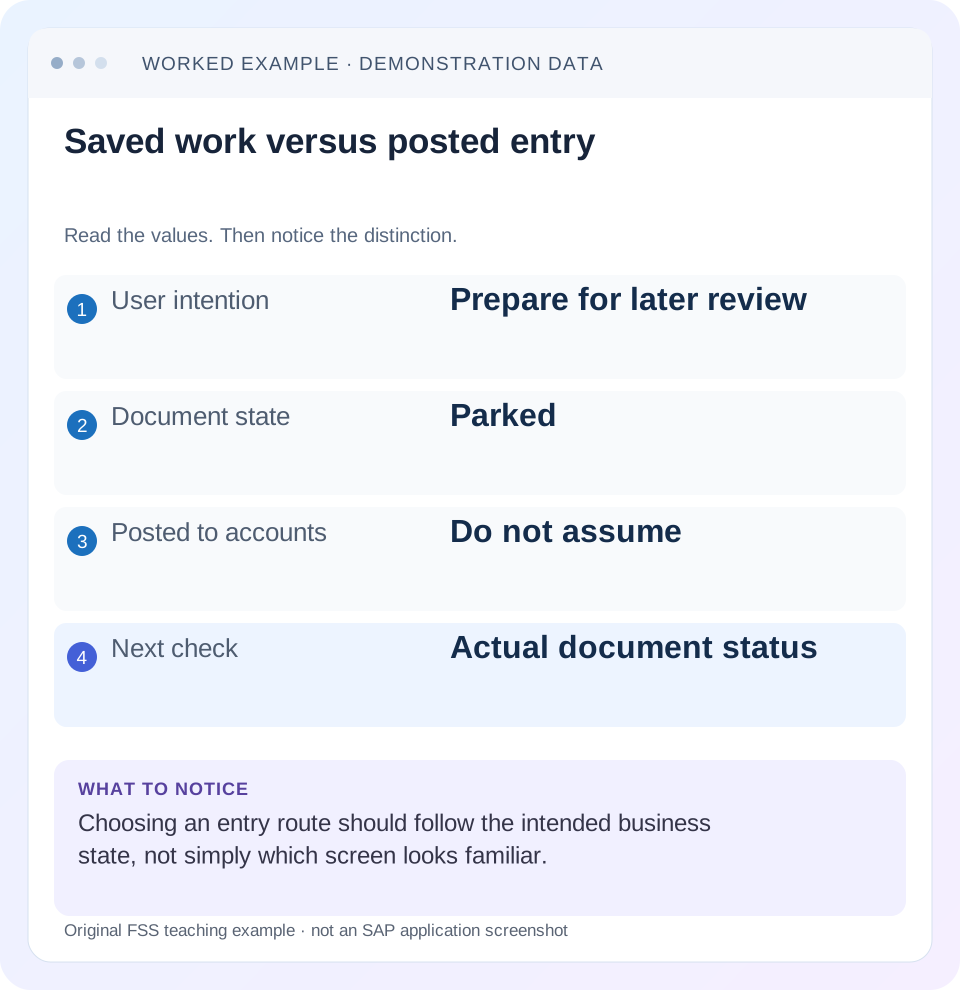
Read the example values
- User intention
- Prepare for later review
- Document state
- Parked
- Posted to accounts
- Do not assume
- Next check
- Actual document status
Words you’ll meet in this guide
- Posting
- Recording a financial entry.
- General ledger
- The main collection of financial accounts.
- Open item
- An accounting entry still needing matching or settlement.
- Company code
- An organizational unit used for separate financial accounts.
- Accounting document
- A record of a financial entry with a header and individual account lines.
- Fiori
- SAP’s approach to business application design.
- HANA
- SAP’s database platform.
- GUI
- Graphical user interface. SAP GUI is a desktop interface used for many classic SAP tasks.
- FI
- Financial Accounting: the SAP area for financial postings and reporting.
Preview the practical steps
SEE THE CONNECTION
See it in a simple example.
A small example to make the idea concrete.
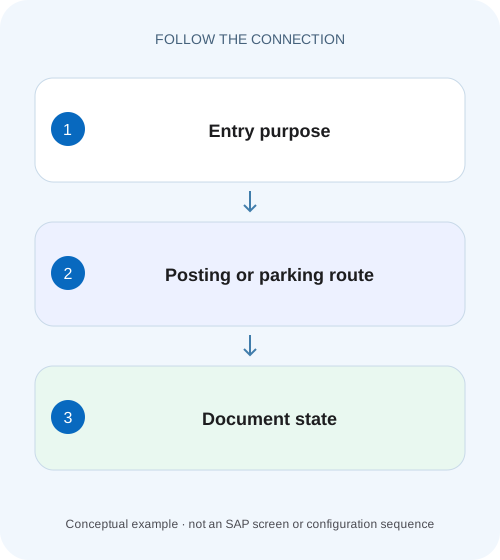
Choose a route for a factory accounting adjustment
A manufacturer prepares an authorized accounting adjustment and must decide whether the work should be posted or parked for further completion.
Choose both an entry route and the intended document state
FB50 provides a classic G/L document-entry route; F-02 is a classic general posting alternative; FV50 is associated with parking G/L account items in the referenced release material.
Begin with the accounting intention
Before opening an entry screen, write the intended journal, company code, document/posting dates, currency, account assignments and supporting business reference.
Understand why FB50 and F-02 can feel different
FB50’s single-screen G/L entry style and classic standard entry routes organize input differently.
Choose a route for a factory accounting adjustment
A manufacturer prepares an authorized accounting adjustment and must decide whether the work should be posted or parked for further completion.
Match the entry route and document state to the business process rather than treating every saved screen as a posted journal.
| Reader | Business question | Evidence to carry forward |
|---|---|---|
| Manufacturing finance, controlling and purchasing teams | Choose a route for a factory accounting adjustment | Match the entry route and document state to the business process rather than treating every saved screen as a posted journal. |
01 Choose both an entry route and the intended document state
FB50 provides a classic G/L document-entry route; F-02 is a classic general posting alternative; FV50 is associated with parking G/L account items in the referenced release material. The route name alone does not prove whether a financial posting exists. In particular, SAP’s FB50 documentation includes enter, hold, park and post functions. The action taken and resulting state are the decisive evidence. [1] [2] [3]
This guide is for G/L accountants, FI learners and support analysts in classic ERP or supported S/4HANA transaction-based applications. Availability and naming vary by edition and release, and historical references do not establish a current cloud workflow. You need access appropriate to preparation, review or posting. The worked accrual is fictional and excludes tax, foreign exchange and specialized source-module processes.
02 Begin with the accounting intention
Before opening an entry screen, write the intended journal, company code, document/posting dates, currency, account assignments and supporting business reference. A convenient screen cannot decide whether an accrual, supplier invoice or source-module transaction is the correct business process. Use the supported application for the event you actually need to record.
For a G/L adjustment, identify why a manual journal is appropriate and whether review is required before posting. If the transaction already exists in another source process, establish its status before recreating it. Posting the same event through a different route can duplicate accounting rather than resolve an interface or workflow delay.
03 Understand why FB50 and F-02 can feel different
FB50’s single-screen G/L entry style and classic standard entry routes organize input differently. The relevant SAP guidance treats F-02 as a standard alternative to the Enjoy-style G/L process. Differences in presentation do not change the need for correct accounts, debit/credit direction, currency, dates and complete account assignments. [2]
Do not assume that a transaction available in SAP GUI is available to every Fiori user, or that a modern app must expose classic posting keys. The supported interface can derive technical line representation from semantic debit/credit input. Diagnose an entry issue against the actual application and role rather than requiring the user to switch screens without understanding the failing rule.
04 Worked case: prepare a 2,400 maintenance accrual
A fictional accountant needs to record a 2,400 maintenance expense accrual in company 1000 for a supported period. The intended journal debits maintenance expense 2,400 with the approved cost assignment and credits accrued liabilities 2,400. The organization requires review before the final posting. Assume the accounts and period are valid and there are no tax or currency complications.
The preparer enters the journal and chooses the supported parking/review route. The parked reference is handed to the reviewer, who completes the approved checks and posts through the applicable process. Only after posting does the final accounting-document identity establish the financial journal. Holding a draft while collecting missing information is a different intermediate state.
| Stage | Evidence | Accounting conclusion |
|---|---|---|
| Entry drafted | Unsaved screen data | No saved outcome established |
| Held for completion | Held working reference/status | Resume preparation; do not report posted expense |
| Parked for review | Parked reference and review owner | Prepared work awaits permitted completion/posting |
| Posted | Company/year/accounting document | Financial entry exists and must be displayed/reconciled |
05 Holding and parking serve different work needs
A held document supports interrupted preparation under the application’s available behavior. Parking is a supported document work-in-progress state for later completion or review. Their validation, numbering, retrieval and workflow capabilities differ by process and release. Use the parked-versus-held lesson for that detailed comparison; do not promise that either state behaves identically across all apps.
For the 2,400 accrual, a held working draft may be appropriate while the account assignment is unknown. A parked document may be appropriate when the prepared data needs review before posting. Neither should be described as “the expense is booked” without final posting evidence. Conversely, do not ask the reviewer to create another journal if a valid parked document already exists.
06 Prepare the inputs so defaults do not become decisions
Check company code, posting date, document date, currency, header reference and line text before relying on session proposals. Confirm debit/credit direction and each account’s business meaning. For cost-relevant expense lines, use the approved cost object and any other required assignments. A default copied from the previous journal may be valid technically but wrong for this one.
Use the application’s supported checking or simulation functions where available, then inspect their messages. A zero document balance establishes arithmetic equality; it does not certify the source evidence or departmental assignment. A rejected entry should lead to a specific rule investigation, such as missing account assignment or closed period, rather than an arbitrary account change.
07 Follow a state-aware practical sequence
The objective is one traceable business journal moving through the intended preparation and review process.
Check for existing work
Search the permitted reference/status views for a held, parked or posted version of this accrual.
Expected observation: The same 2,400 event will not be recreated unnecessarily.
Enter the approved journal
Record expense debit and accrual credit with company, dates, currency and assignments.
Expected observation: The intended financial relationship is explicit.
Choose the required action
Use hold for supported interrupted work or park/review for the approved preposting process.
Expected observation: The saved state matches the business handoff.
Record reference and next owner
Capture the actual status, reference, missing information and reviewer responsibility.
Expected observation: Another person can continue the existing work.
Verify final posting separately
After approved completion, display the accounting document and compare accounts, amounts, dates and assignments.
Expected observation: A posted 2,400 expense/accrual is established rather than inferred from Save.
08 Read messages and timeouts before retrying
If the application returns an unclear response after Save or Post, check the actual resulting state before reentry. A browser or network timeout is not proof that the backend did nothing. Use the business reference and permitted document/status search to reconcile held, parked and posted outcomes.
If no document exists, preserve the message and investigate the specific validation or technical failure. If a parked document exists, resume or route it rather than reposting from memory. If a posted document exists, display and verify it; a second entry can create a duplicate. These are state checks, not a promise that every transaction uses one common retry or reference mechanism.
09 Troubleshoot the entry route and state separately
Changing the screen can alter defaults or presentation without fixing the accounting cause. Identify the failed rule and the intended saved state.
| Observation | Inspect | Useful next step |
|---|---|---|
| Journal absent from balances | Held/parked/posted state | Locate actual saved reference |
| Reviewer cannot find work | Correct work-in-progress route and identity | Share the existing parked/held context |
| Posting period error | Posting date and period controls | Resolve the period decision before another route |
| Required assignment missing | Account and field rules | Provide the approved business assignment |
| Save response uncertain | Existing documents and status | Reconcile before retry |
| FV50 unavailable | Installed release/app content | Use the supported parking process for that edition |
10 Verify positive, negative and boundary outcomes
For the positive training case, prepare the 2,400 accrual, park it through the supported process and confirm that the parked state is visible with the expected reference. After authorized review/posting, display the final document and reconstruct 2,400 debit versus credit. Keep the preparation and posting references linked.
For a negative test, stop at a held or parked state and reject the claim that the expense is posted. For a boundary test, enter a date in a closed period through a safe validation exercise and inspect the actual message rather than changing to another transaction. Another test interrupts the response and requires a document-status reconciliation before retrying. No financial journal was created or posted for this article.
11 Use the appropriate correction for the resulting state
An incomplete draft, a parked document and a posted document need different handling. Editing unposted work through its supported process is different from reversing an accounting posting. Establish the state before asking for deletion, reentry or reversal. A parked document disappearing from one worklist does not prove it was posted; inspect its actual status or related final identity.
If the final accrual uses the wrong account, preserve the original posting and choose the supported correction process with the accounting owner. If it is still parked, resolve the data and review process before posting. Treat those as different branches so a support instruction does not unnecessarily reverse a valid posted document or duplicate an unposted draft.
12 Confirm the reviewer route in the installed edition
The historical S/4HANA 1709 reference identifies FV50 as Park General Journal Entries and introduces verification applications intended to replace legacy HTML GUI workflows. It also describes workflow and responsibility configuration for the verification process. This establishes why a historical transaction name should not be treated as a universal current approval route. [3]
For the 2,400 accrual, record which installed process the preparer actually used: classic parked document, application draft or journal-entry verification request. Capture the process-specific reference and owner. If the reviewer cannot find the item, first compare those references and states rather than asking for another journal. When a workflow is involved, inspect the actual submission and responsibility evidence; parking alone is not proof that an approval task was generated.
13 Frequently asked questions
Does using FB50 mean the document was posted? No; SAP documents hold, park and post capabilities. Is F-02 always preferable for complex entries? Choose the supported route for the actual process and required fields, rather than a universal preference. Does FV50 guarantee an approval workflow? Availability and workflow depend on the installed process; inspect the actual configuration.
Can a parked journal affect every report like a posted journal? Do not assume that; identify report scope and document state. Can another person finish existing work? Use the supported process and required access, retaining the original reference. For the detailed state distinction, follow parked-versus-held guidance; for a posted entry, use FB03 and reversal lessons to inspect and correct it deliberately.
Related services and next steps
Primary sources
Found this useful?
Share this guide with your network, or leave a like.
Your like is saved in this browser.