SAP FI parked versus held documents: Choose the right work-in-progress state
A factory accounting adjustment lacks responsibility information and must remain distinguishable from a complete posted document.

Source review:
START HERE · NO PRIOR TOPIC KNOWLEDGE NEEDED
What it is. Why it matters.
A held document saves incomplete entry work; a parked document is a separate saved accounting-document state under the relevant process. Neither should automatically be treated as a completed posting.
Completely new to SAP?
Manufacturers use SAP to connect work such as buying components, recording inventory, planning production, shipping equipment and accounting for costs. SAP S/4HANA is an enterprise resource planning system: it connects these activities through shared business data.
Financial Accounting records business events as accounting documents. An account groups relevant amounts; individual entries explain how the total arose.
A transaction code, or t-code, is a shortcut to a task in classic SAP GUI. Fiori apps provide another way to work. Names and screens depend on the product and release; you do not need a live system to learn the concepts in this guide.

Scope and source-review notes
Scope and evidence
Source review by FAST SAP SOLUTIONS® editorial. This badge describes our editorial review; it does not represent SAP certification or independent endorsement.
Classic SAP ERP FI document entry using the cited parking documentation. S/4HANA apps and approval workflows can differ; confirm the function available in your app.
Reviewed relevant official SAP indexed documentation excerpts on 14 November 2026. Examples, identifiers, amounts and expected observations are illustrative; no customer SAP execution was performed. Classic ERP state behavior reviewed; historical S/4HANA1709 PDF pages70–71 were read. Current app draft visibility, validation and workflow require installed-release checks; no runtime execution.
A MANUFACTURING EXAMPLE
Keep an unfinished factory adjustment clear
Two unfinished-document states
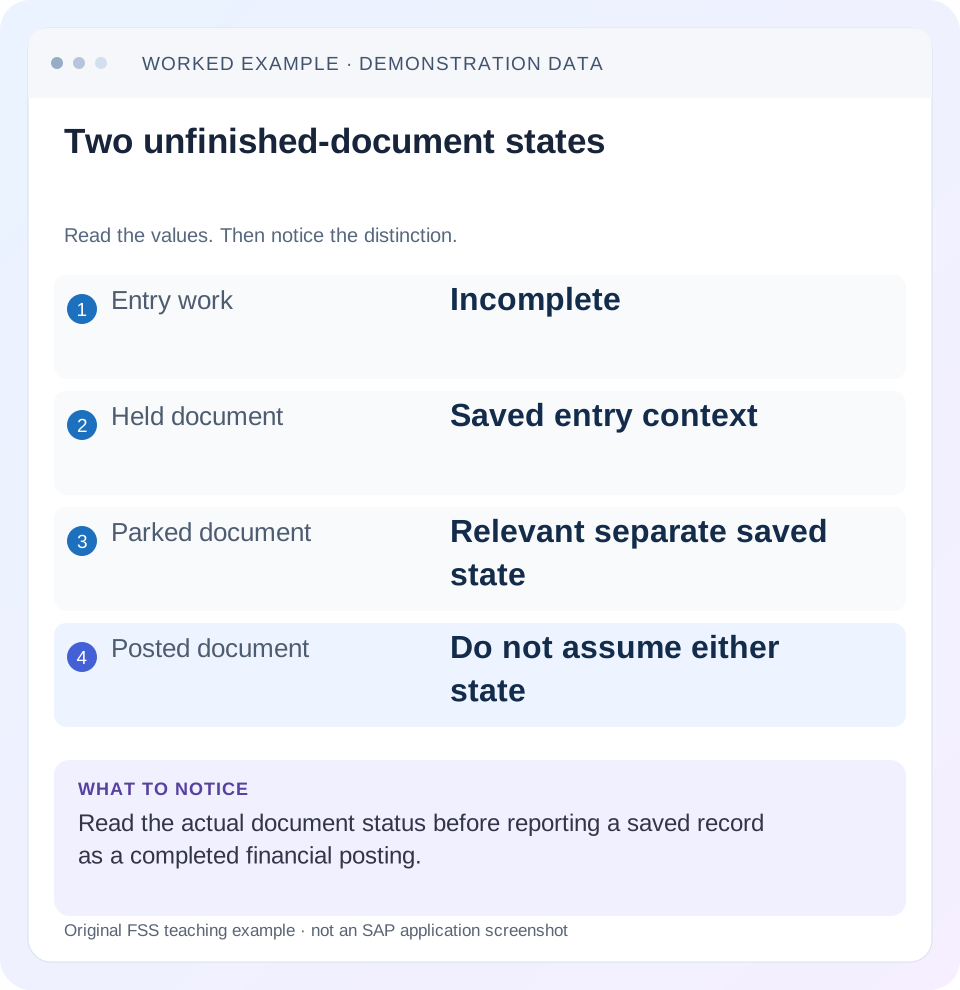
Read the example values
- Entry work
- Incomplete
- Held document
- Saved entry context
- Parked document
- Relevant separate saved state
- Posted document
- Do not assume either state
Words you’ll meet in this guide
- Posting
- Recording a financial entry.
- General ledger
- The main collection of financial accounts.
- Open item
- An accounting entry still needing matching or settlement.
- Company code
- An organizational unit used for separate financial accounts.
- Accounting document
- A record of a financial entry with a header and individual account lines.
- HANA
- SAP’s database platform.
- GUI
- Graphical user interface. SAP GUI is a desktop interface used for many classic SAP tasks.
- FI
- Financial Accounting: the SAP area for financial postings and reporting.
Preview the practical steps
SEE THE CONNECTION
See it in a simple example.
A small example to make the idea concrete.
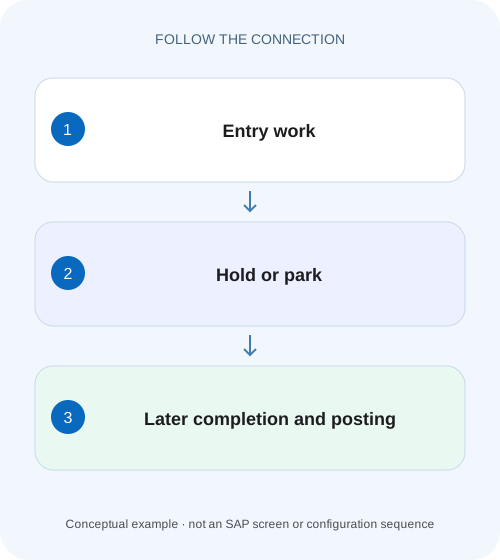
Keep an unfinished factory adjustment clear
A factory accounting adjustment lacks responsibility information and must remain distinguishable from a complete posted document.
Choose the next step: resume entry or complete a reviewable document
A held document preserves interrupted entry work under the supported function.
Understand the classic held-document purpose
SAP’s classic parking documentation describes holding as a temporary interruption of document entry and states that this function does not issue accounting document numbers or support evaluations from the held data.
Understand the classic parked-document purpose
SAP describes parking incomplete documents without the full posting checks, with later completion, checking and posting by the same or another user.
Keep an unfinished factory adjustment clear
A factory accounting adjustment lacks responsibility information and must remain distinguishable from a complete posted document.
Compare held and parked document behavior in the supported process before describing saved work as a posted result.
| Reader | Business question | Evidence to carry forward |
|---|---|---|
| Manufacturing finance, controlling and purchasing teams | Keep an unfinished factory adjustment clear | Compare held and parked document behavior in the supported process before describing saved work as a posted result. |
01 Choose the next step: resume entry or complete a reviewable document
A held document preserves interrupted entry work under the supported function. A parked document stores an unposted accounting-document work state for later completion, checking and posting. Choose by what needs to happen next and verify the actual saved state. Neither label automatically establishes a final accounting posting. [1] [2]
This guide is for FI preparers, reviewers and support analysts in classic SAP ERP, with explicit limits for S/4HANA applications. The primary classic parking reference describes numbering and evaluation behavior that must not be generalized to every modern draft. You need access to the relevant work-in-progress display and, for final posting, the approved process. The fictional expense example was not entered in a customer system.
02 Understand the classic held-document purpose
SAP’s classic parking documentation describes holding as a temporary interruption of document entry and states that this function does not issue accounting document numbers or support evaluations from the held data. That is a narrower purpose than a structured parked-document completion process. A user-supplied retrieval label is not proof of a posted accounting identity. [1]
If a preparer is missing a cost center and will return shortly, a supported held state can preserve work. Record the creator and application-specific retrieval context. Do not promise another user can find or process it through a generic parked-document list. Modern applications can have their own draft visibility and retention rules, which require separate documentation.
03 Understand the classic parked-document purpose
SAP describes parking incomplete documents without the full posting checks, with later completion, checking and posting by the same or another user. The parked state supports a different handover from a personal interrupted draft. It still requires the supported process and appropriate access; parking alone does not guarantee that an approval workflow was triggered. [1]
The classic reference states that transaction figures are generally not updated by parking, while noting a Cash Management exception and specific uses of parked data. Therefore the accurate claim is that parking does not establish the final posted journal, not that parked data is invisible to every application or evaluation. Read the actual report and process scope.
04 Worked case: an expense awaits responsibility information
A fictional preparer is entering a2,400 EUR maintenance accrual in company 1000. The intended journal is expense debit 2,400 and accrued-liability credit 2,400. The cost assignment is not yet confirmed. No tax or foreign-exchange complications are included. The preparer wants to preserve entered data while asking the responsible department for the correct cost center.
If the installed holding function suits that temporary interruption, the preparer saves it as held work with the appropriate retrieval context. Once MA100 is confirmed, the organization’s supported process can complete or park the document for review. After authorized final posting, a complete accounting-document identity and actual lines establish the 2,400 expense/accrual.
| State | What is established | What remains |
|---|---|---|
| Held | Entry work preserved | Complete missing assignment and verify data |
| Parked | Unposted document work state exists | Complete/check/review and post through supported process |
| Posted | Financial journal exists | Display and reconcile final accounts/period/assignments |
| Unclear response | Outcome not yet established | Locate existing work before reentry |
05 The required checks can differ before and at posting
Because parking can accept incomplete data without full posting checks, success at parking does not predict successful posting. A later required field, account restriction or closed period can still prevent final processing. Inspect the actual messages at the relevant stage rather than assuming a parked document is financially validated. [1]
The classic reference also notes that substitution is not supported during parking and takes place via the posting transaction when the accounting document is generated. This illustrates why saved parked values and final posted values may require comparison in applicable classic scenarios. Do not extend that statement to every S/4HANA workflow without checking its documented implementation.
06 Visibility and numbering depend on the application
Historical S/4HANA1709 documentation describes held journal-entry drafts visible only to their creator in the named applications and identifies verification apps intended to replace particular legacy HTML GUI parking processes. That is useful evidence of product evolution, not a guarantee that today’s installed application has identical behavior. [3]
For a support ticket, capture the actual application, function selected, creator, reference and displayed status. If the reviewer cannot see the work, determine whether it is held, parked, submitted for verification, rejected or already posted. A current app draft can have a technical identifier without being a posted accounting document. State the kind of reference rather than calling all identifiers a document number.
07 Prepare a handover that lets the next person continue
For the 2,400 accrual, include company, currency, intended dates, accounts, known lines, missing cost assignment, source evidence and the work-state reference. Identify the responsible next user or queue under the actual supported process. “Saved in SAP” is too ambiguous to be actionable.
If the item is parked for review, state which checks are complete and which remain. If it is held only for the creator to resume, say so and avoid telling another user to search a posted-document report. The handover should prevent rekeying the same business event while preserving the distinction between preparation and financial completion.
08 Locate uncertain work before creating a second entry
A save or post response can be interrupted after backend work occurs. Search through the permitted application/state context using the business reference, creator and time, then inspect any held, parked, workflow or posted result. Do not interpret absence from posted balances as proof that no saved work exists.
If a posted document exists, display it before another attempt. If a parked document exists, continue or route that reference. If only held work exists, resume it through its supported entry route. If nothing exists, investigate the failed save and missing data. These branches preserve one business event through multiple states instead of creating parallel drafts and duplicate financial postings.
09 A practical completion sequence
Use the actual installed process and its documented retrieval behavior. Classic Enjoy and standard transaction work objects are not always interchangeable.
Identify the saved function
Record whether Hold, Park, Submit or Post was selected and inspect resulting status.
Expected observation: The state is observed rather than inferred from Save.
Retrieve existing work
Use the application-specific creator/reference context and verify the business evidence.
Expected observation: The intended2,400 accrual is found once.
Complete and check
Add MA100 only after confirmation; validate dates, accounts, currency and proposed journal.
Expected observation: Missing information is resolved with a business-supported value.
Route required review
Use the actual parked/verification process and confirm the responsible reviewer received or can retrieve it.
Expected observation: Parking is not mistaken for automatic approval submission.
Verify final posting
Display final identity, period, amounts and assignments; preserve predecessor references where supported.
Expected observation: A posted 2,400 expense/accrual is established separately.
10 Troubleshoot saved-state problems
Begin with state and route. A missing document in the wrong list is not necessarily lost data.
| Observation | Inspect | Interpretation |
|---|---|---|
| No posted balance effect | Actual held/parked state | Final posting may not exist |
| Reviewer cannot see draft | Creator visibility and work object | Held work may not be a shared parked document |
| Parking succeeds; posting fails | Full posting checks and period | Incomplete/changed inputs can remain |
| Final assignment differs | Posting derivation/substitution | Compare supported stage behavior |
| Held item disappears | Later parking/posting result | It may have progressed rather than been lost |
| Duplicate versions found | Business reference and state timeline | Reconcile existing work before deletion/reentry |
11 Complete, reject and delete through the appropriate state
A held draft can be discarded through its supported work function; a parked document can have its own deletion or change process; a posted journal needs an accounting correction. Establish the state before following an instruction to “delete the document.” The same phrase can refer to very different actions.
For a rejected review item, inspect whether the process returns it for editing, preserves a workflow instance or requires another supported action. Do not create a new parked document solely because a worklist no longer shows the first one. Retain the reason and state transition so the final accounting journal can be traced to its reviewed source.
12 Verify positive, negative and boundary outcomes
A positive training exercise holds incomplete2,400 work, retrieves it, completes the assignment and follows the approved park/review/post sequence. Inspect actual state and references at each step, then reconcile the final journal. A negative exercise stops at the parked state and rejects the claim that the expense is posted.
A boundary exercise parks before a period closes and attempts supported completion afterward in a training environment, observing the actual date/period validation. Another asks a different user to retrieve held work and compares the installed visibility rules. A final check introduces an uncertain response and requires state reconciliation before retrying. These are proposed exercises, not executed SAP postings.
13 Preserve supporting text outside an uncertain draft
The reviewed classic Enjoy documentation notes that document/item long text can be lost when holding in that specific function. Preserve required business evidence through the approved attachment or source-record process rather than relying on a draft as the only record of an approval explanation. [2]
Before final posting, compare the actual header/item text and references with the intended handover. A successfully retrieved amount does not prove every narrative detail survived the state transition. Verify the installed application’s behavior rather than generalizing the classic limitation to all modern drafts.
14 Frequently asked questions
Does a parked document always have no effect anywhere? Classic documentation notes specific exceptions and uses; it does not establish final posted transaction figures. Does holding create a normal accounting number? The classic function described here does not; modern technical draft identifiers need their own interpretation. Does parking trigger approval? Only if the actual process is configured and invoked accordingly.
Why did the held item vanish? Inspect whether it was parked, posted or deleted through the supported process. Use the entry-route lesson to choose the installed function, FB03 to verify final posting and the closed-period lesson when completion fails because the accounting window changed.
Related services and next steps
Primary sources
Found this useful?
Share this guide with your network, or leave a like.
Your like is saved in this browser.