SAP accounting reversal: Preserve the original document trail
A factory expense was posted to the wrong G/L account, and finance needs a correction that preserves the original document trail.

Source review:
START HERE · NO PRIOR TOPIC KNOWLEDGE NEEDED
What it is. Why it matters.
An accounting document records a financial posting. Reversal creates the corresponding correction trail instead of silently deleting the original, so reviewers can understand what happened.
Completely new to SAP?
Manufacturers use SAP to connect work such as buying components, recording inventory, planning production, shipping equipment and accounting for costs. SAP S/4HANA is an enterprise resource planning system: it connects these activities through shared business data.
Financial Accounting records business events as accounting documents. An account groups relevant amounts; individual entries explain how the total arose.
A transaction code, or t-code, is a shortcut to a task in classic SAP GUI. Fiori apps provide another way to work. Names and screens depend on the product and release; you do not need a live system to learn the concepts in this guide.

Scope and source-review notes
Scope and evidence
Source review by FAST SAP SOLUTIONS® editorial. This badge describes our editorial review; it does not represent SAP certification or independent endorsement.
Ordinary SAP ERP and supported S/4HANA FI-origin document reversal. Contract Accounting, MM/SD-origin, checks, payments and other specialized processes require their own supported correction chain.
Reviewed relevant official SAP indexed documentation excerpts on 14 November 2026. Examples, identifiers, amounts and expected observations are illustrative; no customer SAP execution was performed. Transaction availability, labels and results depend on the installed release, deployment and local configuration.
A MANUFACTURING EXAMPLE
Correct a plant expense with a clear trail
Preserve the correction trail
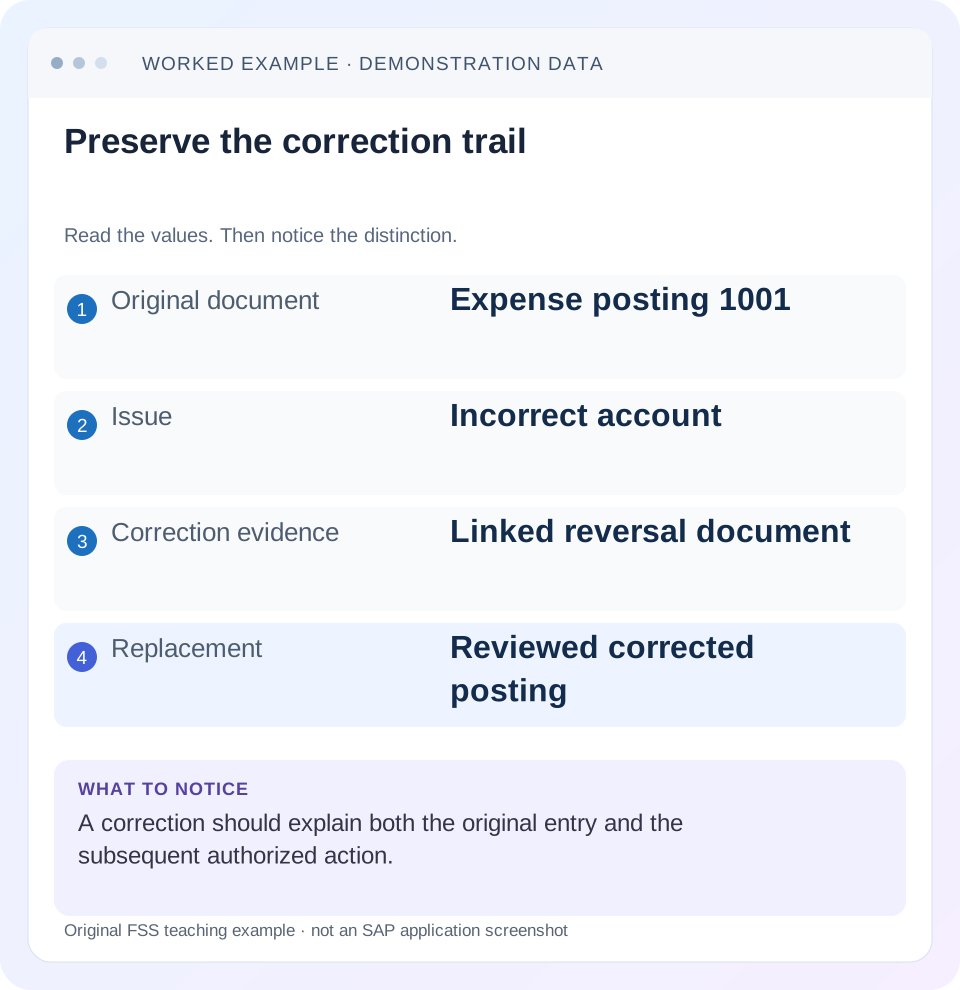
Read the example values
- Original document
- Expense posting 1001
- Issue
- Incorrect account
- Correction evidence
- Linked reversal document
- Replacement
- Reviewed corrected posting
Words you’ll meet in this guide
- Posting
- Recording a financial entry.
- General ledger
- The main collection of financial accounts.
- Open item
- An accounting entry still needing matching or settlement.
- Company code
- An organizational unit used for separate financial accounts.
- Accounting document
- A record of a financial entry with a header and individual account lines.
- HANA
- SAP’s database platform.
- FI
- Financial Accounting: the SAP area for financial postings and reporting.
Preview the practical steps
SEE THE CONNECTION
See it in a simple example.
A small example to make the idea concrete.
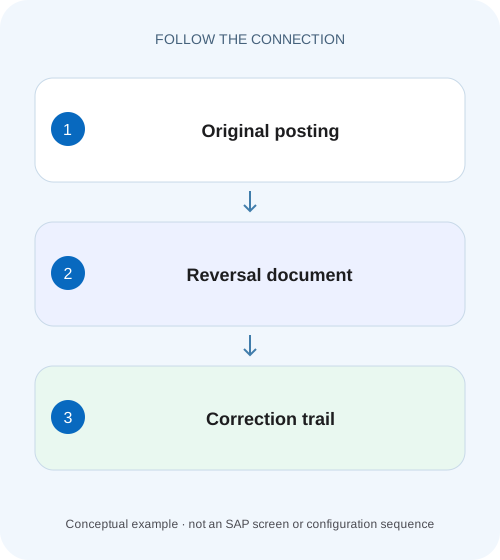
Correct a plant expense with a clear trail
A factory expense was posted to the wrong G/L account, and finance needs a correction that preserves the original document trail.
Reverse the business posting through its supported correction chain
A document reversal creates a correcting accounting trail while preserving the original document and its relationship to the correction.
First identify origin and state
SAP’s FI reversal guidance states prerequisites including an FI-origin document, eligible account items, no cleared items and still-valid entered values.
Worked case: an expense used the wrong G/L account
Fictional FI document 1001 in company code 1000 debits office supplies 800 and credits an expense accrual 800.
Correct a plant expense with a clear trail
A factory expense was posted to the wrong G/L account, and finance needs a correction that preserves the original document trail.
Compare the original posting and intended correction before choosing a reversal or creating another posting.
| Reader | Business question | Evidence to carry forward |
|---|---|---|
| Manufacturing finance, controlling and purchasing teams | Correct a plant expense with a clear trail | Compare the original posting and intended correction before choosing a reversal or creating another posting. |
01 Reverse the business posting through its supported correction chain
A document reversal creates a correcting accounting trail while preserving the original document and its relationship to the correction. It does not erase the fact that an incorrect posting existed. Before reversing, identify where the document originated, whether any items are cleared and which date and reversal reason are appropriate. Those observations determine the supported route. [1] [2]
This guide is for FI accountants and support analysts using classic SAP ERP or supported S/4HANA financial accounting. It addresses ordinary FI customer, supplier and G/L postings, not Contract Accounting or every industry-specific process. You need authorized document display and, for an actual correction, the relevant approved posting access. The worked journal is fictional and excludes tax and currency effects; it is a teaching exercise rather than a production reversal instruction.
02 First identify origin and state
SAP’s FI reversal guidance states prerequisites including an FI-origin document, eligible account items, no cleared items and still-valid entered values. It explicitly directs MM documents back to their component because an FI-only reversal does not reverse all required values. Read the source relationship before choosing a transaction or application. [1] [2]
A supplier invoice posted directly in FI and a logistics invoice with a follow-on FI document can look similar in an accounting display. Their correction chains differ. Likewise, a payment, a check payment and a source invoice can have different follow-on requirements. Record the original document, company code, fiscal year, source reference and any clearing/reversal status before deciding what to change.
03 Worked case: an expense used the wrong G/L account
Fictional FI document 1001 in company code 1000 debits office supplies 800 and credits an expense accrual 800. The supporting evidence shows that the expense should instead be training. Assume the original document is an eligible, uncleared FI journal and the relevant account assignments remain valid. The original posting period is open in the first version of this example.
A supported reversal offsets the original 800 supplies debit and 800 accrual credit. A reviewed replacement then debits training 800 and credits the accrual 800. The final economic result is a training expense and accrual of 800; supplies nets to zero. The original, reversal and replacement all remain explainable. The replacement is a separate decision: reversing a wrong document does not automatically create the correct business posting.
| Document | Supplies | Training | Accrual |
|---|---|---|---|
| Original 1001 | Debit 800 | 0 | Credit 800 |
| Reversal R1001 | Credit 800 | 0 | Debit 800 |
| Replacement 1002 | 0 | Debit 800 | Credit 800 |
| Net result | 0 | Debit 800 | Credit 800 |
04 Why a manual offset is not equivalent evidence
A manually entered opposite journal can make a balance net to zero without providing the system’s supported original/reversal relationship. It can also leave open-item or source-process states unchanged. When the intended action is a reversal, use the supported process unless the approved accounting treatment specifically calls for a different adjustment.
For the example, a separate 800 credit to supplies might visually offset 1001. That alone does not show that 1001 has reversal status, that the selected line items were handled correctly or that an upstream source document was corrected. Reconcile balances and document states separately. Accounting equality is necessary for the arithmetic explanation but insufficient for the complete process explanation.
05 Select the reversal date deliberately
SAP normally describes reversal in the original posting period; where that period is closed, the supported guidance requires a date in an open period. The accounting owner must choose the permitted treatment and reversal reason under the actual process. Do not reopen a closed period merely because the original document is dated there. [1] [3]
If 1001 was posted in October and the approved reversal is in November, October’s recorded history and November’s correction have different period effects from a same-period reversal. A year-to-date total may net to the same amount while monthly reports differ. State both dates in the explanation. Changing the source document date is not a substitute for selecting a valid reversal posting date.
06 Understand ordinary and negative-posting presentation
SAP documents two transaction-figure treatments: a reversal can increase debit and credit turnover by corresponding amounts, or supported negative-posting treatment can adjust figures so the balance presentation behaves differently. Both require the relevant settings and permitted process. Do not select a negative-posting reason solely because a report total looks cleaner. [1]
In the 800 example, the net supplies balance is zero after a complete offset, but gross debit/credit turnover can still reveal the original and reversal. A report that shows 800 debit and 800 credit is not evidence that reversal failed. Inspect reversal status and the report’s transaction-figure definition. Net balance and gross movement are different measures.
07 Inspect and execute a controlled correction sequence
For a real document, review the proposed action before posting it. In a training system, use the installed supported reversal application or classic route and observe its actual fields and messages. Never infer completion from pressing Execute alone.
Display the exact original
Confirm company code, fiscal year, document, accounts, amounts, source origin and current status.
Expected observation: 1001 is the intended eligible FI journal.
Inspect linked clearing and source evidence
Check whether items are cleared and whether the document originated in FI, MM or another component.
Expected observation: The correct correction chain is established.
Review reason and date
Select the permitted reversal reason and open posting date under the approved accounting treatment.
Expected observation: The period effect is explicit before posting.
Check the result before retrying
If a message or timeout occurs, inspect the original status and any resulting document before another attempt.
Expected observation: A completed reversal is not duplicated by a speculative retry.
Reconcile correction and replacement
Record the linked reversal and any separately approved replacement; compare accounts, periods and assignments.
Expected observation: Supplies nets to zero and training carries the illustrative 800.
08 Cleared items require a separate decision
A cleared item has already participated in a matching or payment-related relationship. The reviewed FI guidance requires resetting clearing before reversing an affected source item. Resetting clearing and reversing a document are distinct operations with different effects. Do not perform both automatically because a single invoice was disputed. [1] [2]
If the wrong action was matching two valid open items, reset clearing may be the relevant correction while the invoice remains valid. If the invoice itself is invalid, its reversal may be required after the clearing situation is resolved. If money was actually sent, the bank/payment process also needs review. Reopening an item in SAP does not retrieve cash from the recipient.
09 Troubleshoot the blocked reversal
A blocked reversal is useful evidence about state or process. Capture the exact message and identify which prerequisite it concerns before changing dates or assignments.
| Observation | Inspect | Appropriate question |
|---|---|---|
| Document already reversed | Original/reversal relationship | Did the previous attempt complete? |
| Cleared-item restriction | Clearing document and matched items | Is reset-only or reset-and-reverse intended? |
| Source-module document | Origin and source status | Which component must correct the business event? |
| Posting period closed | Reversal date and period controls | Which open period is approved? |
| Account assignment no longer valid | Original values and validity dates | What supported correction resolves the invalid value? |
| Balance zero but turnover remains | Report measure and reversal treatment | Is the report showing gross movement? |
10 Verify the correction with three kinds of check
For the positive case, verify the original/reversal relationship and reconstruct the three-document table. Check the same currency and period scope, then inspect the replacement’s training assignment. A net-zero supplies total without the relationship is incomplete verification.
For a negative case, present an MM-origin invoice accounting document and explain why an FI-only reversal is not the complete supported correction. For a boundary case, close the original period in an authorized training scenario and observe the permitted alternative-date behavior. Also test a previously cleared item through a safe test or display exercise: identify the clearing relationship and the required decision before any reversal. These are proposed checks, not customer-system execution results.
11 Write a resolution that survives the next close
Record the reason for the correction, original identity, reversal identity, chosen posting date/period and replacement identity if one exists. Explain the effect by account and period. “Reversed successfully” omits whether the required corrected expense now exists and where the change appears in reporting.
For the fictional case, state: “1001’s 800 supplies expense was reversed by R1001; replacement 1002 records 800 training expense against the accrual. Supplies nets to zero. The reversal and replacement use the reviewed period treatment.” If a source process or payment remains unresolved, identify that state explicitly rather than treating one accounting reversal as completion of every business consequence.
12 Check the correction by period as well as by account
Extend the 800 example by placing the original in October and the reversal/replacement in November under an approved open-period treatment. Supplies has an October debit 800 and a November credit 800; training has a November debit 800. The year-to-date supplies balance is zero, but an October-only report still contains the original expense. That is an explainable timing result, not evidence that the reversal vanished.
A resolution should therefore include a period bridge when the correction crosses periods. Compare original-period movement, correction-period movement and cumulative balance on the same account/currency basis. If a reviewer expects October itself to change, identify that as a different accounting-period requirement before making another posting. A second reversal or manual offset cannot resolve a disagreement about which period should carry the correction without a clear approved treatment.
13 Frequently asked questions
Can I edit the original amount or account instead? Fields affecting the accounting posting generally require a supported correction rather than silent alteration; use the documented route for the actual application. Is reversal the same as deleting a parked document? No. A posted accounting event and an unposted work-in-progress document have different states and evidence.
Does reversal mean the supplier was never paid? No. Check payment, clearing and bank evidence separately. Does an open period authorize every correction? No; it is a technical prerequisite within the accounting process. Use the reset-clearing guide when the matching relationship is the issue, and the FB03 guide to establish document identity and source evidence before choosing a correction.
Related services and next steps
Primary sources
Found this useful?
Share this guide with your network, or leave a like.
Your like is saved in this browser.