SAP reset clearing versus document reversal: Choose the correction deliberately
Finance finds that an item was cleared incorrectly and needs to determine whether the clearing relationship or the underlying posting is wrong.

Source review:
START HERE · NO PRIOR TOPIC KNOWLEDGE NEEDED
What it is. Why it matters.
Resetting clearing removes an accounting match. Reversing a document corrects a posting; these are different actions and must follow the appropriate correction process.
Completely new to SAP?
Manufacturers use SAP to connect work such as buying components, recording inventory, planning production, shipping equipment and accounting for costs. SAP S/4HANA is an enterprise resource planning system: it connects these activities through shared business data.
Financial Accounting records business events as accounting documents. An account groups relevant amounts; individual entries explain how the total arose.
A transaction code, or t-code, is a shortcut to a task in classic SAP GUI. Fiori apps provide another way to work. Names and screens depend on the product and release; you do not need a live system to learn the concepts in this guide.

Scope and source-review notes
Scope and evidence
Source review by FAST SAP SOLUTIONS® editorial. This badge describes our editorial review; it does not represent SAP certification or independent endorsement.
S/4HANA Financial Operations Reset Cleared Items concepts. Available reset/reversal options and mandatory reversal cases depend on the entry and configuration.
Reviewed relevant official SAP indexed documentation excerpts on 14 November 2026. Examples, identifiers, amounts and expected observations are illustrative; no customer SAP execution was performed. Transaction availability, labels and results depend on the installed release, deployment and local configuration.
A MANUFACTURING EXAMPLE
Correct a factory settlement mistake
Correct the intended relationship
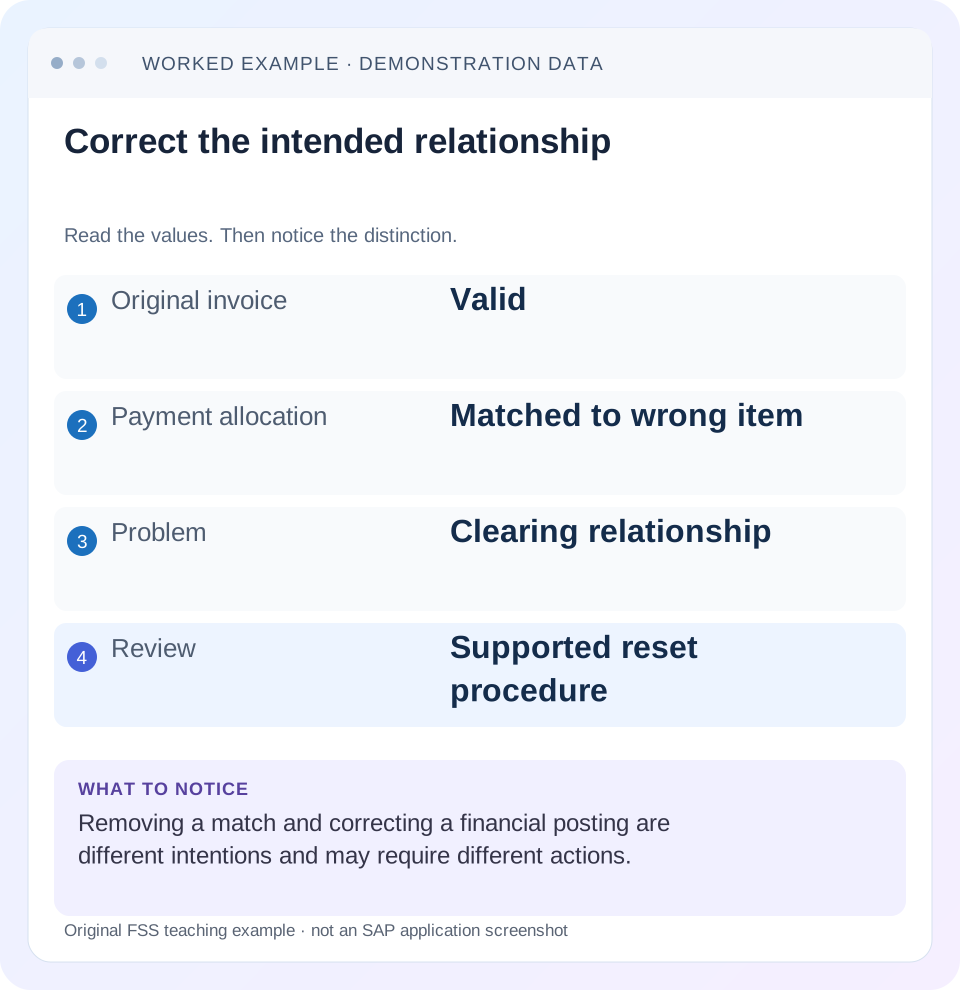
Read the example values
- Original invoice
- Valid
- Payment allocation
- Matched to wrong item
- Problem
- Clearing relationship
- Review
- Supported reset procedure
Words you’ll meet in this guide
- Posting
- Recording a financial entry.
- General ledger
- The main collection of financial accounts.
- Open item
- An accounting entry still needing matching or settlement.
- Company code
- An organizational unit used for separate financial accounts.
- Accounting document
- A record of a financial entry with a header and individual account lines.
- HANA
- SAP’s database platform.
- FI
- Financial Accounting: the SAP area for financial postings and reporting.
Preview the practical steps
SEE THE CONNECTION
See it in a simple example.
A small example to make the idea concrete.
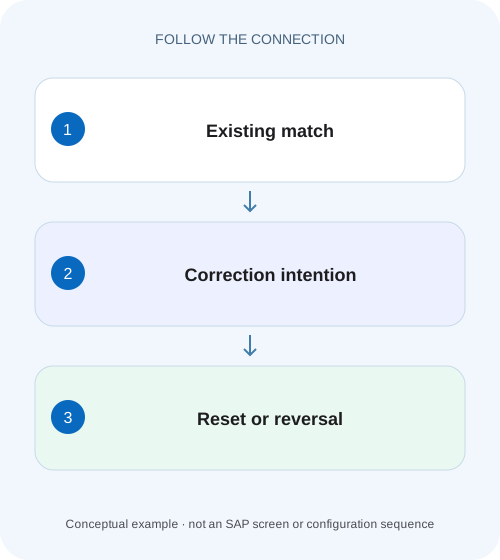
Correct a factory settlement mistake
Finance finds that an item was cleared incorrectly and needs to determine whether the clearing relationship or the underlying posting is wrong.
Decide whether the relationship or the posting is wrong
Resetting clearing reopens a matching relationship.
Read the whole clearing entry before choosing an action
A clearing entry can connect several invoices, payments and credits and can include difference postings.
Worked case A: valid payment matched to the wrong invoice
Fictional customer C100 has valid invoices I1 debit 1,000 and I2 debit 1,000.
Correct a factory settlement mistake
Finance finds that an item was cleared incorrectly and needs to determine whether the clearing relationship or the underlying posting is wrong.
Identify the intended correction and its document consequences before resetting clearing or reversing a document.
| Reader | Business question | Evidence to carry forward |
|---|---|---|
| Manufacturing finance, controlling and purchasing teams | Correct a factory settlement mistake | Identify the intended correction and its document consequences before resetting clearing or reversing a document. |
01 Decide whether the relationship or the posting is wrong
Resetting clearing reopens a matching relationship. Reversing an accounting document corrects a posting. When a real payment was allocated to the wrong invoice, the invoices and payment can remain valid while the relationship needs correction. When the payment itself is wrong, or its clearing entry contains incorrect accounting effects, reset with reversal can be required. [1] [2]
This guide is for receivables/payables accountants and FI support in SAP ERP or supported S/4HANA Financial Operations. It addresses ordinary FI clearing, not Contract Accounting or every payment instrument. You need authorized item, clearing-entry and related-document display. The fictional cases exclude currency, discount and tax complications initially, then introduce them explicitly. No clearing was reset, document reversed or bank payment recalled for this lesson.
02 Read the whole clearing entry before choosing an action
A clearing entry can connect several invoices, payments and credits and can include difference postings. A request naming one invoice may therefore affect a broader item set. Collect all cleared items, the clearing reference/date and any discount, tax, exchange or other accounting lines before deciding on scope. [1] [2]
SAP’s current clearing-process guidance distinguishes reset-only from reset-and-reverse, and its worked procedure uses a cash-discount/tax-adjustment case to explain why reversal is needed. That example does not mean every match error needs the same action. The business event and accounting effects determine the branch, within the application’s supported restrictions.
03 Worked case A: valid payment matched to the wrong invoice
Fictional customer C100 has valid invoices I1 debit 1,000 and I2 debit 1,000. A genuine incoming payment P1 credit 1,000 was intended for I1 but was cleared against I2 under clearing X1. There are no discounts, taxes, exchange differences or other items in this first case. The account still has debit 1,000 outstanding, but the wrong invoice appears open.
A supported reset-only path, if permitted for the actual entry, can reopen the affected relationship while preserving valid business postings. The intended subsequent action is to match P1 with I1 and leave I2 open. Reversing I2 merely because it was wrongly cleared would invalidate a legitimate invoice and change the business meaning.
| Stage | I1 | I2 | P1 |
|---|---|---|---|
| Before correction | Open1,000 | Cleared by X1 | Applied to I2 |
| After permitted reset | Open1,000 | Open1,000 | Open credit 1,000 |
| After correct matching | Cleared with P1 | Open1,000 | Applied to I1 |
| Net customer exposure | Still1,000 | Belongs to I2 | No additional cash receipt |
04 Worked case B: the clearing transaction itself is incorrect
Now consider a separate case in which an incorrect payment posting was used to clear an invoice and the entry also created a cash-discount-related tax adjustment. Removing only the matching relationship would not undo those incorrect financial effects. The reviewed SAP procedure uses reset-and-reverse so the lines reopen and a reversing entry is created. [2]
Use actual proposed accounting lines to reconstruct the result. Do not borrow a numerical tax or discount percentage from another example. Identify the original payment amount, difference lines and tax adjustments, then verify their offset in the reversal. The original invoice can remain valid even though the payment/clearing transaction requires correction.
05 Mandatory reversal conditions limit the choice
SAP’s current clearing-process documentation states that a clearing entry with an exchange-rate difference must be reversed. Classic reset guidance also describes exceptions involving exchange differences, third-currency clearing and net-procedure documents. These are reasons to inspect the actual entry and release-specific rules rather than promising that reset-only is always available. [1] [3]
If the application requires reversal, do not edit clearing fields or create a manual offset to simulate a reset-only outcome. Determine why the condition applies and review the required date/reason controls. A user’s preference to keep a payment document untouched cannot override a supported accounting consistency requirement.
06 Bank settlement is outside the matching reset
Reopening SAP items does not retrieve money from a bank or recipient. A genuine cash payment can remain a real economic event even when its allocation changes. A reversed SAP payment posting can also require separate handling of bank instructions, acknowledgements, statements or check status under the deployed process.
For case A, the 1,000 cash receipt remains genuine; only allocation changes from I2 to I1. Telling the customer “your payment was reversed” would be misleading if no cash reversal occurred. For an incorrect outgoing payment, coordinate the actual payment instrument and bank recovery process with treasury. Keep those states explicit rather than treating one reset/reversal screen as proof of banking completion.
07 Plan the correction from expected final items
Before acting, write which items should be open and which should be cleared afterward. For case A: I1 settled, I2 open 1,000, P1 allocated to I1. This acceptance statement helps identify whether the selected reset scope and later match are correct.
Also record whether the original clearing includes other customers, suppliers or account assignments in the supported process. A reset can reopen more than the invoice named in the ticket. Notify the responsible accounting workflow through its approved process where necessary, and retain the affected set in the review record. Do not discover the broader scope only after posting.
08 A practical correction-investigation sequence
Use the installed supported application, such as Reset Cleared Items in the reviewed S/4HANA process, and inspect its actual options. Classic transaction availability is release dependent.
Locate clearing from actual items
Display I2/P1 and record X1, company/year, clearing date and all related items.
Expected observation: The correction targets the real relationship.
Validate the business events
Confirm both invoices and the cash receipt are genuine and identify the intended remittance allocation.
Expected observation: Case A is an allocation error rather than an invalid invoice.
Inspect accounting consequences
Read discount, tax, exchange and other lines and any mandatory reversal rule.
Expected observation: Reset-only versus reset-and-reverse has a supported basis.
Review reason/date and proposed scope
Check the permitted correction period and every affected item before authorization/execution.
Expected observation: No unintended relationship is silently reopened.
Verify reset and rematch
Inspect reopened items and any reversal, then the correct subsequent match.
Expected observation: I1/P1 clear together and I2 remains open 1,000.
09 Troubleshoot an unavailable or surprising correction
A restriction can reflect accounting effects, previous correction or wrong document identity. Begin with the observed state and exact message.
| Observation | Inspect | Question to resolve |
|---|---|---|
| Reset-only unavailable | Difference postings and release rules | Is reversal mandatory for this entry? |
| More items reopen than expected | Complete clearing scope | Which relationships did X1 contain? |
| Invoice still appears cleared | Actual clearing reference and previous attempts | Was the intended X1 reset? |
| Payment remains open after reset | Reset-only result | Is correct rematching still pending? |
| Bank still shows payment | Banking evidence | SAP matching correction does not recall funds |
| Correction date rejected | Posting period/reversal controls | Which period treatment is approved? |
10 Do not confuse reopening with eliminating exposure
After resetting case A, invoices I1 and I2 both reopen and P1 becomes an open credit. Gross open debits are 2,000 and credits 1,000, leaving net 1,000. The larger number of open rows immediately after reset is expected; it does not mean another 1,000 was billed or paid.
Only the subsequent correct match reduces the open population to the intended remaining invoice. Reconcile signed exposure throughout the sequence. A support team that checks only row count can call the reset a failure, while a team that checks only net balance can miss the wrong allocation. Both lifecycle and amounts need verification.
11 Verify positive, negative and boundary scenarios
For the positive case, independently trace X1’s wrong I2/P1 match, a permitted reset and the corrected I1/P1 match. Verify I2 remains open 1,000 and the real cash event is unchanged. For a negative case, reject reversing valid I2 as a shortcut to fix its allocation.
For a boundary case, use a separate training clearing containing an exchange difference and inspect the mandatory reversal behavior documented for the installed process. Another includes discount/tax adjustments and verifies their reversal lines. A final exercise interrupts the response and requires inspection of current clearing/reversal references before retrying. These checks are proposed, not executed SAP operations.
12 Retain an understandable correction trail
Record original clearing X1, affected documents, reason, chosen reset/reversal option, resulting reversal if any and replacement clearing X2. Include date/period context and the final item set. The goal is for another accountant to understand why valid documents were reopened and how the correct relationship was established.
For case A, state: “P1 was intended for I1 but matched I2 under X1. The reviewed reset preserved the valid postings; X2 now matches I1/P1. I2 remains open 1,000. No bank reversal is asserted.” For case B, add which accounting effects were reversed and which payment/source steps remain unresolved.
13 Review customer-facing follow-up after reopening
An invoice reopened during correction can become visible to collections or other downstream processing. Coordinate the legitimate correction window and review any proposal or communication based on the intermediate state. A temporary reopened row is not necessarily a new dispute or a newly overdue commercial event.
For case A, keep the sequence short and traceable: X1 reset, current items verified, X2 correct match, final open population verified. If a downstream proposal was created between those steps, inspect its creation time and supported reassessment process. Do not remove a valid invoice or invent another payment to silence an intermediate message. The resolution should preserve the real cash receipt and leave only I2 open for 1,000, with any customer communication based on the final verified state.
14 Frequently asked questions
Can reset clearing fix every incorrect document? No; it addresses matching, and a wrong posting can need reversal or a source-process correction. Does reset-only delete the payment? No; inspect the resulting open items and actual supported behavior. Why must some clearing entries be reversed? Difference postings and process rules can require it.
Can I reverse the original invoice immediately if it is cleared? Establish the clearing prerequisites and source route first. Use document-reversal guidance for posting validity, manual-clearing guidance for the replacement match and payment-proposal guidance when the incident also involves execution or bank instructions.
Related services and next steps
Primary sources
Found this useful?
Share this guide with your network, or leave a like.
Your like is saved in this browser.