F-32 versus F-44: Match customer and supplier open items deliberately
A machinery business must reconcile an equipment customer's invoice, payment and credit memo while keeping supplier clearing in its own account context.

Source review:
START HERE · NO PRIOR TOPIC KNOWLEDGE NEEDED
What it is. Why it matters.
Clearing marks accounting items as matched or settled. F-32 is a classic customer clearing route and F-44 a supplier clearing route; the account context matters.
Completely new to SAP?
Manufacturers use SAP to connect work such as buying components, recording inventory, planning production, shipping equipment and accounting for costs. SAP S/4HANA is an enterprise resource planning system: it connects these activities through shared business data.
Financial Accounting records business events as accounting documents. An account groups relevant amounts; individual entries explain how the total arose.
A transaction code, or t-code, is a shortcut to a task in classic SAP GUI. Fiori apps provide another way to work. Names and screens depend on the product and release; you do not need a live system to learn the concepts in this guide.

Scope and source-review notes
Scope and evidence
Source review by FAST SAP SOLUTIONS® editorial. This badge describes our editorial review; it does not represent SAP certification or independent endorsement.
Classic FI customer/vendor manual clearing. Configured tolerances, currencies, special G/L and supported applications determine the permitted clearing behavior.
Reviewed relevant official SAP indexed documentation excerpts on 14 November 2026. Examples, identifiers, amounts and expected observations are illustrative; no customer SAP execution was performed. Transaction availability, labels and results depend on the installed release, deployment and local configuration.
A MANUFACTURING EXAMPLE
Match customer and supplier items deliberately
Choose the account context
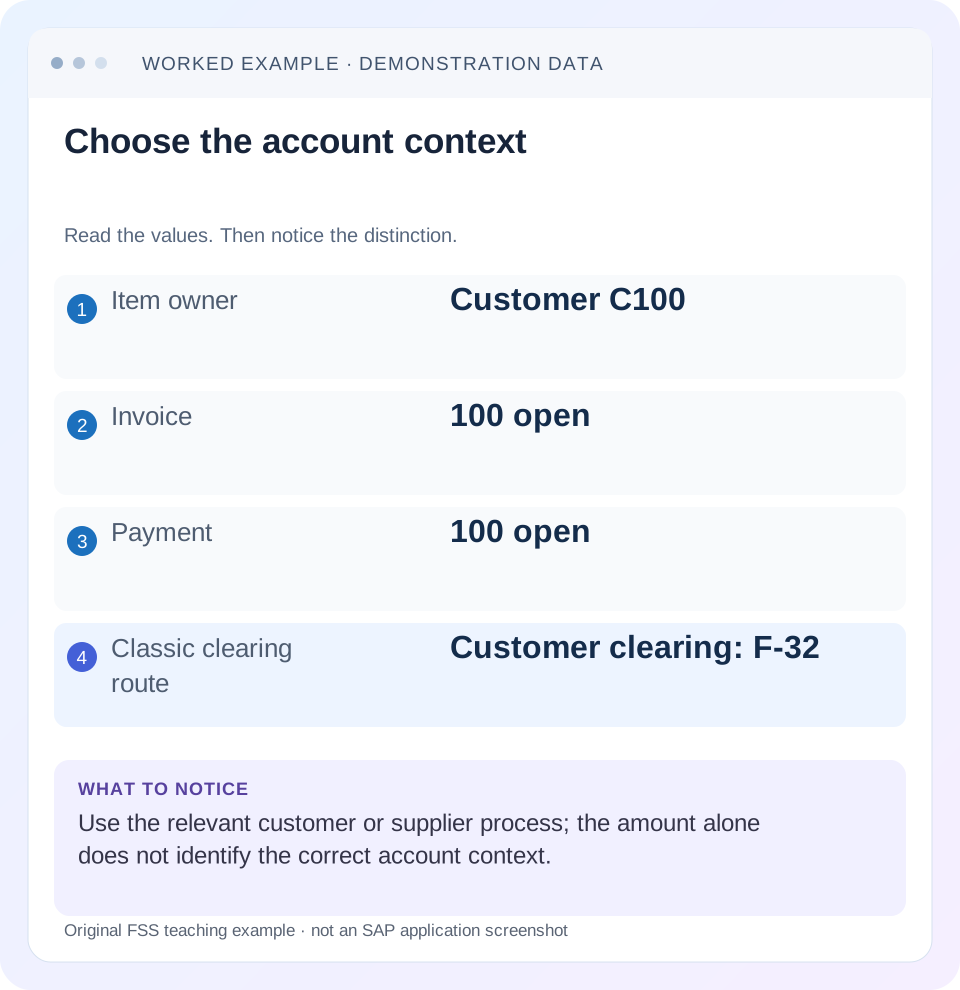
Read the example values
- Item owner
- Customer C100
- Invoice
- 100 open
- Payment
- 100 open
- Classic clearing route
- Customer clearing: F-32
Words you’ll meet in this guide
- Posting
- Recording a financial entry.
- General ledger
- The main collection of financial accounts.
- Open item
- An accounting entry still needing matching or settlement.
- Company code
- An organizational unit used for separate financial accounts.
- Accounting document
- A record of a financial entry with a header and individual account lines.
- Fiori
- SAP’s approach to business application design.
- HANA
- SAP’s database platform.
- FI
- Financial Accounting: the SAP area for financial postings and reporting.
Preview the practical steps
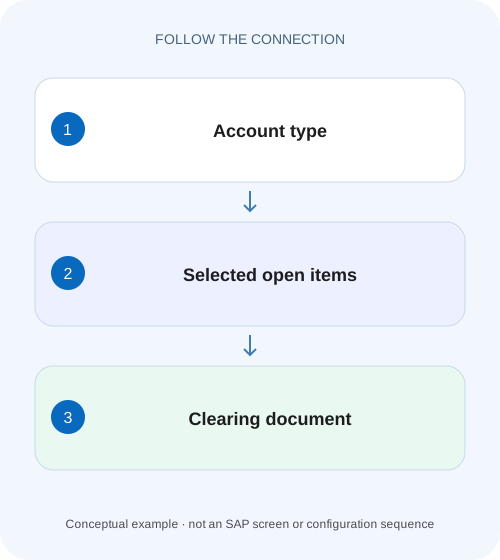
SEE THE CONNECTION
See it in a simple example.
A small example to make the idea concrete.
Match customer and supplier items deliberately
A machinery business must reconcile an equipment customer's invoice, payment and credit memo while keeping supplier clearing in its own account context.
Choose the account context before selecting items
F-32 is a classic customer-clearing route; F-44 is a classic supplier-clearing route.
Understand account clearing versus posting with clearing
In account clearing, the offsetting debits and credits already exist and the user matches them.
Worked case: a customer invoice, payment and credit memo
Fictional customer C100 in company 1000 has invoice I1 debit 1,000, incoming payment P1 credit 800 and credit memo CM1 credit 200, all open in EUR.
Match customer and supplier items deliberately
A machinery business must reconcile an equipment customer's invoice, payment and credit memo while keeping supplier clearing in its own account context.
Check account type, selected items and amounts before interpreting the resulting clearing document.
| Reader | Business question | Evidence to carry forward |
|---|---|---|
| Manufacturing finance, controlling and purchasing teams | Match customer and supplier items deliberately | Check account type, selected items and amounts before interpreting the resulting clearing document. |
01 Choose the account context before selecting items
F-32 is a classic customer-clearing route; F-44 is a classic supplier-clearing route. Both help match existing open items in the relevant account context. Choose by the account that owns the items, not by a familiar transaction from a previous incident. Manual clearing is different from initiating a new bank payment. [1] [2] [3]
This lesson is for receivables/payables accountants and FI support using classic ERP or supported S/4HANA processes. Current Fiori applications can provide corresponding manual-clearing functions with different interfaces. You need authorized item display and the approved clearing access for any actual action. The examples use ordinary items in one company code and currency, excluding tax, special G/L, withholding and exchange differences unless explicitly discussed.
02 Understand account clearing versus posting with clearing
In account clearing, the offsetting debits and credits already exist and the user matches them. In posting with clearing, a new document amount is entered while existing items are selected, with supported handling of differences. SAP learning distinguishes these processes. A request to “clear an invoice” must say which situation applies. [2]
If a customer payment is already posted on account, posting a second payment to make clearing easier can duplicate cash accounting. If no payment exists, simply matching unrelated credits does not establish receipt of cash. Begin by identifying the real business event and its existing document evidence, then choose the supported process.
03 Worked case: a customer invoice, payment and credit memo
Fictional customer C100 in company 1000 has invoice I1 debit 1,000, incoming payment P1 credit 800 and credit memo CM1 credit 200, all open in EUR. The customer remittance and approved credit evidence establish that these three items belong together. The selected balance is 1,000 − 800 − 200 = zero.
In the declared ordinary case, manual customer clearing can match the three existing items and create clearing evidence. The result is not a new 800 bank receipt; P1 already represents that posting. An additional unrelated invoice I2 debit 300 remains open. A useful acceptance check verifies both the matched set and the deliberately unmatched exposure.
| Item | Direction/amount | Selected? | Reason |
|---|---|---|---|
| I1 | Debit 1,000 | Yes | Invoice being settled |
| P1 | Credit 800 | Yes | Existing payment for I1 |
| CM1 | Credit 200 | Yes | Approved reduction of I1 |
| I2 | Debit 300 | No | Separate invoice remains outstanding |
| Selected net | 0 | Clearing candidate | Commercial relationship and arithmetic agree |
04 Translate the logic to supplier clearing
For a supplier, an ordinary invoice is typically a credit liability and an offsetting payment or credit memo supplies the opposite account effect. In a simplified supplier case, invoice credit 1,000 and existing payment debit 1,000 can form a zero selected group. F-44 is the classic supplier route, but the business evidence must still establish that the items belong together. [1] [4]
If the same commercial party is also a customer, do not assume F-32 or F-44 automatically nets the two accounts. SAP supports particular customer/supplier clearing arrangements with master-data and process prerequisites. Identify that supported design separately. A shared name or tax identifier is not itself a valid cross-account clearing instruction.
05 Select by document identity and business evidence
Use the appropriate line-item display to collect company code, account, fiscal year, document/item, currency, signed amount, reference, due-date context and current clearing state. Preserve the customer remittance, supplier statement or approved credit relationship in the permitted support record. Amount equality narrows candidates; it does not prove identity.
For the worked case, verify that CM1 actually reduces I1 rather than a different customer invoice. If two 200 credits exist, selecting the first one that reaches zero can misallocate the credit and leave the real issue unresolved. Review every active item in the clearing selection, including items that a default layout hides or groups.
06 Resolve a difference before committing the match
If P1 is 750 rather than 800, the declared selected balance becomes debit 50. Determine whether that is an unpaid amount, approved discount, dispute, bank fee or input error. Tolerance settings and reason codes influence supported difference treatment, but technical permission to post a difference is not a business explanation. [5]
A partial-payment treatment can leave the original invoice and payment open; a residual-item treatment can clear original items and create a new open difference item. A write-off or different-account posting has another financial meaning. Select the intended treatment deliberately, inspect its proposed lines and preserve the reason. Do not choose a larger set of unrelated items merely to reach zero.
07 Perform the investigation in a controlled sequence
The following sequence applies conceptually across supported manual-clearing interfaces. Use the installed application’s documented fields and status messages rather than assuming a universal screen layout.
Confirm account and scope
Choose C100/company 1000/customer context for the worked case; record clearing date and currency basis.
Expected observation: The correct account owns the candidate items.
Inspect existing documents
Display I1, P1 and CM1 with their references and current status. Reconcile any prior attempt.
Expected observation: The payment already exists and no duplicate posting is required.
Activate only the intended set
Select I1/P1/CM1 and explicitly exclude I2. Recalculate signed balance independently.
Expected observation: Selected net is zero while I2 remains outside the match.
Review differences and proposed effects
If a difference exists, inspect the permitted treatment and resulting lines before posting.
Expected observation: No unexplained write-off or residual item is created.
Verify the saved clearing
Read clearing document/date on the matched items and revisit the open-item view.
Expected observation: The matched set is cleared and I2 remains open for 300.
08 Troubleshoot missing or unexpected items
A candidate item may be absent because it is already cleared, outside the selected date/currency/special-item scope or owned by another account/company. Identify its actual document state before assuming a display defect.
| Observation | Check | Next decision |
|---|---|---|
| Invoice absent from selection | Account/company and open status | Locate actual document before widening scope |
| Selected balance is 50 | Signed amounts and business reason | Partial, residual, discount or other approved treatment |
| Payment appears twice | Document identities | One event represented twice or true duplicate? |
| Unexpected item also cleared | Full active selection | Review match scope and reset process |
| Save response unclear | Clearing fields and new document | Reconcile before repeating |
| Customer and supplier items expected together | Supported cross-account setup | Confirm prerequisites rather than mixing contexts |
09 Clearing status is not the whole payment story
A cleared invoice can be matched with a credit memo rather than paid in cash. A posted payment can remain on account until it is allocated. A bank transfer can also require separate payment-medium and bank confirmation evidence. State precisely what the clearing evidence establishes: which items were matched, when and by which clearing document.
For C100, the result is invoice I1 settled through 800 existing payment and 200 credit memo under the declared facts. It would be misleading to tell collections “customer paid 1,000 cash.” The composition matters to reconciliation, customer communication and any later dispute.
10 Verify positive, negative and boundary cases
The positive worksheet exercise reconstructs 1,000 − 800 − 200 = zero and checks the saved clearing relationship for all three items in an authorized training execution. Confirm that I2 remains open at 300. A count of three cleared items is insufficient if the selected documents were wrong.
The negative exercise substitutes an unrelated 200 credit for CM1. The arithmetic still reaches zero, so reject the match based on business identity. The boundary exercise changes P1 to 750 and requires an explicit 50-difference decision; another uses a different currency and requires the actual supported currency process. These exercises demonstrate why manual control adds responsibility rather than eliminating matching rules. No customer documents were cleared for this article.
11 Correct a wrong relationship without automatically reversing invoices
If valid items were matched incorrectly, review the supported reset-clearing process and its effects. Resetting clearing can reopen the relationship while leaving original business postings intact. Reversing the invoice is a separate decision about the invoice’s validity. Payment-related corrections can require further bank or source-process action.
Retain the incorrect clearing identity, affected items, reason and corrected match. Check all reopened items after an approved reset, then verify the replacement relationship. Do not clear a new compensating set to hide the wrong match; that makes the document trail more difficult to explain and can distort customer or supplier open-item exposure.
12 Capture the complete active selection before posting
Before committing the worked match, read the full selected set rather than relying on the difference indicator alone. Retain account/company, document/year/item, reference, signed amount, currency and current open status for I1, P1 and CM1. Check whether a layout hides an active selection or a subtotal obscures another invoice. An accidental extra debit and credit can preserve a zero total while broadening the match incorrectly.
A useful independent check counts and identifies the intended three items, calculates 1,000 minus 800 minus 200, and separately identifies I2 as excluded. After clearing, compare the actual three clearing references and date, then confirm I2 still appears open for 300. This closed loop proves more than observing an empty selection screen: it demonstrates that the intended relationship was saved and that unrelated exposure was preserved.
13 Frequently asked questions
Can F-32 pay a customer invoice? Its clearing purpose is to match items; initiating a payment is a separate business action. Can F-44 clear any zero combination? Review the legitimate relationship, currency and permitted process, not only the total. Why does an invoice still appear after clearing? Check whether the report shows all items, a historical key date or gross document activity.
When should automatic clearing be used? When a reliable supported rule can identify eligible matching groups. Use the F.13 lesson to evaluate that rule. When only part of an invoice is settled, use the partial-payment/residual-item lesson to predict exactly which documents remain open after the chosen treatment.
Related services and next steps
Primary sources
Found this useful?
Share this guide with your network, or leave a like.
Your like is saved in this browser.