SAP F.13 automatic clearing: Understand the matching criteria before the run
A manufacturer's account balance is zero, but groups of open items do not meet the same matching conditions for automatic clearing.

Source review:
START HERE · NO PRIOR TOPIC KNOWLEDGE NEEDED
What it is. Why it matters.
An open item is an unsettled accounting entry. F.13 can match and clear eligible entries using configured criteria, reducing manual reconciliation when those criteria are appropriate.
Completely new to SAP?
Manufacturers use SAP to connect work such as buying components, recording inventory, planning production, shipping equipment and accounting for costs. SAP S/4HANA is an enterprise resource planning system: it connects these activities through shared business data.
Financial Accounting records business events as accounting documents. An account groups relevant amounts; individual entries explain how the total arose.
A transaction code, or t-code, is a shortcut to a task in classic SAP GUI. Fiori apps provide another way to work. Names and screens depend on the product and release; you do not need a live system to learn the concepts in this guide.

Scope and source-review notes
Scope and evidence
Source review by FAST SAP SOLUTIONS® editorial. This badge describes our editorial review; it does not represent SAP certification or independent endorsement.
Classic F.13 and the cited S/4HANA automatic-clearing app concepts. Account eligibility, exclusions and additional grouping are configuration dependent.
Reviewed relevant official SAP indexed documentation excerpts on 14 November 2026. Examples, identifiers, amounts and expected observations are illustrative; no customer SAP execution was performed. Transaction availability, labels and results depend on the installed release, deployment and local configuration.
A MANUFACTURING EXAMPLE
Explain uncleared factory-account items
Equal amounts may remain open
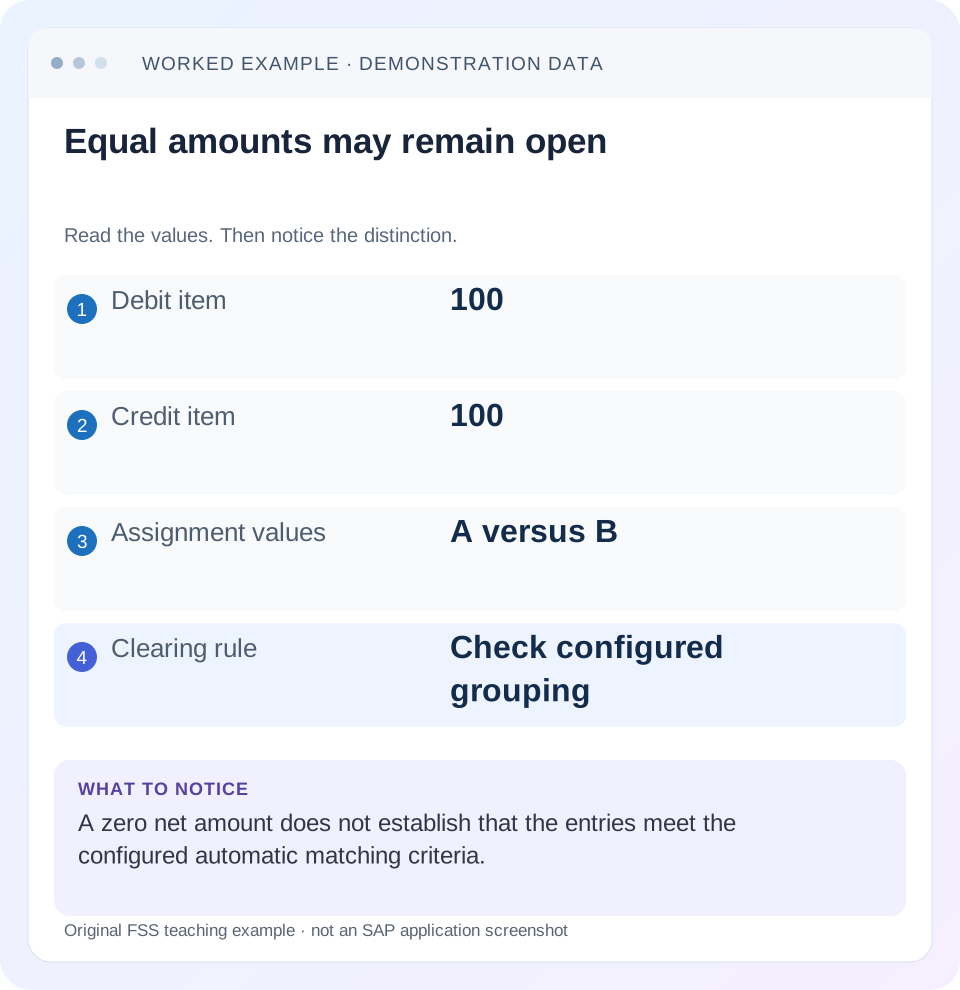
Read the example values
- Debit item
- 100
- Credit item
- 100
- Assignment values
- A versus B
- Clearing rule
- Check configured grouping
Words you’ll meet in this guide
- Posting
- Recording a financial entry.
- General ledger
- The main collection of financial accounts.
- Open item
- An accounting entry still needing matching or settlement.
- Company code
- An organizational unit used for separate financial accounts.
- Accounting document
- A record of a financial entry with a header and individual account lines.
- HANA
- SAP’s database platform.
- FI
- Financial Accounting: the SAP area for financial postings and reporting.
Preview the practical steps
SEE THE CONNECTION
See it in a simple example.
A small example to make the idea concrete.
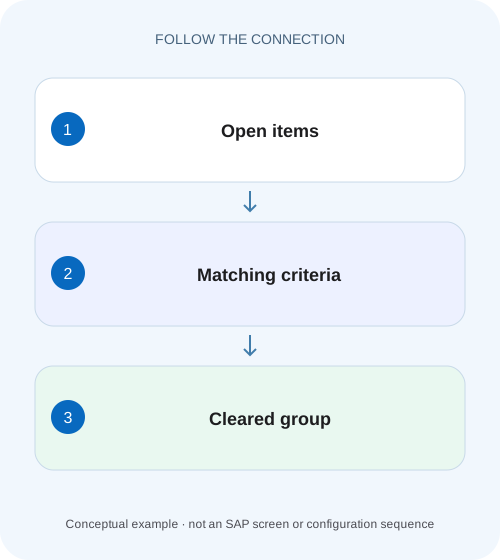
Explain uncleared factory-account items
A manufacturer's account balance is zero, but groups of open items do not meet the same matching conditions for automatic clearing.
F.13 matches eligible open items; it does not send a payment
F.13, Clear Open Items Automatically, groups eligible open items and clears groups that meet its rules.
Understand selection, eligibility and grouping as three stages
Selection determines which accounts and items the run considers.
Fixed and user criteria define the matching population
The referenced F.13 documentation lists fixed criteria such as company code, account type, account number, reconciliation-account number, currency key and special G/L indicator, plus up to five user criteria.
Explain uncleared factory-account items
A manufacturer's account balance is zero, but groups of open items do not meet the same matching conditions for automatic clearing.
Inspect the actual grouping and clearing criteria before assuming a zero balance proves that each relevant item can clear.
| Reader | Business question | Evidence to carry forward |
|---|---|---|
| Manufacturing finance, controlling and purchasing teams | Explain uncleared factory-account items | Inspect the actual grouping and clearing criteria before assuming a zero balance proves that each relevant item can clear. |
01 F.13 matches eligible open items; it does not send a payment
F.13, Clear Open Items Automatically, groups eligible open items and clears groups that meet its rules. It is useful when offsetting debits and credits already exist but have not been matched. It is not the automatic payment program and does not establish that a bank transfer occurred. Start with the account and the intended matching relationship before choosing a clearing run. [1] [2]
This guide is for FI accountants and support analysts in classic ERP or supported S/4HANA accounting. The reviewed current on-premise documentation describes App ID F.13; other clearing applications have different capabilities. You need authorized account-item display, run parameters, configuration criteria and clearing evidence. Examples use one currency and ordinary eligible items; special G/L, withholding tax and extended GR/IR scenarios require their own supported scope.
02 Understand selection, eligibility and grouping as three stages
Selection determines which accounts and items the run considers. Eligibility determines whether a selected item can participate under the program’s rules. Grouping determines which eligible items can be balanced together. A broad selection does not bypass exclusions, and two offsetting amounts do not necessarily land in the same group. [1]
SAP documents exclusions including noted items, particular statistical/special G/L cases and items with withholding-tax postings in the referenced program scope. It also describes account locks and payment-run interactions. Inspect the actual log when an item is absent. Do not assume that widening the account range or running again will change an eligibility restriction.
03 Fixed and user criteria define the matching population
The referenced F.13 documentation lists fixed criteria such as company code, account type, account number, reconciliation-account number, currency key and special G/L indicator, plus up to five user criteria. The applicable fields and account currency context matter. User criteria can make assignment or another business reference part of the group. [1] [3]
Inspect the actual configured criteria for the account range. A company can use assignment to represent a genuine matching reference, but the field name alone does not establish a safe business key. If assignment contains free text or inconsistent source data, equal amounts can split across groups or unrelated events can share one group. Match-rule quality depends on the operational meaning of the data.
04 Worked case: zero account balance, two nonzero groups
Fictional clearing account CL100 contains debit D1 100 with assignment A and credit C1 100 with assignment B. Assume all other fixed criteria match, both items are eligible and assignment is an active user criterion. The account’s net balance is zero, but group A contains only debit 100 and group B only credit 100. Neither group balances to zero.
Now add debit D2 250 and credit C2 250, both assignment C. Group C balances to zero and can satisfy the declared matching condition, while A and B remain unresolved. A report showing “account balance zero” for the initial pair is therefore insufficient evidence that the automatic program should clear it.
| Group | Debits | Credits | Net | Expected under declared rule |
|---|---|---|---|---|
| A | 100 | 0 | Debit 100 | Remain unmatched |
| B | 0 | 100 | Credit 100 | Remain unmatched |
| C | 250 | 250 | 0 | Candidate for clearing |
| Whole account | 350 | 350 | 0 | Account total does not override groups |
05 Use the correct currency for the zero test
The reviewed documentation describes a zero-balance requirement in document currency for customer/supplier groups and update currency for G/L groups in its program scope. Preserve the actual currency fields and configured account context when reconstructing a group. A local-currency net of zero is not automatically the same test as a document-currency net of zero. [1] [2]
If currencies differ, do not simply convert amounts in a spreadsheet and expect ordinary F.13 to reproduce that manual matching. SAP provides separate currency-related clearing capabilities and application comparisons. Establish which supported application and currency option applies to your requirement. A legitimate exchange difference can require posting logic, while a reference mismatch is a different issue.
06 Read the run parameters as part of the evidence
Record company codes, account types/ranges, fiscal context, item selections, clearing date, test/update mode and run identifier. The clearing date is an accounting attribute of the resulting match; it should not be inferred from the day someone opened the log. A saved variant can also contain filters that the operator did not notice.
Compare the expected item’s actual dates and fields with every relevant filter. If C2 is outside the selection, group C no longer has both sides in the run even though an all-items account report does. This is a selection problem before it is a grouping problem. Preserve the exact variant or parameter evidence so the investigation is reproducible.
07 Run a controlled investigation before productive clearing
Use the supported test or preview option and inspect its messages and group evidence. The goal is to explain the candidate groups, not maximize the number of cleared items.
Extract the expected candidate items
List document/item identity, signed amount, relevant currency and all grouping fields.
Expected observation: D1/C1 and D2/C2 can be reconstructed independently.
Apply eligibility and selection
Check documented exclusions, filters and locks for each missing item.
Expected observation: Only genuinely selected eligible items enter the grouping exercise.
Rebuild the groups
Group by fixed and configured criteria, then calculate the balance in the required currency basis.
Expected observation: A and B remain nonzero; C is zero in the example.
Inspect supported test output
Compare your reconstruction with messages and proposed clearing.
Expected observation: Differences identify a missed criterion or scope assumption.
Verify an authorized update
Inspect clearing document/date and item statuses after the actual approved run.
Expected observation: C’s original items carry the resulting clearing evidence; A/B remain explained.
08 Troubleshoot the first stage that diverges
An item that was never selected cannot be diagnosed by examining its group balance. A selected but excluded item cannot be forced into eligibility by changing assignment. Work through the stages in order.
| Observation | Stage | Evidence |
|---|---|---|
| Expected item absent | Selection/eligibility | Variant, dates, excluded category and locks |
| Equal amounts remain open | Grouping | Every fixed and user criterion |
| Zero local balance but no clearing | Currency test | Required document/update currency |
| Only one side proposed | Selection or prior clearing | Other item’s date/status and run scope |
| Item selected but no clearing document | Test versus update/result | Run mode and actual update log |
| Repeated run changes nothing | Unchanged input | Unresolved criteria or restrictions, not execution count |
09 Do not change references simply to create a zero group
If D1 and C1 represent the same business event and A/B is a data-entry defect, use the approved field-correction or manual-clearing process appropriate to the actual documents. First establish the commercial relationship. If they are unrelated, matching them only because the amounts cancel can conceal two unresolved transactions.
Likewise, broadening criteria can make today’s exception disappear while allowing tomorrow’s unrelated items to clear. Evaluate the proposed rule against representative matched and unmatched populations. A useful criterion distinguishes events for a reason. Removing it is a change to the reconciliation design, not just a convenience for one run.
10 Positive, negative and boundary verification
A positive training check uses D2/C2 assignment C with identical fixed criteria and the declared eligible scope. Independently show zero, then verify the actual clearing reference after an authorized update. A negative check keeps D1 assignment A and C1 assignment B: the expected explanation is separate nonzero groups, not a program defect.
A boundary check excludes C2 with a date filter and confirms why C no longer clears. Another changes the relevant currency while leaving displayed numeric amounts equal and requires the actual currency rule to be re-evaluated. A final check runs in test mode and confirms that a proposal alone has not changed item status. These are proposed exercises; no SAP clearing run was executed for this article.
11 Reconcile GR/IR before applying generic clearing logic
GR/IR accounts need purchase-order-item and source-document reasoning in addition to accounting grouping. A receipt and invoice difference can represent missing quantity, price effects, later corrections or genuine timing. A zero amount on a broad account selection does not prove that every PO item is reconciled.
Use the supported GR/IR process for the actual open-item-management design, including any extended capabilities. Preserve purchasing references and distinguish operational reconciliation from accounting match execution. F.13 can be part of a supported process, but its existence is not permission to remove a GR/IR balance without understanding the receipt/invoice chain.
12 Build a candidate-group worksheet with every active field
For D1/C1, create one row per item with company code, account type/number, reconciliation-account context, relevant currency key, special G/L indicator and all active user criteria. Include document/item identity so each worksheet row can be traced back to SAP. A worksheet containing only amount and assignment is incomplete if another configured field also participates.
Add a separate credit of 100 in USD while D1 is 100 EUR. Equal displayed numerals do not form the same fixed-currency group in the declared ordinary rule. Do not convert the USD item manually and overwrite its reference to force a match. Establish whether there is a real cross-currency business relationship and which supported currency-clearing application is appropriate. If no relationship exists, both items should remain explained as separate unresolved events. This example tests both field completeness and the distinction between a numeric zero and a valid clearing group.
13 Frequently asked questions
Why does F.13 not clear a zero-balance account? It evaluates eligible groups, not merely the account’s net total. Does a successful test mean the items are cleared? No; inspect update-run results and actual clearing fields. Does clearing prove the supplier was paid? No; clearing can match existing invoice and credit items without a new bank transfer.
Can manual clearing resolve a legitimate pair with different references? In an appropriate supported process, yes, after reviewing the business relationship and difference treatment. Use the manual-clearing guide for that decision. If the match itself was wrong, use reset-clearing guidance; do not reverse the original expense automatically when only the relationship needs correction.
Related services and next steps
Primary sources
Found this useful?
Share this guide with your network, or leave a like.
Your like is saved in this browser.