SAP partial payment versus residual item: What stays open after payment?
An equipment customer pays less than its invoice amount, and the manufacturer needs a clear remaining receivable and correction trail.

Source review:
START HERE · NO PRIOR TOPIC KNOWLEDGE NEEDED
What it is. Why it matters.
A partial payment leaves the original invoice open alongside the payment. A residual-item approach clears the original items and creates a new remaining item, changing the account’s visible history.
Completely new to SAP?
Manufacturers use SAP to connect work such as buying components, recording inventory, planning production, shipping equipment and accounting for costs. SAP S/4HANA is an enterprise resource planning system: it connects these activities through shared business data.
Financial Accounting records business events as accounting documents. An account groups relevant amounts; individual entries explain how the total arose.
A transaction code, or t-code, is a shortcut to a task in classic SAP GUI. Fiori apps provide another way to work. Names and screens depend on the product and release; you do not need a live system to learn the concepts in this guide.

Scope and source-review notes
Scope and evidence
Source review by FAST SAP SOLUTIONS® editorial. This badge describes our editorial review; it does not represent SAP certification or independent endorsement.
Accounts-receivable partial payments and residual items using cited S/4HANA Cloud documentation. Available apps, reason codes and accounting policies vary.
Reviewed relevant official SAP indexed documentation excerpts on 14 November 2026. Examples, identifiers, amounts and expected observations are illustrative; no customer SAP execution was performed. Transaction availability, labels and results depend on the installed release, deployment and local configuration.
A MANUFACTURING EXAMPLE
Record a short equipment-customer payment
What remains after paying 80?
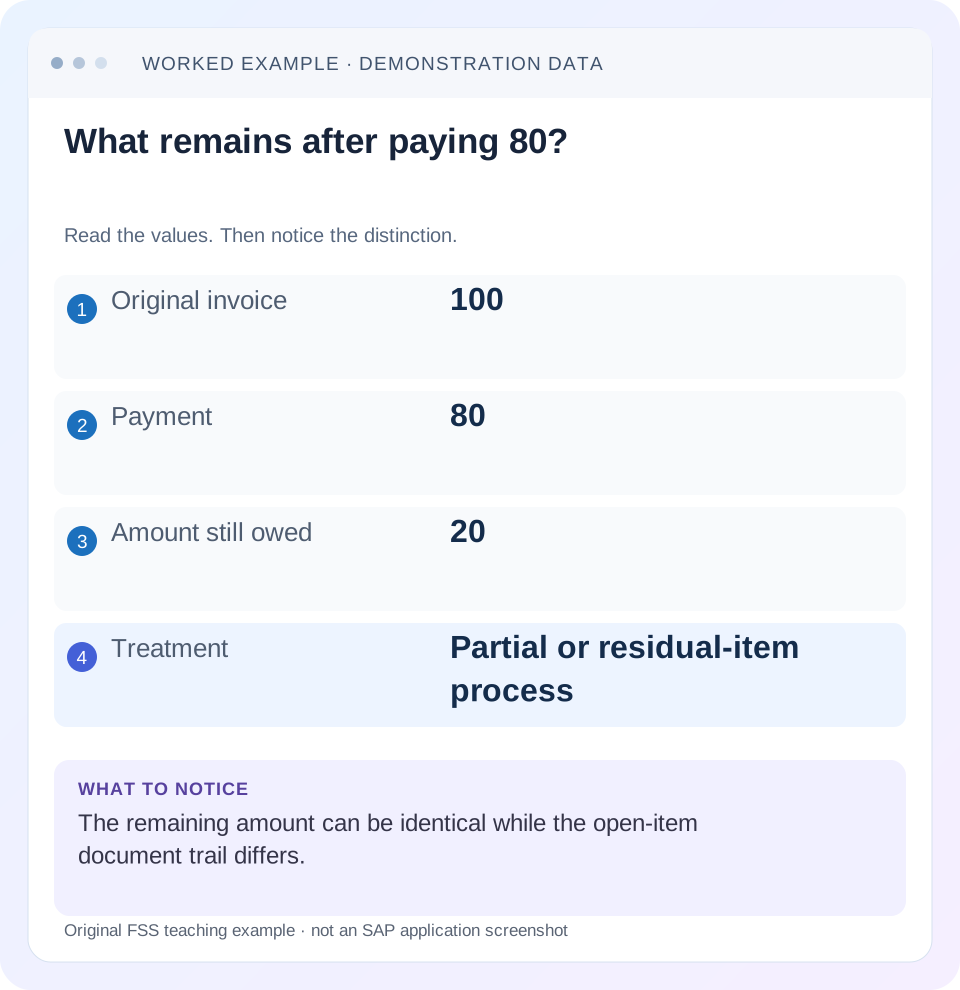
Read the example values
- Original invoice
- 100
- Payment
- 80
- Amount still owed
- 20
- Treatment
- Partial or residual-item process
Words you’ll meet in this guide
- Posting
- Recording a financial entry.
- General ledger
- The main collection of financial accounts.
- Open item
- An accounting entry still needing matching or settlement.
- Company code
- An organizational unit used for separate financial accounts.
- Accounting document
- A record of a financial entry with a header and individual account lines.
- HANA
- SAP’s database platform.
- FI
- Financial Accounting: the SAP area for financial postings and reporting.
Preview the practical steps
SEE THE CONNECTION
See it in a simple example.
A small example to make the idea concrete.
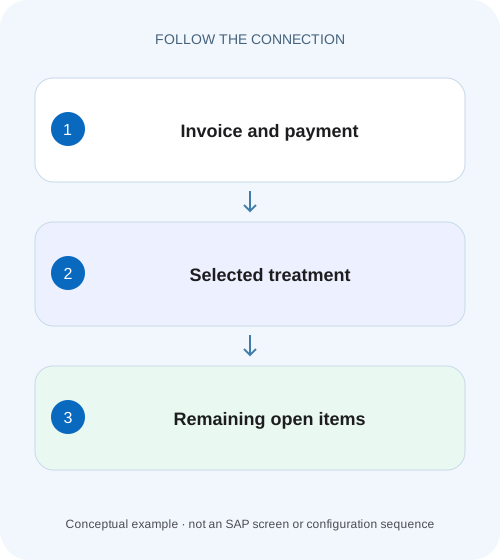
Record a short equipment-customer payment
An equipment customer pays less than its invoice amount, and the manufacturer needs a clear remaining receivable and correction trail.
Choose the open-item trail, not only the remaining amount
A partial payment leaves the original invoice and the payment open; a residual-item treatment clears the original items and creates a new open item for the difference.
Establish why the customer paid less
A 300 shortfall can be unpaid balance, a disputed quantity, a pricing claim, a cash-discount disagreement or another business event.
Worked case: partial payment leaves two open items
Fictional customer C100 owes invoice I1 debit 1,000 EUR and pays 700.
Record a short equipment-customer payment
An equipment customer pays less than its invoice amount, and the manufacturer needs a clear remaining receivable and correction trail.
Compare the intended partial-payment or residual-item treatment before interpreting which original and new items remain open.
| Reader | Business question | Evidence to carry forward |
|---|---|---|
| Manufacturing finance, controlling and purchasing teams | Record a short equipment-customer payment | Compare the intended partial-payment or residual-item treatment before interpreting which original and new items remain open. |
01 Choose the open-item trail, not only the remaining amount
A partial payment leaves the original invoice and the payment open; a residual-item treatment clears the original items and creates a new open item for the difference. Both can leave the same customer-account balance while producing different item histories. Decide which supported treatment reflects the business situation and required follow-up. [1] [2]
This guide is for receivables accountants and FI support working in SAP ERP or S/4HANA. Current reviewed references include S/4HANA Cloud Public Edition 2608; classic payment-term and screen behavior can differ. You need authorized customer-item display, remittance evidence and the permitted payment/clearing application. The fictional 1,000 invoice and 700 payment use one currency with no discount, tax, exchange or tolerance adjustment unless explicitly added.
02 Establish why the customer paid less
A 300 shortfall can be unpaid balance, a disputed quantity, a pricing claim, a cash-discount disagreement or another business event. The amount alone does not choose the accounting treatment. Read the remittance and approved commercial evidence before selecting partial payment, residual item or a difference write-off.
Also verify that the 700 payment already exists and belongs to this customer/invoice. If it was posted on account, the next task can be allocation rather than another cash posting. Do not create a duplicate receipt because the invoice still appears for its full original value. First inspect the related payment and current open-item relationships.
03 Worked case: partial payment leaves two open items
Fictional customer C100 owes invoice I1 debit 1,000 EUR and pays 700. Under a partial-payment treatment, I1 remains open at its original 1,000 and a related payment credit 700 remains open. The net customer exposure is 300. The full invoice displayed in the open list is therefore not proof that the payment was lost.
The invoice reference helps preserve the relationship under the supported entry options. Verify the actual saved linkage rather than assuming the application created it. A payment posted on account without reference can produce the same balance but provide a weaker allocation trail until it is clarified.
| Item | Open amount | State | Meaning |
|---|---|---|---|
| I1 invoice | Debit 1,000 | Open | Original invoice not cleared |
| P1 payment | Credit 700 | Open | Related partial payment |
| Net exposure | Debit 300 | Account balance | 1,000 minus 700 |
| Next 300 payment | Not yet present | Future event | Must be recorded and matched through supported process |
04 Worked case: residual item leaves a new 300 open item
Under a residual-item treatment for the same declared facts, the original invoice and payment are cleared and a new residual receivable R1 debit 300 remains open. SAP describes reference back to the original invoice. The amount owed is still 300, but the current open list now has a different document identity. [1]
A collector who searches only for open I1 can wrongly conclude that nothing remains outstanding. Follow R1 and its original-invoice reference. Conversely, a statement showing R1 does not mean a second unrelated 300 invoice was commercially issued. Explain it as the remaining receivable from the original transaction.
| Measure | Partial payment | Residual item |
|---|---|---|
| Original I1 | Open 1,000 | Cleared |
| Payment P1 | Open credit 700 | Cleared |
| New remaining item | None in this simplified case | R1 open debit 300 |
| Net customer balance | Debit 300 | Debit 300 |
| Primary follow-up identity | I1 plus related P1 | R1 with original reference |
05 Reason codes can change the financial result
Reason codes are not merely explanatory labels. The reviewed cloud documentation distinguishes codes without Charge Off from codes that charge the difference to a separate G/L account. If the intent is to retain a 300 receivable, a charge-off treatment changes the economic result. Inspect the code and proposed accounting before posting. [2] [3]
For the example, a valid residual receivable preserves customer exposure of 300. A separately approved 300 write-off would instead remove that exposure and post the difference according to its supported configuration. Those are different business decisions even if both make the original invoice appear cleared. Do not use “residual” loosely to describe every difference-posting option.
06 Payment terms and ageing need explicit verification
An original invoice and a newly created residual item can carry different date or payment-term context depending on configuration. SAP’s classic residual-item guidance describes use of original or predefined terms under the applicable settings. Do not promise that a residual item always restarts ageing or always inherits every original due-date attribute. [4]
For R1, inspect baseline date, payment terms, due date, reason and original-invoice reference in the actual saved item. Compare these with the collection policy. If a dispute needs separate follow-up, preserve its case/reference through the supported process. A new document number should not silently change how collections interprets the commercial age of the original obligation.
07 Use a deliberate practical sequence
State the expected post-processing open items before committing the choice. That gives the reviewer a concrete result to verify.
Reconcile the payment event
Confirm 700 received, its existing accounting reference and the customer/remittance relationship to I1.
Expected observation: No duplicate payment is required.
Choose the business treatment
Determine whether to leave original items open, create a residual receivable or apply a separately approved difference posting.
Expected observation: The 300 has an explicit meaning.
Inspect reason and proposed lines
Verify Charge Off behavior, amount entry semantics and any required reason/reference.
Expected observation: A retained receivable is not accidentally written off.
Review dates and terms
Check the proposed residual or payment reference, baseline and due-date treatment for this process.
Expected observation: Collections can interpret the resulting item correctly.
Verify saved relationships
Read I1/P1 status and any R1 amount/reference after authorized processing.
Expected observation: The actual open population matches the chosen treatment.
08 Know whether the field expects payment or residual amount
Screen options and editing settings can affect whether a residual-entry field expects the payment amount or remaining amount. The reviewed classic guidance explicitly notes that distinction. Read the label and supported editing option rather than entering 700 because that is the number on the remittance. [4]
In this illustration, the payment is 700 and residual is 300. Reversing those inputs can produce a materially different proposed receivable. Independently calculate invoice less payment before entry, then inspect proposed lines and balance. A useful check is to ask which new open amount will exist after processing and compare that answer with the commercial shortfall.
09 Troubleshoot the changed item trail
Begin with actual item status and references. The same 300 balance can arise through several different processes, so it does not identify the selected method by itself.
| Observation | Inspect | Interpretation |
|---|---|---|
| I1 still shows 1,000 open | Related payment and net exposure | Partial payment may be correct |
| I1 cleared but customer owes 300 | Residual item/reference | Search R1 rather than only I1 |
| No customer difference remains | Reason and G/L difference lines | Charge-off may have occurred |
| Residual due date unexpected | Baseline/terms and configuration | New item timing must be verified |
| Residual amount appears 700 | Field semantics and entered amount | Payment and remainder may be confused |
| Second payment requested | Existing payment document | Check allocation before reposting cash |
10 Verify the lifecycle, amount and follow-up together
A positive partial-payment check confirms I1 open debit 1,000, P1 open credit 700 and net 300. A positive residual check confirms I1/P1 cleared and R1 open 300 with the expected reference and terms. Both tests must inspect actual saved items; a screen total of 300 is insufficient.
A negative check selects a charge-off reason while the stated requirement is to retain a receivable. Reject the proposed result when the customer exposure disappears. A boundary check uses a full 1,000 payment: no 300 difference remains in the declared facts, so do not create an unnecessary residual. Another uses zero or overpayment and requires a separate supported business decision. These are proposed training checks, not executed customer postings.
11 Complete the chain when the remaining 300 arrives
If the original treatment was partial payment, the later payment must be related to the existing invoice/payment population through the supported clearing process. If the treatment was residual, the later payment typically needs to address the remaining R1 item in this simplified chain. Use actual references rather than posting another full invoice.
After the final settlement, verify the relevant clearing relationships and net exposure. If a credit is issued instead of cash, describe the composition accurately. “Customer account settled” can be correct while “customer paid the full 1,000 cash” is false. The document trail should support the wording used in a customer statement or internal handover.
12 Explain the outcome in an operational handover
For partial payment, write: “I1 remains open at 1,000, P1 is an open related credit 700, net exposure 300.” For residual processing, write: “I1 and P1 are cleared; R1 remains open at 300 and references I1.” Include the actual company, currency, due-date context and reason in the permitted record.
If the business disputes the 300, state the dispute owner and next review rather than assuming a document-state choice resolves it. The accounting treatment organizes the receivable; it does not decide whether the customer’s claim is commercially valid. Keep that determination connected to the supporting evidence.
13 Compare customer communication with the saved method
A customer statement can display the original invoice and related payment or a residual identity, depending on the chosen process and report. Check the actual output before telling the customer which reference to use for the final300. Provide the original invoice relationship so a new residual number does not appear to be an unexplained additional charge.
14 Frequently asked questions
Which method is better? Choose the supported policy and required history, references and collection behavior; neither is universally preferable. Does residual processing reduce the amount owed more than partial payment? Not in the declared no-write-off example: both leave 300. Can a reason code be chosen only for its text? No; inspect its posting behavior.
Why is the original invoice absent from current open items? It may be cleared with a residual remaining under another identity. Use line-item guidance to align key dates and status, manual-clearing guidance for existing payments and reset-clearing guidance if the wrong relationship was saved.
Related services and next steps
Primary sources
Found this useful?
Share this guide with your network, or leave a like.
Your like is saved in this browser.