SAP payment proposal created: Why that does not mean the supplier was paid
A buyer tells a critical supplier that its invoice appeared in a payment proposal, while the supplier still asks for payment confirmation.

Source review:
START HERE · NO PRIOR TOPIC KNOWLEDGE NEEDED
What it is. Why it matters.
A payment proposal is a proposed selection of items for payment. It is a review stage, not proof that money has been sent to the supplier.
Completely new to SAP?
Manufacturers use SAP to connect work such as buying components, recording inventory, planning production, shipping equipment and accounting for costs. SAP S/4HANA is an enterprise resource planning system: it connects these activities through shared business data.
Financial Accounting records business events as accounting documents. An account groups relevant amounts; individual entries explain how the total arose.
A transaction code, or t-code, is a shortcut to a task in classic SAP GUI. Fiori apps provide another way to work. Names and screens depend on the product and release; you do not need a live system to learn the concepts in this guide.

Scope and source-review notes
Scope and evidence
Source review by FAST SAP SOLUTIONS® editorial. This badge describes our editorial review; it does not represent SAP certification or independent endorsement.
Classic automatic-payment program and S/4HANA Manage Automatic Payments concepts. Bank integration, payment formats and settlement evidence depend on the deployed process.
Reviewed relevant official SAP indexed documentation excerpts on 14 November 2026. Examples, identifiers, amounts and expected observations are illustrative; no customer SAP execution was performed. Transaction availability, labels and results depend on the installed release, deployment and local configuration.
A MANUFACTURING EXAMPLE
Verify whether a component supplier was paid
A proposal is not a bank payment
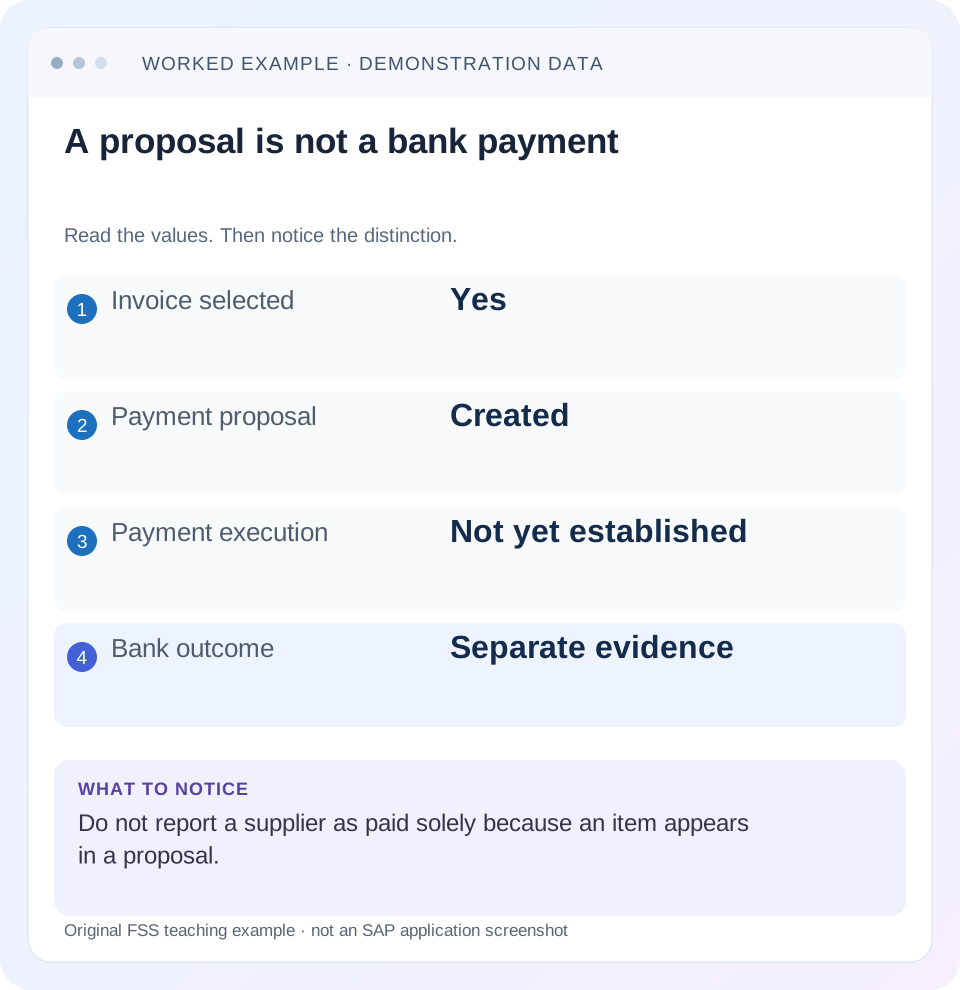
Read the example values
- Invoice selected
- Yes
- Payment proposal
- Created
- Payment execution
- Not yet established
- Bank outcome
- Separate evidence
Words you’ll meet in this guide
- Posting
- Recording a financial entry.
- General ledger
- The main collection of financial accounts.
- Open item
- An accounting entry still needing matching or settlement.
- Company code
- An organizational unit used for separate financial accounts.
- Accounting document
- A record of a financial entry with a header and individual account lines.
- HANA
- SAP’s database platform.
- FI
- Financial Accounting: the SAP area for financial postings and reporting.
Preview the practical steps
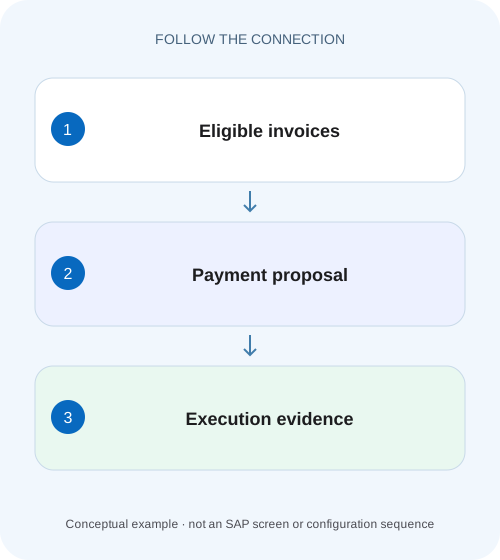
SEE THE CONNECTION
See it in a simple example.
A small example to make the idea concrete.
Verify whether a component supplier was paid
A buyer tells a critical supplier that its invoice appeared in a payment proposal, while the supplier still asks for payment confirmation.
A proposal is a candidate selection, not proof of money movement
A payment proposal identifies items and proposed payments for review under the run’s parameters and controls.
Read the run identity and stage together
Record run date, identification, paying/company-code scope, creator and displayed proposal/payment status.
Worked case: three invoices, two proposed payments
Fictional run PAY14 for company 1000 considers supplier S100 invoice I1 for 1,000 EUR, S200 invoice I2 for 600 EUR and S300 invoice I3 for 400 EUR.
Verify whether a component supplier was paid
A buyer tells a critical supplier that its invoice appeared in a payment proposal, while the supplier still asks for payment confirmation.
Follow the payment run and resulting payment evidence separately from proposal inclusion before making a payment claim.
| Reader | Business question | Evidence to carry forward |
|---|---|---|
| Manufacturing finance, controlling and purchasing teams | Verify whether a component supplier was paid | Follow the payment run and resulting payment evidence separately from proposal inclusion before making a payment claim. |
01 A proposal is a candidate selection, not proof of money movement
A payment proposal identifies items and proposed payments for review under the run’s parameters and controls. Payment execution, accounting documents, payment media, transmission and bank outcome are later evidence. A supplier asking “Have you paid?” needs the actual observed stage, not an assumption based on a proposal being created. [1] [2]
This tutorial is for accounts payable, treasury and FI support using classic automatic-payment concepts or supported S/4HANA Manage Automatic Payments. The reviewed documentation includes current on-premise and cloud application behavior; bank integration and exceptional-run recovery vary. You need authorized run, item, payment-document and payment-medium display. The example is fictional and deliberately omits charges, discounts, netting and currency conversion.
02 Read the run identity and stage together
Record run date, identification, paying/company-code scope, creator and displayed proposal/payment status. A run ID without its date and organization can be ambiguous. SAP’s application supports searching proposals and payments using these fields and viewing proposal/payment lists and scheduling logs. [1]
Distinguish “parameters created,” “proposal created,” “payment scheduled,” “payment processing completed” and any failure/exception status actually shown in your application. These labels need their local supported interpretation. Do not translate all green indicators into “supplier received funds.” A successful scheduling operation can mean that a job was accepted, while the resulting job still requires inspection.
03 Worked case: three invoices, two proposed payments
Fictional run PAY14 for company 1000 considers supplier S100 invoice I1 for 1,000 EUR, S200 invoice I2 for 600 EUR and S300 invoice I3 for 400 EUR. Assume I1/I2 meet the declared due-date and payment-data rules, while I3 has a valid payment block. The proposal includes 1,600 and identifies I3 as an exception in this simplified dataset.
At proposal stage, no conclusion about bank movement follows. If payment execution later creates the expected accounting/payment evidence for I1/I2, that establishes another stage. A generated payment medium for 1,600 establishes output creation. Transmission, bank acceptance and settlement must be supported by the deployed banking evidence.
| Stage | Example observation | What can be said |
|---|---|---|
| Proposal | I1 1,000 + I2 600 selected | 1,600 proposed; I3 400 excluded |
| SAP execution | Expected payment documents created | Payment processing recorded in SAP |
| Medium | Run-linked output exists | Instructions prepared in supported format |
| Transmission | Channel records dispatch | Output sent through the channel |
| Bank response | Accepted/rejected evidence | Bank reported a particular outcome |
| Reconciliation | Relevant statement/settlement evidence | Outcome reconciled under the bank process |
04 Understand why an invoice is excluded
Inspect proposal exceptions and scheduling logs for the intended invoice. SAP documentation identifies payment-method validity and completeness of house-bank information as useful log evidence; its FAQ also discusses items already cleared or included in another proposal. A missing item is not automatically blocked and not automatically a failed invoice posting. [1] [3]
For I3, confirm the actual block and its source. For a different invoice, inspect due-date basis, payment method, supplier/payee data, account locks and other-run inclusion where relevant. Preserve the exact message. Changing bank details or removing a block merely to make the proposal complete can create a different business risk without fixing the original selection problem.
05 Proposal review can change the expected payment population
A proposal is a reviewable result under a defined parameter set. If items are removed, blocked, reassigned or otherwise revised through the supported process, preserve that decision and the resulting proposal. Do not compare an earlier 1,600 screenshot with a later 1,000 payment without checking the review history and actual selected items.
For the worked case, suppose I2 is held for a documented commercial review after proposal creation. The expected execution population may then be only I1 for 1,000. That is a different approved dataset, not necessarily a missing 600 payment. The final explanation must identify which proposal and revisions fed the execution rather than treating the first proposal total as an unchangeable commitment.
06 Follow accounting documents and payment media by reference
After execution, trace the relevant payment document or payment order according to the installed process. Compare supplier, amount, currency, company and included invoice references. Then inspect the associated payment medium in Manage Payment Media or the supported equivalent. SAP documents automatic medium creation after scheduling applicable payment runs. [1] [2]
Do not identify a bank file solely by filename if the channel provides a stronger run/batch/message relationship. A file can be regenerated or renamed under the supported process. Preserve the relevant protected identifiers and creation status without exporting sensitive bank data into a broad ticket. The goal is to prove which instructions correspond to which payment population.
07 Bank acceptance and settlement are separate observations
A generated medium proves that output exists. A transmission log proves that a channel handled it to a particular point. A bank acknowledgement can indicate acceptance or rejection at a defined level. Final settlement or bank-statement reconciliation is another stage. Use the actual integration’s definitions and identifiers rather than inventing one universal status ladder.
For PAY14, a channel may accept a batch while an individual payment is rejected, depending on the actual bank protocol. Therefore inspect item-level outcomes where the supplier’s question is item-specific. Do not tell S200 it was paid merely because another supplier in the same run settled. Keep each claim bounded by its evidence.
08 Investigate payment status in a practical sequence
Work through existing evidence before considering a rerun. Reexecution can duplicate instructions if the original outcome is uncertain.
Locate run and invoice
Record PAY14/date/company and identify I1/I2/I3 within actual proposal/payment lists.
Expected observation: The supplier question maps to one observed run population.
Read proposal decisions
Inspect exceptions, block/data conditions and any supported review changes.
Expected observation: Selection or exclusion has a documented reason.
Verify SAP execution
Inspect actual payment documents/orders and job results, including partial failures.
Expected observation: A scheduled job is distinguished from completed processing.
Trace the medium/channel
Match output and transmission identifiers to the exact executed population.
Expected observation: The payment instruction chain is explicit.
Reconcile bank outcome
Use authorized bank acknowledgement and statement/reconciliation evidence for the relevant payment.
Expected observation: The final wording reflects the stage actually established.
09 Recover an exceptional run using its actual state
Current cloud documentation describes state-dependent recovery for cancelled, failed or deleted-job runs, with different actions depending on whether proposals, payment documents or orders already exist. This is not a universal “delete and rerun” recipe. Identify all produced artifacts and follow the documented branch for the installed version. [4]
If the application response timed out, inspect existing accounting documents, orders, media and bank/channel state before retrying. A technical failure can occur after some work completed. If funds or instructions have already reached a bank stage, SAP-state recovery and banking recovery must be coordinated by the authorized payment team. Resetting an application status does not recall a bank transfer.
10 Troubleshoot the first unproven stage
A status incident should name the last proven stage and the first missing one. That is more actionable than saying the whole payment “failed.”
| Observation | Inspect | Next question |
|---|---|---|
| Invoice absent from proposal | Selection and exceptions | Due, blocked, already cleared or another proposal? |
| Proposal created; no payment document | Job/execution state | Was payment actually scheduled and completed? |
| Payment document exists; no medium | Output generation evidence | Did the supported medium process finish? |
| Medium exists; supplier unpaid | Transmission/bank outcome | Was it sent, accepted and settled? |
| Batch accepted; one supplier unpaid | Item-level bank response | Was that payment rejected or pending? |
| Run response unclear | Existing artifacts before retry | Which stages already completed? |
11 Verify positive, negative and boundary cases
A positive training check reconstructs the declared 1,600 proposal and the 400 exception, then follows a permitted execution through its actual artifacts without asserting a bank result unless evidence exists. A negative check stops at proposal creation and rejects the statement “1,600 paid.” Another stops at medium creation and rejects a settlement claim.
A boundary test changes one invoice’s block or review decision after an earlier proposal and requires the supported reassessment path and run identity. An exceptional-run exercise starts with an existing payment document and an unclear response: the expected action is reconciliation of existing state, not immediate duplicate execution. These are proposed checks; no payment, media transmission or bank activity was executed for this article.
12 Write a supplier update with the right level of certainty
A precise internal statement can be: “I1 is included in PAY14’s reviewed proposal; payment execution is not yet established.” Later it can become “SAP payment document P1 exists and medium M1 was generated; bank settlement evidence is pending.” Use actual protected references and communicate only the detail appropriate for the recipient.
If the bank outcome is confirmed, retain its reference and the reconciliation basis. If an invoice remains blocked, identify the owner and next review rather than promising a payment date unsupported by the process. Correct state language reduces repeated supplier queries because the next required action is clear.
13 Reconcile the payment population at each handoff
For PAY14, preserve a three-invoice checklist rather than only the 1,600 total. I1 and I2 should each have their proposal decision and, if executed, their payment/output relationship. I3 should have its 400 exception reason. If a later output is 1,000, identify whether I2 was removed, failed or belongs to another output before announcing a missing 600.
The same total can represent a different population: two payments of 800 also sum to 1,600 but do not explain the declared suppliers. Match identity, amount and currency at each handoff. Where a batch groups payments, retain the supported mapping from batch to individual instruction. This gives treasury and AP a concrete way to investigate one supplier without exposing unrelated bank details.
14 Frequently asked questions
Does proposal creation reserve or pay the invoice? Inspect the installed process’s locks and statuses; it is not proof of payment. Does a cleared supplier item prove the bank settled? No; inspect the clearing composition and payment/bank evidence. Can I rerun after a timeout? First reconcile existing documents and instructions.
Why can the proposal and payment totals differ? Review decisions, exclusions, failures and population changes can explain it; identify the exact items. Use payment-block guidance for eligibility, line-item guidance for account states and reset-clearing/reversal guidance only after defining the actual correction objective.
Related services and next steps
Primary sources
Found this useful?
Share this guide with your network, or leave a like.
Your like is saved in this browser.