SAP HANA savepoint versus backup: Persistence and recoverability are different
A manufacturer's operations team reviews database persistence while planning protection for critical purchasing and production data.

Source review:
START HERE · NO PRIOR TOPIC KNOWLEDGE NEEDED
What it is. Why it matters.
A savepoint writes a consistent database state to persistent storage. A backup provides recoverable copies under the backup strategy; those mechanisms serve different recovery purposes.
Completely new to SAP?
Manufacturers use SAP to connect work such as buying components, recording inventory, planning production, shipping equipment and accounting for costs. SAP S/4HANA is an enterprise resource planning system: it connects these activities through shared business data.
SAP HANA is a database platform. Data models describe how records relate; queries ask for results. Start with the intended result before looking at storage or performance.
A transaction code, or t-code, is a shortcut to a task in classic SAP GUI. Fiori apps provide another way to work. Names and screens depend on the product and release; you do not need a live system to learn the concepts in this guide.

Scope and source-review notes
Scope and evidence
Source review by FAST SAP SOLUTIONS® editorial. This badge describes our editorial review; it does not represent SAP certification or independent endorsement.
SAP HANA Platform persistence, completed savepoints, redo-based restart and separate backup recovery evidence. HANA Cloud monitoring is identified separately; no production restart/recovery or persistence parameter change is executed.
Documentation review on 14 November 2026 using official SAP sources and indexed official excerpts where full Help text was unavailable. Scope and service or release differences are explained in the lesson. All datasets, requests and checks are illustrative; no customer SAP runtime execution or measured results are claimed.
A MANUFACTURING EXAMPLE
Separate database persistence from recovery protection
Two recovery mechanisms
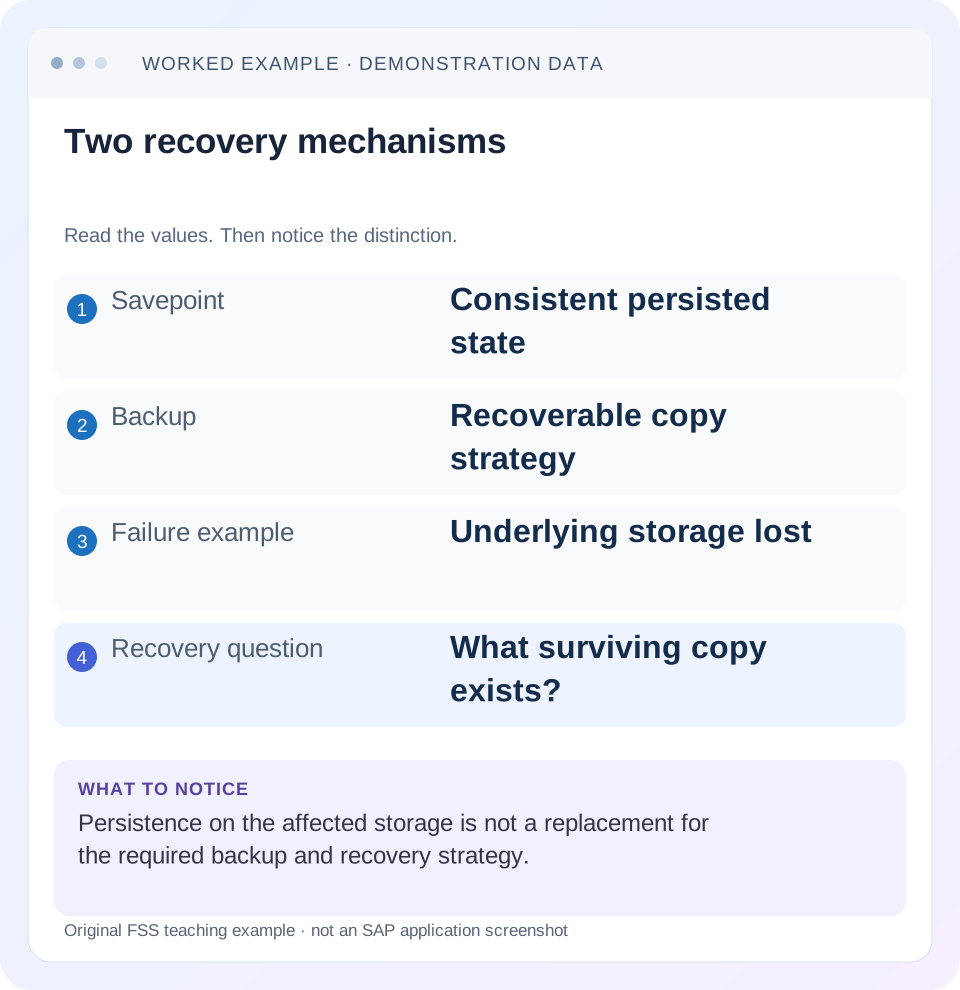
Read the example values
- Savepoint
- Consistent persisted state
- Backup
- Recoverable copy strategy
- Failure example
- Underlying storage lost
- Recovery question
- What surviving copy exists?
Words you’ll meet in this guide
- Query
- A request to retrieve or calculate data.
- Table
- Data organized into rows and columns.
- Persistence
- Keeping data in storage so it survives beyond memory.
- HANA
- SAP’s database platform.
Preview the practical steps
SEE THE CONNECTION
See it in a simple example.
A small example to make the idea concrete.
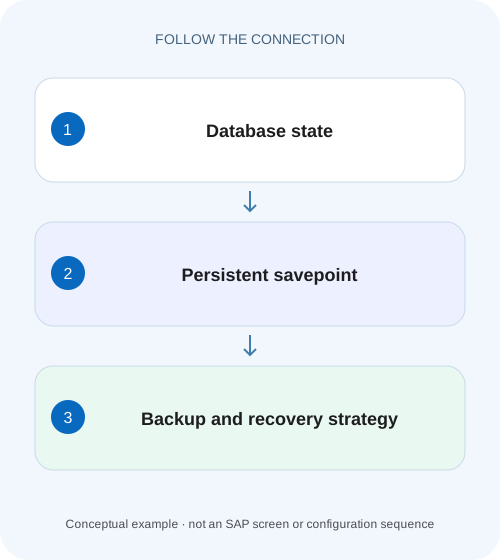
Separate database persistence from recovery protection
A manufacturer's operations team reviews database persistence while planning protection for critical purchasing and production data.
A savepoint supports restart; a backup supports a separate recovery path
A HANA savepoint persists a consistent database state in the data volumes.
Separate committed work from the last persisted savepoint image
A savepoint and a transaction commit are different events.
Worked case: restart after a change made between savepoints
Imagine tenant SALES with a completed savepoint observed at 09:55.
Separate database persistence from recovery protection
A manufacturer's operations team reviews database persistence while planning protection for critical purchasing and production data.
Distinguish a savepoint from an independently usable backup and recovery process before describing persisted data as adequately backed up.
| Reader | Business question | Evidence to carry forward |
|---|---|---|
| SAP developers and application teams supporting manufacturers | Separate database persistence from recovery protection | Distinguish a savepoint from an independently usable backup and recovery process before describing persisted data as adequately backed up. |
01 A savepoint supports restart; a backup supports a separate recovery path
A HANA savepoint persists a consistent database state in the data volumes. On restart, HANA can read the last completed savepoint and replay subsequent redo from the log volumes. Backups provide a different recovery input when the required original persistence is unavailable or an earlier state must be reconstructed. A recent successful savepoint therefore does not prove that the backup chain needed for a disaster survives. [1] [2]
This tutorial is for HANA administrators and application owners interpreting persistence and recovery evidence. It focuses on HANA Platform concepts, with a HANA Cloud monitoring-view reference for observation. Storage snapshots, system replication and managed cloud recovery have separate supported procedures. All times and business values below are illustrative, and no restart or recovery is executed.
02 Separate committed work from the last persisted savepoint image
A savepoint and a transaction commit are different events. A committed change after the last savepoint can still be represented in redo needed for restart. Do not infer that only changes older than the savepoint survive a crash. The database’s persistence and recovery mechanisms use both the consistent data image and applicable log history. [1]
Likewise, an in-progress savepoint is not the same as a completed one. The restart model refers to a usable completed state. A monitoring timestamp without status and service context is insufficient. Inspect the documented view or tool for the actual database and release rather than treating one host’s activity as proof about every required service. [3]
03 Worked case: restart after a change made between savepoints
Imagine tenant SALES with a completed savepoint observed at 09:55. Test order ORD-100 has amount 100 EUR then. At 09:59, a valid transaction changes the amount to 120 EUR and commits. A process crash occurs at 10:00 while the required data and log volumes remain intact. The restart path uses the completed savepoint plus applicable redo to reconstruct committed state.
The expected business check is ORD-100 at 120 EUR under the stated intact-persistence scenario. It would be wrong to claim the order must revert to 100 merely because the last savepoint predates the update. It would also be wrong to generalize this example into guaranteed recovery after loss of both data and log storage.
| Time | Event | Evidence role |
|---|---|---|
| 09:55 | Completed savepoint; ORD-100 = 100 EUR | Consistent persisted starting state |
| 09:59 | ORD-100 changed to 120 EUR and committed | Later committed work represented by applicable redo |
| 10:00 | Process crash; persistence survives | Restart scenario |
| After supported restart | Check ORD-100 = 120 EUR | Business validation, not a backup test |
04 Compare three failure scenarios before choosing evidence
A process crash with usable persistence is different from loss of the storage containing that persistence. A logical business error is different again: the database can faithfully persist an unwanted mass update. Recent savepoint activity can be healthy in all three situations while the appropriate recovery response differs.
If storage is lost, ask what surviving backup, log history and other supported recovery inputs exist outside the failed area. If an unwanted update committed at 10:02 and a savepoint completed at 10:05, that savepoint can contain the unwanted state. Restarting normally is not a business undo operation. A selected earlier recovery target requires its own supported recovery plan and reconciliation of later valid work.
| Scenario | Primary question | Why savepoint alone is insufficient |
|---|---|---|
| Process crash, volumes intact | Can normal restart use persistence and redo? | Need the compatible log and service state too |
| Data/log storage lost | What independent recovery inputs survive? | Savepoint was on the affected storage |
| Bad committed business update | Which earlier state is intended? | Persistence can preserve the bad update correctly |
05 Observe savepoint health without confusing it with backup health
Use the supported monitoring tools for savepoint completion, duration, service/host scope and any errors. SAP documents M_SAVEPOINTS for detailed savepoint information in HANA Cloud. Confirm fields and monitoring privileges in your installed release. The read-only example below is an observation, not a request to force a savepoint. [3]
SELECT * FROM M_SAVEPOINTS;06 Inspect backup and log-backup evidence independently
Check the relevant database’s backup catalog, successful data backups, required subsequent log history and actual accessible media. A backup job and a savepoint monitor belong in different evidence rows. Data backup can itself involve savepoint activity, but seeing that activity does not prove the backup completed or its resulting media survived. [2]
Log-backup configuration also has its own intervals, modes and operational outcomes. A healthy savepoint does not establish that log backups reach protected storage or a Backint provider. Inspect the actual last-successful backup and retrieval path. Do not change log-backup or persistence parameters merely to make two dashboard timestamps resemble each other. [4]
07 Use a two-ledger approach for an operations handoff
Maintain a persistence ledger and a recovery-media ledger. The persistence ledger records database/service scope, last completed savepoint, relevant errors and volume availability. The recovery ledger records candidate data backup, later history, storage/provider location, encryption prerequisites and validated target. Each tells the operator something useful without overstating what it proves.
In the SALES example, the restart ledger can explain why the 09:59 update should be recovered from surviving redo. The backup ledger might still show an unresolved off-system log gap. Report both facts: persistence restart evidence can be satisfactory while disaster recoverability remains unverified. A single green status would conceal that distinction.
For the SALES fixture, label whether a log copy is still on the original log volume or has been backed up to the protected location. Both can contain useful redo, but they have different survival assumptions. A recent local log write supports the intact-storage restart case; an independently accessible retained log backup supports a different recovery inventory. Do not describe the first as proof of the second.
08 Investigate a savepoint alert as its own performance problem
If a savepoint is delayed or fails, inspect its documented error and the relevant storage/resource evidence. A long phase can coincide with workload or I/O pressure, but the timestamp alone does not establish cause. Correlate host/service and time with the actual incident rather than attributing every report slowdown to savepoints.
A more recent completed savepoint can reduce the amount of redo replay needed on restart, but it is not a reason to force frequent savepoints without understanding cost and supported settings. Follow the installed troubleshooting guidance and change process for intervention. This article teaches the diagnostic distinction and supplies no universal savepoint interval or forced-restart command. [5]
09 Troubleshooting decisions for persistence and recovery claims
Use the reported claim to choose the right evidence. “Can restart after a crash” and “can recover after losing this storage” should never be treated as the same acceptance test.
| Observation | Question | Next evidence |
|---|---|---|
| Recent savepoint, backup job failed | Is independent recovery media available? | Backup error, catalog and retained media |
| Committed update after savepoint | Can applicable redo reconstruct it? | Surviving persistence and supported restart evidence |
| Storage lost despite recent savepoint | Where is a surviving recovery copy? | Data/log backup and encryption inventory |
| Bad update persists after restart | Was an earlier business state required? | Logical-error target and recovery plan |
| One service has old savepoint | What is its actual state and error? | Service-scoped monitoring and troubleshooting |
| Backup catalog says success, files absent | Did media survive retention/storage changes? | Actual retrieval and isolated recovery test |
10 Verify the distinction with controlled exercises
For a positive exercise, review or run an approved development restart test with a known committed update between savepoints. Record the before/after business value and actual persistence evidence. Do not crash a productive system to demonstrate the concept. If only reasoning through the fixture, label it as a proposed test rather than an execution result.
For a negative exercise, assess an isolated recovery inventory that intentionally lacks a copied required backup or log. The expected result is a clearly identified missing dependency despite healthy original-system savepoint evidence. Remove nothing from production retention to construct this test.
For a boundary exercise, separate an uncommitted change from a committed change around the restart point. Use the application’s supported transaction semantics and inspect the final business state. Also include a logical-error scenario and explain why ordinary restart preserves committed work while a point-in-time plan intentionally chooses another state. These tests teach recovery meaning rather than merely checking whether the database starts.
11 Plan application consistency after a database recovery
A technically available recovered database still needs application checks. Verify representative documents, balances and integration references appropriate to the selected target. If connected systems continued processing after that target, their state can differ from the recovered application. Database consistency and cross-system business reconciliation are related but separate responsibilities.
For ORD-100, verify not only amount 120 but its correct identity, currency and relevant document state after the restart fixture. For a point-in-time exercise before a later bad update, define which valid later changes are absent and how they will be reconciled. Do not replay every outbound or inbound integration automatically without reviewing duplicate and sequence behavior.
Include timezones, system/client identities and observation windows in the record. A screenshot from another tenant or a timestamp interpreted in another timezone can make apparently precise recovery evidence misleading.
12 Questions that make the final conclusion accurate
Is a savepoint a backup? It is part of persistence and restart behavior; a backup strategy provides separately managed recovery inputs. One does not establish the other’s availability.
Can a savepoint recover the database after its storage is destroyed? Not by relying on the state stored on that destroyed area. Assess surviving supported recovery media or other recovery architecture explicitly.
What should closure state? Identify the failure scenario, database/service scope, persistence observations, backup-chain evidence, tested target and application checks. Record which scenarios remain untested. The related backup/log tutorial develops the compatible-history inventory and recoverability-checking process in depth.
Related services and next steps
Primary sources
Found this useful?
Share this guide with your network, or leave a like.
Your like is saved in this browser.