SAP IDoc message type versus basic type: Read the business purpose and structure
A manufacturer investigates an operational IDoc and needs both its business message purpose and concrete segment structure.

Source review:
START HERE · NO PRIOR TOPIC KNOWLEDGE NEEDED
What it is. Why it matters.
An IDoc message type names the logical business message. Its basic type describes the data structure, while an agreed extension can add supported fields or segments.
Completely new to SAP?
Manufacturers use SAP to connect work such as buying components, recording inventory, planning production, shipping equipment and accounting for costs. SAP S/4HANA is an enterprise resource planning system: it connects these activities through shared business data.
Integration connects applications so they can exchange information. A delivered message still needs the receiving application to understand and accept its business meaning.
A transaction code, or t-code, is a shortcut to a task in classic SAP GUI. Fiori apps provide another way to work. Names and screens depend on the product and release; you do not need a live system to learn the concepts in this guide.

Scope and source-review notes
Scope and evidence
Source review by FAST SAP SOLUTIONS® editorial. This badge describes our editorial review; it does not represent SAP certification or independent endorsement.
Classic IDoc Interface/ALE message/basic-type concepts and the cited S/4HANA MATMAS example. Supported combinations depend on release, partner setup and interface contract.
Documentation review on 14 November 2026 using official SAP sources and indexed official excerpts where full Help text was unavailable. Scope and service or release differences are explained in the lesson. All datasets, requests and checks are illustrative; no customer SAP runtime execution or measured results are claimed.
A MANUFACTURING EXAMPLE
Read the purpose and structure of a plant IDoc
Read the IDoc contract
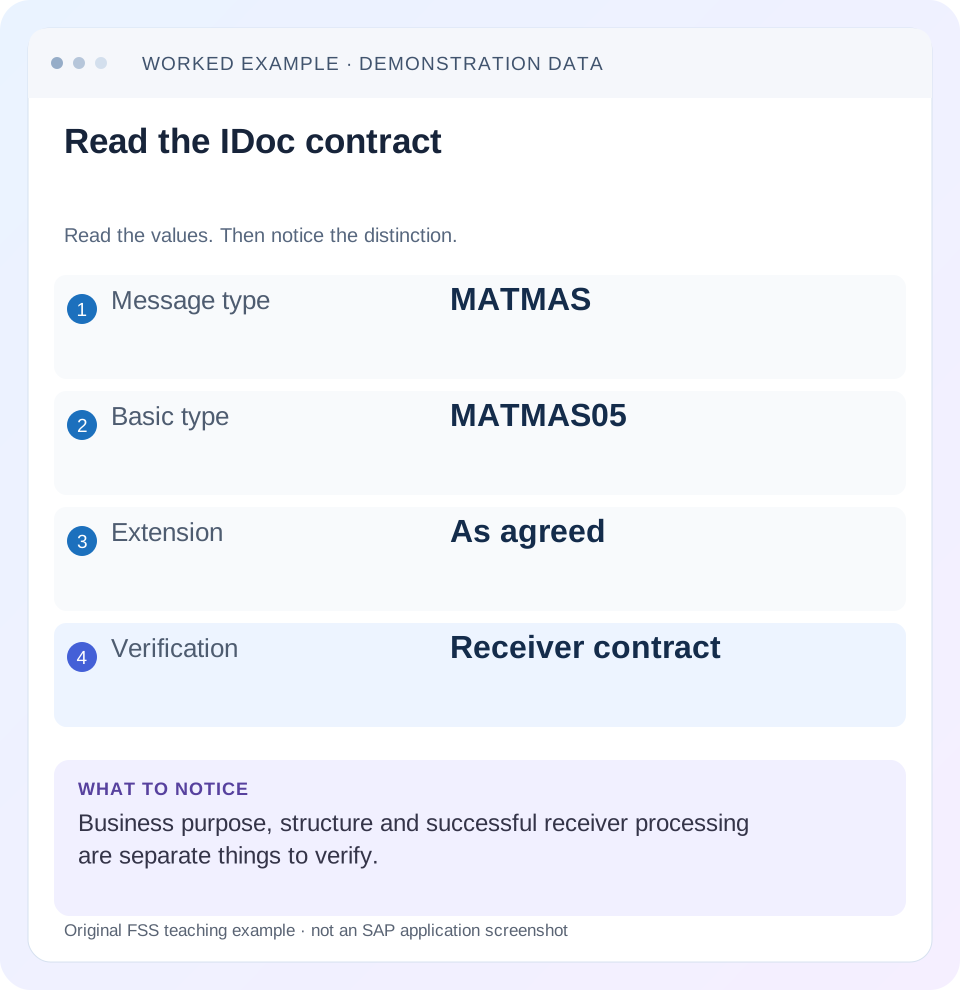
Read the example values
- Message type
- MATMAS
- Basic type
- MATMAS05
- Extension
- As agreed
- Verification
- Receiver contract
Words you’ll meet in this guide
- Message
- A package of information sent between systems.
- Payload
- The business content carried in a request or message.
- API
- A defined interface for another program to use.
- Receiver
- The system to which a message or request is sent.
- IDoc
- A structured SAP document format used to exchange business data.
- HANA
- SAP’s database platform.
- XML
- A format that organizes data into named, nested elements.
Preview the practical steps
SEE THE CONNECTION
See it in a simple example.
A small example to make the idea concrete.
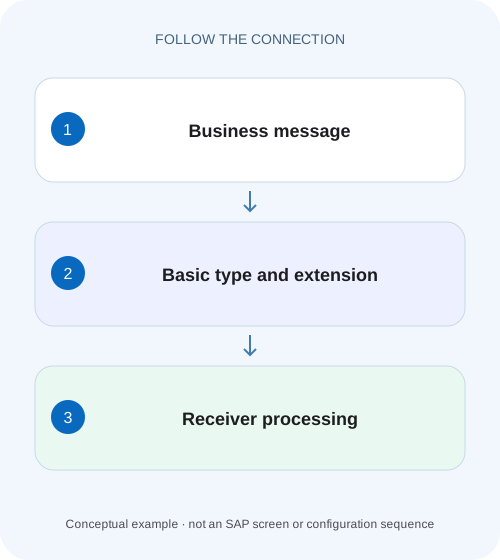
Read the purpose and structure of a plant IDoc
A manufacturer investigates an operational IDoc and needs both its business message purpose and concrete segment structure.
Read business purpose and structural type as separate identifiers
An IDoc message type names the logical business message, while the basic type defines its segment structure.
Understand the many-to-many assignment relationship
SAP documents assigning basic types to logical messages and notes that a type can serve several logical messages and a message can have several type assignments.
Worked case: MATMAS purpose, MATMAS05 structure, unexpected extension
Imagine an interface agreed to send material master data using logical message MATMAS, basic type MATMAS05 and no custom extension.
Read the purpose and structure of a plant IDoc
A manufacturer investigates an operational IDoc and needs both its business message purpose and concrete segment structure.
Read message type and basic type separately before choosing a mapping or reprocessing path.
| Reader | Business question | Evidence to carry forward |
|---|---|---|
| SAP developers and application teams supporting manufacturers | Read the purpose and structure of a plant IDoc | Read message type and basic type separately before choosing a mapping or reprocessing path. |
01 Read business purpose and structural type as separate identifiers
An IDoc message type names the logical business message, while the basic type defines its segment structure. An extension can add an agreed structural contract. Record all three from the actual exchange before diagnosing a missing field or parser error. Saying only “the MATMAS failed” leaves the receiver’s expected structure and processing contract unresolved. [1] [2]
This tutorial is for ALE/IDoc developers and support analysts working with classic IDoc interfaces. You need authorized display of an actual IDoc, sender/receiver context, release-specific type documentation and the partner contract. The MATMAS/MATMAS05 example is grounded in SAP’s S/4HANA material-master API documentation; supported combinations and extensions still depend on the actual landscape.
02 Understand the many-to-many assignment relationship
SAP documents assigning basic types to logical messages and notes that a type can serve several logical messages and a message can have several type assignments. The business purpose and structural version are therefore related rather than interchangeable. A logical name alone does not identify every segment, occurrence or extension the consumer must understand. [1]
WE81 concerns logical messages, WE30 concerns IDoc type development/display and WE82 concerns message/type assignments for the relevant release. WE60 provides type documentation in the classic toolset. Use display and documentation first. Creating a new type or message merely because one exchange fails can introduce another interface without solving the existing contract mismatch. [3]
03 Worked case: MATMAS purpose, MATMAS05 structure, unexpected extension
Imagine an interface agreed to send material master data using logical message MATMAS, basic type MATMAS05 and no custom extension. The sender begins sending a fictional customer extension named ZDEMO_MAT after a development change. The receiver still has only the agreed base contract. Both teams recognize MATMAS, but they are no longer discussing the same structure.
The investigation should compare the control metadata and actual segment hierarchy with the negotiated contract. Do not remove a custom segment in middleware just to make parsing succeed unless the business and interface owners approve that transformation. The extension may carry required information, and silently discarding it can make the resulting master data incomplete.
| Identifier | Agreed receiver contract | Actual sender |
|---|---|---|
| Logical message | MATMAS | MATMAS |
| Basic type | MATMAS05 | MATMAS05 |
| Extension | None | ZDEMO_MAT |
| Business purpose | Material master distribution | Same named purpose |
| Structural conclusion | Base contract only | Additional structure needs agreement/support |
04 Inspect control, data and status records for different evidence
SAP’s MATMAS05 documentation distinguishes control records, business data segments and status records. Control information identifies the exchange context. Data records contain the material values. Status records describe processing observations. None replaces the others: a familiar control type does not prove correct data, and a syntactically valid data segment does not prove application acceptance. [2]
In an XML representation using EDI_DC40, fields such as MESTYP, IDOCTYP and CIMTYP express the relevant message/basic/extension identities. The small fragment below is metadata illustration only; it is not a complete valid IDoc or a replay payload. Internal database structures and adapter representations can use different field names, so inspect the actual representation being mapped. [4]
<EDI_DC40>
  <MESTYP>MATMAS</MESTYP>
  <IDOCTYP>MATMAS05</IDOCTYP>
  <CIMTYP>ZDEMO_MAT</CIMTYP>
</EDI_DC40>
05 Read segment hierarchy and occurrences, not just one visible field
The documented MATMAS05 segment list includes E1MARAM for general material data and E1MAKTM for short texts. A single material can carry several language-specific text occurrences. A consumer that reads only the first matching text can lose another required language even when it recognizes the basic type. [2]
Use the type documentation to inspect parent-child relationships, mandatory segments and repetition rules. A flat list of segment names loses context. Two segments with similar field names can belong to different organizational or language scopes. Compare the business key and context of each occurrence rather than mapping a field solely because its name looks familiar.
In the material-text fixture, track each language occurrence alongside its parent material identity. Two short texts are not duplicates merely because they use the same segment type. A mapping that applies a generic first-occurrence rule can retain English and discard German without raising a structural error. The test must assert both required language/value pairs, not only that one E1MAKTM segment arrived.
06 Verify the assignment and the partner’s actual expectations
Inspect the relevant WE82 assignment and release context, then compare outbound/inbound partner settings and the actual IDoc metadata. A permitted sender assignment is not proof that the receiver deployed the same extension or processing logic. Middleware can also select a mapping from message/basic/extension identifiers, so inspect that resolution if the wrong transformation ran.
SAP’s Process Orchestration migration guidance explicitly describes deriving IDoc interface identity from MESTYP, IDOCTYP and CIMTYP in its scenario. That reinforces why all three matter, while remaining a product-specific routing example. Do not assume its exact configuration is the same in every Cloud Integration or third-party adapter. [5]
07 Separate structural acceptance from business validation
A receiver may accept the segment structure but reject a material because required organizational data, units or another business prerequisite is missing. That is later than basic-type recognition. Conversely, an unrecognized extension can prevent intended processing before the application evaluates material values. Preserve the actual error rather than assigning a universal status code to every mismatch.
For the worked extension case, first establish whether the receiver can parse and process the agreed custom structure. Then verify the material result and the meaning of every extension field the business depends on. A successful base-material update with the custom value ignored is not necessarily an acceptable recovery. The contract must state whether that value is optional, transformed or mandatory.
08 Troubleshoot a missing field from source through receiver state
Begin with the source object and the actual sent segment. If the source value never entered the IDoc, inspect generation, reduction/filtering and supported type coverage. If it is present in the outbound IDoc but absent after middleware, inspect mapping and identifier resolution. If it reaches the receiver but does not persist, inspect receiver processing and business rules.
Keep sender and receiver document/message identities linked with the material key and organizational context. An outbound IDoc number is local evidence and should not be assumed identical to the receiver’s number. A sample from another material or release can show a different optional structure without explaining the failing object.
| Observation | Question | Next evidence |
|---|---|---|
| Same MATMAS name, parsing differs | Are basic type and extension identical? | Actual control metadata and receiver contract |
| Field absent from source IDoc | Is it supported/populated in this structure? | WE60/type documentation and generation logic |
| Field lost after middleware | Did the intended mapping run? | Message/basic/extension resolution and transformed payload |
| Segments recognized, application rejects | What business prerequisite failed? | Receiver status/application message |
| Only one language text arrives | Were repeated occurrences handled? | Segment hierarchy and language-key mapping |
| Works in DEV, fails in QAS | Are type/extension artifacts deployed? | Target type definitions and processing configuration |
09 Plan an extension change as an interface release
For a new custom extension, agree field meaning, datatype, cardinality, parent segment and receiver handling. Deploy the required type/mapping/application artifacts through the supported change process. Include backward-compatibility behavior and the version or cutover boundary. A type name in the sender’s configuration is not deployment evidence for the receiver.
If both base and extended messages must coexist, test each explicitly. Define how middleware identifies the variants and how unsupported input is reported. Avoid inventing a “best effort” behavior that silently drops unknown data. The receiving business owner should be able to explain what happens to each supported field and which combinations are rejected.
10 Verify one complete material example end to end
For a positive fixture, use an authorized material with a known short text and required organizational data. Confirm message MATMAS, basic MATMAS05 and the agreed extension state, then compare required segment occurrences and receiver material values. Record source/client, partner and type documentation version.
For a negative fixture, present an unsupported extension or incompatible metadata in an isolated test path and verify an actionable rejection rather than silent data loss. Do not send malformed production messages to discover parser behavior. For a boundary fixture, include two language texts, an optional segment absent and a required value missing. Distinguish structural from business validation outcomes.
If using a test IDoc tool, ensure it is an authorized development scenario and understand that a new test document can execute business processing. Copying a production IDoc into a test tool without adjusting target and data is not a harmless display action. The expected outcome should be written before execution.
11 Reconcile before regenerating or reprocessing
After a contract correction, inspect whether the receiver already applied any portion of the original material update. Master-data replay can overwrite a later valid value if the payload is stale. Decide whether the supported recovery is reprocessing the original document, generating current source state or another application-specific action.
Keep the original failure, corrected type/mapping version and recovery relationship in the record. Do not change only the visible type label to make a document resemble the receiver’s expectation; the actual data structure and processing semantics must agree. A metadata relabel without a justified transformation can be misleading or invalid.
12 Questions for a precise interface handoff
Is MATMAS05 another spelling of MATMAS? No: one identifies the structural basic type in this example and the other the logical message. Both belong in the contract.
Does a basic type guarantee receiver support? Availability in the sender proves little about a partner’s mapping and processing capabilities. Verify the receiver’s actual supported combination and release.
What closes the investigation? Message/basic/extension metadata, segment hierarchy and required values, partner/release context, processing error and receiver business outcome. The related change-pointer and status-51 lessons explain generation and application recovery once the structural contract is clear.
Related services and next steps
Primary sources
Found this useful?
Share this guide with your network, or leave a like.
Your like is saved in this browser.