SAP delivery completed indicator: What happens to the open PO quantity?
An equipment manufacturer ordered 100 fittings, received 90, and is considering accepting the short shipment as final.

Source review:
START HERE · NO PRIOR TOPIC KNOWLEDGE NEEDED
What it is. Why it matters.
A purchase-order item records an expected quantity. The delivery-completed indicator signals that no further delivery is expected under the relevant process; it is distinct from the quantity actually received.
Completely new to SAP?
Manufacturers use SAP to connect work such as buying components, recording inventory, planning production, shipping equipment and accounting for costs. SAP S/4HANA is an enterprise resource planning system: it connects these activities through shared business data.
Materials Management supports purchasing and inventory. A request, order, goods receipt and supplier invoice describe separate events, each with its own record and status.
A transaction code, or t-code, is a shortcut to a task in classic SAP GUI. Fiori apps provide another way to work. Names and screens depend on the product and release; you do not need a live system to learn the concepts in this guide.

Scope and source-review notes
Scope and evidence
Source review by FAST SAP SOLUTIONS® editorial. This badge describes our editorial review; it does not represent SAP certification or independent endorsement.
Classic Inventory Management PO delivery-completed behavior, documented for S/4HANA on-premise 2025 FPS02. Tolerance settings, manual decisions, worklist interpretation and other receipt/closure controls require local checks.
Reviewed the cited official SAP indexed documentation excerpts on 14 November 2026. Direct Help Portal opens did not consistently expose readable page text. This is documentation-based teaching, not customer-system execution. All document identifiers, quantities and outcomes in the worked case are illustrative; installed release, edition, configuration and authorizations require local verification.
A MANUFACTURING EXAMPLE
Close a short component delivery
Expectation and receipt can differ
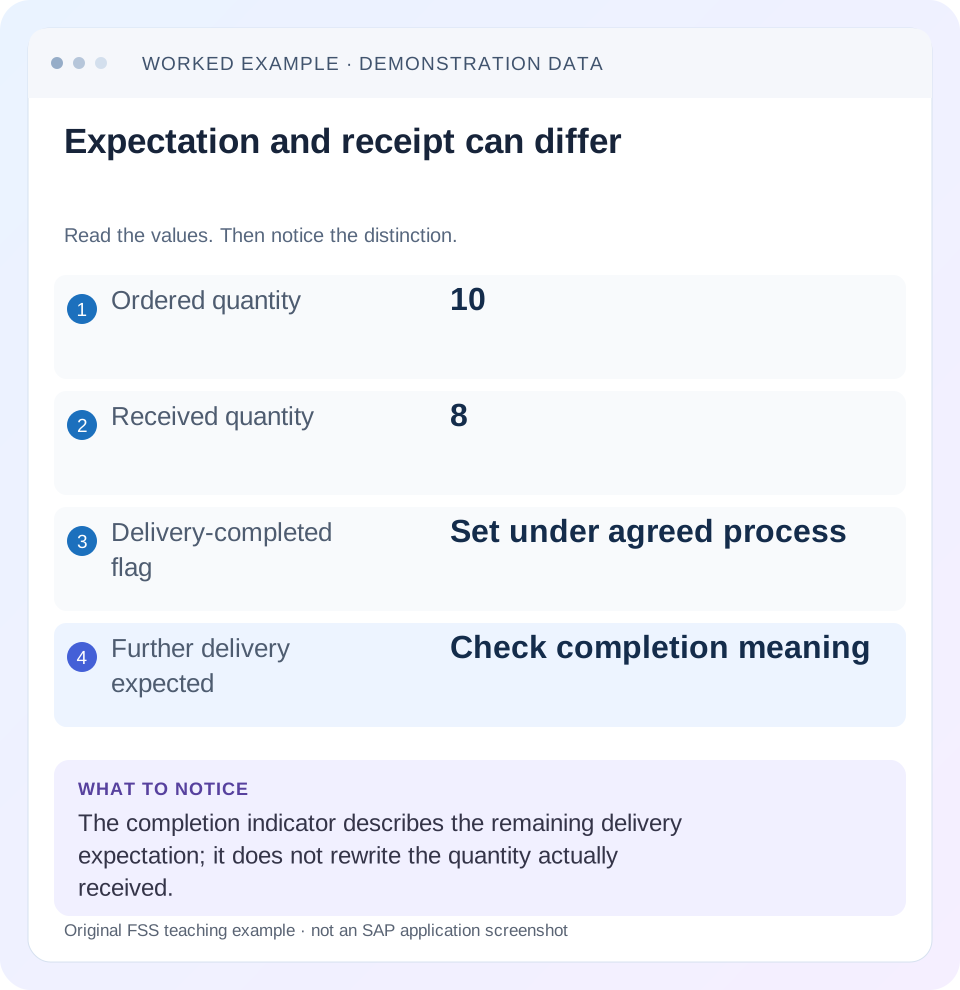
Read the example values
- Ordered quantity
- 10
- Received quantity
- 8
- Delivery-completed flag
- Set under agreed process
- Further delivery expected
- Check completion meaning
Words you’ll meet in this guide
- Material
- A product or supply item managed in SAP.
- Plant
- An organizational unit for relevant logistics operations.
- Goods receipt
- A recorded receipt of goods in a business process.
- Purchase order
- A purchasing document requesting goods or services from a supplier or supplying plant.
- Invoice
- A supplier’s bill for goods or services.
- HANA
- SAP’s database platform.
Preview the practical steps
SEE THE CONNECTION
See it in a simple example.
A small example to make the idea concrete.
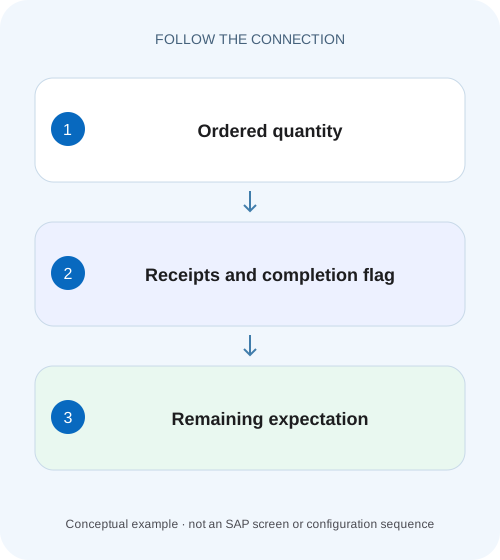
Close a short component delivery
An equipment manufacturer ordered 100 fittings, received 90, and is considering accepting the short shipment as final.
Zero open quantity is not a statement of physical receipt
A purchase order can be for 100 units, have receipts of only ninety and still show zero open quantity when delivery completed is set.
Scope and prerequisites
The scope is the classic Inventory Management purchase-order delivery-completed indicator described in SAP S/4HANA on-premise 2025 FPS02 documentation.
Understand the three quantities
The ordered quantity is the purchasing requirement recorded in the item.
Close a short component delivery
An equipment manufacturer ordered 100 fittings, received 90, and is considering accepting the short shipment as final.
Reconcile receipts and the remaining requirement before interpreting the delivery-completed indicator or closing purchasing follow-up.
| Reader | Business question | Evidence to carry forward |
|---|---|---|
| Manufacturing buyers and purchasing managers | Close a short component delivery | Reconcile receipts and the remaining requirement before interpreting the delivery-completed indicator or closing purchasing follow-up. |
01 Zero open quantity is not a statement of physical receipt
A purchase order can be for 100 units, have receipts of only ninety and still show zero open quantity when delivery completed is set. The indicator expresses that no more receipts are expected for the item. It does not rewrite the receipt documents to say that all hundred arrived. [1]
This distinction matters when a buyer closes an accepted shortage and a warehouse analyst interprets a purchasing worklist as a physical reconciliation. Keep ordered quantity, net receipt evidence and remaining delivery expectation as separate observations. This tutorial explains the ninety-of-one-hundred case, automatic/manual completion, later receipts and the effect of corrections.
02 Scope and prerequisites
The scope is the classic Inventory Management purchase-order delivery-completed indicator described in SAP S/4HANA on-premise 2025 FPS02 documentation. Other closure, deletion, final-invoice, workflow and receipt restrictions are separate controls. Edition-specific applications may display the same business concepts differently; this guide does not prescribe a universal screen layout.
Collect the PO item, original/current order quantity, receipt history, under/overdelivery tolerances and completion indicator. Obtain display access to purchasing and material documents, including changes or reversals relevant to the incident. Any training posting or flag change needs the approved local process. The worked example excludes returns and special procurement until they are deliberately introduced.
03 Understand the three quantities
The ordered quantity is the purchasing requirement recorded in the item. The delivered quantity is supported by relevant receipt events and corrections. The open PO quantity represents the still-expected delivery under the applicable item controls. A simple ordered-minus-delivered comparison helps explain an ordinary partial delivery, but it cannot replace the completion rule. [1]
For a plain item with 100 ordered and ninety net received, arithmetic gives a ten-unit difference. If the business accepts ninety as final and the indicator closes the item, SAP documents that open PO quantity becomes zero. Both the ten-unit historical shortfall and zero remaining expectation can be true.
Do not label the shortfall as missing inventory without establishing what physically arrived. There may be no inventory error at all: the supplier delivered ninety and purchasing deliberately accepted the remainder as no longer due.
04 Worked case: ninety accepted as the final shipment
Fictional PO item 10 orders 100 PC at 10 currency units per piece. GR-A records ninety PC. The supplier confirms that the remaining ten will not be supplied, and the responsible purchasing owner approves final acceptance of the ninety under the supported process. Delivery completed is set.
The material-document evidence remains ninety PC. In the simplified example, its value basis is 900 before valuation differences or other accounting factors. The open purchasing quantity is zero because of the completion decision, not because another ten pieces appeared. An invoice still has to be checked against its actual quantity/value basis and process controls.
A useful report therefore shows the original 100, net receipts ninety, completion set and no further delivery expected. Reporting “100 received” would be wrong. Reporting “ten overdue” without considering the approved completion would also misrepresent the current purchasing expectation.
| Measure | Before final acceptance | After completion decision |
|---|---|---|
| Ordered | 100 PC | 100 PC |
| Net receipts | 90 PC | 90 PC |
| Arithmetic shortfall | 10 PC | 10 PC historical difference |
| Delivery completed | Not set in this illustration | Set |
| Open PO quantity | 10 PC under plain partial assumptions | 0 PC by documented completion rule |
05 Establish how the indicator was set
SAP describes automatic setting under configured conditions and authorized manual setting for a final delivery. Review the item tolerances, relevant receipt and change evidence. A flag appearing after a ninety-unit receipt might be consistent with configured tolerance-based completion, or it might reflect a manual business decision. The final state alone does not identify its cause. [1]
For a concrete tolerance worksheet, a ten-percent underdelivery band on 100 units spans a ten-unit shortfall. Ninety lies at that simple arithmetic boundary. Whether the installed setup automatically completes at that exact point must be verified from configuration and training observations; this arithmetic is not an assumed default.
Ask whether the supplier still owes ten. If yes, an unintended completion needs a supported correction. If no, reopening the item merely to make a worklist show ten can create an inaccurate follow-up obligation.
06 Investigate the item in sequence
Read documents before changing the flag. A correction should restore the true expected process, rather than simply making one report display a familiar number.
Confirm the full item identity
Record PO/item, material, plant, order quantity and unit. Verify that the worklist concerns the same item.
Expected observation: No header or other-item quantity is being substituted.
Reconcile receipt events
Trace GR-A and any corrections, using signed quantities and aligned units.
Expected observation: The ninety-PC net receipt is supported by actual documents.
Inspect completion and tolerances
Read the current flag and relevant automatic/manual setting evidence. Establish the supplier obligation with purchasing.
Expected observation: The zero-open result has a documented operational explanation.
Revisit downstream states
Check invoice/final-invoice and accounting questions separately. Capture the approved correction if reopening is required.
Expected observation: Delivery expectation is not mistaken for complete financial closure.
07 Why a later receipt can still be possible
The cited classic documentation states that remaining quantities can still be received after completion is set. The indicator should therefore not be described as an absolute technical lock on every later receipt. Other controls can still affect the actual transaction, so inspect the installed process rather than promising acceptance. [1]
Suppose the supplier unexpectedly sends five more pieces after the ninety-unit final acceptance. If an authorized later receipt is posted, receipt evidence can become ninety-five. The earlier closure did not create those five, and the later event does not make the original ninety-unit statement historically false. Record its date and reason.
If the business requires a hard prohibition on further receipt, establish the supported controls that implement that requirement. A report filter or expectation indicator is not automatically an enforcement mechanism.
08 Returns and reversals can change completion
A reversal or return changes the delivered evidence and can affect the completion indicator under documented tolerance conditions. SAP describes automatic reset where the delivered quantity falls below the relevant underdelivery tolerance limit, with a message. Review the actual receipt and correction chain instead of assuming that a once-set flag can never change. [1]
For a worksheet variation, reverse twenty from the ninety-unit receipt, leaving seventy net received. The quantity calculation is ninety minus twenty equals seventy. What the open quantity and flag become depends on the actual completion/tolerance process. Record the observed state and whether another delivery is now expected.
A return may represent replacement demand, a final rejection or another agreed outcome. The quantity alone does not settle that business question. Preserve the purchasing owner’s decision and the supported indicator state after the correction.
09 Troubleshooting decisions
Use this matrix to distinguish an unexplained quantity difference from an intentional closing decision. Do not post ten extra pieces just to reconcile a purchasing status.
| Observation | Question | Next evidence |
|---|---|---|
| 100 ordered, 90 received, open zero | Was the item completed? | Indicator, tolerance and decision evidence |
| Buyer expects ten, worklist omits item | Does the worklist filter completed items? | Item state and report selection |
| Flag set after partial receipt | Automatic tolerance rule or manual choice? | Receipt/change context and configuration |
| Further receipt still allowed | Was a hard lock assumed? | Documented indicator behavior and other controls |
| Return reopened expectation | Did delivered quantity cross a tolerance boundary? | Correction and current item state |
| Delivery closed, invoice outstanding | Are delivery and financial completion confused? | Invoice and supplier accounting evidence |
10 Avoid misleading corrections and language
Do not set completion merely to remove an inconvenient overdue line if the supplier still owes goods. That conceals an obligation and can distort follow-up. Conversely, do not clear it solely because ordered minus received is positive when an approved short final delivery is correct.
Do not treat delivery completed, final invoice and payment as synonyms. Receiving can finish before the final invoice arrives; an invoice can be posted while still blocked or unpaid. The procurement chain contains several valid states rather than one universal “closed” flag.
Do not calculate received quantity from a worklist’s open quantity after completion. In this example, 100 minus zero does not prove 100 received. Use actual receipt history for physical-document reconciliation.
11 Verification matrix for a training system
For a positive check, establish ninety net received on a 100-unit item and apply the approved final-delivery process. Compare the flag, open quantity and unchanged receipt history. The expected conceptual result is zero remaining delivery expectation with ninety actual receipts.
For a negative check, leave the item as a genuine partial delivery with ten still due and verify that the chosen process does not incorrectly present it as an accepted final shortage. Then use a worksheet that claims 100 received from zero open and explain why the inference fails.
For boundary checks, test receipt quantities around the configured underdelivery boundary, a later receipt after completion and a reversal/return that crosses the relevant limit. Record actual messages and state transitions. These proposed checks are not claims of execution and should be run only in an authorized training setup.
12 Questions and a useful final statement
Does zero open prove nothing more can arrive? No. It describes the current expectation under the item controls; the classic documentation allows further receipt in the stated scenario. Does completion correct a receipt? No. Correct actual movement errors through the supported document process. [1]
Should every fully received item have the flag set? The cited guidance notes that full delivery can make the item considered closed even without requiring the indicator. Interpret the actual process rather than treating the flag alone as the sole proof.
For this case, hand over: “Item 10 ordered 100 PC, received ninety on GR-A and was accepted as final. Completion sets open quantity to zero; the ten-unit historical shortfall remains visible. Invoice/payment status is a separate review.” Follow PO history and purchasing-worklist lessons to verify the evidence used in reporting.
Related services and next steps
Primary sources
Found this useful?
Share this guide with your network, or leave a like.
Your like is saved in this browser.