ME2N, ME2L and ME2M: Build a useful purchasing worklist
A purchasing manager wants a useful follow-up list for components due into a manufacturing plant, rather than separate unexplained supplier and material extracts.

Source review:
START HERE · NO PRIOR TOPIC KNOWLEDGE NEEDED
What it is. Why it matters.
Purchasing worklists collect purchase-order items under selected criteria. ME2N, ME2L and ME2M provide different classic entry points, so filters and report purpose shape the result.
Completely new to SAP?
Manufacturers use SAP to connect work such as buying components, recording inventory, planning production, shipping equipment and accounting for costs. SAP S/4HANA is an enterprise resource planning system: it connects these activities through shared business data.
Materials Management supports purchasing and inventory. A request, order, goods receipt and supplier invoice describe separate events, each with its own record and status.
A transaction code, or t-code, is a shortcut to a task in classic SAP GUI. Fiori apps provide another way to work. Names and screens depend on the product and release; you do not need a live system to learn the concepts in this guide.

Scope and source-review notes
Scope and evidence
Source review by FAST SAP SOLUTIONS® editorial. This badge describes our editorial review; it does not represent SAP certification or independent endorsement.
Classic ERP/S/4HANA purchasing lists ME2N/ME2L/ME2M where supported. Selection-parameter meanings, list scope, variants, layouts and available alternatives are configuration/edition dependent.
Reviewed the cited official SAP indexed documentation excerpts on 14 November 2026. Direct Help Portal opens did not consistently expose readable page text. This is documentation-based teaching, not customer-system execution. All document identifiers, quantities and outcomes in the worked case are illustrative; installed release, edition, configuration and authorizations require local verification.
A MANUFACTURING EXAMPLE
Build the buyer's component worklist
Choose the worklist perspective
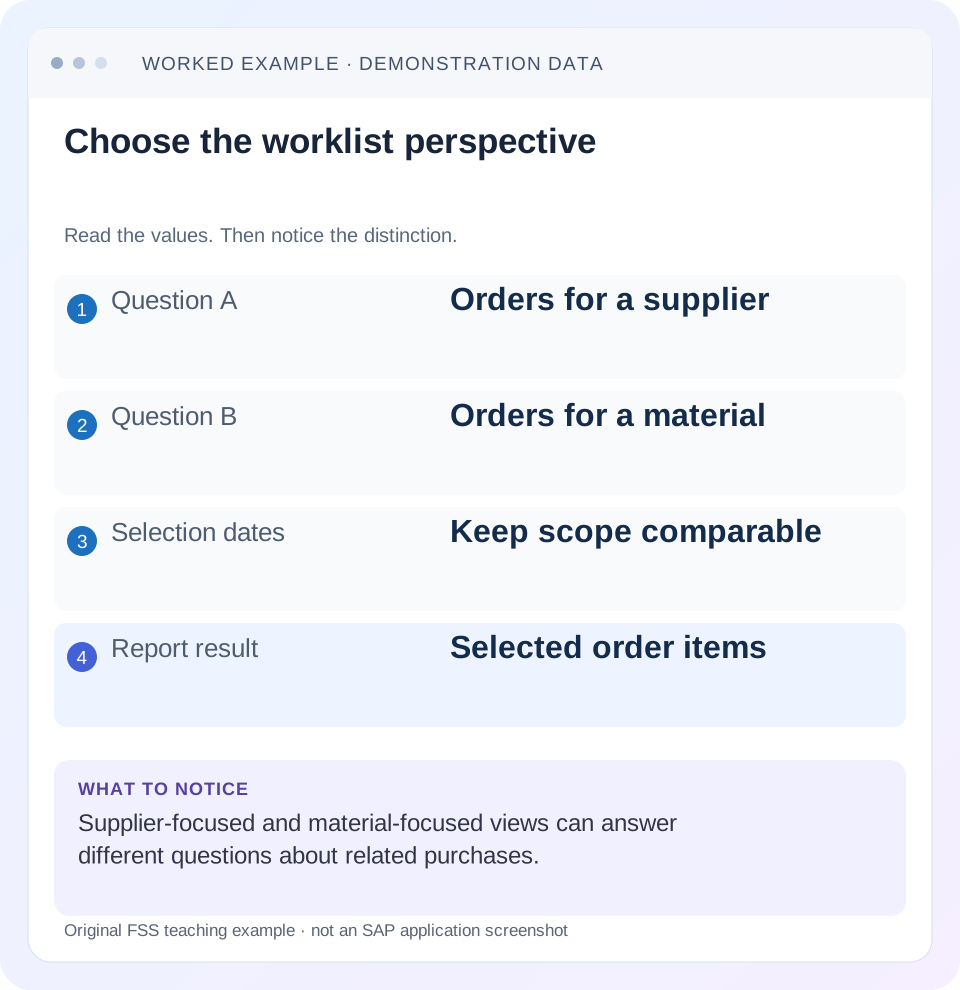
Read the example values
- Question A
- Orders for a supplier
- Question B
- Orders for a material
- Selection dates
- Keep scope comparable
- Report result
- Selected order items
Words you’ll meet in this guide
- Material
- A product or supply item managed in SAP.
- Plant
- An organizational unit for relevant logistics operations.
- Goods receipt
- A recorded receipt of goods in a business process.
- Purchase order
- A purchasing document requesting goods or services from a supplier or supplying plant.
- Invoice
- A supplier’s bill for goods or services.
- Fiori
- SAP’s approach to business application design.
- HANA
- SAP’s database platform.
Preview the practical steps
SEE THE CONNECTION
See it in a simple example.
A small example to make the idea concrete.
Build the buyer's component worklist
A purchasing manager wants a useful follow-up list for components due into a manufacturing plant, rather than separate unexplained supplier and material extracts.
Choose a perspective, then define the worklist
ME2N is the classic purchase-order list oriented by document number, ME2L by supplier and ME2M by material.
Scope, access and configuration boundaries
The guide concerns classic purchasing lists in ERP and supported S/4HANA reporting references.
Understand orientation, selection and layout
Orientation determines the convenient entry dimension: supplier, material or document.
Build the buyer's component worklist
A purchasing manager wants a useful follow-up list for components due into a manufacturing plant, rather than separate unexplained supplier and material extracts.
Check list scope, item status and delivery evidence before calling an item overdue or assigning supplier follow-up.
| Reader | Business question | Evidence to carry forward |
|---|---|---|
| Manufacturing buyers and purchasing managers | Build the buyer's component worklist | Check list scope, item status and delivery evidence before calling an item overdue or assigning supplier follow-up. |
01 Choose a perspective, then define the worklist
ME2N is the classic purchase-order list oriented by document number, ME2L by supplier and ME2M by material. They help enter the investigation from different dimensions. The transaction choice does not replace a precise business selection: all orders for a supplier and items still requiring receipt are different populations. [1] [2]
A useful worklist has a stated question, reproducible filters, a clear row meaning and an actionable next step. This tutorial builds a supplier follow-up list from a fictional four-item dataset, then shows why receipt status, completion indicators and layout choices can change what appears.
02 Scope, access and configuration boundaries
The guide concerns classic purchasing lists in ERP and supported S/4HANA reporting references. Installed editions may use Fiori alternatives or restrict classic transaction access. Selection-parameter codes, list scopes, custom variants and layouts must be checked locally; no universal meaning is assigned to a familiar parameter code here.
Obtain authorized purchasing-report and document-display access. Identify the supplier/material/PO context, purchasing organization, plant, dates and the intended follow-up event. Use display-only investigation first. Saving shared variants or changing configuration should follow the organization’s reporting controls.
Specify what “open” means before running the report. It can mean awaiting delivery, awaiting invoice, internally awaiting approval or financially unresolved. A delivery worklist should not be presented as all unfinished procurement.
03 Understand orientation, selection and layout
Orientation determines the convenient entry dimension: supplier, material or document. Selection criteria determine which records are included. A selection parameter or list scope can add business-state interpretation in the installed configuration. The result layout determines which included facts are visible and may carry additional filters or sorting.
These layers can produce different lists without any document defect. A supplier list restricted to plant P100 cannot be compared directly with a material list covering all plants. A layout hiding the item number can make two item rows look like duplicate POs.
Keep row grain explicit. A row can represent an item or a further breakdown in the selected report/list context. Count distinct PO numbers separately from item rows when the business asks how many orders need follow-up. Do not infer document count from row count automatically.
04 Worked case: four items, three different delivery questions
The fictional supplier S100 has four PO items in the agreed P100 scope. PO-A item 10 orders 100 PC, has sixty net received and remains a genuine partial delivery. PO-A item 20 orders ten BOX and is fully received. PO-B item 10 orders 100 PC, has ninety received and is accepted as final with delivery completed set. PO-C item 10 orders twenty PC and has no receipt yet.
For a simple expected-delivery worksheet, PO-A/10 requires forty and PO-C/10 twenty. PO-B/10 has a ten-piece arithmetic shortfall but no further delivery expectation under the accepted completion decision. The fully received PO-A/20 does not require delivery follow-up.
The two actionable items belong to two distinct orders. The full dataset contains four item rows and three PO numbers. Those are three different counts, and each can be correct. The actual report’s selection/status interpretation must be checked against the local definition before expecting an identical result.
| PO/item | Ordered | Net received | Delivery interpretation |
|---|---|---|---|
| PO-A / 10 | 100 PC | 60 PC | 40 PC genuinely still expected |
| PO-A / 20 | 10 BOX | 10 BOX | Fully received |
| PO-B / 10 | 100 PC | 90 PC | Completed as accepted final |
| PO-C / 10 | 20 PC | 0 PC | 20 PC expected |
05 Start with one known item before broad selection
Choose PO-A/10 as a sentinel: it should be in the intended supplier follow-up population. Confirm its supplier, plant, organizational scope and date context through document display. Run the chosen list with controlled criteria and verify that the item appears.
If it is absent, inspect selection variant, parameter definition, date fields and active result filters. Do not immediately conclude that the PO is missing or recreate it. A date range on a different business date can exclude a valid document.
Once the known item behaves as expected, add the remaining scope deliberately. This makes it possible to explain each inclusion and exclusion. An enormous unrestricted export can contain the desired item while still failing to answer the agreed worklist question.
06 Build the worklist in sequence
The sequence below works with the installed purchasing list or an equivalent supported application. Preserve the report definition alongside the output.
State the question
For the example, identify S100/P100 items still genuinely requiring delivery at the observation time. Define which dates and completion semantics apply.
Expected observation: The list has an agreed business purpose.
Choose the entry perspective
Use the supplier-oriented entry for S100, or the material/document entry when that is the known starting identity.
Expected observation: The orientation makes the investigation convenient without changing its intended scope.
Review every selection layer
Capture organization, plant, dates, selection parameter, variant, list scope and active result filters.
Expected observation: Another authorized analyst can reproduce the population.
Validate the sentinel and exceptions
Inspect PO-A/10, fully received A/20, completed B/10 and unreceived C/10 through document/history display.
Expected observation: Each included or excluded case has a document-supported reason.
Expose actionable fields
Show PO/item, supplier/material, delivery context, relevant quantities/units and the owner’s next action in the supported layout.
Expected observation: The report can drive follow-up rather than merely provide a count.
07 Completion and receipt arithmetic are not interchangeable
PO-B/10 is the important exception. Ordered minus received is ten, but the completion decision says no further receipt is expected. A worklist designed around actual remaining delivery expectation can legitimately omit it. A historical shortfall report can legitimately include it.
Do not force both reports to agree by changing the indicator. First establish which question each answers. If the supplier really still owes ten, investigate an unintended closure; if ninety was accepted as final, the follow-up list should reflect that business decision.
Returns and reversals can alter receipt evidence and completion behavior. Refresh the actual item history at the stated observation time before using yesterday’s export to challenge today’s result. Retain the change reference so the difference can be explained.
08 Quantities and totals need a comparable basis
PO-A/20 uses BOX while other items use PC. Adding 100 PC and ten BOX into a raw total of 110 is meaningless without the appropriate conversion and material context. Even a conversion to pieces does not necessarily make unlike materials a useful business total.
For value totals, retain currency, pricing basis and selection scope. An order value is not the same as a remaining receipt liability or a supplier payment amount. Do not label a summed net order value as “amount overdue for payment” without accounting evidence.
A worklist can prioritize items by meaningful dates or values, but its totals should carry their definitions. If the business needs a financial obligation report, trace the relevant invoices and accounting process rather than relabeling a purchasing list.
09 Troubleshooting decisions
Use a known item to distinguish population, presentation and document-state issues. Changing layouts and parameters at random makes the result difficult to reproduce.
| Observation | Question | Next evidence |
|---|---|---|
| Known item absent | Which selection layer excludes it? | Variant, dates, parameter and result filter |
| Same PO appears twice | Are there different items/breakdowns? | PO/item and row grain |
| Supplier and material lists disagree | Are organizational/date scopes equal? | Both complete selection definitions |
| 90 received against 100 omitted | Was final delivery accepted? | Completion indicator and PO history |
| Totals seem nonsensical | Are units/currencies mixed? | Quantity/value bases and aggregation purpose |
| Report says open but supplier unpaid | Which open state does the list represent? | Invoice/accounting/payment evidence |
10 Save variants that communicate their purpose
Where permitted, save a clearly named selection variant describing the business scope and a layout showing the fields needed to act. Avoid personal shorthand that another buyer cannot interpret. Record whether dates are fixed, dynamic or expected to be entered for each run.
Check for active layout filters after sorting or hiding columns. A selection can be correct while a result filter hides PO-C/10. The missing row then belongs to presentation logic rather than purchasing status.
Before sharing a variant, test it with the sentinel and exception cases. A variant that worked once for one supplier may contain a supplier restriction or plant value that should not become a team-wide default. Keep ownership and intended use explicit.
11 Verification exercises
For the positive worksheet check, identify PO-A/10 and PO-C/10 as the two expected-delivery candidates under the stated simplified rules. Count two distinct orders for those two items, then contrast the full population of three orders and four items.
For the negative check, hide the item column and count duplicate-looking PO-A rows as two orders. Explain the error. Then compare the S100/P100 supplier scope with a material list covering P200 and identify why different totals are expected.
For boundary checks, test a completed underdelivery, a fully delivered item without relying solely on a flag, a reversal posted after the initial extract and a requirement at the date-range edge. Verify the installed report’s actual parameter semantics. These are proposed acceptance cases, not a claim that the classic lists were executed here.
12 Questions and the handover
Which transaction is best? Start from the identity you know: document, supplier or material. The actual worklist quality comes from scope and state definitions, not the transaction name alone. Does a row prove the supplier received the PO? No. Inspect output/communication evidence separately.
Can a delivery worklist prove an invoice is overdue? No. Follow the logistics invoice and accounting due-date/payment evidence. Can a missing item mean the document disappeared? First inspect selection and display context using a known reference.
A useful handover states the report/variant, S100/P100 scope, date definition, observation time, two candidate items and the completion reason excluding B/10. It links each exception to PO history. Continue with delivery completion, PO history and invoice display for the supporting document explanations.
Related services and next steps
Primary sources
Found this useful?
Share this guide with your network, or leave a like.
Your like is saved in this browser.