SAP MIR4: Trace a logistics invoice and its follow-on accounting document
Accounts payable sees a logistics invoice for a plant's component purchase, while finance asks for its accounting document and posting state.

Source review:
START HERE · NO PRIOR TOPIC KNOWLEDGE NEEDED
What it is. Why it matters.
A logistics invoice records a supplier’s bill in the purchasing process. MIR4 displays that invoice in classic SAP and helps trace its related accounting document.
Completely new to SAP?
Manufacturers use SAP to connect work such as buying components, recording inventory, planning production, shipping equipment and accounting for costs. SAP S/4HANA is an enterprise resource planning system: it connects these activities through shared business data.
Materials Management supports purchasing and inventory. A request, order, goods receipt and supplier invoice describe separate events, each with its own record and status.
A transaction code, or t-code, is a shortcut to a task in classic SAP GUI. Fiori apps provide another way to work. Names and screens depend on the product and release; you do not need a live system to learn the concepts in this guide.

Scope and source-review notes
Scope and evidence
Source review by FAST SAP SOLUTIONS® editorial. This badge describes our editorial review; it does not represent SAP certification or independent endorsement.
Classic Logistics Invoice Verification display and supported MIR4 Advanced concepts. Status/navigation, FI linkage and integration fields vary by edition/release; TM is included only as an explicit special-process boundary.
Reviewed the cited official SAP indexed documentation excerpts on 14 November 2026. Direct Help Portal opens did not consistently expose readable page text. This is documentation-based teaching, not customer-system execution. All document identifiers, quantities and outcomes in the worked case are illustrative; installed release, edition, configuration and authorizations require local verification.
A MANUFACTURING EXAMPLE
Trace a component supplier's invoice
Link logistics and accounting
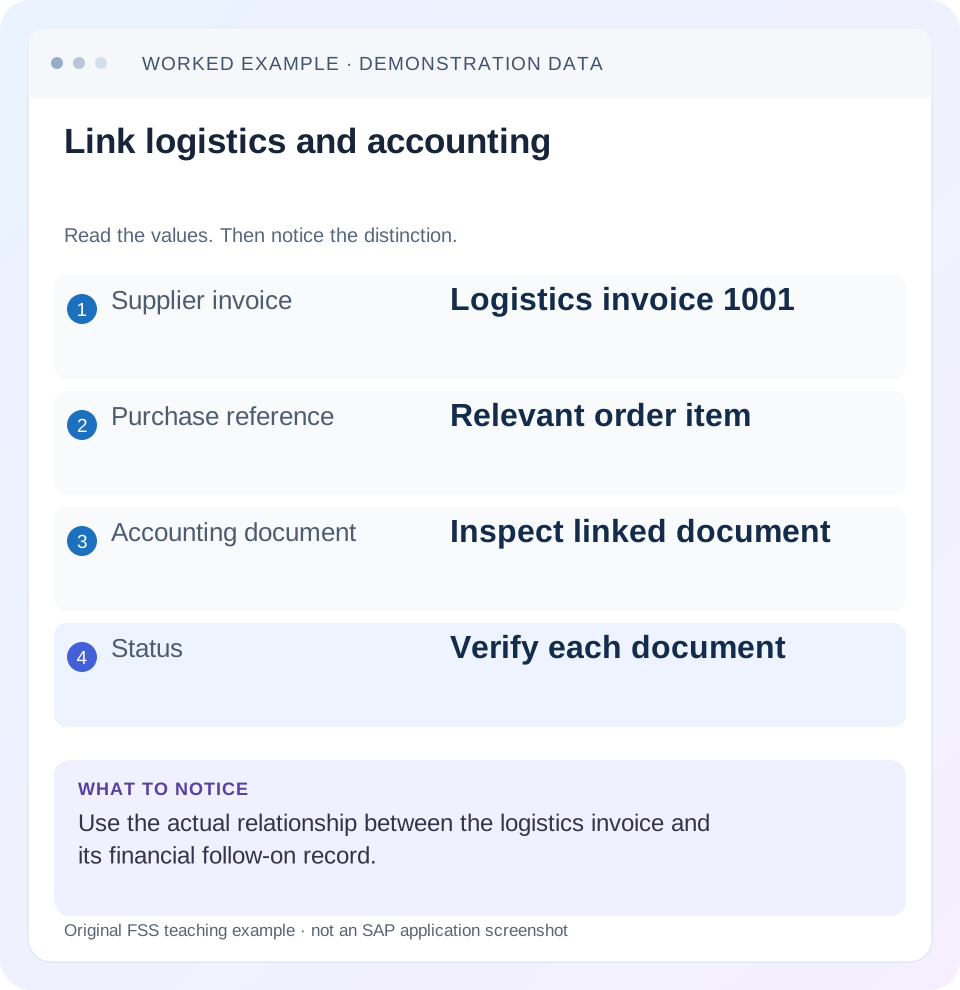
Read the example values
- Supplier invoice
- Logistics invoice 1001
- Purchase reference
- Relevant order item
- Accounting document
- Inspect linked document
- Status
- Verify each document
Words you’ll meet in this guide
- Material
- A product or supply item managed in SAP.
- Plant
- An organizational unit for relevant logistics operations.
- Goods receipt
- A recorded receipt of goods in a business process.
- Purchase order
- A purchasing document requesting goods or services from a supplier or supplying plant.
- Invoice
- A supplier’s bill for goods or services.
- HANA
- SAP’s database platform.
- FI
- Financial Accounting: the SAP area for financial postings and reporting.
Preview the practical steps
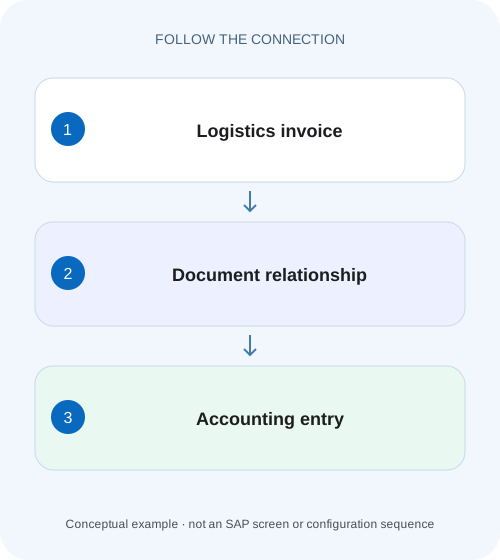
SEE THE CONNECTION
See it in a simple example.
A small example to make the idea concrete.
Trace a component supplier's invoice
Accounts payable sees a logistics invoice for a plant's component purchase, while finance asks for its accounting document and posting state.
Identify the invoice before following the accounting link
MIR4 displays a logistics supplier invoice in supported SAP processes and provides navigation to follow-on accounting evidence.
Scope and prerequisites
The scope is classic Logistics Invoice Verification display and the supported Display Supplier Invoice – Advanced documentation.
Keep three document identities and their scopes
The supplier reference is the external bill identifier.
Trace a component supplier's invoice
Accounts payable sees a logistics invoice for a plant's component purchase, while finance asks for its accounting document and posting state.
Use the invoice identity and supported follow-on links to distinguish logistics evidence, accounting evidence and payment status.
| Reader | Business question | Evidence to carry forward |
|---|---|---|
| Manufacturing buyers and purchasing managers | Trace a component supplier's invoice | Use the invoice identity and supported follow-on links to distinguish logistics evidence, accounting evidence and payment status. |
01 Identify the invoice before following the accounting link
MIR4 displays a logistics supplier invoice in supported SAP processes and provides navigation to follow-on accounting evidence. The supplier’s invoice number, the logistics invoice document and the accounting document are different identifiers. Keeping them connected is the first requirement for a useful investigation. [1]
A displayed invoice does not automatically prove that posting, payment release and payment execution all completed. Establish its state before expecting every follow-on record. This tutorial follows a fictional 600-value invoice through the purchasing and accounting relationship, then distinguishes a held document from a broken navigation link.
02 Scope and prerequisites
The scope is classic Logistics Invoice Verification display and the supported Display Supplier Invoice – Advanced documentation. Available applications, status labels and navigation depend on ERP/S/4HANA edition and release. Transportation Management reference categories are relevant only where that integration is active; they should not be expected on every procurement invoice.
Collect the logistics invoice number/year, company code, supplier, supplier invoice reference, posting/document dates and related purchase-order items. Obtain authorized display access to the invoice and accounting follow-on evidence. Payment and sensitive banking data should remain within the appropriate role.
This is a display/investigation tutorial. Proposed corrections, cancellation or reprocessing require the supported business process; no direct table edits or productive accounting recovery are prescribed.
03 Keep three document identities and their scopes
The supplier reference is the external bill identifier. It is important for communication and duplicate checks, but it may not be globally unique across suppliers or companies. The logistics invoice has its own document/year identity and purchasing details. The accounting document has company-code/year/document context used by finance.
Record the full identities rather than assuming the MM and FI numbers should match. Different numbering is normal in many document designs. The actual relationship, not similar numbers, establishes the connection.
At item level, retain PO and item references, quantity/unit and the relevant net/tax/other value components. A header total can contain several purchasing items. An accounting supplier total can represent the invoice liability while the detailed offset lines explain separate expenses, inventory/clearing or taxes according to the actual process.
04 Worked case: logistics invoice 1001 for a 600 net item
The fictional supplier S100 sends reference EXT-77 for thirty pieces of PART-V at 20 each. The simplified net item value is 600. Logistics invoice MM-1001/year 2026 references PO-A item 10 and, where applicable, the correct receipt chain. For clarity, the example excludes tax, delivery costs, currency differences and other conditions.
Assume the authorized process posts the invoice and creates accounting document FI-9001 in company code C100/year 2026. MIR4’s supported follow-on navigation should establish that relationship. The supplier accounting evidence must then be inspected separately for block, open/cleared and payment questions.
The expected handover is a chain: EXT-77 → MM-1001/2026 → C100/FI-9001/2026. It is not a claim that every document number is identical or that the 600 has been paid. If a block exists, the liability and restriction can coexist.
| Context | Reference | Evidence it provides |
|---|---|---|
| External supplier bill | S100 / EXT-77 | Supplier’s business reference |
| Logistics invoice | MM-1001 / 2026 | Purchasing invoice details/state |
| Purchase item | PO-A / 10 | Thirty pieces at twenty net basis |
| Accounting follow-on | C100 / FI-9001 / 2026 | Financial posting relationship |
| Payment conclusion | Separate reference required | Cannot be inferred from MIR4 opening |
05 Read the displayed status and header deliberately
Confirm that the displayed record is the intended invoice, not a similarly referenced credit memo or another fiscal-year document. Compare supplier, company, dates, currency and gross/net context with the business request. Record the actual status label. [2]
A held record and a posted record have different expected follow-on evidence. SAP’s RW011 support reference explicitly notes a held-state case without accounting follow-on documents. Do not treat absence of FI evidence as an error before checking whether the document was supposed to have posted.
Separate the supplier’s document date from posting date. Period differences can explain why a finance search using the wrong date or year misses the relevant record. A document displayed in one application does not remove the need for full accounting identity.
06 Follow the chain in a practical sequence
Use the actual supported display/navigation for the installed edition. Capture what each step proves and where the chain first fails.
Open the logistics identity
Display MM-1001/2026 and confirm S100, EXT-77, C100 and the intended invoice state.
Expected observation: The correct record is established before any reprocessing.
Inspect purchasing item detail
Read PO-A/10, thirty PC, net basis twenty per piece and the applicable receipt relationship.
Expected observation: The 600 simplified net amount can be reconciled to the intended item.
Navigate to follow-on accounting
Use the supported follow-on document function and retain the full accounting identity or exact message.
Expected observation: FI-9001 is linked, or a specific missing-link symptom is documented.
Read finance state separately
With the appropriate role, inspect posting, payment block and clearing/payment evidence.
Expected observation: Posted, released and paid are distinguished.
Recheck the original after correction
Following any approved recovery, revisit the same MM document and accounting trail.
Expected observation: The original case is resolved without an unexplained duplicate invoice.
07 A failed link does not prove no accounting document exists
If navigation returns “No subsequent document found in accounting,” preserve the exact message and invoice state. SAP’s support reference describes several possible causes, including logical-system/link history and documents that are held rather than posted. The same visible symptom can therefore require different investigations. [2]
For a posted invoice, have the accounting/application owner establish whether the financial document exists independently using supported searches and its full reference context. A missing navigation relationship and a missing posting are different findings. Do not enter the invoice again until this distinction is resolved.
If the system was copied or logical-system identifiers changed, retain that history for the technical investigation. The cited guidance describes broad application relationships; it is not a recipe for manually changing one header field to make navigation succeed.
08 Reconcile values without mixing gross and net
The fixture’s 600 is deliberately net and excludes tax. A real supplier liability can be higher because tax or other components apply, or can differ because of currency/rounding conditions. Do not declare a broken accounting link simply because the supplier line does not equal one PO item’s net value.
Map the actual invoice components and accounting lines at the correct currency basis. Keep delivery costs and subsequent debit/credit documents distinct. A later credit changes the financial chain but does not erase the original invoice.
For quantity disputes, return to the PO/receipt relationship. Thirty invoiced pieces and twenty-five received require a different explanation from thirty received at an unexpected price. MIR4 helps inspect the evidence, but a screen total alone does not diagnose which business event is wrong.
09 Special process references require their own scope
SAP documents Transportation Management integration in supplier-invoice display, including relevant freight reference categories in supported scenarios. If such an invoice is involved, capture the TM reference and related purchasing context. An ordinary material invoice need not expose those fields. [1]
The same discipline applies to evaluated receipt settlement, service procurement or invoice reduction. Use the actual document category and supported messages/navigation rather than forcing every record into a standard stock-material model.
When escalating, state which integration is active and which reference is missing. “MIR4 does not show the freight order” is meaningful only after confirming the invoice belongs to that documented integration and the installed feature supports the expected relationship.
10 Troubleshooting decisions
Find the first unproven link before choosing a correction. Reposting a bill is a business mutation, not a display diagnostic.
| Observation | Question | Next evidence |
|---|---|---|
| Invoice opens, no FI link | Held state or posted-link problem? | Actual status and exact navigation message |
| MM and FI numbers differ | Is the actual relationship correct? | Full company/year/document link |
| Supplier says unpaid | Is liability open, blocked, cleared or paid? | Supplier accounting/payment evidence |
| Header total exceeds PO item net | Are tax/other items included? | Component and currency reconciliation |
| RW011 after system copy | Did logical-system/link history change? | Technical history and supported analysis |
| TM field absent | Is the relevant integration/scenario active? | Invoice category and release-specific TM documentation |
11 Common mistakes during invoice support
Do not use the supplier invoice number alone as a globally unique key. Include supplier, company and relevant date/year context. Do not assume an accounting record is absent because the analyst searched the wrong company code.
Do not repair a logical-system relationship through ad hoc table changes. The effect can span applications and historical documents. Use supported analysis and the release-specific correction process with evidence of actual posting state.
Do not reverse and re-enter an invoice merely to make a display link work without investigating existing accounting. Duplicate liabilities or broken reversal relationships can make the original problem harder to reconcile.
12 Verification exercises
For the positive worksheet check, reconstruct the EXT-77/MM-1001/FI-9001 chain and thirty times twenty equals 600 net. In an authorized training system, inspect the actual link and compare accounting components with the stated exclusions.
For the negative check, use a held invoice fixture and explain why no FI follow-on is expected. Separately remove only the navigation link from the worksheet while retaining FI-9001; identify why another posting would risk duplication.
For boundary checks, use another fiscal year with a similar number, a credit/cancellation chain and an invoice containing several PO items. Check exact identities, sign, currency and current state. These proposed tests have not been executed in a customer SAP system.
13 Questions and the investigation result
Does MIR4 opening prove posting? Read the actual status and follow-on evidence. Does an FI document prove payment? No. Payment block, due-date selection, clearing and payment execution require their own evidence. Can RW011 have more than one cause? The cited support guidance describes multiple branches, so preserve status and technical context.
A useful handover identifies EXT-77, MM-1001/2026, C100/FI-9001/2026, the verified 600 net basis and the actual payment-block/open-item finding. If navigation fails, replace the assumed FI identity with the exact message and independently established posting evidence.
Continue with tolerance blocks, GR-based receipt matching and payment-proposal lessons to investigate the next state. Each can explain a supplier’s complaint without implying that the invoice must be entered again.
Related services and next steps
Primary sources
Found this useful?
Share this guide with your network, or leave a like.
Your like is saved in this browser.