SAP material types: Understand the control before creating master data
A machinery manufacturer creates records for bought-in bearings, resale spares and finished assemblies, with different intended business uses.

Source review:
START HERE · NO PRIOR TOPIC KNOWLEDGE NEEDED
What it is. Why it matters.
A material master stores reusable information about a product or supply item. Its material type groups relevant control rules, so choosing the type affects more than its display label.
Completely new to SAP?
Manufacturers use SAP to connect work such as buying components, recording inventory, planning production, shipping equipment and accounting for costs. SAP S/4HANA is an enterprise resource planning system: it connects these activities through shared business data.
Materials Management supports purchasing and inventory. A request, order, goods receipt and supplier invoice describe separate events, each with its own record and status.
A transaction code, or t-code, is a shortcut to a task in classic SAP GUI. Fiori apps provide another way to work. Names and screens depend on the product and release; you do not need a live system to learn the concepts in this guide.

Scope and source-review notes
Scope and evidence
Source review by FAST SAP SOLUTIONS® editorial. This badge describes our editorial review; it does not represent SAP certification or independent endorsement.
Material-type control concepts for ERP and supported S/4HANA. Delivered codes, views, quantity/value settings, numbering, Public Cloud configuration and supported type changes require edition/release verification.
Reviewed the cited official SAP indexed documentation excerpts on 14 November 2026. Direct Help Portal opens did not consistently expose readable page text. This is documentation-based teaching, not customer-system execution. All document identifiers, quantities and outcomes in the worked case are illustrative; installed release, edition, configuration and authorizations require local verification.
A MANUFACTURING EXAMPLE
Separate components from finished equipment
Start with the business material
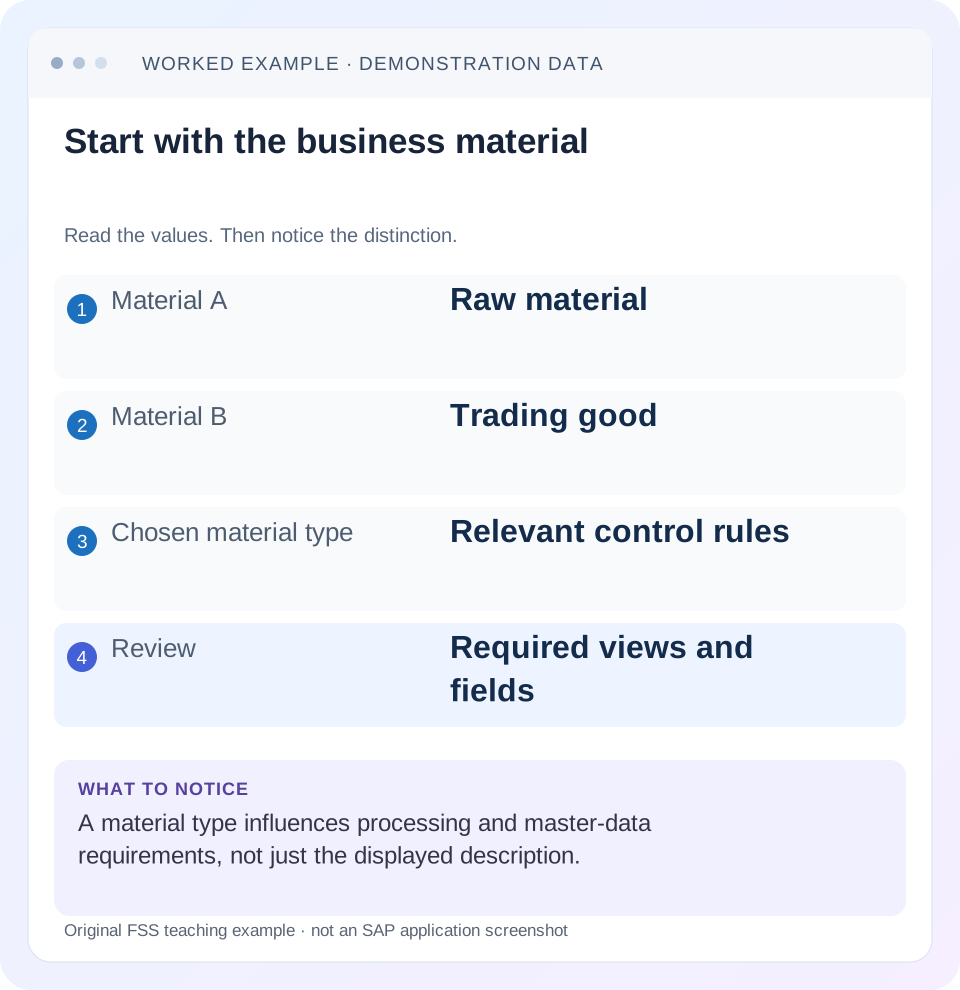
Read the example values
- Material A
- Raw material
- Material B
- Trading good
- Chosen material type
- Relevant control rules
- Review
- Required views and fields
Words you’ll meet in this guide
- Material
- A product or supply item managed in SAP.
- Plant
- An organizational unit for relevant logistics operations.
- Goods receipt
- A recorded receipt of goods in a business process.
- Purchase order
- A purchasing document requesting goods or services from a supplier or supplying plant.
- Invoice
- A supplier’s bill for goods or services.
- HANA
- SAP’s database platform.
Preview the practical steps
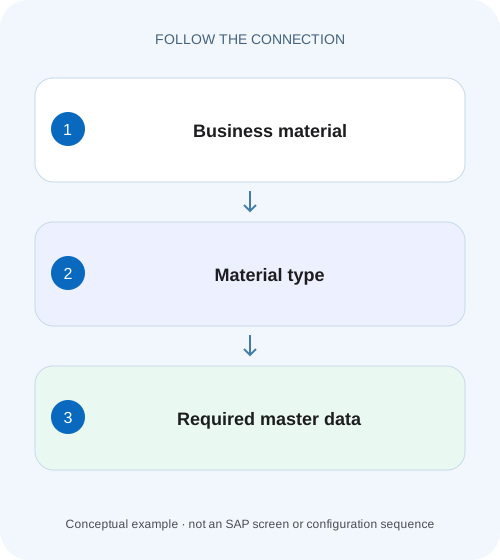
SEE THE CONNECTION
See it in a simple example.
A small example to make the idea concrete.
Separate components from finished equipment
A machinery manufacturer creates records for bought-in bearings, resale spares and finished assemblies, with different intended business uses.
Choose a control model before creating the material
A material type groups important control characteristics for a material master.
Scope and prerequisites
The guide covers classic ERP and supported S/4HANA material-type concepts.
Separate material type from other control fields
Material type is one part of the master-data design.
Separate components from finished equipment
A machinery manufacturer creates records for bought-in bearings, resale spares and finished assemblies, with different intended business uses.
Check the configured material-type controls and required views before copying a convenient existing material record.
| Reader | Business question | Evidence to carry forward |
|---|---|---|
| Plant stores, warehouse and materials teams | Separate components from finished equipment | Check the configured material-type controls and required views before copying a convenient existing material record. |
01 Choose a control model before creating the material
A material type groups important control characteristics for a material master. SAP documents effects on field selection, views, screen sequence and number assignment. It is more than a reporting label, and two materials with similar descriptions do not necessarily need the same type. [1]
The practical question is not “Which type lets me save fastest?” It is “Which approved type supports how this item will be purchased, planned, stocked, valued and used?” This tutorial develops a creation decision for an externally purchased component and compares it with a trading good and a manufactured product. The aim is to prevent a superficially successful creation from becoming an unusable downstream master record.
02 Scope and prerequisites
The guide covers classic ERP and supported S/4HANA material-type concepts. Product terminology, configuration access and delivered types differ across editions and industries. Public Cloud configuration activities are not equivalent to unrestricted classic Customizing. Retail articles, services and industry solutions can add distinct requirements.
The reader should have the business material definition, approved master-data policy, intended plants and organizational units, base unit and procurement/valuation requirements. Display access to a representative approved material and the relevant configuration is useful. Creation and process checks should occur in an authorized training environment.
This tutorial does not prescribe a universal material-type code. Familiar standard examples help explain business categories, but local configured behavior must be established rather than inferred from the code’s name.
03 Separate material type from other control fields
Material type is one part of the master-data design. Procurement type, valuation class, planning parameters, item categories and organizational extensions can independently influence processing. Selecting a type called “raw material” does not by itself prove every purchasing and planning field is complete or correct. [1] [2]
SAP documents views as application-specific data maintained by different company areas. A material can have general identity data while lacking the purchasing, accounting or plant scope needed for the intended transaction. Existence of the material number and availability in a process are therefore different checks.
Number assignment is also a control choice. Internal assignment lets the system generate an identifier under the configured range; external assignment uses a supplied identifier within the supported rules. Changing a type to force a preferred number format can cause unrelated field and process consequences.
04 Worked case: component, trading good and finished product
The fictional company needs material COMP-A, a component purchased from a supplier and held for later production consumption at plant P100. Its base unit is PC. The approved design requires purchasing, planning and inventory/accounting context. The master-data owner selects the locally approved type for this business model after reviewing its actual controls.
For comparison, TRADE-B is purchased and resold without the same manufacturing role, while FIN-C is manufactured in the plant and sold. These descriptions identify different requirements to review; they do not mean the type alone automatically configures all necessary processes. Each material still needs its appropriate views and fields.
The creation acceptance condition is that COMP-A can participate in the intended training purchase, receipt and subsequent consumption/planning scenario with correct quantity and valuation context. Merely obtaining a material number is an intermediate milestone.
| Material | Business use | Controls/data to review |
|---|---|---|
| COMP-A | Purchased component for production | Purchasing, plant planning, inventory and valuation |
| TRADE-B | Purchased good for resale | Purchasing, inventory and sales scope |
| FIN-C | Manufactured finished product | Production/planning, costing, inventory and sales |
| All three | Independent material identities | Approved number assignment, units and required fields |
05 Inspect the candidate type rather than cloning blindly
Use a representative approved material to understand the intended design, then inspect the candidate type’s documented configuration. SAP lists material-type controls including field/view and numbering behavior. Quantity/value updating and valuation-related dependencies need their own relevant checks for the installed setup. [1] [3]
A reference material can save entry effort, but it can also copy inappropriate planning data, units, classifications or organizational values. Compare every copied business-critical field with COMP-A’s requirement. A material that works at another plant may lack the right extension or assumptions at P100.
Record why the candidate type fits. A short decision note should connect the approved business model to required views, numbering and stock/valuation treatment, leaving independently controlled fields explicitly identified. This makes the creation review more meaningful than “same as material X.”
06 Create a reviewable master-data sequence
The sequence below separates design, identity creation, organizational completeness and process acceptance. Use the supported application for the installed edition.
Define the material purpose
Document COMP-A as externally purchased, stored and later consumed in production at P100. Establish PC and the approved valuation/accounting intention.
Expected observation: The type decision has explicit business requirements.
Validate the approved type
Review allowed views, mandatory fields, number assignment and relevant quantity/value controls with configuration evidence.
Expected observation: The chosen type supports the intended model.
Maintain required organizational data
Create or extend the needed plant and organizational views using approved values, reviewing copied defaults.
Expected observation: The material is complete for the intended P100 processes.
Exercise the intended flow
In training, follow the supported purchase and receipt process and inspect the resulting stock/value/document context.
Expected observation: Creation is accepted based on business usability, not just a saved number.
07 Number ranges and field selection explain many entry failures
If a supplied material identifier is rejected, inspect external/internal assignment and the relevant range rules. Do not switch type until you establish that the business model was wrong. A numbering mismatch can be a configuration or input issue while the chosen type remains correct. [2] [4]
If a required field is absent or a view cannot be selected, inspect the applicable field/view control and organizational context. SAP’s material-creation documentation explains that available views depend on material-type configuration. A missing view can also concern the chosen application or scope, so capture the exact entry path and release.
For an interface, confirm that the payload supplies the fields required by the actual target type and organization. A successful load of general data is not proof that accounting or purchasing segments were created. Reconcile the target master through supported displays.
08 Quantity and value updating need explicit treatment
A master record can support processes where quantity and value are treated differently. Review the installed material-type and valuation-area settings rather than assuming every physical item behaves as ordinary valuated warehouse stock. The intended accounting model should be agreed before creating transaction history. [3]
For COMP-A, the illustrative acceptance plan expects stored quantity and the applicable inventory valuation. Inspect the actual receipt’s material/accounting documents and stock display. If quantity appears without the expected value context, establish the configuration and material accounting data before calling the posting defective.
Likewise, direct-consumption or nonstock procurement needs different document reasoning. It should not be forced into a warehouse-stock model simply because a material number exists. Follow the account-assignment lesson when the purchase is intended to charge a recipient rather than replenish general inventory.
09 Troubleshooting decisions
Treat the exact failing boundary as evidence. Creation, extension, purchasing, receipt and planning can fail for different reasons even when they involve the same material number.
| Observation | Question | Next evidence |
|---|---|---|
| Identifier rejected at creation | Is supplied numbering allowed? | Type/range assignment and exact input |
| Required view absent | What view control and app scope apply? | Type configuration and supported creation path |
| Material exists, purchasing fails | Is required organization/plant data complete? | Purchasing segment and failure message |
| Receipt quantity/value surprising | What stock/valuation model is configured? | Quantity/value controls and accounting data |
| Copied material behaves differently | Which inherited field differs from purpose? | Source/target master comparison |
| Type change proposed after postings | What dependencies already exist? | Stock, documents and supported change restrictions |
10 Changing an established type is a separate project decision
Do not treat material-type change as a casual workaround for a missing field. Existing stock, valuation, documents and related master data can constrain supported changes. Establish current dependencies and use release-specific documented procedures before proposing conversion.
A new material identity may be part of an approved redesign, but creating it solely to escape an unresolved control can split history and cause duplicate planning or purchasing. Explain how open documents, stock and interfaces would be handled before deciding.
The better first step is to identify which independent control actually caused the problem. If COMP-A lacks the P100 purchasing extension, changing its material type can leave the missing organizational data unresolved while adding new restrictions.
11 Verification exercises
For a positive check, create the approved COMP-A training fixture with PC and required organizational data, then follow purchasing and receipt into the expected stock/value context. Capture actual material and accounting references and compare with the documented design.
For a negative check, omit the required purchasing or accounting segment in a worksheet or controlled nonposting validation and identify the expected failure boundary. Separately provide an externally chosen identifier to a type configured for the different numbering method and explain why the type’s business purpose need not be wrong.
For boundary checks, extend the same material to another plant, review a nonstock/direct-consumption design and inspect a case with existing stock before any proposed type change. These cases force separate reasoning about identity, organization and lifecycle rather than only initial creation.
12 Questions and the creation handover
Does material type determine everything? No. It groups important controls, while many process fields and organizational extensions remain independently relevant. Should raw materials and trading goods always use different local codes? Follow the approved configured design and actual control requirements, rather than deriving a universal rule from names.
Can a saved material be declared ready? Only after the required organizational scope and intended business process are verified. A generated number does not establish procurement or inventory usability.
A useful handover for COMP-A states its business purpose, approved type, PC base unit, P100 organizational completeness, numbering rule and the training documents that verified the intended flow. Continue with account assignment, unit conversion and price-control lessons for the next control questions.
Related services and next steps
Primary sources
Found this useful?
Share this guide with your network, or leave a like.
Your like is saved in this browser.