SAP planning time fence: Why MRP may not change a procurement proposal
A near-term assembly plan remains unchanged after an MRP run even though a planner expected a new procurement proposal.

Source review:
START HERE · NO PRIOR TOPIC KNOWLEDGE NEEDED
What it is. Why it matters.
A planning time fence protects a near-term planning window under relevant rules. Firming helps preserve proposals so automatic planning does not freely change commitments already being coordinated.
Completely new to SAP?
Manufacturers use SAP to connect work such as buying components, recording inventory, planning production, shipping equipment and accounting for costs. SAP S/4HANA is an enterprise resource planning system: it connects these activities through shared business data.
Production Planning determines what to make or procure and when. Product definitions, supply proposals and execution orders connect demand with factory work.
A transaction code, or t-code, is a shortcut to a task in classic SAP GUI. Fiori apps provide another way to work. Names and screens depend on the product and release; you do not need a live system to learn the concepts in this guide.

Scope and source-review notes
Scope and evidence
Source review by FAST SAP SOLUTIONS® editorial. This badge describes our editorial review; it does not represent SAP certification or independent endorsement.
SAP ERP/S/4HANA MRP/MPS planning time fence and firming concepts. Exact new-proposal and scheduling behavior differs by firming type;examples do not prescribe one universal response for all types.
Documentation review on 14 November 2026 used the official SAP sources listed below, including indexed excerpts where full text was unavailable. Scope and availability depend on the stated product, release and configuration. All document references, quantities, dates and outcomes in worked cases are illustrative; no customer SAP system or tenant was accessed and the proposed exercises were not executed.
A MANUFACTURING EXAMPLE
Explain a protected assembly proposal
Protect the near-term plan
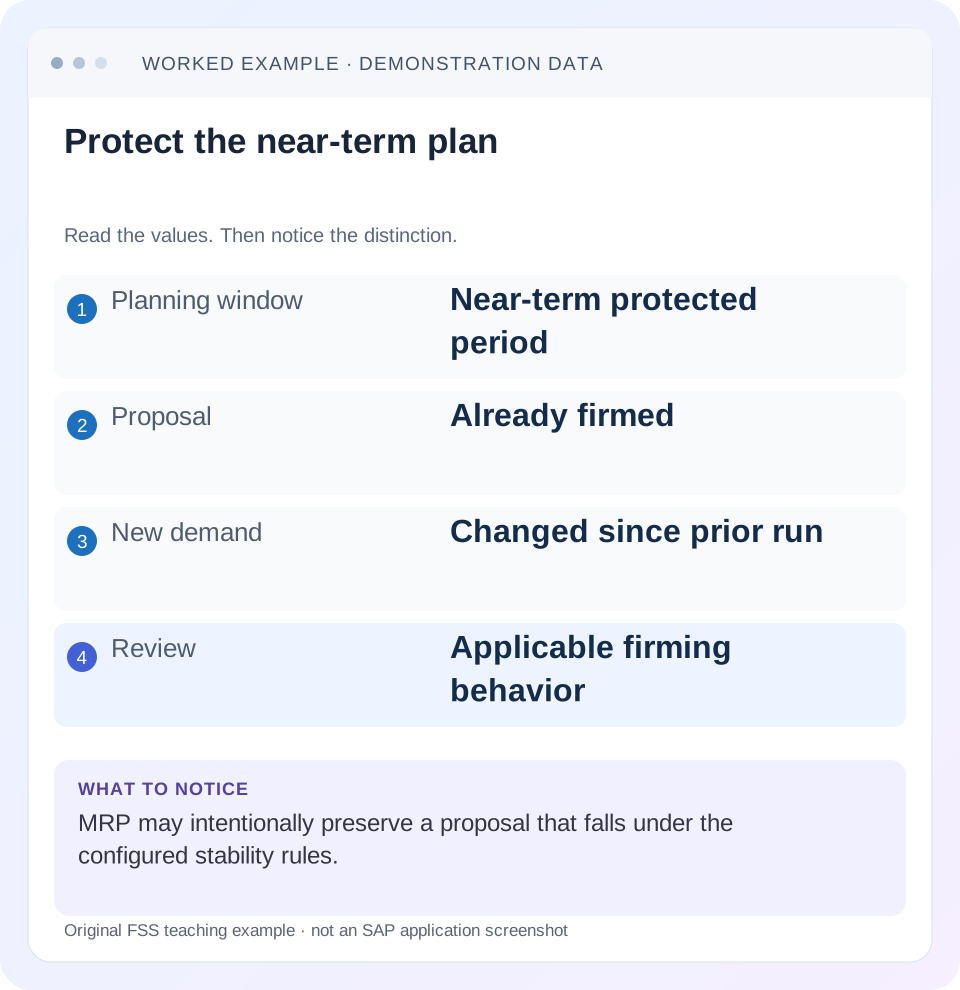
Read the example values
- Planning window
- Near-term protected period
- Proposal
- Already firmed
- New demand
- Changed since prior run
- Review
- Applicable firming behavior
Words you’ll meet in this guide
- BOM
- Bill of materials, the components needed for a product.
- Routing
- A description of manufacturing work operations.
- MRP
- Material requirements planning, which compares demand and supply.
- Confirmation
- A record of relevant production progress or completed work.
Preview the practical steps
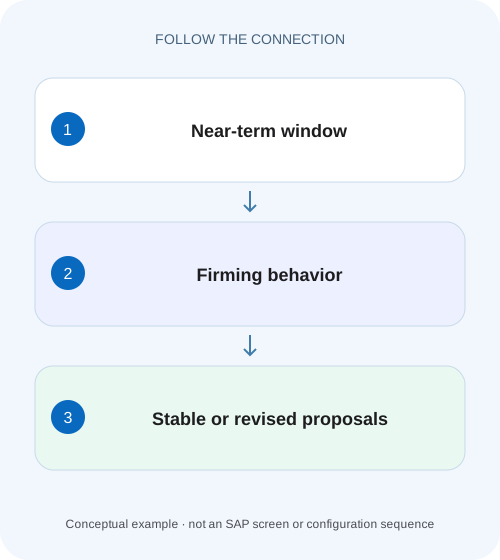
SEE THE CONNECTION
See it in a simple example.
A small example to make the idea concrete.
Explain a protected assembly proposal
A near-term assembly plan remains unchanged after an MRP run even though a planner expected a new procurement proposal.
A stable proposal can be an intentional planning result
A planning time fence protects near-term procurement proposals from automatic changes under the relevant firming rules.
Understand the moving protection window
SAP documents that the fence end is calculated dynamically from the planning date.
Read the MRP type's firming behavior
The documented prerequisites include an MRP type with a firming type, which determines how proposals are firmed and scheduled.
Explain a protected assembly proposal
A near-term assembly plan remains unchanged after an MRP run even though a planner expected a new procurement proposal.
Check the planning time fence and firming context before treating the unchanged proposal as a failed planning run.
| Reader | Business question | Evidence to carry forward |
|---|---|---|
| Production planners and shop-floor application teams | Explain a protected assembly proposal | Check the planning time fence and firming context before treating the unchanged proposal as a failed planning run. |
01 A stable proposal can be an intentional planning result
A planning time fence protects near-term procurement proposals from automatic changes under the relevant firming rules. If demand increases but tomorrow's agreed proposal stays unchanged, MRP may be preserving a commitment rather than missing the requirement. Inspect effective fence and firming behavior before deleting the proposal or running broader planning repeatedly.
This guide is for MRP controllers coordinating near-term production or procurement. You need planning date, material/plant scope, MRP type, firming type, material/MRP-group fence settings and proposal dates/state. The case is illustrative and uses relative planning days so it does not imply a particular factory-calendar conversion.
02 Understand the moving protection window
SAP documents that the fence end is calculated dynamically from the planning date. Material-specific fence settings take precedence over the MRP-group setting in the reviewed guidance. Record the effective value, not merely whichever group parameter is easiest to find. [1]
A10-day fence is a rolling planning concept, not a permanent calendar date. A proposal outside it today can move inside on a later planning run. Manual firming or other material-specific controls can also protect a proposal independently. Therefore,“the date is outside the fence”does not by itself prove the proposal is freely changeable.
03 Read the MRP type's firming behavior
The documented prerequisites include an MRP type with a firming type, which determines how proposals are firmed and scheduled. The fence value alone does not define every outcome. In particular, creation and placement of additional supply inside/at the boundary must be interpreted from the actual firming type. [1]
Separate automatic protection from a planner's explicit manual firming. Both can explain stability, but they have different triggers and governance. Capture the proposal's actual firming evidence. Do not infer it only from a date or from a user saying the order was“fixed.”
04 Work a near-term demand change
Suppose the planning date is day 0 and the effective fence extends to day 10 under the installed calendar/rule. Planned order P1 is 100 PC at day 5 and protected by the configured behavior. Demand for that date rises from 100 to 130. Another unprotected proposal P2 lies at day 15.
The 30-PC difference is real in this simplified case, but the article does not invent whether every firming type creates another order, moves supply to the boundary or leaves a manual planning task. Read the configured rule and actual result. Explain protection and shortage separately; stable P1 does not mean the increased demand disappeared.
| Object | Timing/state | Question after demand change |
|---|---|---|
| P1 | Day 5, protected 100 PC | Why does 100 remain stable? |
| Additional near-term need | 30 PC | How does actual firming type handle shortage? |
| P2 | Day 15, unprotected | Can ordinary replanning adapt it? |
| Fence | Effective through day 10 | Material setting or MRP-group setting? |
| Later run | Rolling boundary changes | Has proposal entered protection? |
05 Reconcile commitments before changing protection
P1 may already have staged components, agreed capacity or supplier coordination even while still a planning proposal. The fence represents a stability policy, not just a technical obstacle. Ask what business commitment would be disrupted by changing quantity/date.
If the protected 100 is no longer appropriate, the planner can review a deliberate correction under the process. That decision should account for the 30 additional units and existing commitments. Removing the fence for one incident can affect other proposals on later runs, so it is broader than editing a single quantity.
06 Inspect the effective settings in sequence
Begin with a single material and proposal. Compare actual input dates and states with the run's selection. An out-of-scope material can remain unchanged for reasons unrelated to firming.
Confirm processing scope
Record material, MRP area, planning date and run result.
Expected observation: The material was actually considered.
Determine effective fence
Compare material-specific and MRP-group values plus relevant calendar interpretation.
Expected observation: Day 10 boundary has a documented basis.
Inspect type and proposal
Read MRP/firming type and P1's firming state/date.
Expected observation: Automatic versus manual protection is distinguished.
Reconcile changed demand
Trace 100→130 and the resulting 30-PC gap.
Expected observation: Unchanged proposal and remaining shortage are both explicit.
Review actual response
Compare new/changed proposals and exceptions with the configured firming rule.
Expected observation: The outcome is explained without a generic rerun.
07 Test the boundary instead of assuming it
The exact relevant proposal date and inclusive boundary behavior must come from the installed planning rule. Use a fixture at day 9, day 10 andday 11 and record which proposals become protected. Do not decide from a spreadsheet that uses another calendar or a different start/finish date basis.
Repeat after moving the planning date forward one day while keeping business data fixed. The fence rolls forward, and a previously unprotected proposal may enter it. This is a useful way to distinguish a dynamic fence from a manually fixed date or explicit proposal firming.
08 Troubleshoot unchanged proposals
An unchanged proposal can result from firming, sufficient existing supply, wrong scope, no planning-relevant change or a different planning procedure. Verify the branch rather than attributing every stable number to a fence.
| Observation | Main question | Next evidence |
|---|---|---|
| Day 5 proposal unchanged | Protected by actual type? | Effective fence and firming state |
| Day 15 proposal unchanged | Manually firmed or no relevant change? | Proposal state and net need |
| New shortage remains | Expected type behavior? | Firming rule and exceptions |
| Group fence 10, material 5 | Which setting wins? | Material-specific effective value |
| Proposal changes unexpectedly | Outside protection or wrong date basis? | Run date, boundary and relevant proposal date |
| Several proposals suddenly protected | Rolling fence effect? | Prior/current planning dates |
09 Avoid duplicate supply around a protected proposal
Creating another 130-PC order while retaining protected 100 can produce 230 against demand 130 in the simplified case. The intended additional need is 30, subject to lot sizing and timing. Reconcile existing protected supply before adding manual supply or changing the procurement policy.
Likewise, do not delete a protected proposal just to let MRP recreate an attractive result. The original may carry operational coordination that the new document does not preserve. If replacement is required, record the old/new references and how commitments were transferred or cancelled through the supported process.
10 Verify allowed, protected and manually firmed cases
The positive protection test keeps P1 stable under the selected firming behavior while showing the changed demand. The negative control uses a comparable unprotected proposal outside the fence and observes normal policy-based replanning. A third case manually firms that outside proposal to demonstrate that date alone does not determine changeability.
For every test, inspect resulting quantities, dates, proposal identities and exceptions. The goal is not to prove that everything stays frozen; it is to show that the intended policy acts at the intended boundary. These are proposed tests and no productive MRP run was performed.
11 Use a day-by-day proposal ledger to explain rolling protection
Create columns planning date, effective fence end, proposal relevant date, manual-firming state and observed run outcome. In the relative-day fixture, P1 day 5 lies inside the day 0-to-day 10 window. A proposal atday 11 is outside onday 0 but can fall inside when the planning date advances, subject to the actual calendar/date rule. The ledger explains why the same proposal can change behavior on consecutive runs without any master-data edit.
For material-specific fence 5 versus MRP-group fence 10, the reviewed precedence rule means the effective material context must be established before classifying day 7. Do not test group 10 in isolation and then report an unexpected day 7 change as a defect. Preserve the effective value used by the actual material/run.
Keep the proposal's relevant date basis explicit. A requirement due day 5 and a proposal finishing day 12 are different dates, and the firming rule determines which date/context governs protection. Use the installed field help and planning output instead of assuming every visible date is interchangeable.
12 Review a protected shortage as a decision with alternatives
With P1 protected 100 against demand 130, the planner has a 30-unit gap under the simplified same-date assumptions. Possible business responses include a deliberate change to the commitment, additional supply under the supported firming behavior, or an agreed demand/date adjustment. The planning tool's role is to expose those conditions; it does not authorize an arbitrary duplicate 130-unit order.
Quantify each proposed response before execution. Retaining 100 and adding 30 covers 130 before other rules. Retaining 100 and adding a fixed lot 50 covers 150 and leaves 20 excess. Replacing 100 with 130 covers 130 but requires review of the original commitment and document relationships. Those outcomes are distinct even if all remove a shortage indicator.
Inspect lot sizing and dates for the additional proposal as a separate calculation. If the actual firming type places new supply at the fence boundary or leaves a manual exception, the support note should say so with the observed reference. Do not claim that the rule “failed”simply because it did not automatically enlarge P1.
For verification, hold the demand increase constant and compare one automatically protected proposal, one manually firmed outside proposal and one unprotected outside proposal. Retain the same material settings and run scope where possible. The observed differences should be attributable to protection state rather than another unrecorded parameter.
After an approved manual adjustment, reconcile the current supply ledger and remove any superseded planning scope through the supported process. A corrected 130-unit commitment plus an overlooked 30-unit extra proposal would leave 160. Verify the post-change population and next run behavior so the immediate fix does not become excess supply tomorrow.
13 Questions and related lessons
Does a fence guarantee no shortage? No, it controls automatic changes. Does a number in the material master alone establish protection? Check type prerequisites and effective settings. Should all firming be removed for responsiveness? That is a stability-policy decision with operational consequences.
Close with planning date, effective fence, type, proposal state, changed demand and actual response. Continue with MD01N for run scope, lot sizing for the extra quantity, and planned versus production order for commitments that progress into execution.
Related services and next steps
Primary sources
Found this useful?
Share this guide with your network, or leave a like.
Your like is saved in this browser.