SAP MD01N MRP Live: Verify planning scope and results before comparing runs
A material planner compares two MRP runs for assembly components, but their plant, material and processing scopes may differ.

Source review:
START HERE · NO PRIOR TOPIC KNOWLEDGE NEEDED
What it is. Why it matters.
Material requirements planning, or MRP, compares demand with supply to propose what is needed. MD01N runs MRP Live in supported systems, so planning scope matters when reviewing its results.
Completely new to SAP?
Manufacturers use SAP to connect work such as buying components, recording inventory, planning production, shipping equipment and accounting for costs. SAP S/4HANA is an enterprise resource planning system: it connects these activities through shared business data.
Production Planning determines what to make or procure and when. Product definitions, supply proposals and execution orders connect demand with factory work.
A transaction code, or t-code, is a shortcut to a task in classic SAP GUI. Fiori apps provide another way to work. Names and screens depend on the product and release; you do not need a live system to learn the concepts in this guide.

Scope and source-review notes
Scope and evidence
Source review by FAST SAP SOLUTIONS® editorial. This badge describes our editorial review; it does not represent SAP certification or independent endorsement.
SAP S/4HANA MRP Live MD01N using official 2025 FPS01 documentation. Release-specific unsupported features,fallback execution and performance characteristics require installed-system evidence;classic MRP lists are not assumed.
Documentation review on 14 November 2026 used the official SAP sources listed below, including indexed excerpts where full text was unavailable. Scope and availability depend on the stated product, release and configuration. All document references, quantities, dates and outcomes in worked cases are illustrative; no customer SAP system or tenant was accessed and the proposed exercises were not executed.
A MANUFACTURING EXAMPLE
Verify a plant planning run
Was the material actually planned?
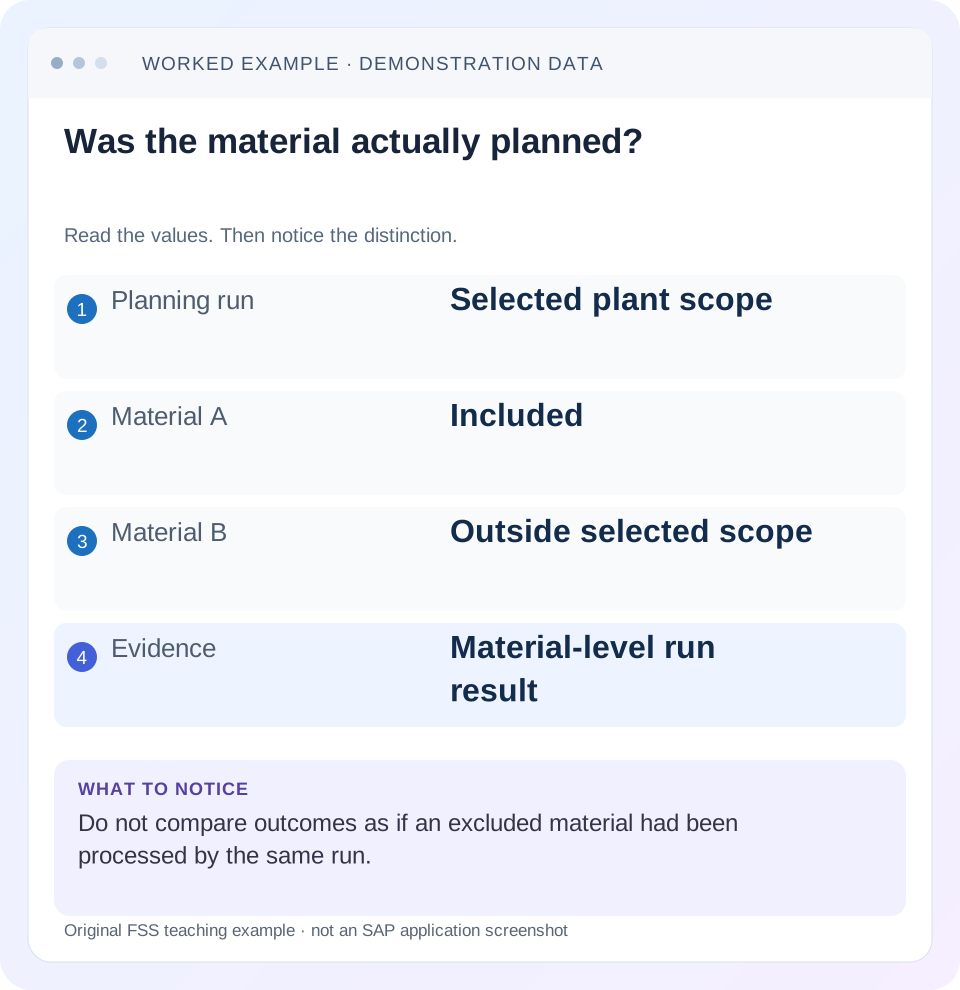
Read the example values
- Planning run
- Selected plant scope
- Material A
- Included
- Material B
- Outside selected scope
- Evidence
- Material-level run result
Words you’ll meet in this guide
- BOM
- Bill of materials, the components needed for a product.
- Routing
- A description of manufacturing work operations.
- MRP
- Material requirements planning, which compares demand and supply.
- Confirmation
- A record of relevant production progress or completed work.
- ABAP
- SAP’s programming language for business applications.
- HANA
- SAP’s database platform.
Preview the practical steps
SEE THE CONNECTION
See it in a simple example.
A small example to make the idea concrete.
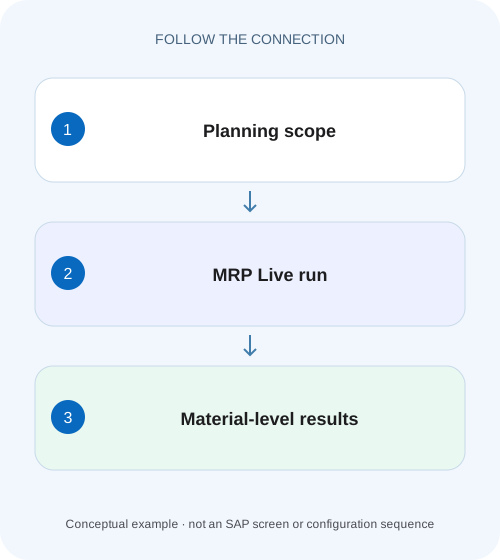
Verify a plant planning run
A material planner compares two MRP runs for assembly components, but their plant, material and processing scopes may differ.
A transaction code does not define an identical planning run
Two MD01N runs can produce different proposals because their scope, inputs or parameters differ.
Define the selected and expanded scope
SAP's Carrying Out MRP Live procedure documents MD01N and scope fields such as plants, materials, product groups and MRP controllers.
Work a two-material comparison
Suppose plant 1000 has assembly A controlled by controller P01 and spare B controlled by P02.
Verify a plant planning run
A material planner compares two MRP runs for assembly components, but their plant, material and processing scopes may differ.
Record the planning scope and actual results before attributing a changed proposal to MRP Live itself.
| Reader | Business question | Evidence to carry forward |
|---|---|---|
| Production planners and shop-floor application teams | Verify a plant planning run | Record the planning scope and actual results before attributing a changed proposal to MRP Live itself. |
01 A transaction code does not define an identical planning run
Two MD01N runs can produce different proposals because their scope, inputs or parameters differ. Record plants, materials/controllers, component and stock-transfer options, net-change/regenerative choice, planning mode, scheduling and run time. Then establish whether the disputed material was actually planned. A completed run is not proof that every material in the organization was processed.
This guide is for MRP controllers comparing runs or investigating an unchanged material. You need display access to the run result/performance log, material planning settings and current stock/requirements. Use a controlled scope for learning. The article does not execute MRP or claim measured performance in a customer system.
02 Define the selected and expanded scope
SAP's Carrying Out MRP Live procedure documents MD01N and scope fields such as plants, materials, product groups and MRP controllers. It also describes material-scope restrictions. Inspect the actual selection rather than inferring it from a job name like“daily full planning.” [1]
Additional options can include changed BOM components, all order BOM components and supplying plants for stock transfers. These can expand the practical planning footprint beyond the initial header selection. State both the entry selection and expansion options when estimating impact or comparing runs. A plant filter alone is an incomplete description if stock-transfer expansion includes supplying locations. [1]
03 Work a two-material comparison
Suppose plant 1000 has assembly A controlled by controller P01 and spare B controlled by P02. A has demand 100 PC and eligible stock 20, so the simplified shortage is 80. B has demand 50 and stock 10, so shortage 40. Run R1 selects only P01; run R2 selects both controllers, with unchanged data and otherwise equivalent relevant settings.
If B's proposal is unchanged after R1, that does not demonstrate a calculation failure. It may simply be outside scope. Likewise, an existing B proposal seen after R1 may have been created by an earlier run. Use proposal references and timestamps rather than attributing every visible receipt to the most recent MD01N execution.
| Material | Controller | R1 P01 only | R2 P01+P02 |
|---|---|---|---|
| A | P01 | In selected population | In selected population |
| B | P02 | Outside selected population | In selected population |
| A simplified shortage | 80 PC | Investigate planned result | Compare same inputs |
| B simplified shortage | 40 PC | No inference from R1 | Investigate R2 result |
04 Distinguish net change from regenerative planning
The reviewed procedure states that leaving Regenerative Planning unselected uses net-change planning; selecting it uses regenerative planning. The choice changes which materials require processing under the planning-file logic. A material included in selection is not automatically proof of an equivalent recalculation in every run type. [1]
When comparing runs, preserve changes to demand, receipts, master data and planning-file relevance between them. Regenerative planning is not a generic diagnostic button to press repeatedly on a broad productive population. Establish why broader processing is needed and define the bounded test or operational recovery scope.
05 Understand planning mode and scheduling
The documented procedure distinguishes planning mode 1, adapting existing planning data, and mode 3, deleting/recreating planning data, within the stated supported context. It also lets the planner choose basic-date calculation or lead-time scheduling. These are material differences, not cosmetic preferences. [1]
A proposal number can change when an unfirmed receipt is recreated, even if its business quantity remains correct. Compare material, quantity, date, firming and relationships instead of assuming stable document numbers prove correctness. Conversely, a stable proposal can remain deliberately protected by firming. Read the specific material outcome rather than only the run's summary count.
06 Inspect results through the documented log
SAP names the MRP Live Performance Log and allows a chosen performance-log name; the MRP Key Figures app can use that identity for monitoring. Retain it with run time and parameters. A screenshot of the final success message omits the material-level evidence needed to explain scope and failures. [1]
Capture run identity and parameters
Record R1, plants/controllers, expansion options, run type, mode and scheduling.
Expected observation: The execution context is reproducible.
Locate the material outcome
Determine whether A/B was selected, processed, skipped or failed under the available log.
Expected observation: B is not assumed processed by R1.
Reconcile planning inputs
Compare stock, requirements, receipts, MRP type, lot sizing and firming at the relevant time.
Expected observation: 80/40 shortages are justified or revised.
Read resulting proposals
Compare quantity, date, identity and exceptions with the expected policy.
Expected observation: Business outcomes are assessed beyond run completion.
07 Avoid assuming a classic MRP-list artifact
SAP's documented MRP Live differences explain that ordinary classic MRP lists are not created for the described live run, apart from stated exceptional cases. Use current stock/requirements and run logs as appropriate. A missing classic list is therefore not sufficient proof that MD01N did not plan the material. [2]
Keep release context explicit: older ERP-on-HANA documentation is useful for understanding the architectural distinction, but it does not establish every current S/4HANA exception or fallback rule. Inspect the actual installed feature scope when a material is handled differently. Do not invent an ABAP fallback outcome from a generic tutorial.
08 Troubleshoot by scope and material result
A successful aggregate run can contain materials needing attention. Conversely, a material with no new proposal can be correct because existing receipts cover demand. Determine which branch the evidence supports.
| Observation | Question | Next evidence |
|---|---|---|
| B unchanged after R1 | In controller/material scope? | Selection and material log |
| A planned but no new receipt | Existing supply sufficient? | Current elements and firming |
| Proposal quantity unexpected | Lot-size/scrap/rounding? | Quantity-policy inputs |
| Proposal date unexpected | Scheduling/lead-time inputs? | Mode and material/resource data |
| Proposal ID changed | Recreated unfirmed planning data? | Planning mode and old/new business scope |
| Classic MRP list absent | Expected for live run? | Current view and release documentation |
09 Verify controlled run comparisons
The positive fixture plans A under P01 and explains its 80-PC simple shortage before lot sizing. The negative fixture confirms that B is excluded from R1. The boundary test adds P02 deliberately and compares B's result under unchanged known data. Retain before/after current views and run IDs.
For an additional comparison, change only planning mode or scheduling in an authorized test and predict which outputs may differ. Do not change selection, demand and mode simultaneously and then attribute the result to one cause. Verification should isolate the parameter under investigation.
10 Create a run-comparison record before interpreting changed proposals
Use one row per run with run/log name, start/end time, plant/controller/material selection, component/stock-transfer flags, net-change/regenerative, planning mode, scheduling and known data changes. For R1 and R2, mark P02 inclusion as the deliberate difference. If demand also changed between runs, record that independently; otherwise the comparison cannot isolate scope.
In the documented MD01N procedure, the named performance log provides a stable reference for later review. Choose a meaningful test identifier when the process allows it and retain the resulting log with the material-level observations. A generic batch-job title repeated every night is insufficient to distinguish two executions with different selections.
For assembly A, write a before ledger of stock 20, demand 100 and existing relevant receipts. If a fixed receipt 30 also exists, the simplified uncovered amount is 50 rather than 80. A visible 80-PC proposal after the run could then reflect another date, quantity policy or stale/protected supply. Reconcile receipt dates and eligibility before attributing the difference to the planning engine.
11 Test scope expansion through an assembly and supplying location
Extend the fixture with A requiring 2 PC of component C per assembly. An 80-PC in-house supply proposal for A can imply 160 PC dependent C need under the simple BOM assumptions. Whether C is actually planned in this run depends on the selected scope/expansion and processing context. Creating dependent requirements and processing the component's procurement response are related but distinct outcomes.
Inspect the documented component options and the actual material log. If A is processed while C is not within the intended run scope, the next task may be planning coverage rather than editing C's MRP type. Conversely, if C is processed but receives no proposal, inspect C's own stock, receipts, firming and lot-size policy.
For a stock-transfer variant, record both receiving plant 1000 and supplying plant 2000. The documented stock-transfer option can expand planning to supplying plants. A test described only as“plant 1000 planning”would then omit an important footprint. Check run evidence for both locations before reporting that only one plant was affected.
Use a positive test that intentionally includes the assembly/component relationship and a negative test that deliberately restricts it. Predict which materials should be selected and which dependent requirements should exist under the actual flags. Then inspect outcomes separately. This verifies the semantics of scope expansion instead of assuming that every multilevel effect follows from the assembly name alone.
Finally, compare basic-date versus lead-time scheduling in a bounded fixture with known inputs. Quantity may remain 80 while dates or capacity-related outputs differ. Treat quantity correctness and scheduling correctness as separate acceptance conditions. A stable quantity does not prove that the scheduling parameter had no effect, and a changed proposal number does not prove a changed business need.
12 Compare the planned material population with the requested population
Retain the list of requested material/controller scope beside the actual run outcomes. A difference between requested, processed and failed/skipped populations is itself a result to explain. Do not replace those distinctions with one total number of planned materials; the incident can concern precisely the material missing from that aggregate.
13 Questions and handover
Does green MD01N mean every material is correct? No, inspect material scope/results and policy. Does regenerative planning guarantee commercial feasibility? It broadens planning processing; capacity and procurement decisions remain separate. Can current proposals be attributed to the latest run automatically? Use their actual references and run evidence.
Close with run identity, scope, parameters, material outcomes and one reconciled shortage/proposal case. Continue with planning time fence for stability, lot sizing for quantity, and MD04 versus MRP list for the time basis of displayed elements.
Related services and next steps
Primary sources
Found this useful?
Share this guide with your network, or leave a like.
Your like is saved in this browser.