MD04 and the MRP list show different numbers: Is that an error?
A component planner sees one quantity in the current stock/requirements view and a different value in a planning list captured earlier.

Source review:
START HERE · NO PRIOR TOPIC KNOWLEDGE NEEDED
What it is. Why it matters.
Material requirements planning compares supply with demand. MD04 shows a current stock/requirements view in relevant systems, while an MRP list reflects the corresponding planning-run snapshot.
Completely new to SAP?
Manufacturers use SAP to connect work such as buying components, recording inventory, planning production, shipping equipment and accounting for costs. SAP S/4HANA is an enterprise resource planning system: it connects these activities through shared business data.
Production Planning determines what to make or procure and when. Product definitions, supply proposals and execution orders connect demand with factory work.
A transaction code, or t-code, is a shortcut to a task in classic SAP GUI. Fiori apps provide another way to work. Names and screens depend on the product and release; you do not need a live system to learn the concepts in this guide.

Scope and source-review notes
Scope and evidence
Source review by FAST SAP SOLUTIONS® editorial. This badge describes our editorial review; it does not represent SAP certification or independent endorsement.
SAP ERP classic MRP-list versus SAP ERP/S/4HANA current stock/requirements-list concepts. MRP Live does not universally create classic lists;segmentation,filters and release-specific element handling require actual context.
Documentation review on 14 November 2026 used the official SAP sources listed below, including indexed excerpts where full text was unavailable. Scope and availability depend on the stated product, release and configuration. All document references, quantities, dates and outcomes in worked cases are illustrative; no customer SAP system or tenant was accessed and the proposed exercises were not executed.
A MANUFACTURING EXAMPLE
Compare current supply with a planning snapshot
Explain a snapshot/current difference
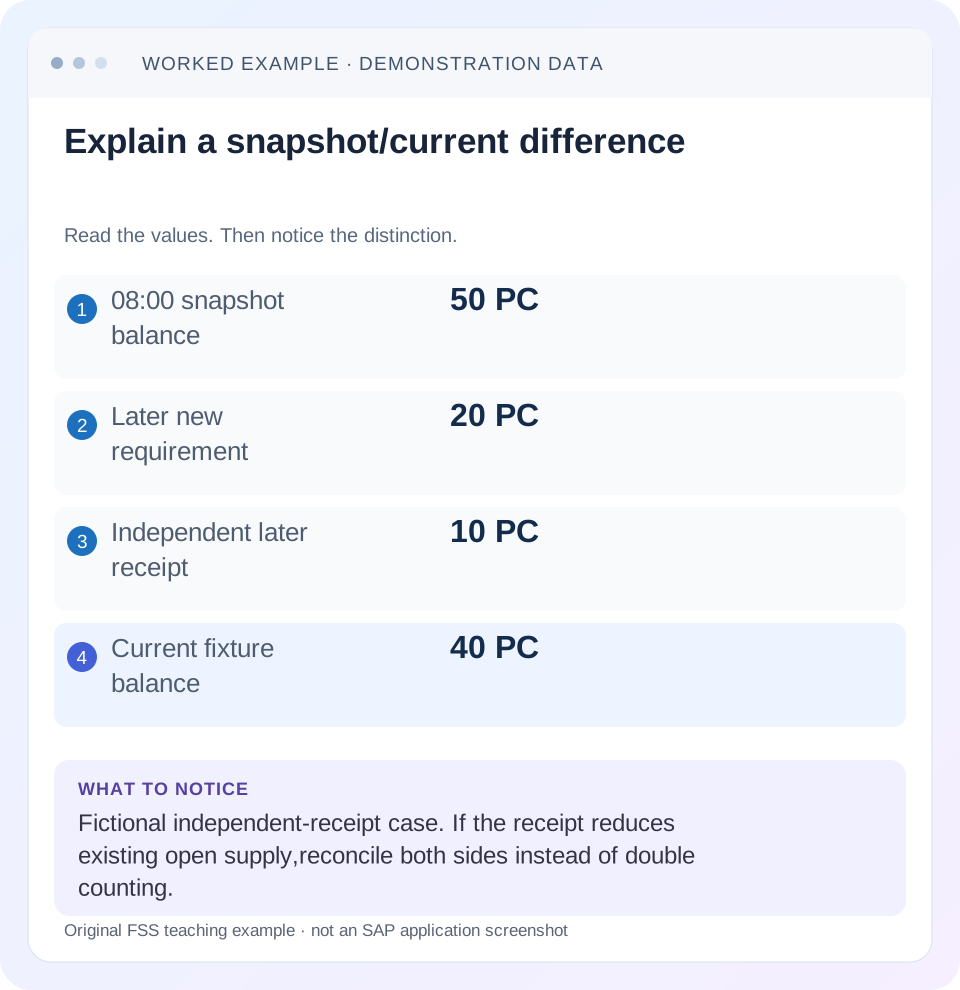
Read the example values
- 08:00 snapshot balance
- 50 PC
- Later new requirement
- 20 PC
- Independent later receipt
- 10 PC
- Current fixture balance
- 40 PC
Words you’ll meet in this guide
- BOM
- Bill of materials, the components needed for a product.
- Routing
- A description of manufacturing work operations.
- MRP
- Material requirements planning, which compares demand and supply.
- Confirmation
- A record of relevant production progress or completed work.
Preview the practical steps
SEE THE CONNECTION
See it in a simple example.
A small example to make the idea concrete.
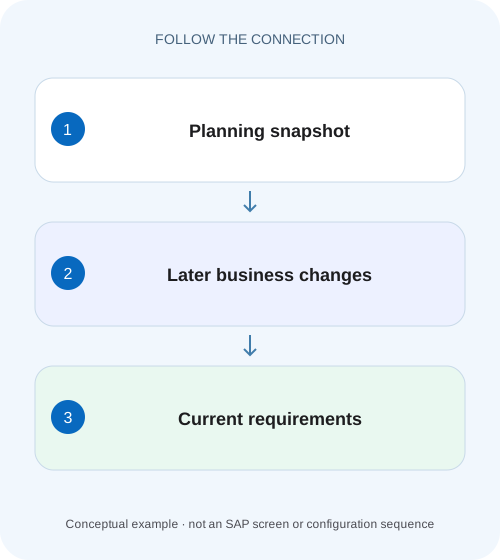
Compare current supply with a planning snapshot
A component planner sees one quantity in the current stock/requirements view and a different value in a planning list captured earlier.
Different times can legitimately show different numbers
The classic MRP list records the stock/requirements situation at its planning run.
Understand what the snapshot preserves
SAP documents that the classic MRP list is static, created according to its creation indicator and retained until deletion or replacement by a later list.
Understand the current view
SAP describes MD04 as dynamically selecting current MRP elements whenever called; the list is not saved as a fixed state.
Compare current supply with a planning snapshot
A component planner sees one quantity in the current stock/requirements view and a different value in a planning list captured earlier.
Compare the timing, scope and changed supply or demand before reporting a contradiction in the planning data.
| Reader | Business question | Evidence to carry forward |
|---|---|---|
| Production planners and shop-floor application teams | Compare current supply with a planning snapshot | Compare the timing, scope and changed supply or demand before reporting a contradiction in the planning data. |
01 Different times can legitimately show different numbers
The classic MRP list records the stock/requirements situation at its planning run. MD04's stock/requirements list selects the current situation when called. A receipt, demand change or cancellation after planning can therefore make them disagree without a calculation defect. Compare time and scope before trying to make the screens match.
This tutorial is for MRP controllers and support analysts with display access to one material and its MRP elements. You need material, plant/MRP area, planning segment, unit, planning timestamp and current observation time. The fixture uses signed quantities and intentionally excludes safety stock, lot sizing and rescheduling complexity to isolate the time difference.
02 Understand what the snapshot preserves
SAP documents that the classic MRP list is static, created according to its creation indicator and retained until deletion or replacement by a later list. Changes after its planning date are not incorporated. It is useful for explaining what the planner/run saw, not for claiming the current supply situation. [1]
Retain the list's planning reference before rerunning planning, if historical explanation is the question. A new run can replace the evidence with a later snapshot. Running MRP merely to remove a visible difference can obscure the original cause and change proposals before their discrepancy has been understood.
03 Understand the current view
SAP describes MD04 as dynamically selecting current MRP elements whenever called; the list is not saved as a fixed state. Record when it was read/refreshed. Two analysts opening it at different times can see different valid populations after business postings. [2]
Current does not mean unconstrained or identical to every stock screen. The displayed scope, planning segment, stock relevance and filters still matter. A sales-order segment and a plant net segment can represent separate planning populations. Compare the same context before subtracting totals.
04 Work an 08: 00-to 10: 00 timeline
Suppose the 08: 00 planning snapshot has stock 100 PC, requirement 80 and planned receipt 30, leaving an illustrative projected balance 50. At 09: 00, a new requirement 20 is added. At 09: 30, a goods receipt 10 posts into the relevant stock context. At 10: 00, the simplified current position is stock 110 plus planned receipt 30 minus requirements 100=40.
The fixture assumes the receipt 10 is independent of the 30-PC planned receipt, so it does not also reduce that receipt. In a real document conversion or receipt against existing supply, you must reconcile both sides. Counting increased stock while retaining a fully fulfilled receipt can double count supply.
| Event/state | Stock | Requirements | Planned receipt | Projected balance |
|---|---|---|---|---|
| 08: 00 snapshot | 100 | 80 | 30 | 50 |
| 09: 00 new requirement 20 | 100 | 100 | 30 | 30 |
| 09: 30 receipt 10 into stock | 110 | 100 | 30 | 40 |
| 10: 00 current view | 110 | 100 | 30 | 40 |
| Difference from snapshot | +10 | +20 demand | Unchanged | −10 |
05 Reconcile individual MRP elements
Read document category, reference, date, quantity and sign. Trace the new requirement 20 and receipt 10 to their actual business documents. A similar total can be produced by different events, so totals alone cannot prove the explanation. Preserve cancelled or reversed relationships where they explain net effects.
If a purchase receipt changes from 30 to 20 remaining while stock increases 10, the total supply may stay unchanged rather than increase 10. That is a different event relationship from the independent receipt in the fixture. The most useful support note states whether a posting creates additional supply or transfers quantity between planning elements.
06 Align organizational and display scope
Compare material, plant, MRP area and planning segment. Check selection/display filters and any grouped requirement lines. A group line can hide several underlying elements; expand it through the available display to identify the exact document causing the difference.
Capture both time bases
Record 08: 00 planning snapshot and 10: 00 MD04 observation.
Expected observation: Historical and current questions are separate.
Align scope
Match material, plant/MRP area, segment, unit and relevant filters.
Expected observation: Quantities are comparable.
Build a signed change ledger
List+20 demand and+10 independent stock receipt with references.
Expected observation: Net projected change−10 is explained.
Reconcile document relationships
Check whether receipts replace/reduce existing supply elements.
Expected observation: No quantity is counted twice.
Choose the next planning action
Review current shortage/exceptions only after explaining the difference.
Expected observation: A rerun has a business purpose.
07 Do not infer an MRP Live failure from a missing classic list
SAP's MRP Live documentation describes differences in classic MRP-list creation. Use the supported live-run logs and current views rather than assuming every MD01N run should leave an ordinary classic snapshot. Identify the planning technology before choosing the comparison artifact. [3]
If the question is“what did the last live run do?”, retain its run identity, parameters and material outcomes. A later MD04 view can show the current consequence but cannot alone reconstruct every input present during the run. Historical investigation may require saved run evidence and document timestamps.
08 Troubleshoot unexplained differences
First separate time-driven changes from scope-driven differences. If neither explains the gap, investigate source documents and planning relevance before changing material parameters.
| Observation | Main question | Next evidence |
|---|---|---|
| New demand only in MD04 | Created after planning? | Document timestamp and snapshot date |
| Stock higher, receipt still visible | Independent or fulfilled supply? | Receipt document and remaining quantity |
| Same timestamp, totals differ | Same scope/segment/filter? | Material, area and element selection |
| Proposal number changed | Recreated by later run? | Old/new references and run mode |
| Classic list absent after MD01N | Expected live behavior? | Run log and release scope |
| Total matches but dates differ | Time-specific coverage? | Element dates and projected sequence |
09 Verify positive, negative and cancellation cases
The positive exercise reproduces 50→30→40 and attributes the final 10-PC difference to known events. The negative control changes no business documents between the snapshot and current observation and expects equivalent relevant elements under equivalent scope. A boundary test posts a requirement just after the snapshot and verifies that it belongs only to the later current view.
Add a cancellation of the 20-PC requirement and predict the current projected balance returns to 60 under the fixture's remaining inputs 110+30−80. The snapshot remains 50 until replaced. These are paper/training expectations, not evidence of customer-system execution. Check identities, dates and signs alongside arithmetic.
10 Avoid cosmetic planning runs
A broad rerun can change or recreate proposals under the chosen settings. It should answer a planning need, such as recalculating current uncovered demand, not merely erase a comparison difference. Preserve the old snapshot/change ledger first if an incident explanation is required.
Likewise, do not reduce a requirement or alter stock to make two screens match. If the new requirement is valid, the current view should reflect it. Correct erroneous documents through their owning process and retain the resulting reversal/change trail. Historical and current views are allowed to differ when business events occurred.
11 Reconcile conversion without double-counting the same supply
Change the receipt scenario so the 10-PC receipt is posted against an existing 30-PC open supply document. Stock rises 100→110 while that document's remaining open receipt falls 30→20. With demand 80 unchanged, total projected coverage remains 50: 110+20−80. That differs from the earlier independent-receipt fixture, where stock increased without reducing the 30 planned receipt.
Now add the new 20-PC demand. Current projected balance becomes 30: 110+20−100. The old snapshot remains 50. This 20 difference is entirely the added demand because the receipt transferred quantity from open supply to stock without changing combined supply. A ledger that keeps both stock 110 and receipt 30 would incorrectly show 40.
Trace the actual source document and remaining quantity to decide which model applies. Purchase receipt, planned-order conversion and production receipt can change the representation of supply through related documents. Do not sum every historical positive quantity as though it were simultaneously available.
12 Compare date-specific shortage with a correct grand total
Suppose current stock 40 is available today, requirement 60 is due tomorrow, and receipt 30 is due next week. The end-of-horizon total 10 does not mean tomorrow's demand is covered. Read the dated sequence: tomorrow's projected shortage 20 exists before the later receipt. MD04's element dates are essential to the planning question.
A rescheduling suggestion is a proposal to review the timing of existing supply, not proof that the supplier or production team can move it. Preserve the document reference and required date, then coordinate the supported business change. Repeated planning runs cannot physically accelerate an unavailable receipt merely because the total eventually becomes positive.
For comparison with a classic MRP list, record whether the late receipt date changed after the snapshot. If the receipt moved from tomorrow to next week, the current time-phased gap has a clear document-timing cause even when total quantity is unchanged. This is why quantity-only screenshot comparison is insufficient.
Test three controlled changes separately: new demand quantity, cancelled demand, and moved receipt date. The first two alter total projected quantity; the third can alter date-specific coverage without changing the end total. Verify each element's reference, date and signed effect in both historical and current contexts.
The final explanation should name the business question: what the last run saw, what is currently available at a date, or what supply exists over the full horizon. Select the relevant artifact and state its time/scope. This lets a planner act on the actual shortage while preserving an accurate historical account of why the snapshot differs.
13 Questions and related lessons
Which view should I use for today's availability? Use the supported current view with explicit scope/time. Which explains the classic last run? Its snapshot and planning reference. Does a difference prove MRP is wrong? Only after time, scope and document effects are reconciled can a remaining defect be assessed.
Close with both observation times, matching scope and a signed element-level explanation. Continue with MD01N for run context, lot sizing for proposal quantity, and firming for why valid new demand may not change an existing protected proposal.
Related services and next steps
Primary sources
Found this useful?
Share this guide with your network, or leave a like.
Your like is saved in this browser.