SAP work centers and capacity: A resource record is not a production promise
A machine shop has a work-center record and planned operations, but the planner still needs to establish whether the work fits the available capacity.

Source review:
START HERE · NO PRIOR TOPIC KNOWLEDGE NEEDED
What it is. Why it matters.
A work center represents where production work happens. Capacity describes available resources or time, so merely creating the record does not establish that a schedule can be met.
Completely new to SAP?
Manufacturers use SAP to connect work such as buying components, recording inventory, planning production, shipping equipment and accounting for costs. SAP S/4HANA is an enterprise resource planning system: it connects these activities through shared business data.
Production Planning determines what to make or procure and when. Product definitions, supply proposals and execution orders connect demand with factory work.
A transaction code, or t-code, is a shortcut to a task in classic SAP GUI. Fiori apps provide another way to work. Names and screens depend on the product and release; you do not need a live system to learn the concepts in this guide.

Scope and source-review notes
Scope and evidence
Source review by FAST SAP SOLUTIONS® editorial. This badge describes our editorial review; it does not represent SAP certification or independent endorsement.
SAP ERP/S/4HANA discrete work-center and capacity-planning concepts. Uses SAP manufacturing support guidance;finite scheduling,capacity reduction and formula details depend on the installed planning process.
Documentation review on 14 November 2026 used the official SAP sources listed below, including indexed excerpts where full text was unavailable. Scope and availability depend on the stated product, release and configuration. All document references, quantities, dates and outcomes in worked cases are illustrative; no customer SAP system or tenant was accessed and the proposed exercises were not executed.
A MANUFACTURING EXAMPLE
Investigate a machining capacity gap
A resource can be overloaded
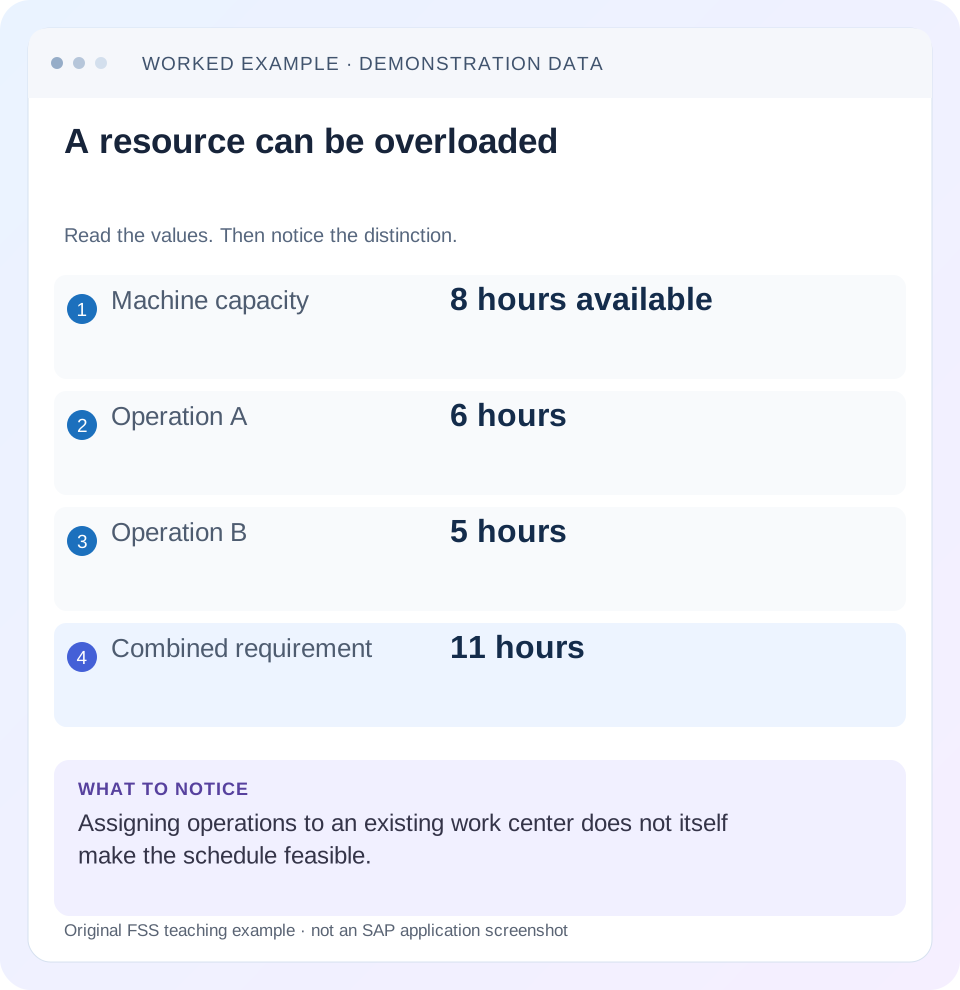
Read the example values
- Machine capacity
- 8 hours available
- Operation A
- 6 hours
- Operation B
- 5 hours
- Combined requirement
- 11 hours
Words you’ll meet in this guide
- BOM
- Bill of materials, the components needed for a product.
- Routing
- A description of manufacturing work operations.
- MRP
- Material requirements planning, which compares demand and supply.
- Confirmation
- A record of relevant production progress or completed work.
Preview the practical steps
SEE THE CONNECTION
See it in a simple example.
A small example to make the idea concrete.
Investigate a machining capacity gap
A machine shop has a work-center record and planned operations, but the planner still needs to establish whether the work fits the available capacity.
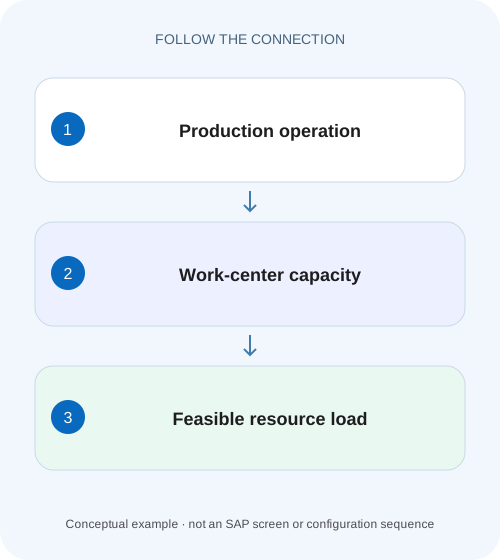
An assigned work center does not prove the schedule is feasible
A work center identifies the resource context for operations.
Understand the work center's connected data
SAP's manufacturing capacity guidance describes a work center's basic data, standard-value key, capacity formulas, scheduling formulas and costing assignments.
Separate available capacity from required capacity
Available capacity describes usable resource time in a period under calendars, shifts, breaks, number of individual capacities and other maintained factors.
Investigate a machining capacity gap
A machine shop has a work-center record and planned operations, but the planner still needs to establish whether the work fits the available capacity.
Compare the documented load assumptions and capacity evidence rather than treating the resource master as proof of feasibility.
| Reader | Business question | Evidence to carry forward |
|---|---|---|
| Production planners and shop-floor application teams | Investigate a machining capacity gap | Compare the documented load assumptions and capacity evidence rather than treating the resource master as proof of feasibility. |
01 An assigned work center does not prove the schedule is feasible
A work center identifies the resource context for operations. Its available capacity and requirement formulas determine the load picture; the planning process determines how conflicts are handled. Two operations can reference the correct machine and still require 11 hours in an 8-hour period. Resource identity, scheduling and capacity feasibility are different checks.
This guide is for production planners and master-data analysts who can display a work center, routing/order operation and capacity evaluation. You need plant, capacity category, dated availability, operation standard values and formula bases. The arithmetic is illustrative and does not claim measured shop-floor throughput or a delivered SAP formula default.
02 Understand the work center's connected data
SAP's manufacturing capacity guidance describes a work center's basic data, standard-value key, capacity formulas, scheduling formulas and costing assignments. Each serves a different calculation. A costing rate can be correct while available capacity is wrong; an operation can have standard values while a formula fails to generate the intended requirement. [1]
Use CR03 for work-center display where available and inspect the relevant tabs under the installed role. Confirm plant and resource identity first. Two work centers sharing a description in different plants do not share the same operational capacity merely because their names look similar.
03 Separate available capacity from required capacity
Available capacity describes usable resource time in a period under calendars, shifts, breaks, number of individual capacities and other maintained factors. Required capacity comes from operations and formulas using their quantities/standard values. Compare the same category, unit and period on both sides.
An 8-hour machine shift and 8 labor-hours are not necessarily interchangeable. One machine operation may need two people or may run unattended for part of its duration. Choose the capacity category that answers the question. A total that combines machine and labor hours obscures the constraint rather than measuring it.
04 Work an overload example
Suppose machine capacity WC_M has 8 available hours on Monday. Order A requires 6 machine-hours and order B requires 5 machine-hours in that same period. The combined load is 11 hours, an overload of 3. Utilization is 11/8×100=137.5% under this simplified calculation.
Moving 3 hours to Tuesday can resolve this simple numerical overload only if operations can legitimately be rescheduled and Tuesday has capacity. Material availability, sequence, setup and delivery constraints still matter. Adding a second physical machine is not the same as changing a master-data number to 16 hours without operational evidence.
| Period/object | Machine-hours | Interpretation |
|---|---|---|
| Monday available | 8 | Usable capacity in the fixture |
| Order A requirement | 6 | Competes for same machine category |
| Order B requirement | 5 | Same period/resource |
| Combined requirement | 11 | 6+5 |
| Overload | 3 | 11−8 |
| Utilization | 137.5% | 11/8×100 |
05 Check standard-value and formula bases
For a fictional operation, use setup 1 hour plus processing 0.05 hour per unit at quantity 100. The illustrative requirement is 6 hours. If the base quantity is 10 rather than 1, the same visible processing number means something different. Read units, base quantity and formula parameters together.
SAP's support guide identifies standard-value keys as inputs to scheduling/capacity formulas and shows separate capacity and scheduling formula maintenance. It also documents formula-check/test functions in the described interface. Use those tools where available to inspect the actual formula; do not replace it with the tutorial's simple arithmetic without verifying the business model. [1]
06 Inspect dated availability, not only a standard shift
A work center can have different intervals/shifts over time. A holiday, planned shutdown or reduced staffing can change Monday's usable capacity while the general master record still looks familiar. Review the interval covering the operation date and the actual capacity category.
A weekly total can hide a daily overload. Forty available hours and 40 required hours across a week do not prove that Monday's 11 hours fit 8. Compare the bucket appropriate to dispatching and commitments. Conversely, a daily overload can be acceptable under a planning policy only if its timing and resolution are explicitly understood.
07 Investigate the load in sequence
Start with one operation and reproduce its requirement, then combine the selected competing population. Avoid changing capacity until both sides of the comparison are justified.
Identify resource/category
Record WC_M, plant, machine category and Monday.
Expected observation: Machine and labor populations are separate.
Read effective availability
Compare calendar, shift/interval, breaks and individual-capacity assumptions.
Expected observation: 8 hours has a dated basis.
Reproduce requirements
Inspect operation quantity, standard values, bases and formula.
Expected observation: A6 and B5 are explained.
Compare evaluation scope
Confirm which order statuses/dates are included and how remaining load is reduced.
Expected observation: 11 hours represents the intended outstanding work.
Review resolution
Assess rescheduling, resource alternatives or approved extra capacity.
Expected observation: The 3-hour gap has an operational answer.
08 Understand scheduling and finite-capacity behavior
A scheduling calculation can produce dates without resolving every shared-capacity conflict. Whether the application performs finite scheduling, dispatching or another constraint check depends on its process and settings. Do not promise automatic capacity balancing simply because operations carry work-center references.
SAP's basic capacity guide discusses finite-scheduling relevance and capacity-reduction configuration. Treat those as settings to inspect in the relevant implementation, not blanket guarantees. A confirmed operation can reduce remaining requirements according to configured rules, so stale overloads may need confirmation/reduction analysis rather than more available hours. [1]
09 Troubleshoot incorrect load pictures
An empty load can mean no requirement generated, not infinite spare capacity. An overstated load can include already performed work if reduction or selection is wrong. Read operation evidence alongside the evaluation.
| Observation | Main question | Next evidence |
|---|---|---|
| Operation has time, no capacity load | Requirement formula/category? | Standard values and capacity formula |
| Load huge by fixed factor | Base/unit mismatch? | Formula parameters and operation base |
| Monday overloaded, week looks fine | Bucket hides timing? | Daily requirement/availability |
| Confirmed work still loaded | Reduction/status behavior? | Confirmation and capacity-reduction rules |
| Availability unchanged during shutdown | Effective interval maintained? | Dated shifts/calendar |
| Dates look feasible, load exceeds capacity | Infinite versus finite planning? | Scheduling/dispatching configuration |
10 Verify positive, negative and boundary cases
The positive fixture reproduces 6+5=11 against 8 and identifies 3 hours excess. The negative control moves B outside Monday's scope and expects Monday load 6 under the same assumptions. A boundary test sets total requirement exactly 8, then 8.1, to distinguish full utilization from overload.
Test a shutdown interval and a partial confirmation using the installed reduction rule. Verify resulting load and dates separately. These are proposed checks, no capacity plan was executed. A successful arithmetic reconciliation does not certify that technicians, machines and materials can meet a customer delivery promise.
11 Inspect the capacity and scheduling formulas as separate configurations
In the work-center display, record Basic Data standard-value key, capacity category and formulas, and scheduling formulas in their respective areas documented by SAP. Then read the order/routing operation's actual standard values and base quantity. The calculation chain is operation input→formula→capacity requirement; availability is a separate dated input to the comparison. [1]
For the illustrative 6-hour operation, write setup 1 hour, processing 0.05 hour per unit, quantity 100 and base 1. If the actual formula expects processing per 100 units, the same numeric input 0.05 would produce a very different requirement. Use the documented formula check/test facility in the relevant interface and compare one known calculation rather than changing formula constants until the displayed date looks convenient. [1]
Confirm that capacity category and unit match the evaluation. A 6-hour machine requirement and 5 labor-hours do not create 11 machine-hours. The original overload case explicitly assumes both A and B use the same machine category and period. Keep that assumption visible when adapting the example to a personnel or pooled-resource design.
12 Test dated availability and partial progress with expected outcomes
Extend Monday's fixture with a 2-hour planned shutdown, leaving 6 available hours under the simplified schedule. A requires 6 hours and B requires 5 hours, giving a load of 11 against 6, an overload 5 and utilization about 183.33%. If the evaluation still shows 8 available, inspect which dated capacity interval/calendar it reads before editing the operation times.
For a separate progress variant, assume A has completed 2 of its 6 required hours and the configured reduction rule leaves 4 remaining. B still requires 5, so remaining load is 9 against 8 and overload 1. This is an explicit illustrative reduction contract, not a universal SAP rule. Inspect actual confirmation values and configured reduction before expecting that result.
If all 6 hours of A remain loaded after confirmation, the first question is whether reduction was triggered and calculated as intended. Increasing available capacity by 2 to hide the residual would misstate the resource. If A was fully complete but still included because the evaluation's status/time selection is wrong, correct the population rather than the master capacity.
Use one machine and one labor requirement as a negative control, one shutdown date as an availability boundary, and one partially confirmed operation as a reduction test. Verify input values, calculated requirements and displayed dates independently. A correct utilization percentage can still be based on the wrong category or already-completed work.
For a customer commitment, document the actual dispatch/rescheduling decision separately from this arithmetic. Resolving 3 hours of overload on paper does not prove material availability, setup compatibility or the promised delivery date. The useful technical result is a reconciled load picture with the next operational constraint made explicit.
13 Questions and related lessons
Does CR03's record prove availability? Inspect the dated capacity. Are scheduling and capacity formulas always the same? They serve related but distinct calculations. Does 100% utilization mean a robust schedule? It leaves no allowance under the simplified arithmetic, and operational feasibility needs the actual planning assumptions.
Close with category, period, available hours, operation requirements, formula bases and proposed resolution. Continue with BOM/routing for operation inputs, COOIS for selecting outstanding operations, and production versions for alternative approved methods.
Related services and next steps
Primary sources
Found this useful?
Share this guide with your network, or leave a like.
Your like is saved in this browser.