SAP QA32: Find the inspection lots that actually need attention
A quality manager needs separate queues for lots awaiting results, usage decisions and stock follow-up, so one undifferentiated list is insufficient.

Source review:
START HERE · NO PRIOR TOPIC KNOWLEDGE NEEDED
What it is. Why it matters.
QA32 is a classic inspection-lot worklist. It helps quality teams find inspections needing attention, but its selection criteria determine which lots appear.
Completely new to SAP?
Manufacturers use SAP to connect work such as buying components, recording inventory, planning production, shipping equipment and accounting for costs. SAP S/4HANA is an enterprise resource planning system: it connects these activities through shared business data.
Quality Management defines and records inspections. The planned check, the measured result and the final decision serve different purposes, and any stock movement needs its own evidence.
A transaction code, or t-code, is a shortcut to a task in classic SAP GUI. Fiori apps provide another way to work. Names and screens depend on the product and release; you do not need a live system to learn the concepts in this guide.

Scope and source-review notes
Scope and evidence
Source review by FAST SAP SOLUTIONS® editorial. This badge describes our editorial review; it does not represent SAP certification or independent endorsement.
SAP ERP/S/4HANA QA32 processing worklist and QA33 display worklist. Monitor traffic lights,columns and permitted actions depend on selected reference field,release and authorization.
Documentation review on 14 November 2026 used the official SAP sources listed below, including indexed excerpts where full text was unavailable. Scope and availability depend on the stated product, release and configuration. All document references, quantities, dates and outcomes in worked cases are illustrative; no customer SAP system or tenant was accessed and the proposed exercises were not executed.
A MANUFACTURING EXAMPLE
Prioritize incoming-component inspections
A missing row may be filtered out
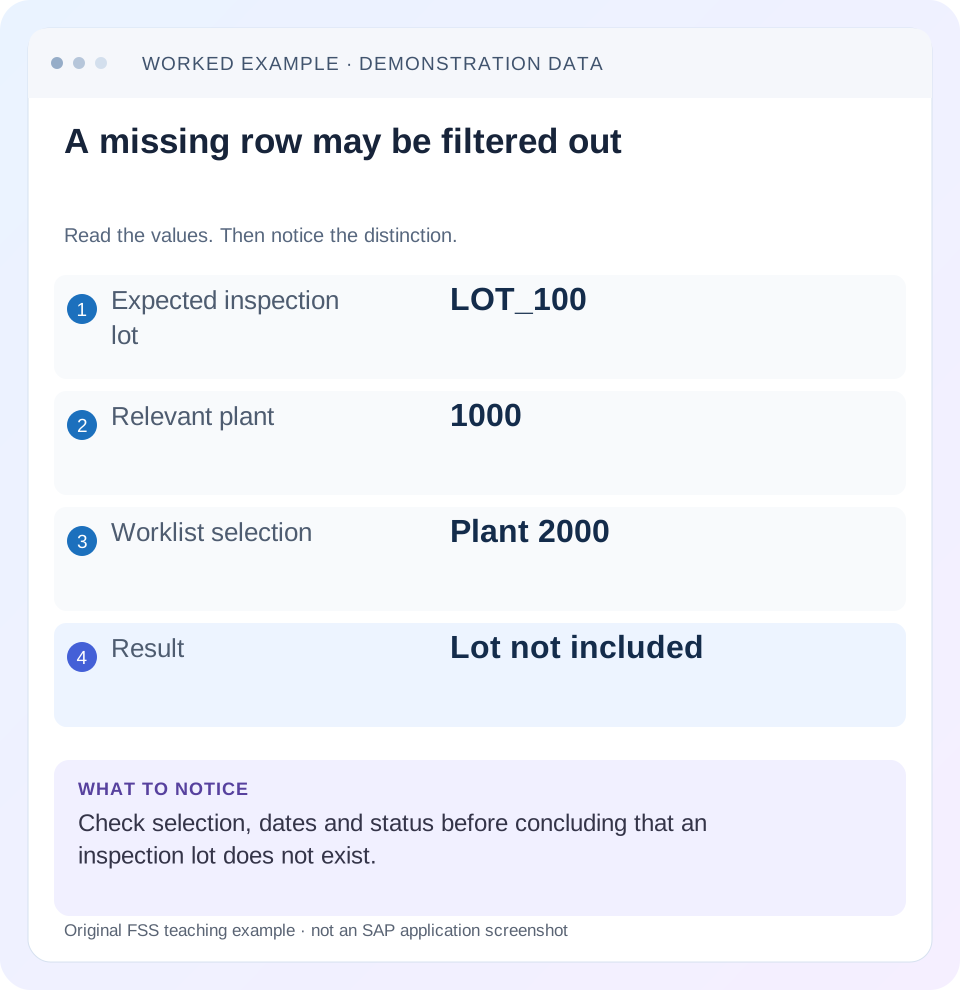
Read the example values
- Expected inspection lot
- LOT_100
- Relevant plant
- 1000
- Worklist selection
- Plant 2000
- Result
- Lot not included
Words you’ll meet in this guide
- Inspection lot
- A record grouping a quality inspection task.
- Characteristic
- Something to inspect, such as length or color.
- Usage decision
- The recorded conclusion about an inspection lot.
- Stock posting
- A recorded inventory change under a supported goods-movement process.
Preview the practical steps
SEE THE CONNECTION
See it in a simple example.
A small example to make the idea concrete.
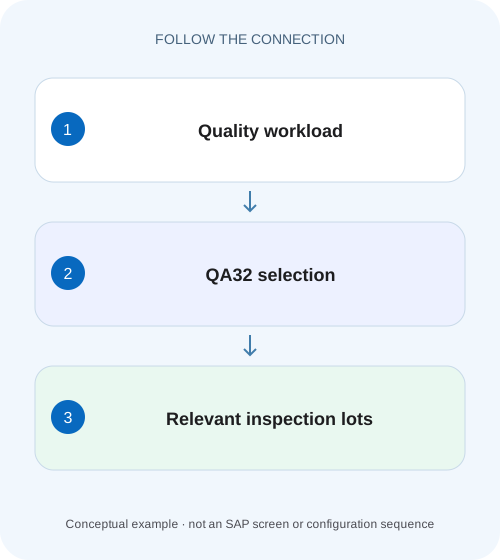
Prioritize incoming-component inspections
A quality manager needs separate queues for lots awaiting results, usage decisions and stock follow-up, so one undifferentiated list is insufficient.
A quality queue should identify the next required action
QA32 provides an inspection-lot processing worklist; QA33 is the documented display-oriented counterpart.
Understand the documented worklist information
SAP lists inspection lot, material, plant, quantity, outstanding characteristics, inspection start/end dates and processing status as worklist information.
Work four different lot states
Suppose all lots concern the same material at plant 1000.
Prioritize incoming-component inspections
A quality manager needs separate queues for lots awaiting results, usage decisions and stock follow-up, so one undifferentiated list is insufficient.
Choose status and selection criteria for the actual task before assigning inspection work or promising stock release.
| Reader | Business question | Evidence to carry forward |
|---|---|---|
| Factory quality and maintenance teams | Prioritize incoming-component inspections | Choose status and selection criteria for the actual task before assigning inspection work or promising stock release. |
01 A quality queue should identify the next required action
QA32 provides an inspection-lot processing worklist; QA33 is the documented display-oriented counterpart. Select the population around the business task, then read the lot's actual outstanding work. A missing row can be filtered out; an included green row does not automatically prove results, usage decision and stock posting are all complete.
This guide is for quality technicians and planners with appropriate display/processing access. You need plant, material, lot/origin, date basis and the action under review. The example uses four fictional lots with distinct next steps. It is not authorization to enter quality decisions merely to reduce a queue count.
02 Understand the documented worklist information
SAP lists inspection lot, material, plant, quantity, outstanding characteristics, inspection start/end dates and processing status as worklist information. Use those fields to explain workload. A total of four lots can represent very different effort if one awaits results, another awaits review and another only has inventory follow-up. [1]
The traffic-light monitor depends on a selected reference field and its valuation. Record that reference before interpreting color. A green date-based monitor may mean a timing condition is satisfactory, not that product quality is accepted. Never infer an entire inspection outcome from an unlabeled traffic light. [1]
03 Work four different lot states
Suppose all lots concern the same material at plant 1000. L100 has two outstanding required characteristics; L101 has completed results but no usage decision; L102 has a usage decision but an outstanding stock posting; L103 is fully processed under the fixture and should be excluded from a narrowly defined active queue.
A single“open lots”variant may not be suitable for all three active tasks. Define whether the queue is inspection execution, decision review or outstanding stock posting. Then verify inclusion/exclusion using the known lots rather than choosing filters until the number looks familiar.
| Lot | Evidence | Next action |
|---|---|---|
| L100 | 2 required characteristics outstanding | Complete authorized inspection/results |
| L101 | Results complete, no decision | Quality review/usage decision |
| L102 | Decision recorded,30 PC not posted | Stock-posting investigation |
| L103 | Required work complete | Historical reference, not active workload |
04 Select plant, origin and dates deliberately
An inspection lot can exist under another origin than the user expected. A production receipt lot and purchase receipt lot are different contexts. Match the business event and actual lot header. Also confirm whether the chosen dates refer to creation, inspection start/end or another available selection basis.
For a reported missing L100, display the known lot directly where permitted and compare its fields with the worklist. If its plant is 1000 while the variant selects 2000, the absence is explained without any lot-creation repair. Change one selection condition at a time to preserve the cause of inclusion.
05 Separate selection from layout
Selection determines which lots enter the population. Layout controls visible columns, sorting and filters available in the result. A hidden stock column can obscure the next task without excluding the lot. An active list filter can hide rows after initial selection, so inspect both stages when users disagree.
Retain lot number and material/plant identity in every working layout. A queue of material descriptions without lot IDs is difficult to process safely. If saving a variant/layout is permitted, name it around its purpose and document the actual criteria rather than relying on a generic“quality daily”title.
06 Investigate one lot end to end
Start with a known expected row, then confirm its actual state. Do not enter dummy results or an acceptance code to make it disappear. The worklist should reflect the quality process, not drive it toward a preferred color.
Define the queue purpose
Choose missing-results, decision-review or stock-posting follow-up.
Expected observation: L100/L101/L102 are not treated as identical work.
Capture selection and monitor
Record plant, material, origin, dates, status scope and traffic-light reference.
Expected observation: Another technician can reproduce the list.
Inspect representative lot evidence
Read outstanding characteristics, results, decision and stock context as relevant.
Expected observation: The next required action is specific.
Follow the authorized process
Perform only the approved quality/inventory action under the role.
Expected observation: A disappearing row has a verified business reason.
Recheck original lot
Compare resulting evidence and remaining obligations.
Expected observation: Completion is demonstrated beyond the list count.
07 Understand outstanding characteristics and decision readiness
A count of outstanding characteristics must be interpreted with the plan/lot's actual controls, including required or long-term characteristics where applicable. The worklist can identify an inspection gap, but the quality specification determines what is required. Inspect the characteristic rather than assuming every nonzero count blocks every decision identically.
If results are complete but decision is missing, review the approved inspection conclusion through the usage-decision process. Saving results is a technical checkpoint, not a substitute for the decision. If a decision exists while stock remains, follow posted/open quantities separately instead of changing the decision code repeatedly.
08 Troubleshoot missing rows and misleading completion
Preserve selection, observation time and actual lot status. The same lot can correctly leave one queue and remain in another after processing.
| Observation | Main question | Next evidence |
|---|---|---|
| Known lot missing | Plant/origin/date/status excluded? | Direct lot fields and variant |
| All rows green | What monitor reference? | Selected reference-field definition |
| Lot leaves results queue | Results completed or filter changed? | Characteristic completion evidence |
| Decision exists, stock remains | Posting still outstanding? | Lot-stock quantities/material documents |
| Two users see different rows | Variant/layout/access difference? | Same known lot and selection |
| No characteristics available | Specification/sample ready? | Plan assignment and lot-preparation state |
09 Make stock follow-up its own evidence path
SAP documents worklists for lots with outstanding stock postings, including outstanding quantities after decision. Use that concept when L102's 30 PC remain. The question is whether quantity is still unposted, already posted to another permitted category, or affected by integration/processing errors. [2]
Do not post the whole lot quantity again simply because the expected inventory screen is unchanged. Trace material documents and the remaining lot quantity first. A quality queue should link the inventory owner to a specific open quantity and document path, not invite duplicate movements.
10 Verify a variant with known included and excluded lots
The positive test includes L100 in the missing-results population. The negative test excludes L103 for the defined completed scope while keeping it available for historical display. A boundary test moves the date range across L100's relevant date and explains the resulting visibility without implying deletion.
Test L101 and L102 in their respective follow-up queues after results/decision processing. Capture actual messages and statuses in the authorized fixture. These are proposed tests, no results, decisions or stock postings were executed. A correct queue validates selection and workflow visibility, not the physical product's quality.
11 Build three purposeful queues from the same four-lot fixture
Define queue R for required results, queue D for decision review, and queue S for outstanding stock posting. Under the fixture, L100 belongs in R, L101 in D and L102 in S; L103 is the completed historical control. Record the actual installed selection criteria that produce those populations rather than claiming these letters are delivered SAP variants.
When L100's two required characteristics are completed, it can legitimately leave R and enter D if decision is the next outstanding step. After decision, it can leave D while still appearing in S if stock posting remains. The changing row count reflects process progression across queues, not disappearance of quality history. Preserve the lot ID through every handoff.
For a planning review, report counts by next action rather than one unexplained total. A queue of thirty lots awaiting measurements needs different resources from thirty lots awaiting stock posting. Include lot quantity and dates so the team can prioritize actual workload without treating each row as equal effort.
12 Test monitor meaning and post-processing membership explicitly
Choose one monitor reference available in the installed selection and document what its traffic-light valuation means. Compare two lots that differ on that reference while holding their processing state clear. A color test should demonstrate the selected monitor definition; it should not be presented as proof that the lot's product passed inspection.
For L102, retain the 30-PC outstanding quantity and its actual posted-stock evidence. After an approved posting, refresh the same queue and inspect L102 directly. If it leaves S, confirm that the remaining quantity is now zero under the intended allocation and that material documents show the correct category. If it remains, read its current quantity/messages instead of changing the quality decision to hide it.
For an omitted-row test, use L100 at plant 1000 and a variant selecting 2000. Correct only the plant selection and verify inclusion. Then restore plant 1000 but move the relevant date outside the range. This two-step test demonstrates two independent exclusions and helps technicians learn which field actually explained a missing row.
Compare QA32 processing access with QA33 display access using the permitted roles. Both should support the intended read investigation where documented, but only the authorized process should perform quality/inventory actions. An access problem should be reported with object, action and message rather than solved by granting broad change access to everyone who needs a queue.
Leave the queue definition with known included/excluded lots, monitor reference, observation time and expected next action. Recheck it after plan/status policy changes. This makes recurring quality workload review maintainable and prevents a saved variant from silently becoming a historical report or an incomplete processing queue.
13 Questions and useful handover
Does QA32's green light mean accepted stock? Only its configured reference meaning can be inferred. Should display-only users request processing access? Use QA33 or the permitted display route when reading is sufficient. Does an empty queue prove no inspection work exists? Verify scope and known reference lots.
Close with variant/criteria, lot IDs, monitor reference, observed next steps and owners. Continue with inspection origin/type for event context, QP03 for plan readiness, and usage-decision stock posting for unresolved inventory quantities.
Related services and next steps
Primary sources
Found this useful?
Share this guide with your network, or leave a like.
Your like is saved in this browser.