SAP QP03: Check inspection-plan usage, status and validity before changing results
An incoming-quality team sees unexpected inspection requirements for a supplied component and needs the plan applicable to that lot's context.

Source review:
START HERE · NO PRIOR TOPIC KNOWLEDGE NEEDED
What it is. Why it matters.
An inspection plan describes which quality checks to perform and how they are organized. QP03 displays relevant classic plans; usage, status and validity help determine whether a plan applies.
Completely new to SAP?
Manufacturers use SAP to connect work such as buying components, recording inventory, planning production, shipping equipment and accounting for costs. SAP S/4HANA is an enterprise resource planning system: it connects these activities through shared business data.
Quality Management defines and records inspections. The planned check, the measured result and the final decision serve different purposes, and any stock movement needs its own evidence.
A transaction code, or t-code, is a shortcut to a task in classic SAP GUI. Fiori apps provide another way to work. Names and screens depend on the product and release; you do not need a live system to learn the concepts in this guide.

Scope and source-review notes
Scope and evidence
Source review by FAST SAP SOLUTIONS® editorial. This badge describes our editorial review; it does not represent SAP certification or independent endorsement.
SAP ERP/S/4HANA classic inspection-plan display QP03 and plan-selection concepts. Specialized stability plans,material specifications,routing inspections and EWM processes may require different applications and selection rules.
Documentation review on 14 November 2026 used the official SAP sources listed below, including indexed excerpts where full text was unavailable. Scope and availability depend on the stated product, release and configuration. All document references, quantities, dates and outcomes in worked cases are illustrative; no customer SAP system or tenant was accessed and the proposed exercises were not executed.
A MANUFACTURING EXAMPLE
Check the inspection plan for a component lot
Which plan applied then?
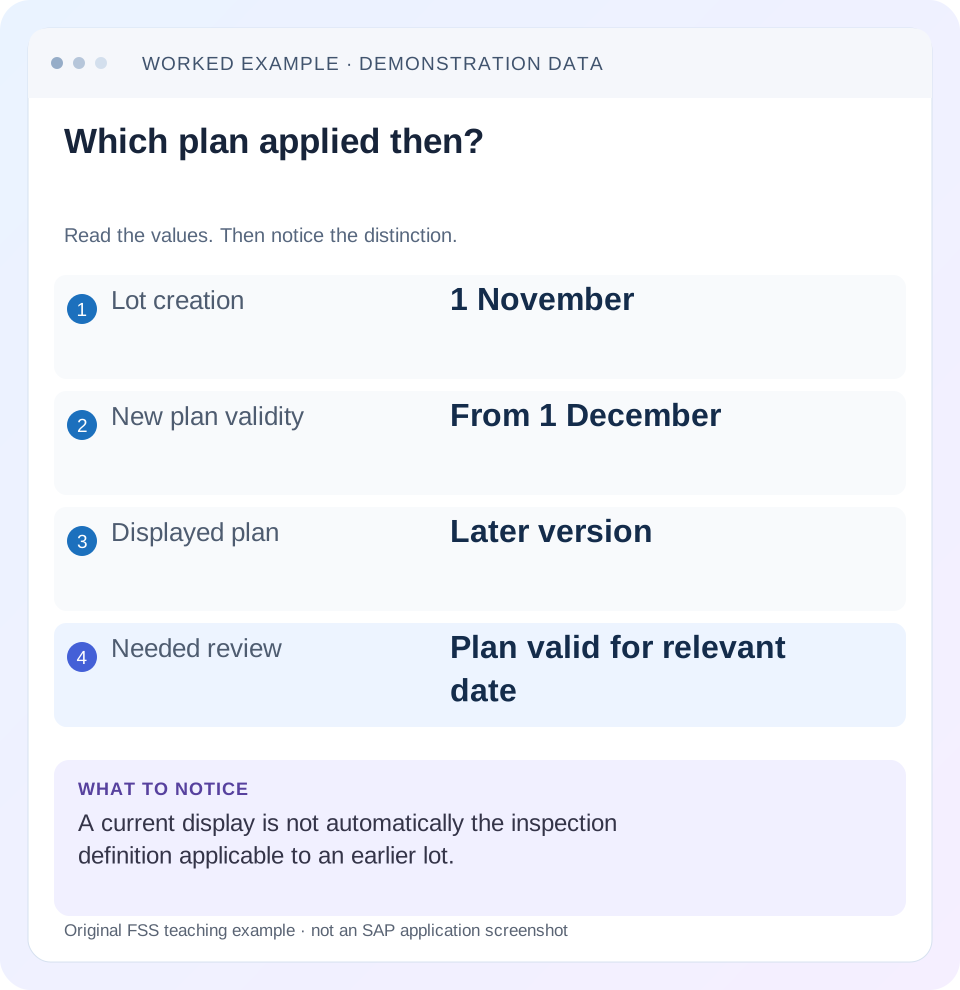
Read the example values
- Lot creation
- 1 November
- New plan validity
- From 1 December
- Displayed plan
- Later version
- Needed review
- Plan valid for relevant date
Words you’ll meet in this guide
- Inspection lot
- A record grouping a quality inspection task.
- Characteristic
- Something to inspect, such as length or color.
- Usage decision
- The recorded conclusion about an inspection lot.
- Stock posting
- A recorded inventory change under a supported goods-movement process.
Preview the practical steps
SEE THE CONNECTION
See it in a simple example.
A small example to make the idea concrete.
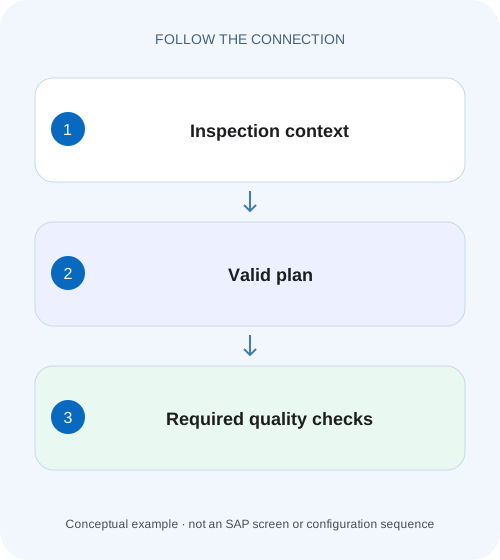
Check the inspection plan for a component lot
An incoming-quality team sees unexpected inspection requirements for a supplied component and needs the plan applicable to that lot's context.
A displayable plan is not automatically the eligible plan
QP03 displays inspection-plan data.
Understand plan identity and assignment
SAP's inspection-planning documentation lists assigned materials, task-list group/group counter, plant, usage, status, planner context and lot-size validity among plan data.
Read usage, status and date as a combination
Usage aligns the plan with the inspection purpose; status determines relevant processing eligibility under configuration; validity determines the effective definition.
Check the inspection plan for a component lot
An incoming-quality team sees unexpected inspection requirements for a supplied component and needs the plan applicable to that lot's context.
Compare plan usage, status, validity and selection evidence before changing recorded results.
| Reader | Business question | Evidence to carry forward |
|---|---|---|
| Factory quality and maintenance teams | Check the inspection plan for a component lot | Compare plan usage, status, validity and selection evidence before changing recorded results. |
01 A displayable plan is not automatically the eligible plan
QP03 displays inspection-plan data. Whether that plan applies to a lot also depends on material/plant assignment, usage, status, validity, quantity range and the inspection context. A plan that looks correct today may not explain a lot created under an earlier definition. Reconstruct selection before changing historical results or duplicating master data.
This guide is for quality planners and support analysts with display access to the lot and inspection plan. You need material, plant, lot quantity, relevant selection date, origin/type and plan group/counter. The case uses a fictional received component and date-based specification change; it does not prescribe product tolerances or assume every inspection uses a standalone plan.
02 Understand plan identity and assignment
SAP's inspection-planning documentation lists assigned materials, task-list group/group counter, plant, usage, status, planner context and lot-size validity among plan data. Capture the full identity. Two group counters can represent different methods even when their descriptions are similar. [1]
A material assignment connects a product/context to the plan. A plan can exist without the expected assignment or with another plant. Read the assignment explicitly rather than inferring it from a familiar characteristic. If the lot already selected another plan, record that actual reference before searching for the preferred one.
03 Read usage, status and date as a combination
Usage aligns the plan with the inspection purpose; status determines relevant processing eligibility under configuration; validity determines the effective definition. A correct characteristic list cannot compensate for an inappropriate usage or unreleased/noneligible state. The actual inspection-type/task-list selection settings decide which usage/status context matters.
Do not universalize a numeric usage or status from another system's training document. Read the configured meaning and installed field help. For a missing plan, compare the first failed eligibility condition rather than creating an identical duplicate whose selection is equally unexplained.
04 Work a historical specification change
Suppose plan group Q100, counter 1, is assigned to material C10 at plant 1000 for the relevant receipt-inspection purpose. Through 30 November it specifies diameter 9.90–10.10 mm. An approved revision valid 1 December narrows the illustrative limits to 9.95–10.05. Lot LNOV was created for 1,000 PC in November; LDEC is a new December lot under the intended selection process.
A November 9.92-mm result is inside the old illustrative range and outside the new one. That does not justify changing the recorded value or retrospectively treating the lot as if it had used December's plan. Establish the actual applicable specification and follow the quality change process for any required reassessment.
| Context | Relevant definition | Investigation result to verify |
|---|---|---|
| LNOV November selection | 9.90–10.10 mm | Earlier lot specification |
| QP03 December/current display | 9.95–10.05 mm | Current master definition |
| LDEC December selection | 9.95–10.05 mm | New lot expected under approved revision |
| Different plant 2000 | Assignment not established | Do not infer eligibility from 1000 |
| Quantity outside plan range | Coverage not established | Review lot-size applicability |
05 Navigate from operation to characteristics
SAP's QP03 best-practice procedure documents opening Display Inspection Plan, entering material/plant, selecting the relevant group entry and choosing an operation's Inspection Characteristics. Use this to inspect the actual characteristic overview rather than stopping at the plan header. [2]
Compare characteristic identity, type, unit, limits, method, sampling and required recording controls as applicable. A plan can have correct header eligibility but incomplete or wrong characteristic data. Keep header selection and inspection-content review as separate checks so the cause is not reduced to a vague“plan issue.”
06 Inspect the lot's assigned specification
An existing lot can preserve the specification selected during preparation. Reading current master data alone cannot prove its contents. Display the lot's actual operations/characteristics and plan reference, then compare with the reconstructed historical plan.
Capture lot context
Record LNOV, material C10, plant 1000,1,000 PC, origin/type and selection date.
Expected observation: Historical comparison has explicit inputs.
Read QP03 header and assignments
Compare group/counter, usage, status, validity and lot-size range.
Expected observation: Eligibility is established or a specific gap appears.
Open operation characteristics
Inspect diameter unit, limits, method and sampling context.
Expected observation: 9.90–10.10 is distinguished from 9.95–10.05.
Compare actual lot specification
Read the characteristics assigned to LNOV rather than assuming current synchronization.
Expected observation: Earlier results remain explainable.
07 Account for specialized planning paths
A production inspection can use characteristics in a routing rather than the standalone plan assumed here. A material specification or specialized stability-study structure can also change the relevant inspection-definition path. Identify which specification source the lot actually uses.
If QP03 does not expose the required specialized data, verify the documented application for that plan type, such as the Engineering Workbench scenario referenced by SAP's stability guidance. Do not create another ordinary plan just to fill an apparent display gap. Tool choice follows the inspection design. [3]
08 Troubleshoot eligibility and content separately
A missing assignment and an out-of-date characteristic can both prevent the intended inspection, but their corrective actions differ. Preserve the original lot and plan references while narrowing the cause.
| Observation | Main question | Next evidence |
|---|---|---|
| Plan displayed, no selection | Eligible usage/status/date/quantity? | Header and selection controls |
| Correct plan, wrong plant | Material assignment? | Assignment plant/material |
| Current limits differ from old lot | Historical definition? | Lot selection date and actual specification |
| No characteristics in lot | Specification preparation complete? | Lot status, plan assignment and messages |
| Only large lots fail | Lot-size range gap? | Plan/assignment quantity coverage |
| Expected data absent in QP03 | Specialized specification/tool? | Actual plan type and documented route |
09 Avoid rewriting history through master-data fixes
A future plan revision should have approved scope, effectivity and consumer review. It does not automatically decide what happens to existing lots or completed results. Identify which open lots require controlled reassignment or reinspection under the actual process instead of assuming every object should mirror today's plan.
For C10, retain the old/new limits and approval reference. If an incorrectly selected plan caused inspection under the wrong specification, document that defect explicitly and determine the quality disposition with the owner. Do not replace the evidence with a cosmetic result edit that hides the original selection failure.
10 Verify date, quantity and assignment boundaries
The positive checks select the intended November and December definitions for representative lots. The negative control uses plant 2000 without the required assignment and confirms that it is not incorrectly treated as plant 1000. A date boundary compares 30 November and 1 December under the actual selection rules.
Add quantity tests at and beyond the plan's declared range, and inspect all required characteristics, not only the diameter row. These are proposed checks, no inspection plan or lot was changed. Successful display is one checkpoint; successful preparation and correct execution specification are separate outcomes.
11 Use a plan-eligibility worksheet before reviewing individual results
For LNOV, write material C10, plant 1000, lot 1,000 PC, selection date, origin/type, expected usage and actual selected group/counter. In QP03, record assignment, header status, validity and quantity coverage beside those inputs. Mark each condition as matching, not matching or not yet established. This prevents a familiar diameter row from being treated as proof that the whole plan was eligible.
For a quantity-range fixture, assume counter 1 covers 1–999 PC and counter 2 covers 1,000–5,000 PC under the same approved inspection purpose. A1,000-PC lot lies on the second range's lower boundary. Looking only at counter 1 because its text says“incoming inspection”can produce the wrong conclusion even when both plans are valid records.
Test 999 and 1,000 PC with the same date/material/plant and inspect the actual selected plan under the installed selection rule. If ranges overlap, do not assume the application selects the numerically highest counter. Resolve selection priority from the actual process and record the chosen plan. The worksheet should make this ambiguity visible before results are entered.
12 Review a changed plan against open and newly prepared lots
Suppose the approved December revision changes both diameter limits and sampling from an illustrative 20 to 30 units. A plan display can show the new limits while an existing lot still carries its earlier 20-unit specification. Compare the lot's assigned characteristic and sample evidence directly; neither a current master screenshot nor a completed old result count establishes the new lot's scope.
Use three controlled observations: an earlier November lot, a newly prepared December lot, and an open lot created before the change but inspected afterward. For each, record the actual specification selected and the quality team's required handling. The third case forces an explicit decision about existing work rather than assuming inspection date alone overwrites preparation history.
If the open lot used the wrong plan because of an assignment error, describe the error and determine the supported correction/reinspection path. Do not simply enter ten extra results or change limits in a local screen without preserving which definition originally applied. The resulting audit trail should explain original selection, approved correction and final inspection evidence.
Also compare the inspection operation and method. A matching numeric range can hide a different measurement position or instrument method. Review required qualitative checks and sampling alongside the diameter example so the plan is assessed as a complete inspection definition, not a single tolerance row.
For acceptance, retain one eligible plan context, one deliberately wrong-plant or out-of-range context, and the exact date boundary. Verify header eligibility, assigned lot characteristics and sample requirements as separate outcomes. A successful QP03 display is only the first read checkpoint; the practical goal is a reproducible explanation of what this lot was supposed to inspect and why.
13 Questions and related lessons
Does QP03 prove a lot used that plan? Inspect the lot reference and assigned characteristics. Is today's validity date always correct for an old incident? Use the event's selection context. Should a new plan be created whenever selection fails? Diagnose assignment/eligibility first.
Close with lot inputs, plan identity, eligibility evidence, actual specification and the explained difference. Continue with MIC reuse for shared definitions, sampling for sample determination, and QA32 for the resulting inspection workload.
Related services and next steps
Primary sources
Found this useful?
Share this guide with your network, or leave a like.
Your like is saved in this browser.