SAC live versus import connections: Where does the data reside?
A production manager compares an analytics result with a more recent operational change, while the report may use a live or imported connection.

Source review:
START HERE · NO PRIOR TOPIC KNOWLEDGE NEEDED
What it is. Why it matters.
A live connection queries a source during analysis; an import connection copies data into SAP Analytics Cloud. Their freshness and operational dependencies therefore differ.
Completely new to SAP?
Manufacturers use SAP to connect work such as buying components, recording inventory, planning production, shipping equipment and accounting for costs. SAP S/4HANA is an enterprise resource planning system: it connects these activities through shared business data.
Analytics organizes business data into useful comparisons. Planning adds proposed future values. Learn what the numbers represent before comparing totals or changing a forecast.
A transaction code, or t-code, is a shortcut to a task in classic SAP GUI. Fiori apps provide another way to work. Names and screens depend on the product and release; you do not need a live system to learn the concepts in this guide.

Scope and source-review notes
Scope and evidence
Source review by FAST SAP SOLUTIONS® editorial. This badge describes our editorial review; it does not represent SAP certification or independent endorsement.
SAP Analytics Cloud live versus imported/acquired analytics. Exact connector capabilities,authentication,network requirements and planning support depend on the source and tenant release.
Documentation review on 14 November 2026 used the official SAP sources listed below, including indexed excerpts where full text was unavailable. Scope and availability depend on the stated product, release and configuration. All document references, quantities, dates and outcomes in worked cases are illustrative; no customer SAP system or tenant was accessed and the proposed exercises were not executed.
A MANUFACTURING EXAMPLE
Explain the freshness of a factory dashboard
Freshness depends on connection
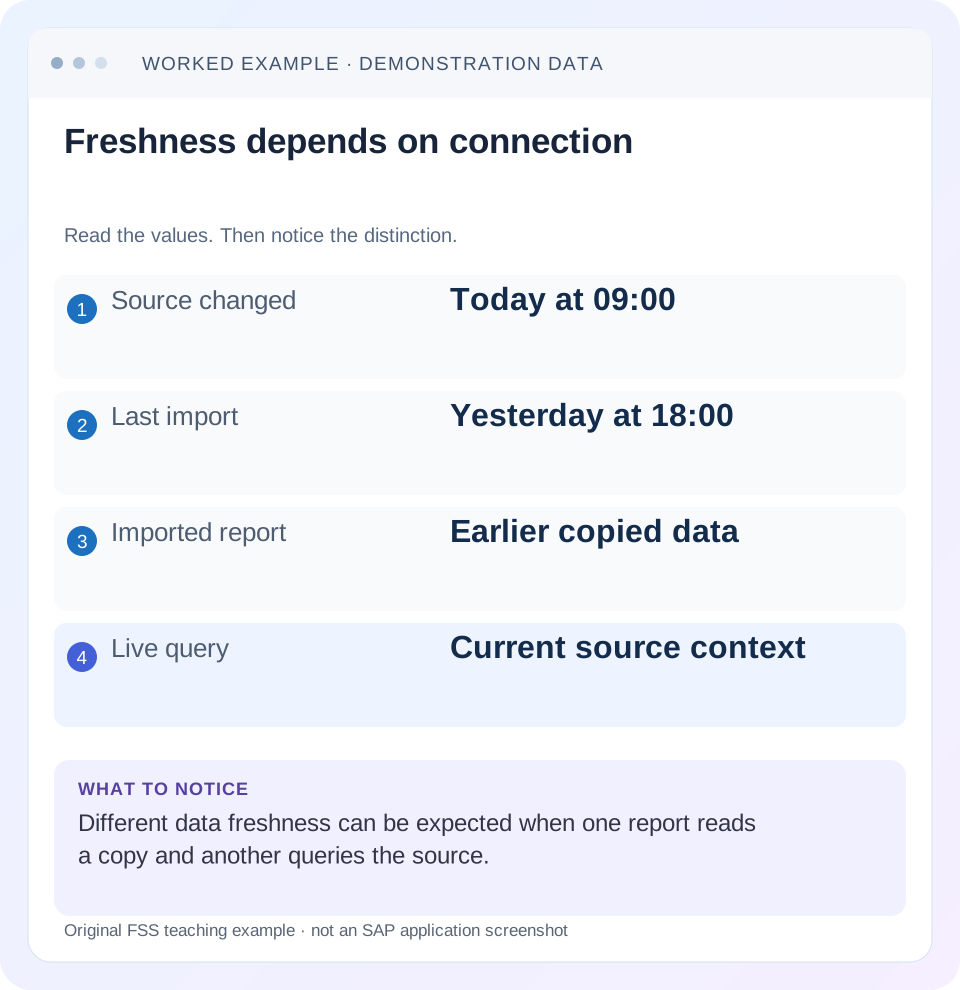
Read the example values
- Source changed
- Today at 09:00
- Last import
- Yesterday at 18:00
- Imported report
- Earlier copied data
- Live query
- Current source context
Words you’ll meet in this guide
- Dimension
- A way to group data, such as month or product.
- Measure
- A numeric value, such as revenue or quantity.
- Model
- A defined organization of data and calculation rules.
- HANA
- SAP’s database platform.
- SAC
- SAP Analytics Cloud: a cloud application for analytics and planning.
Preview the practical steps
SEE THE CONNECTION
See it in a simple example.
A small example to make the idea concrete.
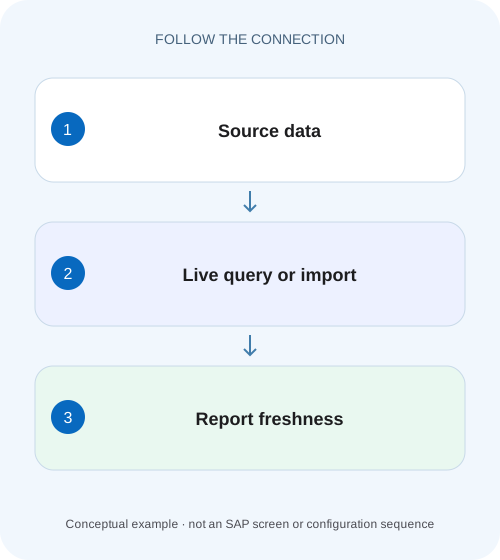
Explain the freshness of a factory dashboard
A production manager compares an analytics result with a more recent operational change, while the report may use a live or imported connection.
Start with where the analytical facts reside
With an import connection, SAC copies data into its acquired model or dataset.
Understand the import lifecycle
SAP's import overview states that data is copied to SAC and source changes do not automatically alter that copy.
Understand the live lifecycle
SAP's feature-scope description distinguishes live connections that use source models without replicating the data into SAC from import connections that replicate data and refresh it.
Explain the freshness of a factory dashboard
A production manager compares an analytics result with a more recent operational change, while the report may use a live or imported connection.
Identify the connection and refresh context before promising that the dashboard shows the latest shop-floor state.
| Reader | Business question | Evidence to carry forward |
|---|---|---|
| SAP developers and application teams supporting manufacturers | Explain the freshness of a factory dashboard | Identify the connection and refresh context before promising that the dashboard shows the latest shop-floor state. |
01 Start with where the analytical facts reside
With an import connection, SAC copies data into its acquired model or dataset. Source changes become visible only through the applicable new import or refresh process. With a live connection, the analysis queries the connected source rather than replicating that fact dataset into SAC. This distinction tells you where to investigate freshness, model semantics, authorization and calculation behavior.
This guide is for analytics designers and support analysts deciding how to connect an operational production report. You need the source technology, the SAC model/connection identity, a known source change and both source and consumer timestamps. It does not promise identical features across BW, HANA, S/4HANA, Datasphere or other connectors. Select the current source-specific connection documentation before implementing authentication or network components.
02 Understand the import lifecycle
SAP's import overview states that data is copied to SAC and source changes do not automatically alter that copy. Treat an acquired model as its own maintained analytical state. The pipeline includes source selection, transfer, mapping and successful model update; the time a job started is not necessarily the time a complete new population became available. [1]
An import design can support local modeling and transformations within its available capabilities, but it needs an explicit refresh contract. Define what period and population are reloaded, how corrections are applied, and what failures leave behind. A scheduled job does not guarantee the latest source data if credentials fail, a filter excludes new records or mapping rejects them.
03 Understand the live lifecycle
SAP's feature-scope description distinguishes live connections that use source models without replicating the data into SAC from import connections that replicate data and refresh it. Live therefore shifts substantial semantic and authorization responsibility to the source. It does not guarantee that every upstream source view is itself current or that every display refresh has identical caching behavior. [2]
A live report can still show yesterday's production if its BW provider was not loaded or activated today. Identify the source model and its preparation dependencies. “Live” describes the connection architecture, not an assertion that operational events bypass all upstream processing. Likewise, it does not establish a universal network topology: direct, tunnel and other connector options have separate requirements.
04 Work through an hourly production discrepancy
Suppose an illustrative source model has good quantity 1,000 PC at 08: 00. SAC imports it successfully at 08: 05. At 08: 30, a further 100 PC are posted and become visible in that source model. At 08: 40, the acquired SAC report still shows 1,000, while a fresh live query against the updated source returns 1,100 under equivalent scope. The difference is consistent with the import timestamp.
The scenario assumes equivalent material, plant, date and authorization context, and that the source update is already available to the queried model. If those assumptions fail, a 100-PC difference may be caused by filters or source preparation rather than refresh architecture. Prove the assumptions with one known order before adopting the timeline as the explanation.
| Time | Source state | Acquired SAC state |
|---|---|---|
| 08: 00 | 1,000 PC | Earlier import state |
| 08: 05 successful import | 1,000 PC | 1,000 PC |
| 08: 30 source update available | 1,100 PC | Still 1,000 PC |
| 08: 40 equivalent live query | 1,100 PC | Still 1,000 PC |
| 09: 05 successful next import | 1,100 PC | 1,100 PC |
05 Compare the design responsibilities
Choose a connection based on source semantics, data residency, latency, local modeling needs and supported features. Avoid deciding solely from the label “real time.” A well-governed hourly acquired model can be appropriate for management reporting; an operational exception monitor may need a different freshness contract.
| Concern | Import/acquired | Live |
|---|---|---|
| Fact persistence | Copy maintained in SAC | Facts queried from source |
| Freshness evidence | Successful import and scope | Query plus upstream source state |
| Model changes | SAC acquired-model design | Source model and connector capabilities |
| Authorization | SAC model security and import access | Source identity/authorizations plus SAC access |
| Failure investigation | Import job, mapping and target | Connectivity, authentication and source query |
06 Diagnose the actual connection before repairing it
A story can contain several models, so identify the model behind the specific widget. A live chart next to an acquired chart does not make both live. Capture the connection type from the model rather than inferring it from the page title or a scheduled job with a similar name.
Identify the affected widget's model
Record connection, source object and measures/filters.
Expected observation: The data path is explicit.
Compare a known business key
Use the same order, plant, date and quantity unit in source and SAC.
Expected observation: Differences in scope are excluded first.
Establish the refresh boundary
For import, inspect the last successful job and selected population; for live, inspect source preparation and query context.
Expected observation: Freshness has evidence rather than an assumed label.
Verify the next expected event
Follow a controlled source change through the appropriate path.
Expected observation: The 100-PC change appears under the documented contract.
07 Troubleshoot freshness and access separately
A missing row can reflect stale data, a source filter, DAC, a source authorization or an incomplete upstream load. A successful connection test proves only a limited connectivity condition; it does not prove every user can query every source object or that the model contains the latest records.
| Observation | Likely investigation | Evidence |
|---|---|---|
| Import report old | Last successful refresh | Job end, state, selection and target update |
| Live report old | Upstream source availability | Same source query and load/activation state |
| One user sees less | Effective authorization | Source identity, SAC rights and known permitted key |
| Model correct, widget different | Story context | Filters, calculations and model identity |
| Connection test passes, query fails | Object-specific capability/access | Actual query error and source object |
| Refresh green, known row missing | Scope or mapping | Import filters and rejected-row handling |
08 Plan authentication and infrastructure per connector
SAC's connection documentation lists separate live and import connection procedures for supported sources. The import overview also notes that not every connection requires the Cloud Connector or SAC agent. Do not install components from an unrelated connector tutorial merely because the source sits on premises. [3]
Document the actual authentication flow and which identity reaches the source. Scheduled imports and interactive live queries can use different credential patterns. If a refresh fails after a personnel or credential change, inspect the configured service/connection ownership rather than broadening access. Keep secrets out of incident notes; retain the connection name, error and approved credential-maintenance reference instead.
09 Verify corrections and deletion behavior
A freshness test should include a changed existing record, not just a new row. If order A changes from 100 to 90 PC, the acquired model must apply that correction under its import/update design. An append-only load of both snapshots would produce 190 and is incorrect for a current-state quantity. Live analysis must also query the source object that actually exposes the corrected state.
Include a negative case outside the agreed plant selection and a boundary around the refresh window. State what users should see while a refresh is running or has failed according to the model's documented behavior. Do not promise atomic replacement or automatic deletion propagation without checking the connector and import mode.
10 Set a useful freshness contract
For the example, the contract could say that the acquired management report refreshes hourly after source preparation completes, and its latest successful refresh time is visible to support. A separate live analysis queries the approved current source model for operational checks. These are illustrative design choices, not SAP default schedules or measured performance claims.
Define how support will distinguish an overdue refresh from an upstream source delay and whom to involve at each stage. Use one documented known-change test after connector or model changes. It is more informative than repeatedly pressing refresh and comparing unexplained totals.
11 Define a correction test as well as a freshness test
Extend the timeline with an 08: 50 correction: one order's reported output changes from 100 to 90 PC, bringing the source total from 1,100 to 1,090. A live query of the updated source model under equivalent context should reflect that current state after the relevant refresh/query behavior. The 09: 05 acquired refresh should also reach 1,090 under its implemented current-state update contract.
If the acquired model instead shows 2,090 after appending the new 1,090 population to its old 1,000 population, the defect is import/update design, not simply refresh frequency. If it stays 1,000, the next branch is failed/incomplete refresh or selection. If it reaches 1,100 but misses the correction, inspect correction/update semantics and source selection. These distinct outcomes identify what to investigate before changing the connection architecture.
Use the same source object for the comparison. A direct operational table total and a prepared BW-query total may differ because business transformations or exclusions are intentional. Live versus import is only one dimension of the design; semantic equivalence must be established first.
12 Measure the freshness chain with observable timestamps
Record event time, source-model availability time, import-job completion time where applicable, and consumer observation time. In the fixture, the additional 100 PC exists operationally before it becomes available in the approved analytical source. That upstream interval is different from the interval between source availability and the next successful import. Combining them into one “SAC delay”can send support to the wrong owner.
For a live incident, record the source query/identity and what the user actually refreshed. For an import incident, retain the successful job's scope and accepted target result. A connection ping or scheduled start time is not the same observation. This timestamp chain supports an explicit service expectation without inventing latency measurements or promising that every posting becomes visible immediately.
13 Questions before choosing a connection
Does live mean no source processing is needed? No, the source model still needs valid, current data. Does import refresh automatically after every posting? Only if the implemented supported process provides that behavior; ordinary acquisition requires its refresh path. Can every live model use every SAC planning feature? Feature support is source- and model-specific, so verify the intended planning design separately.
Close a discrepancy with model identity, source object, filters, authorization context, last successful import or source-preparation time, and the known changed key. Continue with BW process chains for upstream preparation, DAC for local model restrictions, and dimensions/measures for comparing semantically equivalent values.
Related services and next steps
Primary sources
Found this useful?
Share this guide with your network, or leave a like.
Your like is saved in this browser.