BW/4HANA ADSOs: Choose the modeling behavior before loading data
A manufacturer's reporting team needs to distinguish the aDSO storage and processing state from the production transactions represented by its data.

Source review:
START HERE · NO PRIOR TOPIC KNOWLEDGE NEEDED
What it is. Why it matters.
An advanced DataStore object, or aDSO, stores and organizes data in SAP BW/4HANA. Its modeling settings define how incoming data is handled for reporting and further processing.
Completely new to SAP?
Manufacturers use SAP to connect work such as buying components, recording inventory, planning production, shipping equipment and accounting for costs. SAP S/4HANA is an enterprise resource planning system: it connects these activities through shared business data.
Analytics organizes business data into useful comparisons. Planning adds proposed future values. Learn what the numbers represent before comparing totals or changing a forecast.
A transaction code, or t-code, is a shortcut to a task in classic SAP GUI. Fiori apps provide another way to work. Names and screens depend on the product and release; you do not need a live system to learn the concepts in this guide.

Scope and source-review notes
Scope and evidence
Source review by FAST SAP SOLUTIONS® editorial. This badge describes our editorial review; it does not represent SAP certification or independent endorsement.
SAP BW/4HANA standard and staging ADSO concepts. Uses current SAP Learning descriptions; property combinations and available management functions must be checked against the installed BW/4HANA release.
Documentation review on 14 November 2026 used the official SAP sources listed below, including indexed excerpts where full text was unavailable. Scope and availability depend on the stated product, release and configuration. All document references, quantities, dates and outcomes in worked cases are illustrative; no customer SAP system or tenant was accessed and the proposed exercises were not executed.
A MANUFACTURING EXAMPLE
Read loaded production-reporting data
A correction needs the intended update semantics
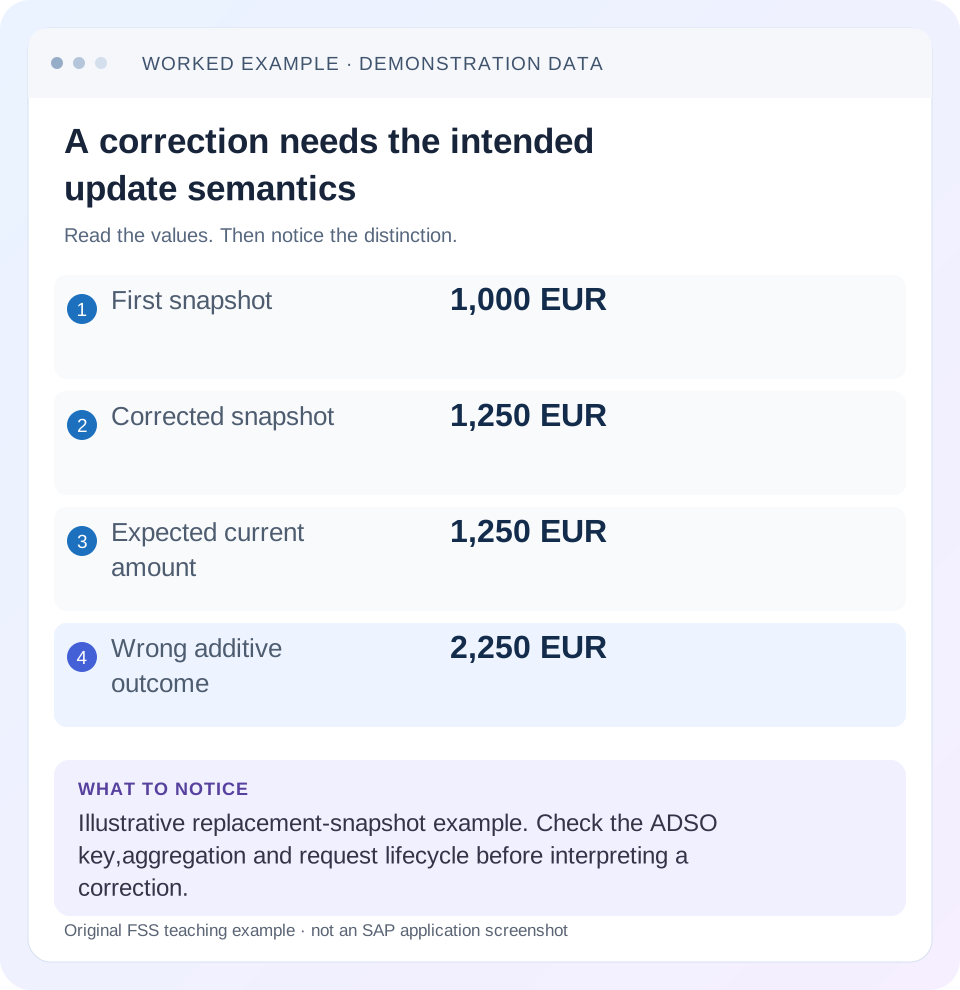
Read the example values
- First snapshot
- 1,000 EUR
- Corrected snapshot
- 1,250 EUR
- Expected current amount
- 1,250 EUR
- Wrong additive outcome
- 2,250 EUR
Words you’ll meet in this guide
- Dimension
- A way to group data, such as month or product.
- Measure
- A numeric value, such as revenue or quantity.
- Model
- A defined organization of data and calculation rules.
- HANA
- SAP’s database platform.
- aDSO
- Advanced DataStore object: a SAP BW/4HANA object that stores and organizes data.
- DTP
- Data Transfer Process: a configured process that moves data in SAP BW.
Preview the practical steps
SEE THE CONNECTION
See it in a simple example.
A small example to make the idea concrete.
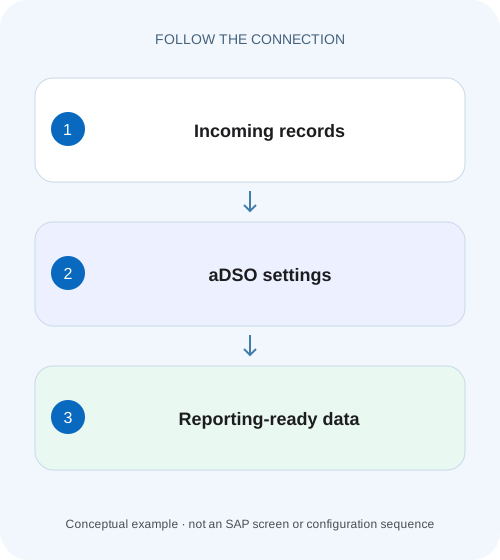
Read loaded production-reporting data
A manufacturer's reporting team needs to distinguish the aDSO storage and processing state from the production transactions represented by its data.
Start with the result the ADSO must preserve
An advanced DataStore object is a persisted data model whose behavior depends on its modeling properties.
Understand the three storage roles
SAP Learning describes inbound, active-data and change-log tables as the core storage roles of the ADSO.
Define the key before choosing overwrite or summation
Consider a fictional daily production-cost feed with plant, order, posting date and actual cost.
Read loaded production-reporting data
A manufacturer's reporting team needs to distinguish the aDSO storage and processing state from the production transactions represented by its data.
Trace the relevant load and reporting context before claiming that a visible record proves a completed shop-floor posting.
| Reader | Business question | Evidence to carry forward |
|---|---|---|
| SAP developers and application teams supporting manufacturers | Read loaded production-reporting data | Trace the relevant load and reporting context before claiming that a visible record proves a completed shop-floor posting. |
01 Start with the result the ADSO must preserve
An advanced DataStore object is a persisted data model whose behavior depends on its modeling properties. Before loading records, decide whether you need an auditable arrival layer, a consolidated current business state, a downstream delta source, or a combination supported by your release. A technical object name does not answer any of those questions. A successful load can coexist with a report that still shows an earlier state when activation is outstanding.
This tutorial is for BW modelers and support analysts who can inspect an ADSO and its DTP requests. You need the semantic key, field aggregation behavior, source-record semantics and the reporting consumer. Use BW Modeling Tools for definition and the supported BW/4HANA management interface for requests. The examples concern BW/4HANA ADSOs, rather than a classic BW DataStore object or a generic HANA table.
02 Understand the three storage roles
SAP Learning describes inbound, active-data and change-log tables as the core storage roles of the ADSO. Which roles are present and used depends on its type and properties. In a standard ADSO with activation and a change log, arrivals are processed into the active business state, and changes can support downstream delta processing. Do not assume every ADSO has the same lifecycle merely because all objects are called ADSOs. [1]
The inbound role answers what arrived in a request. The active-data role answers what state the model currently exposes for the relevant business key after processing. The change-log role answers what changes need to flow onward under the model's delta semantics. Those are different questions, so identical row counts across these representations are neither required nor a reliable acceptance criterion.
03 Define the key before choosing overwrite or summation
Consider a fictional daily production-cost feed with plant, order, posting date and actual cost. If each row is a complete replacement amount for an order/date, a later 1,250-EUR record replaces an earlier 1,000-EUR amount at the same key. If rows represent individual postings, summing them can be correct, but the key and record semantics must preserve the distinction between an additional posting and a repeated snapshot.
A key of plant plus order plus date merges every source event for that combination. Adding source-document item preserves more detail. Neither design is universally better: select the grain required by reconciliation and reporting. Document whether corrections arrive as replacement images, signed movements or another supported record-mode pattern. Activation cannot recover distinctions that the model's grain deliberately discarded.
04 Work through one correction end to end
Use an illustrative standard ADSO whose semantic key is plant 1000, order P100 and cost date 10 November. Its cost field is modeled for replacement in this simplified snapshot case. Request R1 carries 1,000 EUR; R2 later carries the corrected total of 1,250 EUR. The desired final business amount is 1,250 EUR. Treating R2 as an additional 1,250-EUR posting would produce 2,250 EUR and misstate the source meaning.
The table specifies desired business states, not the exact physical records in a change log. Delta records can contain technical record modes and before/after effects. Inspect the documented behavior for the selected object before translating those rows into an audit extract. A downstream target must understand the transmitted change semantics; merely receiving a request does not establish a correct business total.
| Stage | Record or state | Business interpretation |
|---|---|---|
| R1 received | P100 / 10 Nov / 1,000 EUR | First complete snapshot |
| R1 activated | Active amount 1,000 EUR | Current consolidated value |
| R2 received | P100 / 10 Nov / 1,250 EUR | Corrected complete snapshot |
| R2 activated | Active amount 1,250 EUR | Replacement under chosen semantics |
| Downstream reconciled | Current amount 1,250 EUR | Consumer reflects correction |
05 Choose a model by the work it must do
SAP Learning distinguishes ADSO types and explains that a standard ADSO can use a change log, while other combinations support different storage and loading needs. Choose the relevant delivered type and properties deliberately. Do not select a staging-oriented design and later assume it provides the same consolidated, delta-capable state as a standard ADSO. [2]
For the production-cost case, retaining arrivals can help explain the correction, while the reporting model needs the latest accepted amount. A staging layer may therefore precede a standard ADSO. That is a modeling choice with extra storage and operational work, not a requirement that every flow contain two ADSOs. Keep the simplest flow that preserves source semantics, recovery needs and consumer requirements.
06 Inspect a load in a repeatable sequence
Start from the query or downstream DTP that consumes the data, then work back to the specific ADSO. This prevents spending time reconciling a staging object that the report never reads. Capture the request references and observation time before changing any state.
Identify the consumer and grain
Record the query/provider or downstream DTP, selected filters and the semantic business key used in the report.
Expected observation: The disputed amount has an identifiable source object and key.
Inspect the definition
Compare object type, activation/change-log properties, key fields and cost aggregation with the source's snapshot contract.
Expected observation: Replacement versus addition is explained before running anything.
Inspect request processing
Find R1 and R2 in management, read their load and activation states, and inspect errors rather than relying on a single green icon.
Expected observation: You can distinguish arrival from consolidation.
Reconcile the business result
Read the relevant active business state and the same key in the consumer after its required processing.
Expected observation: Both show 1,250 EUR for the illustrative case.
07 Diagnose missing or inflated reporting amounts
A missing reporting row can be a selection issue, an unprocessed arrival, an activation failure, a downstream dependency or an inappropriate model. Each has different evidence. Repeating a source extraction before identifying the stage can introduce duplicate arrivals without solving the original problem.
Do not fix an inflated total by changing the reporting formula to subtract a convenient amount. That hides the incorrect lifecycle and can fail again on the next correction. Establish whether the business grain, update behavior or replay scope caused the result, then design the supported correction against that cause.
| Observation | Likely branch | Next evidence |
|---|---|---|
| Request loaded, report unchanged | Activation or consumer pending | Request stages and consumer timestamp |
| Active amount 2,250 EUR | Snapshot treated as additions | Field aggregation and source contract |
| Two orders merged | Semantic key too coarse | Key fields and source identities |
| Active data correct, target wrong | Downstream delta handling | Change records and target request |
| Older value returns after recovery | Request order or replay | Correction timeline and accepted state |
08 Handle request deletion and remodeling as separate decisions
SAP's maintenance guidance distinguishes modeling changes from operational data management and notes that changing an ADSO definition can require remodeling. An object already used by transformations, DTPs and queries is part of a dependency graph. A property change is therefore a design migration, even when the editor presents it as a checkbox. [3]
Before a proposed migration, retain the old definition, identify dependent objects and describe how historical records will map to the new grain. For a request recovery, identify exactly which states and downstream consumers will be affected. Deleting a request is not equivalent to reversing every effect already propagated through the landscape. Reconcile the resulting business state with the documented recovery procedure.
09 Verify positive, negative and boundary cases
The positive check is R1 followed by R2: the final current amount must be 1,250 EUR. The negative check sends a correction for another plant with the same order number; it must not overwrite plant 1000. That test reveals whether plant is correctly included in the business identity. A boundary check sends two distinct source items for the same order/date and asks whether the chosen grain intentionally consolidates them.
Repeat an identical snapshot in an authorized fixture and state the expected business result before testing. If the contract is replacement snapshots, the active amount should remain 1,250 EUR. If the contract is movements, define a separate unique event identity and duplicate-control expectation. This exercise exposes source-contract ambiguity more effectively than comparing technical row counts.
10 Use the modeling and management tools for different questions
SAP Learning places ADSO definition work in BW Modeling Tools and request/data-flow management in the BW/4HANA Cockpit. For the cost case, first open the object definition and record its key and selected properties. Then inspect the relevant load and activation requests through the management application. Keeping those two views side by side prevents mistaking an active model definition for successfully activated business data. [3]
The reviewed lesson identifies RSOADSO support functions including Display Data, displaying the data model and a where-used list. Those display functions can help establish the actual object and its consumers. Do not infer business update behavior from a physical table suffix alone or execute a repair function merely because it appears in the same support tool. The question at this stage is which request and consumer explain P100's amount. [3]
11 Distinguish model activation from data-request activation and remodeling
Activating the ADSO definition makes a model version available; activating a data request consolidates loaded records according to that model. A third event, remodeling, can be required when a changed definition must transform existing persisted data. These events are related but have different evidence. A statement such as “activation failed” must identify which one occurred.
The reviewed lesson documents Details → Remodeling in BW Modeling Tools and the Remodeling Requests Cockpit app or RSMONITOR for a generated remodeling request. Consider a proposed change that adds source item to the cost key. Before that change, P100/date is one consolidated amount. Afterward, the design requires item identity that the old consolidated row may not contain. Scheduling a remodeling job does not invent missing business granularity; the migration design must establish how historical values will be rebuilt or represented. [3]
For this migration, write two acceptance questions separately: does the new model activate/remodel successfully, and does a representative historical cost key still reconcile to the approved source? A technically successful migration that splits or duplicates the 1,250-EUR snapshot incorrectly is not a correct business result. Test a new correction after migration as well as the retained baseline so the new grain's ongoing update behavior is demonstrated.
12 Questions model reviewers should be able to answer
Why can an ADSO contain data while a query shows none? The query may read another provider, exclude the key, or depend on an activated state that has not been reached. Follow the actual consumer rather than assuming all persisted rows are reportable.
Does every ADSO require activation? No. Behavior follows the selected ADSO type and properties. Can a change log alone explain the current business total? Only when interpreted with its record semantics, request scope and downstream processing. Is the best design always the most detailed key? No; detail must serve reconciliation and consumer needs while keeping the intended consolidation explicit. Continue with the delta-initialization lesson to separate extraction state from ADSO state, and the DTP recovery lesson for rejected records.
Related services and next steps
Primary sources
Found this useful?
Share this guide with your network, or leave a like.
Your like is saved in this browser.