SAP BW process chains: Follow dependencies rather than rerunning every step
A manufacturer's daily plant report depends on several processing steps, and a chain-level state alone may hide the failed dependency.

Source review:
START HERE · NO PRIOR TOPIC KNOWLEDGE NEEDED
What it is. Why it matters.
A process chain schedules related SAP BW jobs in a defined sequence. It helps ensure that loading, processing and reporting preparation occur with the right dependencies.
Completely new to SAP?
Manufacturers use SAP to connect work such as buying components, recording inventory, planning production, shipping equipment and accounting for costs. SAP S/4HANA is an enterprise resource planning system: it connects these activities through shared business data.
Analytics organizes business data into useful comparisons. Planning adds proposed future values. Learn what the numbers represent before comparing totals or changing a forecast.
A transaction code, or t-code, is a shortcut to a task in classic SAP GUI. Fiori apps provide another way to work. Names and screens depend on the product and release; you do not need a live system to learn the concepts in this guide.

Scope and source-review notes
Scope and evidence
Source review by FAST SAP SOLUTIONS® editorial. This badge describes our editorial review; it does not represent SAP certification or independent endorsement.
SAP BW/4HANA process-chain monitoring and documented repair-run concepts. Individual process repeatability, data commits and management interfaces depend on process type and installed release.
Documentation review on 14 November 2026 used the official SAP sources listed below, including indexed excerpts where full text was unavailable. Scope and availability depend on the stated product, release and configuration. All document references, quantities, dates and outcomes in worked cases are illustrative; no customer SAP system or tenant was accessed and the proposed exercises were not executed.
A MANUFACTURING EXAMPLE
Explain an incomplete plant-reporting refresh
Find the first unmet dependency
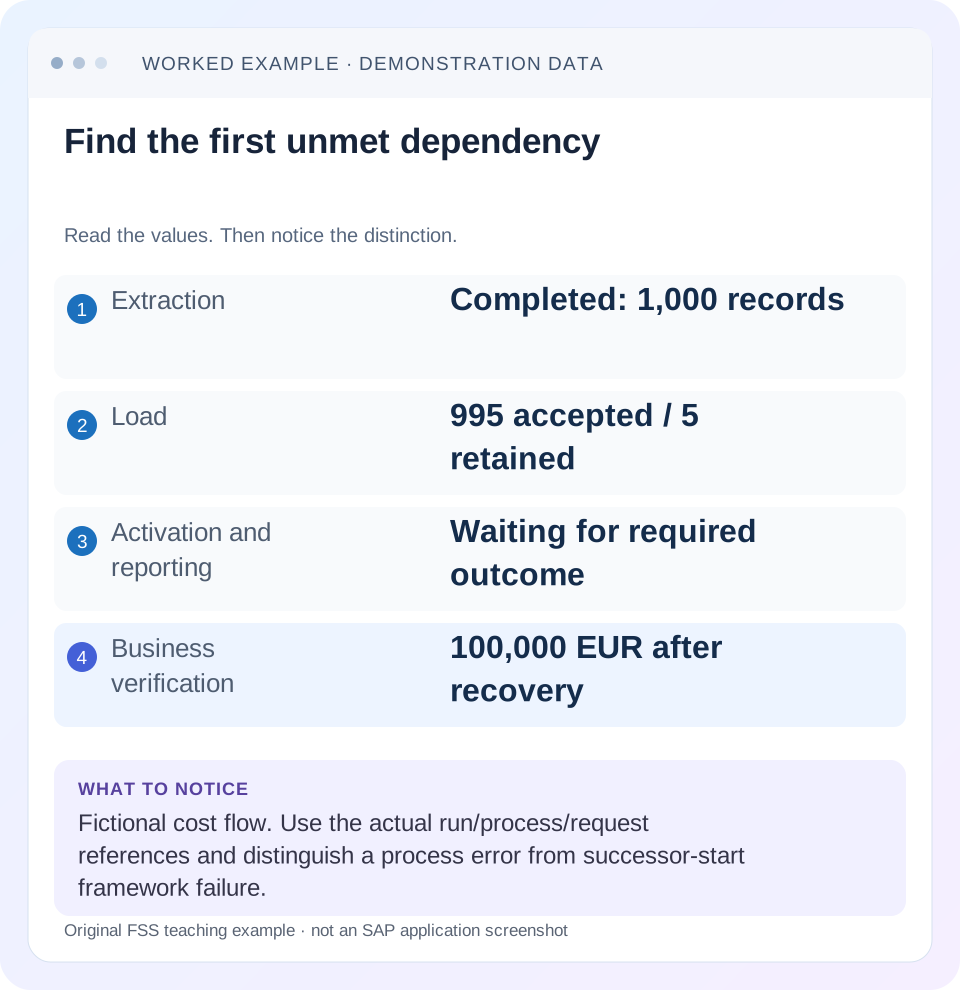
Read the example values
- Extraction
- Completed: 1,000 records
- Load
- 995 accepted / 5 retained
- Activation and reporting
- Waiting for required outcome
- Business verification
- 100,000 EUR after recovery
Words you’ll meet in this guide
- Dimension
- A way to group data, such as month or product.
- Measure
- A numeric value, such as revenue or quantity.
- Model
- A defined organization of data and calculation rules.
- HANA
- SAP’s database platform.
- aDSO
- Advanced DataStore object: a SAP BW/4HANA object that stores and organizes data.
- DTP
- Data Transfer Process: a configured process that moves data in SAP BW.
Preview the practical steps
SEE THE CONNECTION
See it in a simple example.
A small example to make the idea concrete.
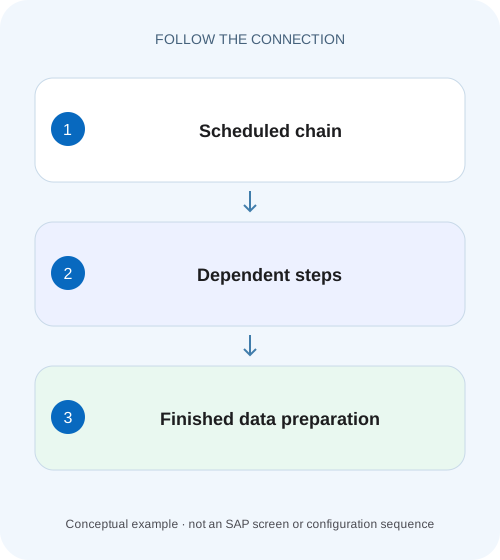
Explain an incomplete plant-reporting refresh
A manufacturer's daily plant report depends on several processing steps, and a chain-level state alone may hide the failed dependency.
Follow the dependency that stopped progress
A BW process chain coordinates dependent processing.
Read the chain as a graph of outcomes
A process definition describes what a step should do.
Distinguish process errors from framework errors
SAP's repair-run documentation distinguishes errors within processes from errors in the process-chain framework.
Explain an incomplete plant-reporting refresh
A manufacturer's daily plant report depends on several processing steps, and a chain-level state alone may hide the failed dependency.
Inspect the relevant process results and data readiness before asking users to rely on the refreshed numbers.
| Reader | Business question | Evidence to carry forward |
|---|---|---|
| SAP developers and application teams supporting manufacturers | Explain an incomplete plant-reporting refresh | Inspect the relevant process results and data readiness before asking users to rely on the refreshed numbers. |
01 Follow the dependency that stopped progress
A BW process chain coordinates dependent processing. When a report is late, find the first dependency whose required outcome was not reached, rather than restarting every load in the chain. A failed transformation, an incomplete activation and a framework problem that did not launch a successor can all delay the same report, but they require different evidence and recovery actions.
This guide is for BW support operators who can inspect a chain run, process logs and related DTP requests. You need the exact chain and run references, planned schedule, observation time and affected reporting consumer. Use the supported monitoring interface in your BW/4HANA release. The example is a fictional production-cost flow, not an instruction to start a customer's jobs without the normal operational controls.
02 Read the chain as a graph of outcomes
A process definition describes what a step should do. A particular run records what happened this time. The dependency graph determines when successors may start. Keeping those concepts separate matters when yesterday's run is complete, today's run is waiting, and a manual test created another request with a similar name.
A predecessor appearing complete is evidence about that process instance, not proof that every business expectation was met. A DTP can require request-level inspection; an activation can expose a new active state; a reporting consumer may apply its own filter. Trace the actual run and document references so each statement can be connected to a specific execution.
03 Distinguish process errors from framework errors
SAP's repair-run documentation distinguishes errors within processes from errors in the process-chain framework. It describes repeating incorrect processes after repair, and rescheduling/framework handling where successors could not be started. The practical lesson is to classify the failure before selecting the supported repair behavior. [1]
If a DTP reports invalid master data, repairing the scheduler will not correct those records. If the DTP completed successfully but a successor was never launched because of a framework issue, rerunning extraction may create unnecessary work. Inspect the process instance and its own log alongside the chain log; status colors alone cannot establish which layer failed.
04 Work through one delayed production report
Imagine a chain scheduled at 01: 00 with extraction E, transformation/load L, activation A and reporting preparation R. Extraction finishes at 01: 05 and delivers 1,000 cost records. Load accepts 995 and retains five invalid plant records. Activation and reporting preparation are waiting because the configured dependency has not been satisfied. At 07: 00, the report still shows the prior business state.
The first actionable cause is the load's invalid data. The fact that the report is late does not make report rendering the cause. Nor does it imply extraction failed: E already has a completed request. Retain that distinction when communicating with source and reporting teams, so recovery does not unnecessarily repeat a successful source operation.
| Step | Observed state | Evidence needed |
|---|---|---|
| E: extract | Completed at 01: 05 | Source request and selected population |
| L: load | Error at 01: 08 | DTP messages; 995 accepted; five retained |
| A: activate | Waiting | Predecessor dependency and request state |
| R: reporting preparation | Waiting | Dependency on required activated data |
| Report at 07: 00 | Prior values | Consumer/provider and last successful state |
05 Build an incident timeline before intervening
Record scheduled and actual start/end times, process-instance references, request IDs and the message that first explains the failure. Include any manual action already taken. Two apparently identical loads can be separate executions, and a request created after the incident may not belong to the original chain run.
For the case, write “E completed; L retained five invalid plant records; A and R have not started under this run.” Avoid “the chain failed everywhere.” The precise statement defines recovery scope and gives another operator a stable starting point. It also makes it possible to verify that the same dependencies were completed after repair.
06 Investigate and repair in sequence
The objective is to bring the affected run and its business outputs to a consistent state. Start from evidence that can be observed without changing data. Only after classifying the issue should you select the supported process-specific repeat or chain repair action.
Open the affected run
Select the chain instance by run reference and timestamp rather than the latest green execution with a similar name.
Expected observation: Every inspected step belongs to the incident.
Find the first unsatisfied dependency
Compare predecessor outcome, failing process log and successor state.
Expected observation: Load L is distinguished from waiting A and R.
Reconcile committed work
Check extraction and target requests, accepted/error records and activation status.
Expected observation: The 995 accepted records are not mistaken for a wholly failed load.
Correct the cause
Resolve the five invalid plant records through the supported DTP recovery path, then apply the documented repair/repeat method.
Expected observation: The required load outcome is achieved without unexplained replay.
Follow successors and consumer
Observe A and R, then reconcile the report's relevant keys and amounts.
Expected observation: Both orchestration and business output meet the expected state.
07 Check whether repeating a process is safe
A repeat is not intrinsically harmless. A process may append movements, trigger an external action, remove data or perform a calculation with changed input. Identify its business side effects and its documented repeat semantics. The same process type can behave differently with a different update mode or target design.
For a snapshot overwrite target, a replay may leave the final amount unchanged while still generating new requests. For an additive movement target, replaying the same events without duplicate handling can inflate values. Before a broader rerun, identify the original population and any committed downstream effects. “The first run was red” is not proof that nothing committed.
08 Use the failure pattern to choose the next check
A chain can fail at several layers. Narrow the next action by what is actually known, and preserve the original message even if later retries produce different errors. A new error can reveal a second defect after the first one was repaired.
Do not manually force a successor solely to bypass a predecessor's error. A predecessor may exist specifically to ensure data consistency. If operations needs an exceptional partial-data publication, that is a defined business decision with explicit scope, rather than an accidental result of skipping a failed dependency.
| Observation | Main question | Next useful evidence |
|---|---|---|
| DTP step red | Data or transformation error? | DTP monitor and record messages |
| Predecessor green, successor absent | Framework or dependency issue? | Chain-instance log and start conditions |
| Activation failed | Valid load but consolidation blocked? | Activation request and conflicting keys |
| All steps green, report old | Correct consumer and data scope? | Provider, filters and reporting preparation |
| Repeated run inflates amounts | Was replay additive? | Business identities and target update semantics |
| Schedule never started | Was this run triggered? | Start-process scheduling/event evidence |
09 Reconcile the business output after orchestration recovers
Suppose the 995 accepted records total 99,500 EUR and the five retained records total 500 EUR. After recovery, the expected complete amount is 100,000 EUR. Confirm both the relevant keys and amount in the reporting-ready state. A green chain with 99,500 EUR can still reflect an incomplete business population if records were excluded rather than recovered.
Check the report's actual provider, date selection, currency and aggregation. A report may legitimately show less than the full target because its scope differs. Reconcile one known recovered order through target and report before comparing grand totals. This avoids confusing a correct filter with a failed successor or a missing activation.
10 Verify recovery with three deliberate tests
The positive case resolves the retained records, reaches the required load outcome and allows the defined successors to finish. The negative case leaves one invalid plant record and confirms the process does not publish a supposedly complete result contrary to its configured dependency. These are proposed training tests; exact partial-load handling follows the DTP and chain design.
For the boundary case, simulate a completed predecessor with a successor-start problem in an authorized environment and inspect the framework repair path documented for that release. Compare it with a true DTP record error. The learning outcome is the ability to explain why the two incidents should not be handled by the same indiscriminate full-chain restart.
11 Open a concrete run log rather than only the latest status
SAP monitoring guidance distinguishes RSPCM for the latest runs of selected periodic chains from RSPC/RSPC1 log views, including a concrete run log ID. The monitoring app also exposes process/job logs and status filtering in its documented scope. Use the original incident's run reference when a later retry has already appeared; otherwise the latest-run monitor can lead you to a different execution. [2] [3]
For the 01: 08 load error, retain the chain log ID, load-process instance and underlying DTP request. Compare the job log with the process log: the job-level outcome can identify execution/framework context, while the DTP log explains record validation and target processing. Those references allow another operator to follow the same failure without guessing which of several similarly named daily runs was involved.
12 Diagnose overlapping runs and multiple predecessors
Extend the fixture with a second predecessor M that loads cost-center master data before load L. Extraction E completes at 01: 05, but M fails at 01: 06. If L requires both predecessors, E's green state alone does not make L ready. The first unmet prerequisite is M, so repeating E cannot supply the missing master-data outcome. Inspect the actual dependency junction and configured success conditions before classifying the wait.
Now suppose the next scheduled chain starts at 02: 00 while the 01: 00 incident is still unresolved. A process named L can appear in both runs. Correcting the 02: 00 request and seeing its successors complete does not automatically reconcile the original run's partial 995-record effects. Compare business populations and target semantics across both run IDs before repairing or replaying the earlier instance.
An operational handover should therefore state whether the later run supersedes, reuses or adds to the earlier population under the implemented design. For a complete replacement snapshot, it may establish a correct current state while leaving historical request follow-up; for additive movements, it can introduce overlap unless event identities and replay are controlled. The chain graph controls orchestration, but the data contract determines whether overlapping executions are safe.
13 Leave a useful runbook and handover
A runbook should identify the chain, critical dependencies, normal output evidence, process-specific repair references and checks for replay side effects. Keep it close to the actual model: a generic instruction to “rerun red steps” omits the most important question, which is what those steps already changed.
Does a green chain prove the report is correct? It proves orchestration outcomes under that run's design, and business reconciliation is still needed. Should every waiting successor be started manually? No; determine why its prerequisite is unsatisfied. Can a framework issue exist after a predecessor succeeds? Yes, as SAP's repair documentation explicitly recognizes. Continue with DTP error handling and ADSO activation to investigate those specific dependencies in depth.
Related services and next steps
Primary sources
Found this useful?
Share this guide with your network, or leave a like.
Your like is saved in this browser.