SAC private versus public planning versions: Check what publishing changes
A manufacturer models a plant cost plan privately before deciding which changes belong in a shared planning version.

Source review:
START HERE · NO PRIOR TOPIC KNOWLEDGE NEEDED
What it is. Why it matters.
A planning version holds a set of planning values. A private version supports a user’s work, while publishing makes intended changes available through the supported shared-version process.
Completely new to SAP?
Manufacturers use SAP to connect work such as buying components, recording inventory, planning production, shipping equipment and accounting for costs. SAP S/4HANA is an enterprise resource planning system: it connects these activities through shared business data.
Analytics organizes business data into useful comparisons. Planning adds proposed future values. Learn what the numbers represent before comparing totals or changing a forecast.
A transaction code, or t-code, is a shortcut to a task in classic SAP GUI. Fiori apps provide another way to work. Names and screens depend on the product and release; you do not need a live system to learn the concepts in this guide.

Scope and source-review notes
Scope and evidence
Source review by FAST SAP SOLUTIONS® editorial. This badge describes our editorial review; it does not represent SAP certification or independent endorsement.
SAP Analytics Cloud planning version management and public-version edit mode. Based on current official help excerpts;planning-area behavior and available conflict actions must be confirmed in the tenant release.
Documentation review on 14 November 2026 used the official SAP sources listed below, including indexed excerpts where full text was unavailable. Scope and availability depend on the stated product, release and configuration. All document references, quantities, dates and outcomes in worked cases are illustrative; no customer SAP system or tenant was accessed and the proposed exercises were not executed.
A MANUFACTURING EXAMPLE
Separate a factory plan draft from a shared version
Private work and shared Budget can differ
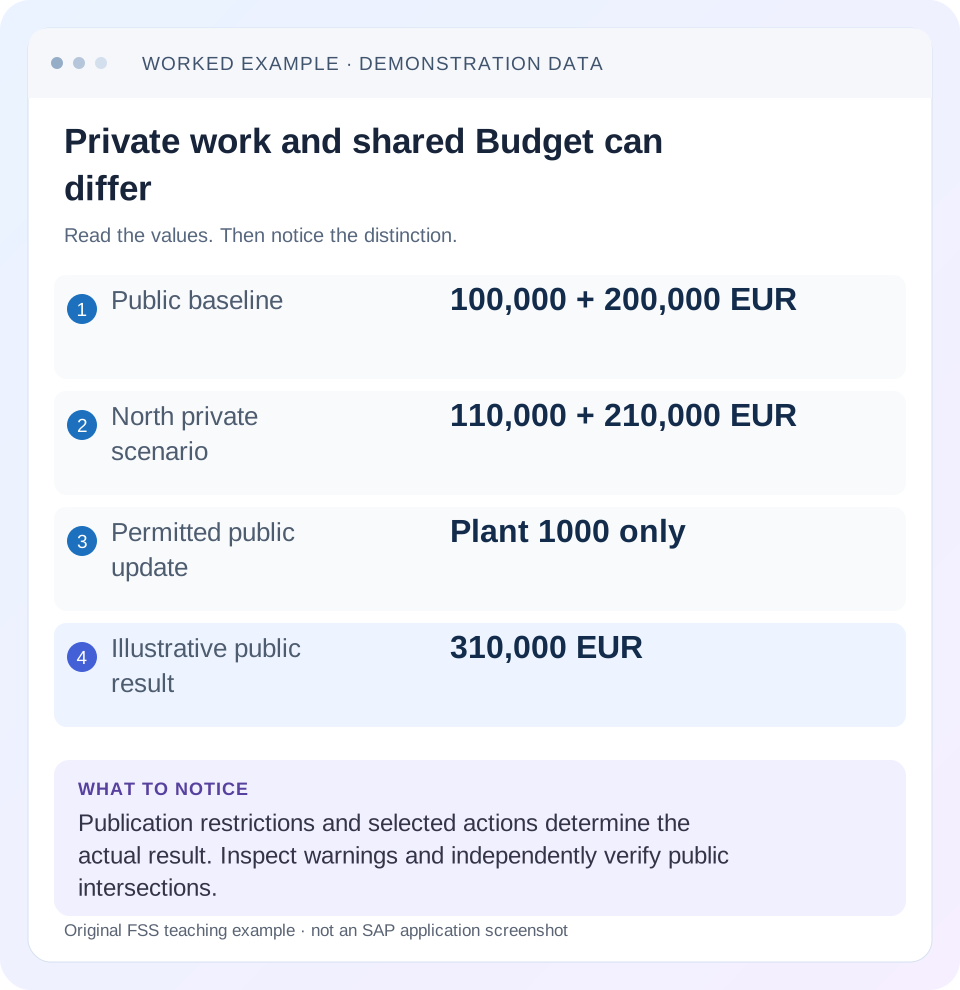
Read the example values
- Public baseline
- 100,000 + 200,000 EUR
- North private scenario
- 110,000 + 210,000 EUR
- Permitted public update
- Plant 1000 only
- Illustrative public result
- 310,000 EUR
Words you’ll meet in this guide
- Dimension
- A way to group data, such as month or product.
- Measure
- A numeric value, such as revenue or quantity.
- Model
- A defined organization of data and calculation rules.
- SAC
- SAP Analytics Cloud: a cloud application for analytics and planning.
Preview the practical steps
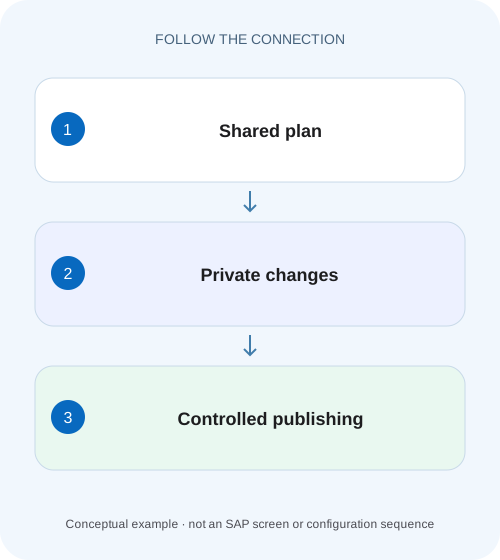
SEE THE CONNECTION
See it in a simple example.
A small example to make the idea concrete.
Separate a factory plan draft from a shared version
A manufacturer models a plant cost plan privately before deciding which changes belong in a shared planning version.
Publishing changes the shared planning state
A private version supports a planner's separate working scenario.
Understand public-version edit mode
SAP documents that editing a public version places it in Edit Mode and creates a temporary private working state visible to the editor until publication.
Work through one two-plant budget
Suppose public Budget contains plant 1000 maintenance expense 100,000 EUR and plant 2000 expense 200,000 EUR.
Separate a factory plan draft from a shared version
A manufacturer models a plant cost plan privately before deciding which changes belong in a shared planning version.
Read version ownership and publication evidence before telling other teams that a planner's local changes are available to them.
| Reader | Business question | Evidence to carry forward |
|---|---|---|
| SAP developers and application teams supporting manufacturers | Separate a factory plan draft from a shared version | Read version ownership and publication evidence before telling other teams that a planner's local changes are available to them. |
01 Publishing changes the shared planning state
A private version supports a planner's separate working scenario. A public version supplies shared planning data subject to permissions and other controls. Seeing a changed number in your own planning table does not prove that colleagues can see it or that the intended public budget was updated. Identify the version and publication outcome before explaining a difference between users.
This tutorial is for SAC planners and model support analysts who can inspect Version Management and use an authorized planning fixture. You need known public values, an intended target version and ordinary-user permissions. The case uses fictional maintenance budgets. It does not assume that saving a story publishes model data or that a local successful edit overrides public data locks.
02 Understand public-version edit mode
SAP documents that editing a public version places it in Edit Mode and creates a temporary private working state visible to the editor until publication. The public version's name in the table therefore does not mean every displayed edit is already shared. Publication and reverting are explicit parts of the planning lifecycle. [1]
A separately created private scenario and the temporary working state of a public-version edit are related concepts, but they are not interchangeable labels. In both cases, ask where the planned values currently reside and what action would move them to shared data. Retain the source public version and intended destination so a scenario is not accidentally published to the wrong budget.
03 Work through one two-plant budget
Suppose public Budget contains plant 1000 maintenance expense 100,000 EUR and plant 2000 expense 200,000 EUR. Planner North creates a working scenario and changes 1000 to 110,000, leaving 2000 at 200,000. Before publication, the intended shared total remains 300,000; the planner's scenario total is 310,000. Both displays can be correct because they refer to different states.
A useful confirmation is an independent permitted reader opening the same public version and intersection after publication. A screenshot from the planner's own editing session is weaker evidence because it may still show unpublished data. Keep version IDs/names, date, currency and entity scope explicit during that comparison.
| State | Plant 1000 | Plant 2000 | Total |
|---|---|---|---|
| Public Budget before edit | 100,000 EUR | 200,000 EUR | 300,000 EUR |
| North working scenario | 110,000 EUR | 200,000 EUR | 310,000 EUR |
| Public after permitted 1000 publication | 110,000 EUR | 200,000 EUR | 310,000 EUR |
| Other user's unpublished edit | Depends on their workspace | Separate until published | Not inferred from North's table |
04 Inspect the intended publication action
SAP's Version Management documentation distinguishes publishing an update to an existing public version from other version-management actions. Read the selected target and scope before executing. Creating another public scenario and updating Budget have different business effects, even when the values in the new scenario look identical. [2]
For the case, the business requirement is to update Budget for plant 1000. If the planner instead creates a new public Forecast scenario, the Budget total may correctly remain 300,000. That is a target-selection issue, not missing arithmetic. Do not repeat publication until the destination of the first action is understood.
05 Account for write access and planning controls
SAP's public-version guidance explains that publication enforces permissions and other security features, and that some restricted changes may not publish. A user can have read access sufficient to create a private scenario without having permission to write every corresponding public intersection. Inspect publication details and warnings rather than equating private editability with public write access. [1]
In the fixture, North may write plant 1000 but not 2000. If the scenario also changes 2000 to 210,000, do not assume the entire 320,000 scenario will become public. Determine the actual published and unpublished intersections under the tenant's supported flow. Locks and validation rules add separate controls beyond member DAC; capture which control rejected the change.
06 Follow the change in sequence
Begin by recording the unchanged public values. Then perform one controlled change and trace its state transition. Small explicit tests make publication behavior easier to understand than changing hundreds of cells and interpreting a warning afterward.
Record baseline and target
Capture Budget 1000=100,000 and 2000=200,000, with intended public destination.
Expected observation: The before state is known.
Inspect working-version context
Identify private scenario or public Edit Mode and relevant planning area.
Expected observation: The 110,000 value is recognized as unpublished work.
Review publication scope
Check target, changed intersections and any restrictions or conflicts.
Expected observation: Publication has a deliberate destination and population.
Publish and inspect details
Use the supported tenant action and retain messages, including unpublished changes.
Expected observation: Success is interpreted at intersection level.
Verify independently
Read the same public version with another permitted reader or fresh nonediting context.
Expected observation: Public 1000=110,000 is confirmed.
07 Handle concurrent planning deliberately
SAP describes conflict handling when another user publishes changes to the same public version during editing. Depending on the supported action, a planner may publish nonconflicting changes or overwrite conflicting changes. Review that choice rather than assuming publication simply adds your intended increase to every newer value. [1]
Suppose another authorized planner publishes plant 1000=105,000 while North still has 110,000 in the working state. North must resolve a conflict about the same intersection. The public result is not automatically 115,000; the scenario contains values, not necessarily a plus 10,000 business instruction. Compare the current public value and intended final value before choosing how to proceed.
08 Distinguish planning area from permission
The planning area limits the data placed into the editing context according to the model and selected options. It can affect which data is available for planning operations. Permission determines which public changes are allowed. A large editing area does not grant broad write authority, and a narrow area can exclude data that a user would otherwise be allowed to maintain.
Inspect the tenant's current planning-area guidance for data actions and automatic scope behavior. Avoid copying an older claim that all data actions always run on exactly the same area: SAP's documentation evolves and behavior depends on the operation. State the actual source/target scope of the planning operation you are investigating.
09 Diagnose publication surprises
Use the observed shared state and publication details to select the next branch. Repeating the same action can overwrite a colleague's update or create another scenario, so investigate the first result before trying again.
| Observation | Main distinction | Next evidence |
|---|---|---|
| Only editor sees 110,000 | Unpublished work versus shared data | Version state and publication status |
| New scenario exists, Budget unchanged | New public version versus update | Selected destination |
| Some cells unchanged after publish | Restricted or conflicting intersections | Publication details and messages |
| Colleague's value replaced | Concurrent conflicting edit | Current public baseline and conflict choice |
| Data action misses a region | Scope/planning area | Action filters and editing context |
| Story saved but budget unchanged | Content save versus data publish | Model version state |
10 Verify allowed, denied and concurrent cases
The positive test publishes North's 1000 change and confirms 310,000 public total under equivalent filters. The negative test attempts a 2000 change without the required public write authority and confirms that the protected public value remains 200,000; record the actual warning/error behavior. Do not widen permissions merely to make this negative test pass.
For the boundary case, use two authorized planners on the same intersection in a fixture. Record baseline 100,000, second publication 105,000 and North's proposed 110,000. Inspect the conflict choices and verify the selected final result. Then repeat with different plants to distinguish conflicting and nonconflicting changes. These are proposed checks, not executed tenant results.
11 Reconcile partial publication at the changed-intersection level
Extend North's scenario to two proposed changes: 1000 rises 100,000→110,000, and 2000 rises 200,000→210,000. The private scenario total is 320,000. Under the stated policy, North may maintain 1000 only. If the publication flow permits proceeding with allowed changes while excluding restricted ones, the shared result can be 310,000 rather than 320,000. Inspect the actual warning/details and selected option; do not claim universal all-or-nothing behavior.
A useful reconciliation lists requested changes 20,000 total, allowed change 10,000, and restricted change 10,000. Then independently confirm public 1000=110,000 and 2000=200,000. The difference between the private and public totals is explained by one denied intersection rather than an arithmetic error. If the user cancels publication, the public baseline may remain 300,000, which is another valid outcome to distinguish.
Keep data locks and validation failures separate from DAC in that evidence. The same excluded 10,000 can have different causes, and widening member rights will not legitimately repair a closed planning region or a failing validation rule. The publication detail must name the actual reason before a correction is proposed.
12 Test a nonconflicting concurrent edit alongside a conflicting one
In a second authorized fixture, let another planner change 2000 to 205,000 while North changes 1000 to 110,000. These are different intersections. Compare the supported merge/publication result with the earlier same-intersection 105,000-versus 110,000 conflict case. The distinction demonstrates why “another person edited the version”does not automatically mean every change conflicts.
After the supported nonconflicting publication, the intended combined shared state is 110,000+205,000=315,000 if both changes are retained under the chosen process. Verify both contributors'intersections with a permitted reader. A total 315,000 alone could still conceal 110,000 on the wrong plant, so record identities and values. This exercise tests collaboration behavior more precisely than publishing one private copy in isolation.
13 Questions and useful handover details
Does a private version automatically update its source public version? No, publication through the intended action is required. Does public mean unrestricted? No, public data remains subject to permissions, locks and other planning controls. Does a successful data action prove successful public publication? No, inspect the subsequent shared state and any rejected intersections.
A useful handover states source version, target public version, changed intersections, before/after values, publication messages and concurrent-edit context. Continue with DAC to test ordinary-user write rights, currency conversion when Budget uses different rate assumptions, and dimensions/measures to verify that public totals aggregate the intended values.
Related services and next steps
Primary sources
Found this useful?
Share this guide with your network, or leave a like.
Your like is saved in this browser.