SAP Cloud Connector: Separate system reachability from resource access
A manufacturer's cloud extension can reach a mapped system but not the operational API path it needs.

Source review:
START HERE · NO PRIOR TOPIC KNOWLEDGE NEEDED
What it is. Why it matters.
SAP Cloud Connector exposes selected on-premise resources to supported cloud consumers. System mapping identifies the backend route, while resource rules define the allowed paths.
Completely new to SAP?
Manufacturers use SAP to connect work such as buying components, recording inventory, planning production, shipping equipment and accounting for costs. SAP S/4HANA is an enterprise resource planning system: it connects these activities through shared business data.
SAP Business Technology Platform, or BTP, provides cloud services for applications, data and integration. A connection needs a route, an identity and permission to perform the intended task.
A transaction code, or t-code, is a shortcut to a task in classic SAP GUI. Fiori apps provide another way to work. Names and screens depend on the product and release; you do not need a live system to learn the concepts in this guide.

Scope and source-review notes
Scope and evidence
Source review by FAST SAP SOLUTIONS® editorial. This badge describes our editorial review; it does not represent SAP certification or independent endorsement.
Cloud Connector system-mapping/resource concepts illustrated by SAP Cloud Integration and Digital Manufacturing setup documentation. Their exact authentication settings are not universal defaults.
Documentation review on 14 November 2026 using official SAP sources and indexed official excerpts where full Help text was unavailable. Scope and service or release differences are explained in the lesson. All datasets, requests and checks are illustrative; no customer SAP runtime execution or measured results are claimed.
A MANUFACTURING EXAMPLE
Expose the intended plant resource deliberately
System access versus path access
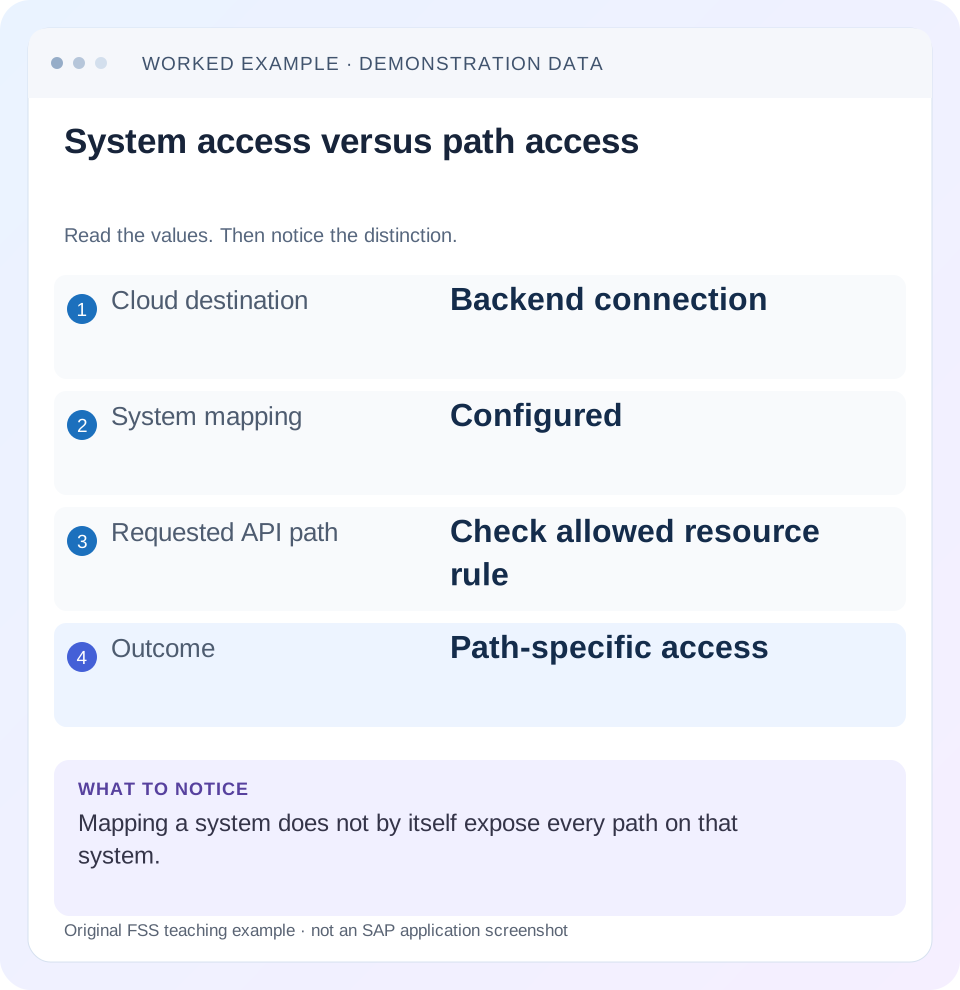
Read the example values
- Cloud destination
- Backend connection
- System mapping
- Configured
- Requested API path
- Check allowed resource rule
- Outcome
- Path-specific access
Words you’ll meet in this guide
- Backend
- The service or system doing the work behind an interface.
- Destination
- Named connection settings for another service.
- Credential
- Access information used to prove an identity.
- Subaccount
- A BTP scope for applications, services and access settings.
- BTP
- SAP Business Technology Platform: cloud services for applications, data and integration.
- API
- A defined interface through which programs exchange data or request actions.
- RFC
- Remote Function Call: a way for one system to call functions in another.
- HTTP
- The request-and-response protocol used by web applications and APIs.
Preview the practical steps
SEE THE CONNECTION
See it in a simple example.
A small example to make the idea concrete.
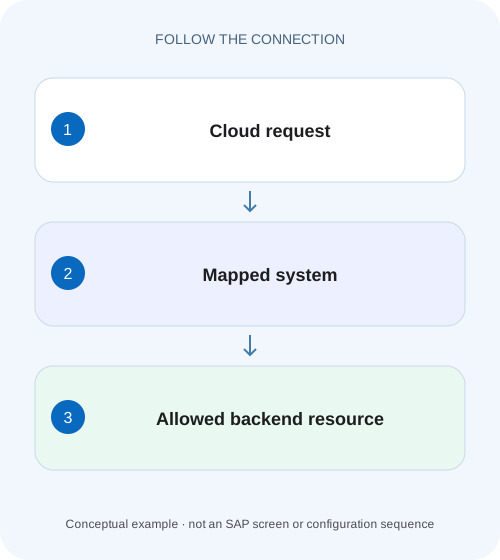
Expose the intended plant resource deliberately
A manufacturer's cloud extension can reach a mapped system but not the operational API path it needs.
A reachable system and an allowed resource are separate conditions
Cloud Connector system mapping identifies an on-premise backend through a virtual host and port.
Understand virtual mapping, internal reachability and path authorization
The virtual endpoint is the address the supported cloud consumer uses.
Worked case: the system is reachable but the orders path is denied
Imagine destination ERP_API referring to virtual host erp.virtual on port 443.
Expose the intended plant resource deliberately
A manufacturer's cloud extension can reach a mapped system but not the operational API path it needs.
Compare virtual-system mapping and allowed resource scope before broadening access or treating reachability as full resource permission.
| Reader | Business question | Evidence to carry forward |
|---|---|---|
| SAP developers and application teams supporting manufacturers | Expose the intended plant resource deliberately | Compare virtual-system mapping and allowed resource scope before broadening access or treating reachability as full resource permission. |
01 A reachable system and an allowed resource are separate conditions
Cloud Connector system mapping identifies an on-premise backend through a virtual host and port. Resource access rules then determine which HTTP URL paths may pass through that mapping. A connected tunnel or reachable internal host does not expose every API on the system. Diagnose these boundaries separately before changing an application destination or broadening access. [1] [2]
This tutorial is for BTP connectivity administrators and developers troubleshooting HTTP access through SAP Cloud Connector. You need the actual consumer request, the connected subaccount/location context and authorized access to system and resource configuration. RFC resource exposure uses function-module names rather than HTTP URL paths and is outside the worked case. Product-specific setup examples can require different authentication or host-header choices.
02 Understand virtual mapping, internal reachability and path authorization
The virtual endpoint is the address the supported cloud consumer uses. The internal host and port are where the connector reaches the backend from its network. A successful internal reachability test supports that network path; it does not establish that the consumer selected this mapping or that its requested resource is permitted.
After a permitted request reaches the backend, authentication and business authorization still apply. Cloud Connector resource exposure is not a grant to post every business document. Keep the boundaries visible: connected subaccount, selected connector location where supported, virtual mapping, internal reachability, allowed path, backend identity and business operation. A failure at one boundary should not be repaired by indiscriminately opening another.
03 Worked case: the system is reachable but the orders path is denied
Imagine destination ERP_API referring to virtual host erp.virtual on port 443. That maps to internal backend erp-a.corp on its approved HTTPS port. The application sends GET /api/orders/4711. The connector’s system test succeeds, but the configured resource only permits /api/products/ and its subpaths. Orders are a different path family, so the application has not been granted access to that URL.
The useful comparison is the actual requested path against the resource policy on the selected system mapping. Replacing the destination hostname with the internal hostname does not repair missing resource access. Changing the rule to / with all subpaths may hide the symptom while exposing far more than the required orders API. Define the minimum intended path family and verify its matching behavior.
| Layer | Configured value | Meaning |
|---|---|---|
| Cloud URL | https://erp.virtual:443 | Virtual system selected by consumer |
| Internal target | erp-a.corp:443 | Backend reached by connector |
| Allowed resource | /api/products/ with subpaths | Product family permitted |
| Actual request | /api/orders/4711 | Different resource family |
| Expected diagnosis | Resource access mismatch | System reachability is already a separate success |
04 Identify the consumer and selected connector context first
Record the application or integration flow, subaccount ID, destination name and location selection if that consumer supports it. Two connectors can expose the same virtual name to different internal systems. A resource rule on one connector does not prove the application uses that connector. A similarly named system mapping in another subaccount is also irrelevant.
Use the consumer’s current documentation. The old Cloud Integration repository-access setup referenced in some guides contains scenario-specific restrictions, including location-ID behavior. It is not a universal statement about every current adapter. Establish your exact adapter or runtime before copying those setup choices. The general mapping/resource distinction remains useful even when the consumer’s connection details differ. [2]
05 Compare the exact HTTP path before adding a rule
Capture the path after application-router or adapter rewriting, including service-root prefixes and trailing slashes. Resource matching concerns the request that reaches Cloud Connector, not necessarily the browser URL. A UI can call /backend/orders while its router sends /api/orders/4711. Compare the latter with the connector resource.
Also inspect redirects and additional requests. A service metadata read, attachment read or redirected authentication path may use a different URL family from the main business request. Inventory the paths actually required by the supported interface. Do not add unrelated paths merely because they appeared in a browser session; identify which component requested each and why it belongs in this integration.
For the worked orders read, preserve both the browser-facing /backend/orders/4711 and connector-facing /api/orders/4711 when a rewrite exists. Label which component transforms the path. This prevents an administrator from adding an ineffective resource rule for a URL the connector never receives. After the narrow rule is applied, repeat the same consumer call and compare the observed forwarded path with the ledger, rather than using a separate test that bypasses the rewrite.
06 Understand prefix behavior before choosing all subpaths
SAP’s HTTP access-control documentation states that Path and all sub-paths permits URL paths starting with the configured string, without considering query parameters for that match. That is a string-prefix rule, so review the selected prefix carefully. Do not assume a display label implies a directory-boundary comparison that the documentation did not promise. [1]
For an illustrative rule /api/orders with all subpaths, both /api/orders/4711 and /api/orders-archive can start with the same string. If the intended family is only children below /api/orders/, a trailing slash can express a narrower prefix, while the collection path /api/orders may need separate deliberate treatment. Verify the exact supported behavior in your version before changing access.
| Configured prefix | Requested path | String-prefix comparison |
|---|---|---|
| /api/orders | /api/orders/4711 | Starts with prefix |
| /api/orders | /api/orders-archive | Also starts with prefix |
| /api/orders/ | /api/orders/4711 | Starts with prefix |
| /api/orders/ | /api/orders | Does not include trailing slash |
07 Apply a narrow supported access change
First agree the required service path with the application and backend owners. Select the relevant system mapping, compare existing resources and add or adjust only the intended access policy through the supported Cloud Connector administration workflow. Preserve a record of the prior rule and reason for the change. This tutorial does not prescribe one universal screen sequence or authentication setting.
In the worked case, permit the approved orders family with its documented collection and child-path needs. Keep the product family unchanged if it remains required. A rule should be understandable from the interface contract, not merely from the error that disappeared. If a broad rule already exists, reconcile its consumers before narrowing it; a cleanup can affect another supported interface.
08 Verify backend authentication after access is allowed
Once the path is forwarded, a new backend authentication or authorization failure can appear. That can be progress: it shows the request passed the connector boundary and reached a later boundary. Preserve error provenance and compare the effective caller under the chosen supported identity design.
A backend 403 is not automatically another connector denial. Inspect the response and correlated connector/backend evidence where authorized. For principal propagation, technical users and certificate-based connections, follow the relevant documented setup. Do not insert an administrator’s credential into the destination to make the test pass. That changes who is being tested and can obscure the application’s actual authorization requirement.
09 Troubleshoot system, resource and business failures independently
Choose the next check from the failed boundary. A single status code can be produced by several layers, so retain response body, timestamp and source context. Reaching the backend root is insufficient if the real call uses another path.
| Observation | Boundary | Next evidence |
|---|---|---|
| Subaccount tunnel disconnected | Cloud connection | Registered subaccount and connection state |
| Internal host unreachable | Connector-to-backend network | Internal host/port/protocol and network evidence |
| Virtual system not found | Selection or mapping | Destination virtual endpoint and location |
| System reachable, path denied | Resource access control | Actual path and configured policy |
| Path forwarded, backend rejects identity | Authentication/authorization | Supported caller identity and backend error |
| Allowed path returns wrong data | Wrong target or context | Internal system/client and business fixture |
10 Test both the new capability and the retained restriction
For the positive test, run a harmless GET /api/orders/4711 through the real supported consumer and verify the intended test order. Confirm the selected internal system and relevant client or tenant context. A 200 from a similarly configured backend is not enough.
For the negative test, request an intentionally unexposed harmless test path and confirm it remains denied at the intended boundary. This demonstrates that the repair did not simply expose the entire system. For prefix boundaries, test the collection URL, child URL and a similarly named sibling such as /api/orders-archive according to the intended policy.
Include a query-bearing request when the real interface uses queries. The HTTP resource-policy documentation excludes query parameters from its path-prefix comparison, but the backend still interprets those parameters and authorizes the operation. A path allowlist should not be mistaken for validation of every filter, action or query value accepted by the service. [1]
11 Investigate drift and intermittent failures with paired observations
If a request worked yesterday, compare the actual consumer deployment, resolved destination, connector location, resource policy and backend endpoint at both observation times. A route change can alter the path without any connector configuration change. A connector update or re-registration can also change which mapping the consumer reaches.
Build paired success/failure rows rather than collecting unrelated screenshots. Each row should contain timestamp, consumer version, virtual endpoint, path and safe outcome. If those agree but availability differs, inspect connection and network state. If the path differs, return to the rewrite or service contract. This makes the investigation causal rather than a sequence of configuration guesses.
12 Questions for a precise handoff
Does exposing a system expose every resource? No. HTTP resource rules define the allowed paths within the configured mapping, and backend authorization remains separate.
Can I copy a product guide’s root rule? Only if that exact supported product contract requires it and the scope is appropriate. A guide written for one connector consumer does not establish that another interface needs the same broad path.
What closes the change? Record selected subaccount/location, virtual-to-internal mapping, resource policy, intended caller, successful business read and retained negative-path behavior. The related destination and location-ID lessons explain earlier boundaries if the request never reaches the mapping you inspected.
Related services and next steps
Primary sources
Found this useful?
Share this guide with your network, or leave a like.
Your like is saved in this browser.