SAP CVI: Check the customer/vendor link before creating another business partner
A manufacturer preparing supplier master data finds an existing vendor and business partner that may already represent the same component supplier.

Source review:
START HERE · NO PRIOR TOPIC KNOWLEDGE NEEDED
What it is. Why it matters.
Customer/Vendor Integration, or CVI, connects relevant customer and supplier records with business partners. A business partner represents an organization or person, with roles describing business uses.
Completely new to SAP?
Manufacturers use SAP to connect work such as buying components, recording inventory, planning production, shipping equipment and accounting for costs. SAP S/4HANA is an enterprise resource planning system: it connects these activities through shared business data.
Master data describes reusable business entities such as products and business partners. Transactions refer to those records, so identities and units need to remain consistent.
A transaction code, or t-code, is a shortcut to a task in classic SAP GUI. Fiori apps provide another way to work. Names and screens depend on the product and release; you do not need a live system to learn the concepts in this guide.

Scope and source-review notes
Scope and evidence
Source review by FAST SAP SOLUTIONS® editorial. This badge describes our editorial review; it does not represent SAP certification or independent endorsement.
Single-record CVI identity/link investigations based on SAP ERP synchronization documentation, with an explicit S/4HANA leading-BP boundary. Not a conversion checklist; roles, numbering, direction and supported corrections are release dependent.
Reviewed the cited official SAP indexed documentation excerpts on 14 November 2026. Direct Help Portal opens did not consistently expose readable page text. This is documentation-based teaching, not customer-system execution. All document identifiers, quantities and outcomes in the worked case are illustrative; installed release, edition, configuration and authorizations require local verification.
A MANUFACTURING EXAMPLE
Avoid a duplicate component supplier
Check the existing relationship
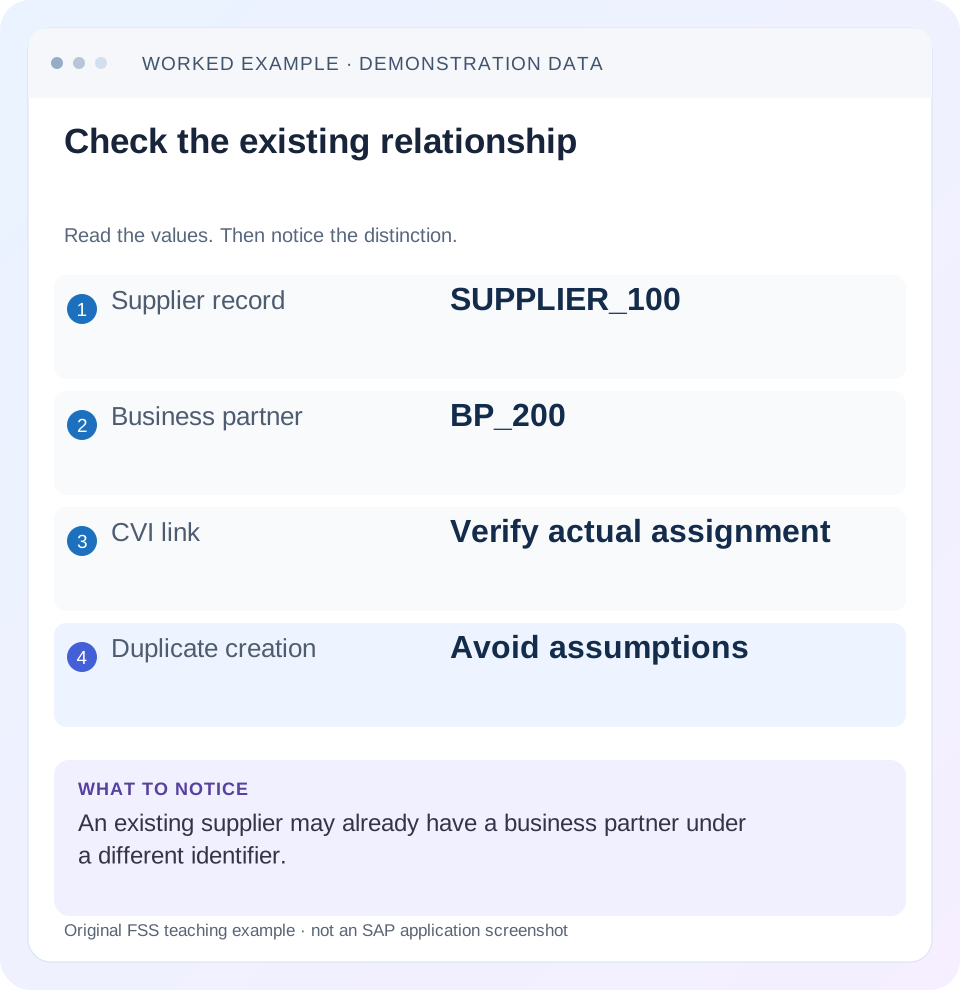
Read the example values
- Supplier record
- SUPPLIER_100
- Business partner
- BP_200
- CVI link
- Verify actual assignment
- Duplicate creation
- Avoid assumptions
Words you’ll meet in this guide
- Master record
- Reusable information about a business entity.
- Transaction
- A recorded business action or event.
- Identifier
- A value used to distinguish one record from another.
- HANA
- SAP’s database platform.
Preview the practical steps
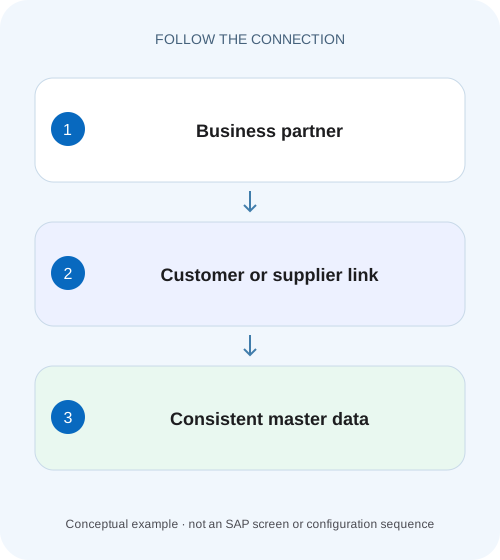
SEE THE CONNECTION
See it in a simple example.
A small example to make the idea concrete.
Avoid a duplicate component supplier
A manufacturer preparing supplier master data finds an existing vendor and business partner that may already represent the same component supplier.
Check the relationship before creating another record
When a supplier or customer already exists, a missing field or failed synchronization does not automatically mean another business partner is required.
Scope: classic CVI and the S/4HANA boundary
This tutorial starts from the cited SAP ERP master-data synchronization functions.
The objects and organizational segments are not interchangeable
A business partner represents the organization or person and supports roles describing how it is used.
Avoid a duplicate component supplier
A manufacturer preparing supplier master data finds an existing vendor and business partner that may already represent the same component supplier.
Check the existing CVI linkage and relevant role context before creating another identity or changing a mapping.
| Reader | Business question | Evidence to carry forward |
|---|---|---|
| Manufacturing buyers and purchasing managers | Avoid a duplicate component supplier | Check the existing CVI linkage and relevant role context before creating another identity or changing a mapping. |
01 Check the relationship before creating another record
When a supplier or customer already exists, a missing field or failed synchronization does not automatically mean another business partner is required. First establish whether the intended relationship already exists, which synchronization direction is being used and which organizational segment is missing. These are different problems with different corrections. [1]
SAP’s classic Customer/Vendor Integration documentation describes creating a business partner from a customer/vendor only when that source is not already linked. It also describes linking an existing relevant business partner. The practical lesson is to investigate identity and linkage before choosing a create operation. Similar names are weak evidence; identical numbers are also insufficient without the actual supported relationship.
02 Scope: classic CVI and the S/4HANA boundary
This tutorial starts from the cited SAP ERP master-data synchronization functions. It is intended for master-data stewards, functional analysts and developers investigating one relationship. It is not a complete S/4HANA conversion or mass-data migration procedure. Use your release-specific conversion checks and project plan for that work. [2]
SAP S/4HANA uses the business partner as the leading object when creating customer or supplier master data in the documented business-partner approach. That changes which creation path you should investigate compared with a classic ERP scenario where an existing vendor is the source for initial synchronization. Establish the product, release, active direction and process before reusing any steps.
Obtain authorized display access to the source customer/vendor, the candidate BP and synchronization/application-log evidence. Proposed update tests belong in a nonproduction system with approved test data. No table edits are needed to perform the identity investigation described here.
03 The objects and organizational segments are not interchangeable
A business partner represents the organization or person and supports roles describing how it is used. Customer and supplier records carry their relevant business and organizational data. A supplier can need company-code information for accounting and purchasing-organization information for procurement. A BP existing is therefore not the same as every required supplier segment being complete. [1]
The relationship between records is separate evidence from their displayed names. “North Parts Ltd” and “North Parts Limited” might be one legal party or two distinct entities. A shared tax identifier can be strong matching evidence in an approved data-quality process, but local uniqueness and legal requirements still matter. Do not link records solely by fuzzy name similarity.
Number assignment and grouping/role configuration influence creation and synchronization. A supplier numbered SUPPLIER_100 can correctly link to BP_200. Different identifiers are not automatically a defect; the relevant question is whether the intended objects and data are connected by the supported relationship.
04 Worked case: SUPPLIER_100 already belongs to BP_200
The fictional procurement team cannot use SUPPLIER_100 in purchasing organization P100. A service request says “Create a business partner because the supplier is missing.” The investigation finds an existing BP_200 representing the same approved legal party, and the supported CVI relationship connects SUPPLIER_100 to BP_200. Accounting data exists for company code C100, while the required purchasing-organization segment is absent.
The missing procurement segment does not prove that the business partner is absent. Creating BP_300 with the same legal-party data would introduce another identity without necessarily fixing SUPPLIER_100. The appropriate next question is how to extend or correct the existing supplier/BP through the supported process, with the required role and organization data.
For comparison, if no relationship existed and BP_200 were an independently maintained matching party, the classic documentation describes a linking scenario. If no appropriate BP existed, initial creation could be relevant. The evidence chooses the branch; the ticket’s wording should not choose it automatically.
| Object or scope | Observed evidence | Meaning |
|---|---|---|
| Supplier | SUPPLIER_100 exists | Source identity already present |
| Business partner | BP_200 exists | Candidate party record |
| Supported relationship | SUPPLIER_100 → BP_200 | Do not create a duplicate for this reason |
| Company code C100 | Accounting segment present | One organizational use is available |
| Purchasing org P100 | Required data absent | Investigate supported extension/completeness |
05 Build an identity worksheet before synchronization
Record the source record type and identifier, known BP identifier, legal name, address, relevant organizational units and the exact business action that fails. Keep sensitive tax and banking information protected; a support worksheet usually needs a confirmation of the match rather than an uncontrolled copy of all personal or financial data. [3]
Determine whether the task is initial synchronization, an ordinary update, extension to another organizational scope or recovery from an error. Initial creation and update processing can leave very different evidence. If a batch job failed, retain its run identifier and message before launching another run.
Compare the intended source of truth with the configured direction. A manual change on the wrong object can be overwritten or fail to propagate as expected. Resolve ownership at field/process level when necessary rather than treating both records as independent editable copies.
06 Investigate one representative record in sequence
For the worked case, the goal is to explain why procurement cannot use the existing party. The sequence stops unnecessary creation and produces a reviewable extension request.
Confirm source identity
Display SUPPLIER_100 and establish the intended legal party and organizational use. Retain the actual failure message.
Expected observation: The business problem concerns a known existing supplier.
Confirm the BP and actual relationship
Display BP_200 and inspect the supported relationship evidence. Compare approved matching attributes and relevant roles.
Expected observation: The linkage is established independently of identifier similarity.
Locate the missing data boundary
Compare C100 accounting completeness with P100 purchasing requirements and current role/organizational data.
Expected observation: The absent purchasing scope is identified as the unresolved issue.
Trace synchronization evidence
Read the relevant run or application-log messages and configured direction. Distinguish a failed creation from an existing-link update failure.
Expected observation: The corrective request targets one supported process and message.
07 Choose creation, linkage, extension or error correction
Creation is relevant when the required target object genuinely does not exist and the configured process supports creating it. Linkage is relevant when appropriate existing objects need the supported relationship. Extension is relevant when identity and relationship are already correct but another organizational use is required. Error correction is relevant when an attempted synchronization did not complete because data or configuration is inconsistent. [1] [3]
These choices are not cosmetic. Creating instead of extending can split purchasing and accounting history across duplicate parties. Linking the wrong legal entities can be worse because it gives an apparently coherent relationship to unrelated data. Preserve the matching decision and review evidence before any mutation.
SAP documents different directions and single-record versus mass synchronization scenarios. A function suitable for one existing supplier is not by itself a migration plan. For a population, establish selection scope, duplicate policy, error handling and reconciliation before running broad processing.
08 Diagnose the message without editing link tables
Treat the exact synchronization error as a boundary indicator. A missing mandatory field points to data completeness; a number-assignment issue points to creation settings; an already-linked observation points back to the existing relationship. None is a reason to delete relationships manually to make a create operation proceed.
Use the supported master-data and synchronization functions for the installed release. Direct table changes bypass application consistency and are outside this tutorial. Even a technically readable link table is not an invitation to update it. For a correction request, supply source/target identities, message, intended result and the approved matching rationale.
After a correction, revisit both the business function and synchronization evidence. A green job summary can coexist with an unprocessed record outside the selection; the actual supplier and BP must be reconciled.
09 Troubleshooting decisions
Keep identity, relationship and completeness as separate columns in the investigation. This prevents “BP exists” from ending the analysis when the real issue is a missing purchasing role or segment.
| Observation | Interpretation to test | Next evidence |
|---|---|---|
| Source already linked | Another create may duplicate identity | Existing BP and supported link |
| BP exists, purchasing unavailable | Role or organizational completeness may differ | Supplier purchasing scope and message |
| Numbers differ | Numbering may be intentionally independent | Grouping/number assignment and actual relationship |
| Names similar, no link | Possible match requires governance | Approved legal-party matching evidence |
| Single record fails in mass run | Record-level error may be hidden by summary | Run selection and detailed message |
| Update reverses later | Direction/ownership may differ from assumption | Configured synchronization and change history |
10 Test the relationship after the approved correction
For a positive check in the fictional case, verify that SUPPLIER_100 remains linked to BP_200, the intended P100 purchasing data exists and the relevant procurement action now recognizes the party. Capture supported displays and document references. The acceptance condition is not “a new BP number was generated.”
For a negative check, use an unrelated legal party with a similar name in a worksheet and demonstrate why it must not be selected as the target. For an authorized synchronization test, use a controlled allowed field change and verify the intended direction without exposing or changing sensitive banking data.
For boundary checks, test a supplier already linked before the run, one lacking a required field and one outside the selected organizational scope. Reconcile expected processed, failed and untouched records. The totals should account for the intended population, and each failure should retain a reason.
11 A useful handover for master-data owners
Write the result as a relationship statement and a completeness statement: “SUPPLIER_100 is linked to BP_200. C100 accounting data exists. P100 purchasing data is missing, causing the stated purchasing failure. Review supported extension of the existing party; do not create BP_300 merely to address this segment.” Add actual protected identifiers, release and log references.
If the relationship itself is incorrect, explain which approved legal entity should be represented and why. Route correction through the supported governance process, including impact on documents and interfaces. Keep the original state and correction evidence so later reconciliation can distinguish a repaired relationship from a silently duplicated one.
12 Questions that clarify the next step
Do matching identifiers prove linkage? No. Number assignment can make identifiers look aligned or deliberately different. Confirm the actual supported relationship.
Can one successful record prove conversion readiness? No. Conversion prerequisites, data quality and population-level reconciliation need the release-specific project process. This article establishes a disciplined single-record investigation.
Where should a purchasing analyst continue? Read the material-master lesson for the difference between master identity and control data, and the requisition/order lesson for the transaction that needs the party. When the issue is an invoice or payment, follow the actual supplier accounting document instead of creating another master record.
Related services and next steps
Primary sources
Found this useful?
Share this guide with your network, or leave a like.
Your like is saved in this browser.