SAP purchase order release strategy not triggered? Start with the right approval model
Two component POs appear similar, but only one follows the approval route expected by the purchasing manager.

Source review:
START HERE · NO PRIOR TOPIC KNOWLEDGE NEEDED
What it is. Why it matters.
Purchase-order release is an approval process. Classic release strategies and flexible workflow are different approval models, so an investigation first needs to identify which model applies.
Completely new to SAP?
Manufacturers use SAP to connect work such as buying components, recording inventory, planning production, shipping equipment and accounting for costs. SAP S/4HANA is an enterprise resource planning system: it connects these activities through shared business data.
Materials Management supports purchasing and inventory. A request, order, goods receipt and supplier invoice describe separate events, each with its own record and status.
A transaction code, or t-code, is a shortcut to a task in classic SAP GUI. Fiori apps provide another way to work. Names and screens depend on the product and release; you do not need a live system to learn the concepts in this guide.

Scope and source-review notes
Scope and evidence
Source review by FAST SAP SOLUTIONS® editorial. This badge describes our editorial review; it does not represent SAP certification or independent endorsement.
Main focus: ERP/S/4HANA classic PO release with classification. Flexible workflow is a separate documented branch; configuration, currency/aggregation, custom logic, reset/restart and recipients require installed-release verification.
Reviewed the cited official SAP indexed documentation excerpts on 14 November 2026. Direct Help Portal opens did not consistently expose readable page text. This is documentation-based teaching, not customer-system execution. All document identifiers, quantities and outcomes in the worked case are illustrative; installed release, edition, configuration and authorizations require local verification.
A MANUFACTURING EXAMPLE
Investigate a plant purchasing approval
Identify the approval model
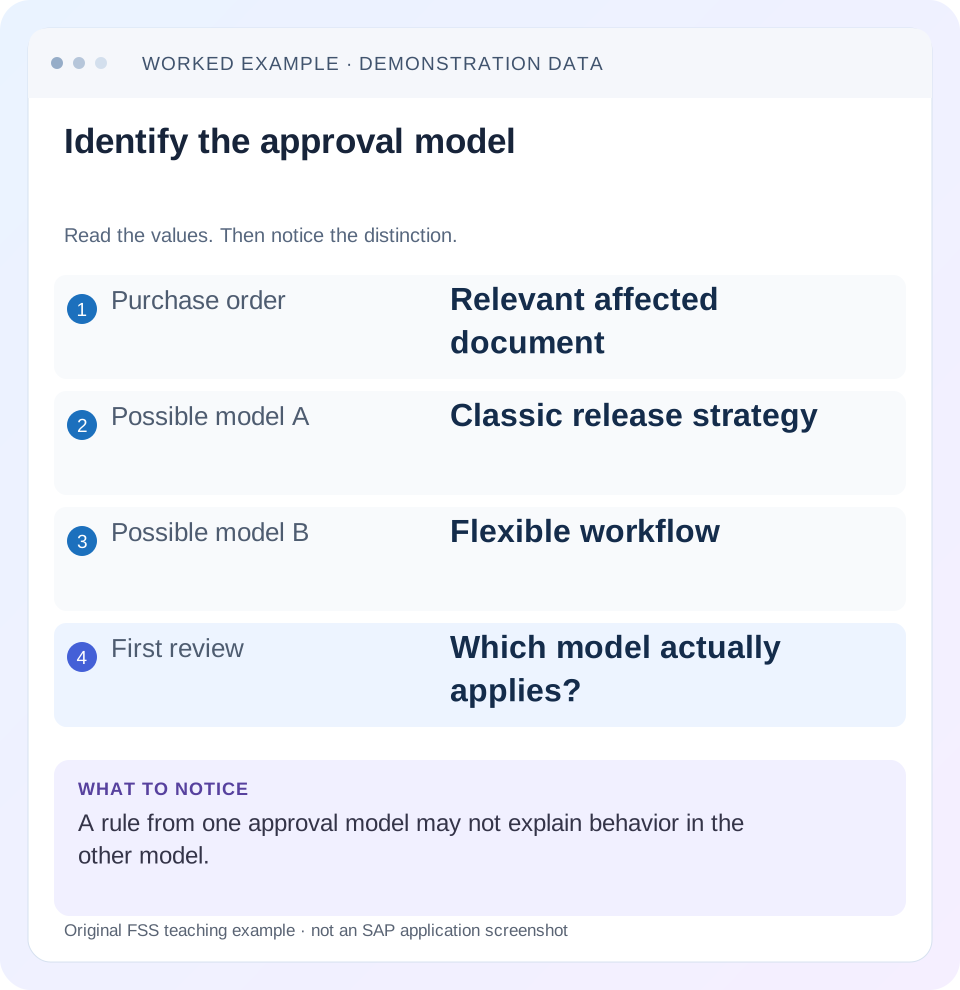
Read the example values
- Purchase order
- Relevant affected document
- Possible model A
- Classic release strategy
- Possible model B
- Flexible workflow
- First review
- Which model actually applies?
Words you’ll meet in this guide
- Material
- A product or supply item managed in SAP.
- Plant
- An organizational unit for relevant logistics operations.
- Goods receipt
- A recorded receipt of goods in a business process.
- Purchase order
- A purchasing document requesting goods or services from a supplier or supplying plant.
- Invoice
- A supplier’s bill for goods or services.
- HANA
- SAP’s database platform.
Preview the practical steps
SEE THE CONNECTION
See it in a simple example.
A small example to make the idea concrete.
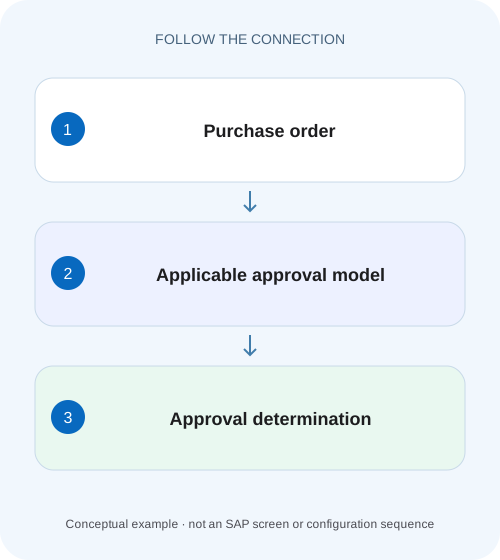
Investigate a plant purchasing approval
Two component POs appear similar, but only one follows the approval route expected by the purchasing manager.
Identify which approval model owns the order
A missing approval task does not automatically mean that a classic purchase-order release strategy was not determined.
Scope and prerequisites
The main scope is ERP and supported S/4HANA classic release with classification.
Understand classic determination before looking for a task
SAP documents a sequence in which document characteristic values are passed to classification, matched to release conditions and used to assign a release strategy.
Investigate a plant purchasing approval
Two component POs appear similar, but only one follows the approval route expected by the purchasing manager.
Identify the installed approval model and compare the actual relevant attributes before changing a strategy or workflow.
| Reader | Business question | Evidence to carry forward |
|---|---|---|
| Manufacturing buyers and purchasing managers | Investigate a plant purchasing approval | Identify the installed approval model and compare the actual relevant attributes before changing a strategy or workflow. |
01 Identify which approval model owns the order
A missing approval task does not automatically mean that a classic purchase-order release strategy was not determined. First identify whether the document uses the classic classification-based release procedure or flexible workflow. Then separate rule determination, document approval state and delivery of work to an approver. They are different failure boundaries. [1] [2]
This tutorial focuses on the classic model and includes a clear flexible-workflow branch. It compares a working and failing illustrative PO against an explicit rule, then checks classification inputs, header-level aggregation and release sequence. The intended outcome is a reproducible cause statement, not an approval bypass.
02 Scope and prerequisites
The main scope is ERP and supported S/4HANA classic release with classification. Flexible workflow uses its own configured start/step conditions, ordering and recipients; classic CEKKO/classification checks cannot replace that analysis. Public Cloud configuration and supported workflow features require edition-specific documentation.
Collect PO number, document type, purchasing organization/group, currency/value basis, relevant item fields, saved state, expected approval route and actual release/approval evidence. Obtain authorized display access to the PO, classic release configuration/classification or flexible-workflow details as applicable. Configuration changes and debugging belong in an approved nonproduction investigation.
Choose one working comparison with a known expected route. A narrow working/failing pair exposes relevant differences more clearly than an indiscriminate export of all purchasing documents.
03 Understand classic determination before looking for a task
SAP documents a sequence in which document characteristic values are passed to classification, matched to release conditions and used to assign a release strategy. Responsible release codes then process the document in the defined sequence. Therefore no matching strategy and a matched strategy waiting at its first release code are different findings. [1] [2]
For purchasing documents, the cited classic procedure is header-level approval rather than item-by-item partial approval. Item-related characteristics can require aggregation into that context. The value displayed on one selected PO line is not automatically the complete determination input.
A workflow inbox or email is another layer. If a strategy exists and its status is pending, investigate release prerequisites, responsibility and notification/workflow evidence rather than repeatedly changing characteristic ranges.
04 Worked case: two POs and one intended rule
The fictional business rule requires a two-step classic route for purchasing group G01 when the relevant determination amount is greater than 1,000 currency units under the approved basis. These labels and threshold are illustrative, not SAP-delivered defaults. PO-A has G01 and amount 1,200 and follows the expected route. PO-B is reported as “also 1,200” but has no expected strategy.
The investigation records actual saved inputs. It finds PO-B’s relevant purchasing group is G02, while the requester compared only amount and supplier. Under the stated rule, the orders are not equivalent: PO-B does not match the G01 condition. The next action is to establish the intended business group or rule coverage, not widen the amount range blindly.
A second variation keeps G01 but uses mixed plants across PO items where a plant characteristic participates. The determination input must be read in its header/aggregation context. One item showing P100 does not establish that the complete header characteristic is P100.
| Input | Working PO-A | Failing PO-B |
|---|---|---|
| Reported amount | 1,200 | 1,200 |
| Actual purchasing group | G01 | G02 |
| Expected rule group | G01 | G01 |
| Simple rule match | Yes under stated assumptions | No: group differs |
| Next action | Verify release sequence | Resolve intended group/rule scope |
| Separate mixed-plant variation | All relevant items P100 | Inspect actual aggregated characteristic |
05 Read actual characteristic mappings and values
Ask the configuration owner which characteristics define the intended strategy and how each is populated. SAP support documentation identifies CEKKO as the classic purchasing-document communication context and class type 032 for release strategies. Use the installed field definitions and actual runtime/configuration evidence, not a guess from a translated label. [3]
Record each expected condition beside its observed value, including data type, interval, unit/currency and formatting where relevant. A character identifier with leading zeros is a different representation question from a numeric amount interval.
If customer logic populates or changes a characteristic, trace that supported enhancement boundary in nonproduction. Verify the value after the logic executes. A screenshot of a standard PO field cannot prove the custom characteristic received the same value.
Use a typed comparison rather than a screenshot-only checklist. Record whether each characteristic is character, numeric or currency-based, whether multiple values or intervals apply and which exact saved input was passed. A visually similar purchasing-group description is not the same as the stored group key. This makes a useful negative test when two groups share similar descriptions but only one belongs to the intended approval rule.
06 Investigate classic determination in sequence
The sequence below keeps rule input, strategy assignment and approval progress distinct.
Confirm model and saved document
Establish classic classification ownership and the current saved PO, including exact organization/value context.
Expected observation: The investigation uses the correct model and version of the order.
Build the rule/value matrix
List the intended strategy’s characteristics and compare PO-A with PO-B using actual determination values.
Expected observation: The G01/G02 difference is visible before configuration changes.
Check classification consistency
Review the assigned class, characteristic mapping and maintained strategy values with supported classification/configuration tools.
Expected observation: The intended rule exists consistently for the purchasing document.
Inspect assigned strategy and status
If a strategy is present, read release codes, prerequisites and current indicator rather than calling determination absent.
Expected observation: The remaining task is classified as approval processing where appropriate.
Retest one correction and its neighbor
After the approved training change, test the matching case and an out-of-scope case.
Expected observation: The intended route works without unintentionally approving unrelated orders.
07 Amount thresholds and mixed items need boundary evidence
For the illustrative greater-than-1,000 rule, test 999, exactly 1,000 and 1,001 on the agreed determination basis. The expected outcomes follow the explicitly stated comparison, but the actual installed characteristic intervals must be inspected. Do not infer inclusive/exclusive boundaries from a business sentence alone. [3]
Confirm currency conversion and amount definition for the actual process. Header net value, a converted determination value and one item amount are not automatically the same. Capture the actual field and basis rather than applying an exchange rate from an unrelated date.
For plant or material-group characteristics on multi-item POs, inspect the documented aggregation behavior. SAP support guidance highlights how mixed item values can produce a different header input. Use a one-item and a mixed-item training case to expose that boundary.
08 A determined strategy can still be waiting correctly
In a two-step route, the second release code may require the first. An approver associated with the later code cannot necessarily act yet. Read the prerequisites and current release status rather than assuming a missing action button is an authorization defect.
An order can also be fully released under the applicable state while output or supplier communication remains unresolved. Keep the release indicator and output evidence separate. A supplier not receiving the order does not prove strategy determination failed.
Changes after approval raise another question: whether the installed release/changeability settings require reset. That is different from first-time determination. Retain old/new values and actual status after the change before diagnosing a new strategy failure.
09 Flexible workflow follows its own diagnostic branch
If flexible workflow owns the PO, inspect the actual activated workflow configuration and document approval details. SAP documents start preconditions, ordered workflow evaluation, step preconditions and recipients in Manage Workflows for Purchase Orders. The first matching configured workflow and any active fallback behavior must be understood in that installed setup. [4]
Separate no expected workflow match from a workflow instance that exists but lacks an eligible recipient or is waiting at a step. Read the instance and step evidence. A classic classification simulation does not answer those questions.
For a change/restart issue, inspect the configured restart conditions and supported custom logic where applicable. Do not activate a second approval model merely to obtain an inbox item. Correct the actual owner’s configuration and verify neighboring scenarios.
10 Troubleshooting decisions
Use the earliest unproven boundary. A task symptom can originate in a correct rule with a later processing issue.
| Observation | Question | Next evidence |
|---|---|---|
| No expected classic strategy | Do actual characteristics match? | Rule/value matrix and class assignment |
| Same amount, different result | Which other input differs? | Group, organization, currency and custom fields |
| Single item works, mixed PO fails | What header aggregation applies? | Actual aggregated characteristic |
| Strategy visible, no task | Is determination already successful? | Release prerequisites and responsibility/workflow |
| Flexible workflow active | Which ordered start/step rule applies? | Activated workflow and instance details |
| Approved PO change not restarted | What reset/restart rule owns it? | Old/new values and model-specific controls |
11 Common mistakes and verification
Do not remove the approval requirement to make the order progress. Do not copy a working strategy and broaden every interval without explaining why the failing case should belong. Both actions can alter control for a wider population.
For a positive training check, use G01/1,200 and verify the intended two-step route and sequence. For a negative check, use G02/1,200 and confirm it does not silently receive the G01 route under the stated rule. Test 999/1,000/1,001, mixed item plants and a relevant postapproval change.
Record actual determination inputs, matched strategy/workflow, current code/step, saved outcome and output state. These are proposed acceptance checks; no strategy or workflow was executed in a customer SAP system for this article.
12 Questions and the handover
Does no email mean no strategy? No. Inspect assignment and current status first. Can a classic PO approve only one item? The cited classic external-purchasing procedure is header-based; use the actual supported model rather than transferring requisition item-release assumptions.
Should classification be checked for flexible workflow? It is not the substitute for that model’s configured conditions and instance/recipient evidence. Can a similar amount prove two POs match? The G01/G02 fixture shows why every relevant condition matters.
A useful handover names model, PO-A/PO-B, expected rule, actual inputs, first divergence, current strategy/step and proposed controlled correction. Continue with PR-versus-PO and purchasing worklists to distinguish internal demand approval from external order processing.
Related services and next steps
Primary sources
Found this useful?
Share this guide with your network, or leave a like.
Your like is saved in this browser.