SAP sales document incomplete? Turn the incompletion log into a clear next step
A manufacturer's equipment sales order cannot progress because required information is missing at more than one document level.

Source review:
START HERE · NO PRIOR TOPIC KNOWLEDGE NEEDED
What it is. Why it matters.
An incompletion log identifies missing information required by configured sales-document rules. It helps users find what is incomplete and which later activities may be affected.
Completely new to SAP?
Manufacturers use SAP to connect work such as buying components, recording inventory, planning production, shipping equipment and accounting for costs. SAP S/4HANA is an enterprise resource planning system: it connects these activities through shared business data.
Sales and Distribution connects customer orders, logistics and billing. Each stage has its own documents, quantities and status, so one stage’s success does not prove the whole sale is complete.
A transaction code, or t-code, is a shortcut to a task in classic SAP GUI. Fiori apps provide another way to work. Names and screens depend on the product and release; you do not need a live system to learn the concepts in this guide.

Scope and source-review notes
Scope and evidence
Source review by FAST SAP SOLUTIONS® editorial. This badge describes our editorial review; it does not represent SAP certification or independent endorsement.
SD sales-document and outbound-delivery incompletion concepts for sales operations and SD support. Classic ERP navigation and S/4HANA delivery documentation support the explanation; required fields and blocking effects are configured by document/process and app.
Documentation review on 14 November 2026 used the available official SAP indexed excerpts; several SAP Help pages returned no readable full text. The worked case and proposed checks are original illustrative teaching material, not execution evidence from a customer SAP system. Exact fields, permitted actions and behavior must be confirmed against the installed product, release and configuration.
A MANUFACTURING EXAMPLE
Resolve an incomplete equipment order
Find what prevents the next step
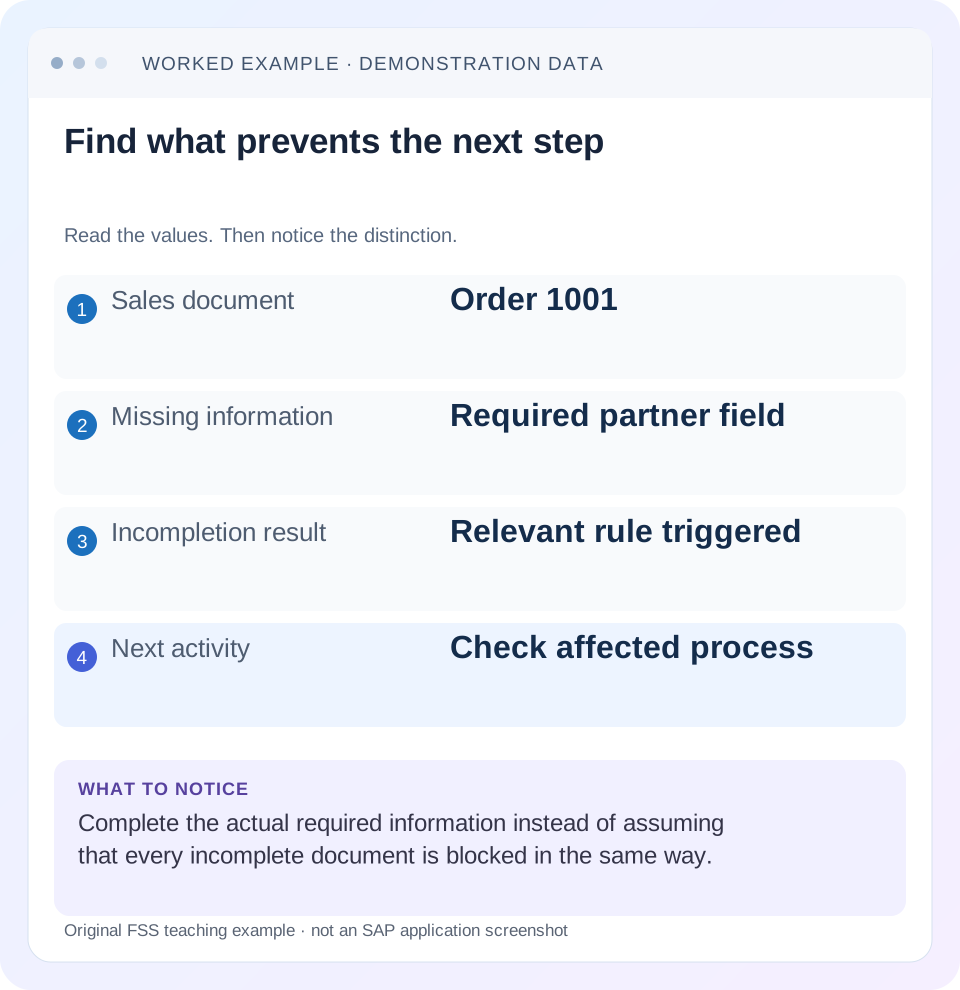
Read the example values
- Sales document
- Order 1001
- Missing information
- Required partner field
- Incompletion result
- Relevant rule triggered
- Next activity
- Check affected process
Words you’ll meet in this guide
- Sales order
- A record of a customer’s order.
- Delivery
- A document organizing goods to be sent.
- Billing
- The process that creates a customer charge.
- Fiori
- SAP’s approach to business application design.
Preview the practical steps
SEE THE CONNECTION
See it in a simple example.
A small example to make the idea concrete.
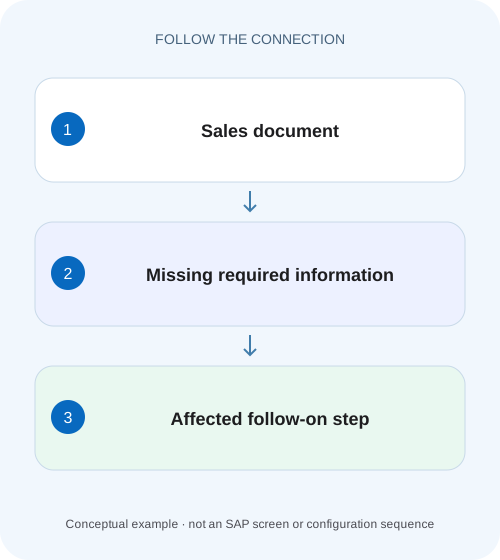
Resolve an incomplete equipment order
A manufacturer's equipment sales order cannot progress because required information is missing at more than one document level.
Identify the missing data and the function it affects
The incompletion log tells you which required data is missing in the relevant document context.
Audience and prerequisites
This tutorial is for sales operations, SD support and process owners with permitted document display and authorized data maintenance.
Worked case: one order, two different gaps
In our fictional order 47000123, item 10 is 40 PC and item 20 is 10 PC.
Resolve an incomplete equipment order
A manufacturer's equipment sales order cannot progress because required information is missing at more than one document level.
Read each incompletion entry in its item or header context before assigning the next correction.
| Reader | Business question | Evidence to carry forward |
|---|---|---|
| Equipment and component sales, dispatch and customer-service teams | Resolve an incomplete equipment order | Read each incompletion entry in its item or header context before assigning the next correction. |
01 Identify the missing data and the function it affects
The incompletion log tells you which required data is missing in the relevant document context. Use it to identify a specific field, affected level and business step. A sales order can be saved yet remain unsuitable for a later function, depending on its configured incompletion behavior.
SAP documents sales-document incompletion handling and separate delivery incompletion. Therefore, completing the order does not automatically complete a later delivery. Also, an empty log does not prove that credit, availability, blocks or every billing prerequisite is satisfied. It answers the completeness question within the configured scope. [1] [2]
02 Audience and prerequisites
This tutorial is for sales operations, SD support and process owners with permitted document display and authorized data maintenance. Obtain the document/item, attempted action, exact message and expected next stage. Start by inspecting the log; decide who owns the correct missing value before entering anything.
The classic sales-document documentation describes Edit → Incompletion log and navigation to incomplete data. Fiori applications may expose different controls. Use the installed app's supported navigation. Required fields, status groups and subsequent-function restrictions depend on configuration; this guide does not declare a particular customer field universally mandatory. [1]
03 Worked case: one order, two different gaps
In our fictional order 47000123, item 10 is 40 PC and item 20 is 10 PC. The incompletion information identifies a missing customer purchase-order reference at header level and a missing required business attribute for item 20. The training process permits saving the order but restricts an intended later step until its relevant data is complete.
Sales operations obtains the actual reference PO-CUST-77 from the customer's approved order evidence. The item-20 attribute requires product/process-owner confirmation. Entering “TBD” to clear the log would create apparent completeness without correct business data. The fixture's fields are examples of configured requirements, not universal SAP defaults.
| Context | Gap | Authoritative source |
|---|---|---|
| Order header | Customer reference | Approved customer order PO-CUST-77 |
| Order item 20 | Required business attribute | Product/process owner |
| Later delivery | Shipping-related requirement | Delivery execution process |
04 Separate header, item and schedule context
Read each entry's affected level and document reference. A header value can affect the whole order, while an item-specific gap can affect only the relevant line or its subsequent processing. Where schedule-line context is shown, relate it to the dated quantity rather than treating it as a separate header problem.
For the example, do not change item 10's product data to repair item 20. Keep the two gaps in an action list with owner, correct source and expected process effect. If several entries point to one missing upstream determination, investigate that shared source instead of filling each downstream value inconsistently.
05 Use navigation to inspect the actual field
Open the supported incompletion display for the correct document and select the relevant entry. Navigate to its data context using the app's completion function where provided. Compare the field's current value with the business source and the exact requirement shown.
If navigation leads to a different item or a field already filled, refresh the document/log and inspect whether the change was saved, whether another dependent field is missing or whether the requirement concerns a different context. Preserve the actual discrepancy. Do not alter the incompletion procedure merely because an old screenshot and the current display differ.
06 Assign the missing value to its real owner
A missing reference may belong to sales entry, a partner address to master-data maintenance and a product-related value to another owner. Establish the authoritative source and whether the correction belongs only in this document or also in upstream master data.
Changing master data does not necessarily retroactively update an existing order. Review the supported document-update/determination behavior before expecting the log to clear. Conversely, fixing one document manually may be appropriate for an exception while leaving a recurring upstream data problem unresolved. Record both the immediate correction and any separately governed preventive work.
07 Understand completeness status versus allowed functions
SAP's delivery documentation describes completeness at header, item, partner and text levels, with effects on subsequent functions such as picking, goods issue and billing. The exact configured restriction matters more than a generic label saying “incomplete.” [2]
For the training order, ask which entry prevents the requested delivery or billing step. An entry important for one function may not stop another. Do not infer that a successful save means all follow-on functions are allowed, and do not assume every warning must block saving. Inspect the actual process status and message for the specific action.
08 Recheck the delivery independently
Suppose delivery 80000123 is later created for the 40-PC item. The order log is clear, but the delivery has its own missing shipping-related data under the training configuration. Inspect the delivery's incompletion information rather than reopening the already-correct customer-reference issue.
This demonstrates document progression: each object has its own relevant data and state. A delivery can inherit some order data while also requiring its own execution information. Record the actual delivery/item and blocked function. A complete order does not establish picked quantity, goods issue or delivery billing readiness. [2]
09 Distinguish other blockers after the log clears
If the intended action still fails, capture the new exact message and move to its responsible mechanism. A delivery block, credit result, zero confirmation, shipping-point gap or billing-relevance issue is not automatically an incompletion defect.
For example, item 20 may become complete while still having no confirmed quantity for the required date. That calls for schedule-line/availability analysis. Removing a completeness requirement would not create supply. Similarly, a billing block can remain intentional after all mandatory fields are filled. Treat each state as its own evidence rather than trying to clear every symptom through one procedure.
| Observation | Next investigation |
|---|---|
| Field filled, log still shows gap | Saved state, refresh and dependent context |
| Order complete, delivery blocked | Delivery log and own status |
| Log clear, no confirmed quantity | Schedule lines and availability |
| Log clear, billing blocked | Actual billing block/relevance/date |
| Same field repeatedly missing | Upstream master data or interface mapping |
10 Correct and save through the authorized business process
Enter the verified customer reference and approved item attribute using supported maintenance. Save according to the actual app and refresh the incompletion information. Record which entries disappeared and whether any dependent entries remain. A changed screen field without a saved document is not final evidence.
If the value cannot be established, leave the unresolved requirement visible and route it to the owner with a precise question. A placeholder can propagate into delivery, invoice, reporting or customer correspondence. Correctness of the business value is part of the resolution, not an optional improvement after the log turns green.
11 Verify the intended next step without duplication
In an approved training or business process, repeat the exact intended action and inspect its result. If creating a delivery or invoice, first reconcile existing document flow after any earlier uncertain attempt. The acceptance condition includes the correct document/item and quantity, not just absence of the original incompletion message.
For item 10, a 40-PC delivery should reference the correct source if that is the agreed fixture. Item 20 remains governed by its own completeness and confirmation state. Inspect each line so a successful header action does not conceal an excluded item. Record any new blocker separately with its own evidence.
12 Practice positive, negative and boundary cases
A positive exercise supplies the verified reference and item attribute, refreshes the log and predicts the relevant completeness improvement. A negative exercise enters a syntactically acceptable but wrong reference; the learner should reject it as a business-data failure even if the incompletion rule no longer flags it.
A boundary exercise clears the order log while leaving the delivery incomplete. The learner should inspect the delivery. Another fixture gives a complete item with zero confirmed quantity; the next investigation belongs to availability. These exercises distinguish completeness validation from truth, fulfillment and all other process controls without requiring productive document creation.
13 Build a precise completion worksheet
For each log row, retain document, level, field description, missing value's source, owner, authorized action and resulting status. Add the intended follow-on function and its actual result. This worksheet makes “order incomplete” actionable and prevents different teams from correcting different fields under the same vague ticket.
For recurring cases, count which fields and entry channels fail. If one integration repeatedly omits a required attribute, investigate its payload mapping and source data with the interface owner. Keep the immediate document correction separate from the permanent upstream change so the customer order can progress while prevention is governed and tested.
A useful data-quality boundary is a required customer reference containing the wrong customer’s purchase-order number. The field is populated and may satisfy the configured completeness test, but the document is still commercially wrong. Ask the learner to compare the value with the approved order evidence instead of equating an empty log with truth. Then use a missing-but-not-blocking field in another fixture to show the reverse distinction: incompletion visibility does not automatically establish which next function is prohibited. The actual configured effect and the factual correctness of the value both matter.
Record whether the actual field was missing, incorrectly populated or unrelated to the attempted function.
14 Questions and a useful final note
Does an empty incompletion log prove all data is factually correct? It proves only the configured checks are satisfied. Can an incomplete document be saved? That depends on document type and setup. Can a complete order have an incomplete delivery? Yes; inspect the later document independently.
A useful note says: “Order 47000123 header reference corrected to verified PO-CUST-77; item 20 attribute confirmed by owner and saved; order log refreshed. Delivery 80000123 item 10 remains under its own shipping-data review.” That provides exact progress and remaining ownership without overstating end-to-end completion.
Related services and next steps
Primary sources
Found this useful?
Share this guide with your network, or leave a like.
Your like is saved in this browser.