SAP VL03N: Read picking, goods issue and delivery flow separately
A factory delivery contains 60 units, while only part has been picked and the goods-issue question is still open.

Source review:
START HERE · NO PRIOR TOPIC KNOWLEDGE NEEDED
What it is. Why it matters.
An outbound delivery organizes goods to be sent to a customer. VL03N displays relevant deliveries, while picking, goods issue and billing describe separate parts of the process.
Completely new to SAP?
Manufacturers use SAP to connect work such as buying components, recording inventory, planning production, shipping equipment and accounting for costs. SAP S/4HANA is an enterprise resource planning system: it connects these activities through shared business data.
Sales and Distribution connects customer orders, logistics and billing. Each stage has its own documents, quantities and status, so one stage’s success does not prove the whole sale is complete.
A transaction code, or t-code, is a shortcut to a task in classic SAP GUI. Fiori apps provide another way to work. Names and screens depend on the product and release; you do not need a live system to learn the concepts in this guide.

Scope and source-review notes
Scope and evidence
Source review by FAST SAP SOLUTIONS® editorial. This badge describes our editorial review; it does not represent SAP certification or independent endorsement.
Supported VL03N/Display Outbound Delivery concepts for SD and shipping support. S/4HANA app documentation and classic picking/goods-issue references support the explanation. EWM,decentralized execution,returns and specialized deliveries require their own relevance/status interpretation.
Documentation review on 14 November 2026 used the available official SAP indexed excerpts; several SAP Help pages returned no readable full text. The worked case and proposed checks are original illustrative teaching material, not execution evidence from a customer SAP system. Exact fields, permitted actions and behavior must be confirmed against the installed product, release and configuration.
A MANUFACTURING EXAMPLE
Read equipment picking and dispatch separately
Two different open quantities
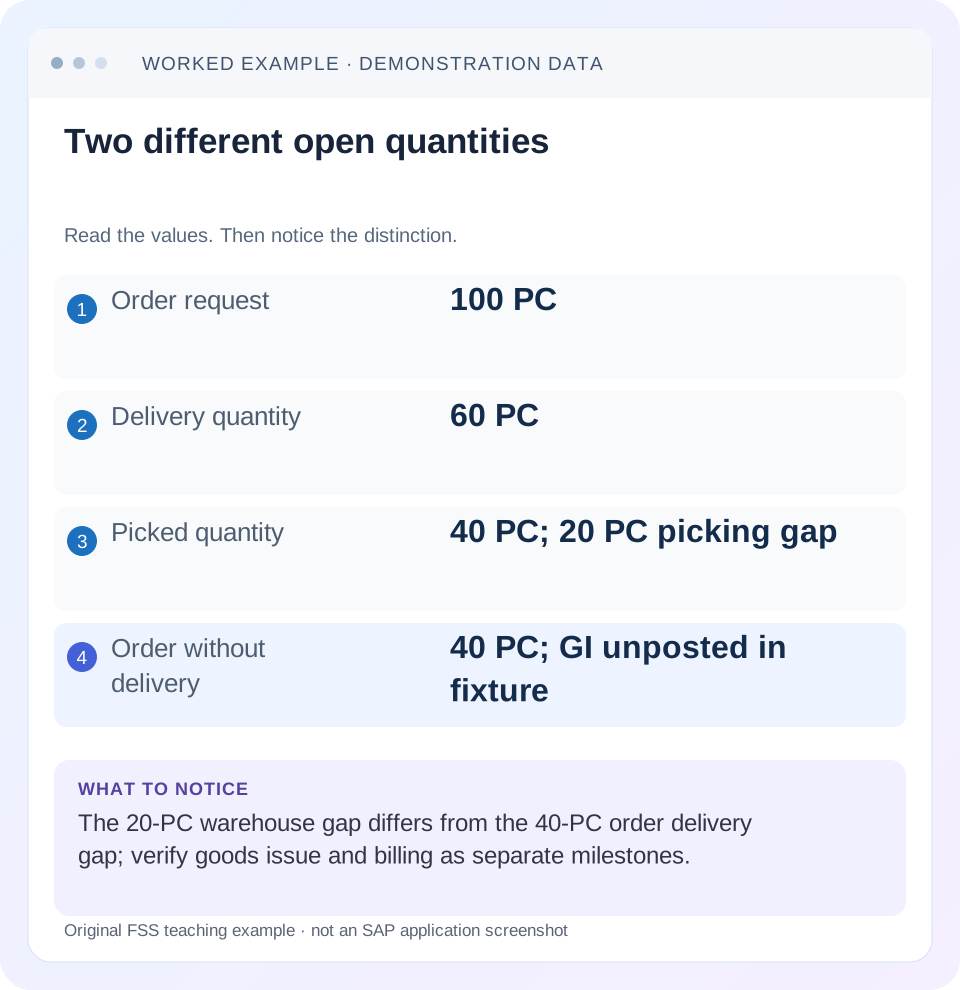
Read the example values
- Order request
- 100 PC
- Delivery quantity
- 60 PC
- Picked quantity
- 40 PC; 20 PC picking gap
- Order without delivery
- 40 PC; GI unposted in fixture
Words you’ll meet in this guide
- Sales order
- A record of a customer’s order.
- Delivery
- A document organizing goods to be sent.
- Billing
- The process that creates a customer charge.
- EWM
- Extended Warehouse Management: SAP’s application for warehouse processes.
Preview the practical steps
SEE THE CONNECTION
See it in a simple example.
A small example to make the idea concrete.
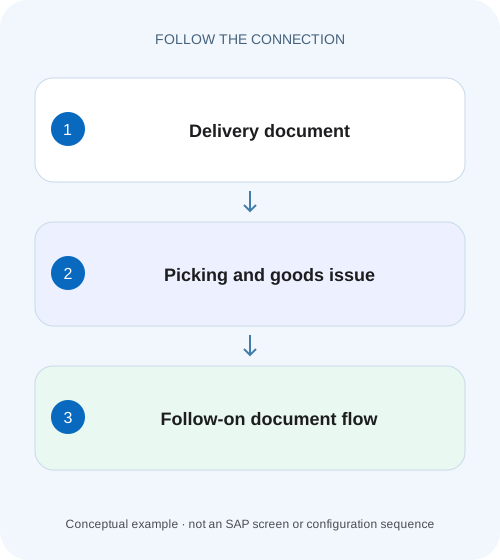
Read equipment picking and dispatch separately
A factory delivery contains 60 units, while only part has been picked and the goods-issue question is still open.
Read delivery milestones separately
An outbound delivery's existence does not prove its goods are picked, goods issue is posted or billing is complete.
Audience and prerequisites
This tutorial is for shipping support, SD analysts and warehouse coordinators with permitted delivery display.
Worked case: 60 in the delivery, 40 picked
Our fictional order 47000123/10 requests 100 PC.
Read equipment picking and dispatch separately
A factory delivery contains 60 units, while only part has been picked and the goods-issue question is still open.
Read picking, goods issue and document flow separately before reporting the whole delivery as shipped.
| Reader | Business question | Evidence to carry forward |
|---|---|---|
| Equipment and component sales, dispatch and customer-service teams | Read equipment picking and dispatch separately | Read picking, goods issue and document flow separately before reporting the whole delivery as shipped. |
01 Read delivery milestones separately
An outbound delivery's existence does not prove its goods are picked, goods issue is posted or billing is complete. Open the correct delivery and read item quantities and relevant statuses separately. Use document flow to connect its source and subsequent documents, then inspect the actual state of each stage.
SAP's Display Outbound Delivery documentation identifies VL03N and provides header/document-flow access. Its broader delivery model distinguishes picking, goods movement, billing and overall process status. These separate fields exist because the stages answer different questions. A broad completed-looking summary cannot replace the evidence for the business event the user reports missing. [1] [5]
02 Audience and prerequisites
This tutorial is for shipping support, SD analysts and warehouse coordinators with permitted delivery display. Obtain delivery/item, source order, expected quantity/unit, ship-to, shipping point and the reported missing action. Establish which system owns warehouse execution and whether the item is picking-relevant.
The main fixture is a conventional stock outbound delivery with picking before goods issue. EWM, decentralized warehouse, non-picking-relevant items, returns and other processes can expose different responsibilities. The Display app can also offer packing or links into change functions in documented releases; use display for investigation and treat any business mutation as its own authorized process. [1] [2]
03 Worked case: 60 in the delivery, 40 picked
Our fictional order 47000123/10 requests 100 PC. Delivery 80000123/10 covers 60 PC for the correct branch. Its relevant picked quantity is 40 PC and goods issue is not posted. The remaining 40 PC of the order are not included in this delivery in the simplified fixture.
There are two different gaps:20 PC still needed to complete picking of the 60-PC delivery, and 40 PC still outside any delivery for the 100-PC order. Those numbers must not be merged into one unexplained shortage. The warehouse owns the first execution question; the second needs order confirmation/due-list and fulfillment evidence.
| Measure | Quantity | Meaning |
|---|---|---|
| Order demand | 100 PC | Customer requirement |
| Delivery quantity | 60 PC | Scope of 80000123/10 |
| Picked quantity | 40 PC | Warehouse preparation in fixture |
| Delivery picking gap | 20 PC | 60−40 |
| Order quantity without delivery | 40 PC | 100−60 |
| Goods issue | Not posted | Do not infer stock posting from picking |
04 Confirm delivery identity before reading status
Open the supported VL03N/display route, enter the delivery ID and compare ship-to, shipping point, delivery type and source order/item. A customer can have several deliveries on one day, so a familiar recipient or amount is insufficient identity.
For the fixture, confirm the 60-PC reference from order 47000123/10. If the actual source is item 20 or another order, resolve that before interpreting the displayed picking figure. Also record observation time. A screenshot taken before a later warehouse confirmation can look inconsistent with current state without either record being wrong.
05 Separate header summary from item detail
Header context establishes the delivery's common organizational and partner information. Item context establishes material, quantity, unit, batch or other relevant identity and stage-specific status. A header picking summary can conceal which item remains incomplete or which item is not relevant to that activity.
Inspect every item relevant to the incident, not necessarily every unrelated line. If the 60-PC stock item is incomplete while a text/non-picking item has another status, the latter should not be treated as a warehouse failure automatically. Read relevance and process meaning before comparing labels or forcing all items to display the same state.
06 Read picking quantity in the correct warehouse process
Picking concerns preparing the relevant quantity for shipment. SAP's classic Picking Status documentation distinguishes item-level status and requires relevant items to be completely picked before goods issue in that scope. Current non-warehouse-relevant delivery documentation also identifies picked-quantity fields and the delivery/picked-quantity relationship. [3] [4]
For the main fixture,40 picked versus 60 delivery leaves 20 PC to resolve under the approved warehouse process. That can involve further picking or a justified quantity correction according to the actual design. Do not simply type 60 because the delivery expects 60; the system figure must represent actual execution and supported confirmation.
07 Understand “not relevant for picking”before calling it an error
A non-picking-relevant item need not show the same picking progress as a stocked warehouse item. In decentralized execution, the central document's relevance/status can also differ because picking is owned and confirmed elsewhere. SAP's classic reference explicitly discusses that distinction. [3]
If EWM or another warehouse system owns execution, trace the related warehouse delivery/tasks and confirmation state using its supported tools. Do not repair a central display by independently entering warehouse quantities that the integration is supposed to supply. The useful handoff names the controlling system and missing confirmation boundary rather than declaring VL03N itself defective.
08 Read goods issue as a posting milestone
Inspect the goods-movement/goods-issue status and associated material-document evidence through document flow. A fully picked delivery can still have no posted goods issue. Conversely, a displayed goods-issue reference needs its current reversal/cancellation relationship checked when the incident concerns corrected stock.
For conventional sales stock in the fixture, a later 60-PC goods issue would have the relevant stock effect under the configured process. If opening stock is 200 PC and no other movements occur, the simplified balance becomes 140 PC. Picking 40 PC alone does not establish that 200-to 140 posting. Keep warehouse preparation, inventory posting and physical transport evidence distinct. [6]
Opening stock = 200 PC
Picking observation = 40 PC prepared; no GI established
A later verified GI of 60 PC would give: 200 − 60 = 140 PC
The 20-PC picking gap and 40-PC order delivery gap are different balances.
09 Reconcile planned and actual dates
Picking, loading, planned goods issue, actual goods movement and customer delivery dates describe different events. A planned date in the header is not proof that the event occurred. Compare actual posting/reference evidence with the reported timestamp.
For delivery 80000123, a planned goods-issue date of 20 November can coexist with no posted goods issue at the observation time. That may represent delay or simply future work, depending on when the investigation occurs. Record the current time and business expectation rather than calling every unposted delivery overdue. If route or shipping-point timing is wrong, investigate those scheduling inputs separately.
10 Follow billing without inferring payment or receipt
After the required delivery execution state, billing may create INV-A for 60 PC at EUR 20 net per PC, or EUR 1,200 before tax under the simple fixture. Inspect billing relevance, actual invoice reference and accounting transfer when those are the reported missing stages.
Invoice existence does not prove that the customer physically received the goods or paid. Goods-issue posting records the system's logistics event; proof of delivery or another receiving confirmation is separate where the business process uses it. Payment is another finance state. Report each supported milestone instead of labeling the entire chain complete from one later document.
11 Use document flow to explain corrections
If goods issue was reversed, retain the original movement and cancellation reference. If billing was canceled, retain the original invoice and cancellation chain. The displayed history can contain both positive and reversing documents, so simply counting entries or adding all quantities can overstate fulfillment.
The classic goods-issue reversal lesson explains its entire-delivery and billing-state prerequisites. Use that scope only where applicable. For a customer return after valid shipment, follow the return document chain rather than pretending the original shipment never happened. A status reader should explain history and current state together, not erase inconvenient prior events.
12 Troubleshoot the missing stage with the right evidence
If no delivery exists for an order balance, return to order schedule and due-list analysis. If the delivery exists but picking is incomplete, inspect warehouse execution. If picking is complete but goods issue is absent, read the exact posting/precondition message through the authorized process. If goods issue is complete but billing is missing, inspect billing basis, date, blocks and prior billing.
If all technical stages look complete but the customer reports nonreceipt, investigate shipment/receiving evidence and the actual ship-to/address. If an interface and VL03N disagree, compare timestamps, relevant backend document and warehouse/integration references. A refreshed backend display is a useful baseline, but it does not alone identify where synchronization failed.
| Observation | Next evidence |
|---|---|
| No delivery for balance | Order confirmation and due-list selection |
| Delivery partially picked | Warehouse quantities/tasks/confirmation |
| Fully picked, GI missing | Posting status and exact prerequisite/error |
| GI complete, billing missing | Billing basis, date, block and flow |
| Technical shipment complete, nonreceipt | Actual destination and transport/receiving evidence |
| Central and warehouse differ | Ownership, timestamps and integration references |
13 Build a stage-by-stage worksheet
For 80000123/10, record source 100 PC, delivery 60 PC, picked 40 PC, GI unposted and billing not yet established in the current fixture. Add separate calculations: delivery picking balance 60−40=20 PC; order quantity without a delivery 100−60=40 PC. Keep units and references with both.
Now update only one stage on paper: fully picked 60 while GI remains unposted. The worksheet should change the warehouse-completion conclusion without claiming stock already reduced or billing completed. Next add a verified GI reference, then a verified invoice. This sequential exercise demonstrates why each milestone needs independent evidence and why one state should not be inferred from another.
14 Positive, negative and boundary verification
A positive read-only exercise locates the correct 60-PC delivery, identifies 40 PC picked and explains both 20-PC and 40-PC gaps. A negative fixture substitutes a different delivery for the same customer; the learner must reject the identity mismatch. A boundary fixture uses an item not relevant for picking and requires a relevance-aware interpretation.
Another boundary gives fully picked 60 PC with no GI reference; the correct statement is picked, not issued. A correction fixture shows original GI plus its cancellation; current state must reflect the supported reversal. In a controlled training process after an approved operational correction, verify the actual resulting quantities, documents, statuses and relevant warehouse evidence rather than a single success notification.
15 Questions and a useful delivery handoff
Does a delivery number prove shipment?No. Does full picking prove goods issue?No. Does goods issue prove customer receipt or payment?Inspect those separate processes. Is every nonpicked-looking item defective?Check relevance and warehouse ownership. Can one order have more than one delivery?Trace the actual item-level relationships.
A useful handoff says:“Delivery 80000123/10 from 47000123/10 is 60 PC, picked 40 PC, GI unposted at the recorded time. 20 PC remains for this delivery's picking; another 40 order PC has no delivery in the fixture. Warehouse confirmation and order-balance actions are assigned separately.”That gives logistics and sales a precise shared picture while preserving the evidence needed for billing and finance follow-up.
Related services and next steps
Primary sources
Found this useful?
Share this guide with your network, or leave a like.
Your like is saved in this browser.