Sales order missing from the delivery due list? Check the selection first
A manufacturer's order has more than one dated requirement, but the dispatch team cannot find the expected item in its current delivery selection.

Source review:
START HERE · NO PRIOR TOPIC KNOWLEDGE NEEDED
What it is. Why it matters.
A delivery due list finds sales requirements eligible for delivery under selected dates and organizational criteria. A missing result can reflect selection or readiness rather than a missing order.
Completely new to SAP?
Manufacturers use SAP to connect work such as buying components, recording inventory, planning production, shipping equipment and accounting for costs. SAP S/4HANA is an enterprise resource planning system: it connects these activities through shared business data.
Sales and Distribution connects customer orders, logistics and billing. Each stage has its own documents, quantities and status, so one stage’s success does not prove the whole sale is complete.
A transaction code, or t-code, is a shortcut to a task in classic SAP GUI. Fiori apps provide another way to work. Names and screens depend on the product and release; you do not need a live system to learn the concepts in this guide.

Scope and source-review notes
Scope and evidence
Source review by FAST SAP SOLUTIONS® editorial. This badge describes our editorial review; it does not represent SAP certification or independent endorsement.
Classic SD collective delivery processing for shipping users and SD support, using S/4HANA on-premise Delivery Management documentation. App/role-specific criteria, ATP/aATP and complete-delivery behavior depend on release and configuration. This is not an unrestricted delivery-creation recipe.
Documentation review on 14 November 2026 used the available official SAP indexed excerpts; several SAP Help pages returned no readable full text. The worked case and proposed checks are original illustrative teaching material, not execution evidence from a customer SAP system. Exact fields, permitted actions and behavior must be confirmed against the installed product, release and configuration.
A MANUFACTURING EXAMPLE
Find an assembly shipment in the due list
Isolate point and date selection
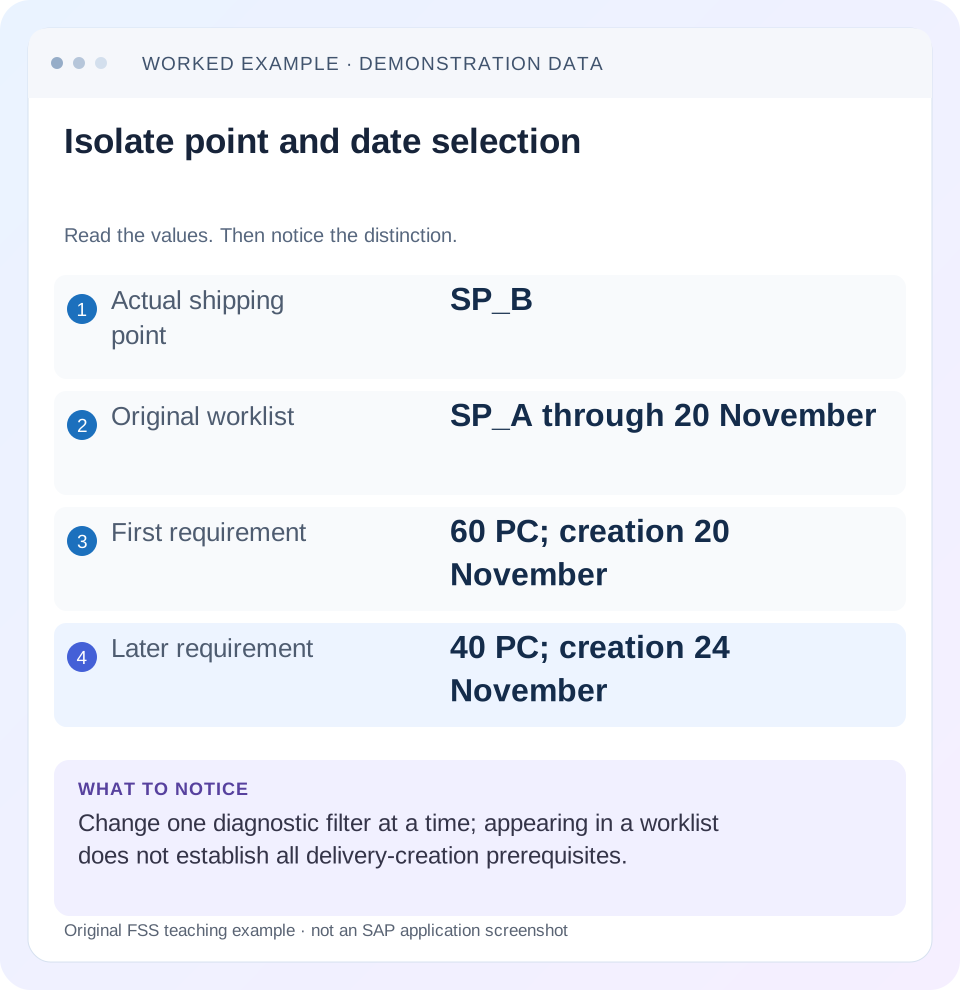
Read the example values
- Actual shipping point
- SP_B
- Original worklist
- SP_A through 20 November
- First requirement
- 60 PC; creation 20 November
- Later requirement
- 40 PC; creation 24 November
Words you’ll meet in this guide
- Sales order
- A record of a customer’s order.
- Delivery
- A document organizing goods to be sent.
- Billing
- The process that creates a customer charge.
Preview the practical steps
SEE THE CONNECTION
See it in a simple example.
A small example to make the idea concrete.
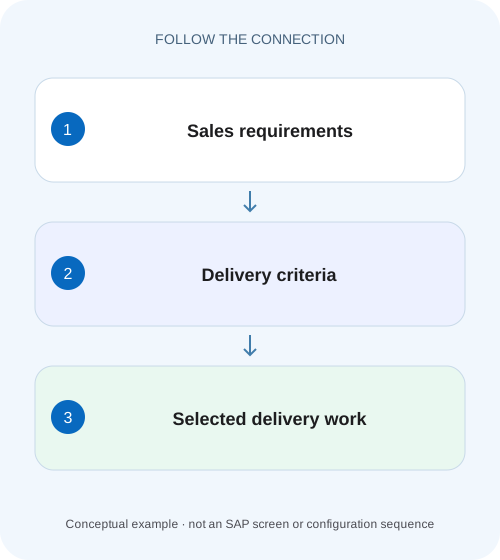
Find an assembly shipment in the due list
A manufacturer's order has more than one dated requirement, but the dispatch team cannot find the expected item in its current delivery selection.
A missing list row does not mean the order is missing
The delivery due list selects requirements under a shipping and date context.
Audience and prerequisites
This tutorial is for shipping users and SD support analysts with permitted order display and collective-processing access.
Worked order: two dated requirements at one shipping point
Our fictional order 47000123/10 requests 100 PC for customer arrival on 25 November.
Find an assembly shipment in the due list
A manufacturer's order has more than one dated requirement, but the dispatch team cannot find the expected item in its current delivery selection.
Compare shipping point, dates and confirmed quantities before creating another order or changing logistics master data.
| Reader | Business question | Evidence to carry forward |
|---|---|---|
| Equipment and component sales, dispatch and customer-service teams | Find an assembly shipment in the due list | Compare shipping point, dates and confirmed quantities before creating another order or changing logistics master data. |
01 A missing list row does not mean the order is missing
The delivery due list selects requirements under a shipping and date context. Start with the exact order/item and preserve the selection that excluded it. An order can exist, contain confirmed quantities and still fall outside a worklist for another shipping point or delivery-creation interval.
SAP documents criteria such as shipping point, delivery creation date, route, ship-to and organization. It also explains that delivery creation timing comes from scheduling. Therefore, compare the list's actual date meaning with the schedule, rather than assuming the customer's requested arrival date must be the date used by every delivery selection. [1] [2]
02 Audience and prerequisites
This tutorial is for shipping users and SD support analysts with permitted order display and collective-processing access. Obtain order/item, requested and confirmed quantities, schedule dates, shipping point and the saved worklist variant. Record which app/scenario and user role produced the result.
The worked case concerns stock-order requirements in conventional SD shipping. Third-party, service, scheduling-agreement or externally managed scenarios can use different processing. Selection fields and available functions also vary by role. Use the installed app's display/search behavior first; selecting eligible work and creating an outbound delivery are separate actions.
03 Worked order: two dated requirements at one shipping point
Our fictional order 47000123/10 requests 100 PC for customer arrival on 25 November. Its illustrative schedule has 60 PC associated with a delivery creation date of 20 November and 40 PC with 24 November. The actual shipping point is SP_B. These dates are teaching inputs, not a calculated SAP scheduling result.
The user's saved worklist selects shipping point SP_A through 20 November. It returns no matching requirement. Two exclusions are possible: wrong shipping point and the later schedule's date. Removing every filter at once might reveal something, but would not explain which requirement each filter excluded. A controlled comparison separates the effects.
| Requirement | Creation date | Shipping point | Original SP_A through 20 November |
|---|---|---|---|
| 60 PC | 20 November | SP_B | Excluded by shipping point |
| 40 PC | 24 November | SP_B | Excluded by shipping point and date |
04 Preserve the original selection before broadening
Record shipping point, date range, route, partner, document and organizational filters, plus the variant and user-role context. Include hidden/defaulted criteria that materially restrict selection. A screenshot of an empty result without its selection is weak incident evidence.
Compare another user's result only after aligning the relevant criteria. One user might select a different role-specific delivery scenario, a broader date interval or another shipping point. Those differences can fully explain unequal lists without a document or authorization defect. If permissions genuinely differ, record that scope explicitly rather than broadening searches outside the user's intended access.
05 Inspect the order and its schedule evidence
Use the supported sales-order display to verify the order, item, plant, shipping point, relevant quantities and dated schedule lines. Distinguish ordered quantity from confirmed quantity and from quantity already covered by deliveries. Confirm the unit before adding quantities.
For the fixture, the evidence must establish SP_B and the 60/40 dated split. If the actual system shows zero confirmation or a different shipping point, follow that observation instead of preserving the example's expected result. A list search cannot compensate for incorrect document assumptions. Keep the source item identity with every subsequent comparison.
06 Understand delivery creation date versus customer arrival
SAP describes delivery creation date as the scheduled date when delivery processing should begin to maintain the overall delivery schedule. Picking and transport need time before arrival. Consequently, an order requested for 25 November can need delivery creation before 25 November. [2]
Inspect the relevant material-availability/transportation scheduling context in the actual process. Do not change a requested date merely to make the requirement visible. If scheduling inputs are wrong, investigate route, shipping-point times and other documented prerequisites separately. A correct selection should expose the intended schedule; it should not rewrite the customer's commitment as a troubleshooting experiment. [3]
07 Isolate shipping-point and date effects one at a time
First keep the date bound at 20 November and change only the diagnostic shipping scope from SP_A to the actual SP_B, within authorized display access. The illustrative 60-PC requirement can now satisfy these two selection dimensions. The later 40 PC remains outside the date bound.
Next keep SP_B and extend the date bound to 24 November. The second 40-PC requirement can now satisfy the date dimension too, subject to all other eligibility checks. Preserve both comparisons. The result explains selection without asserting that every proposed quantity will successfully create a delivery or that the customer permits partial fulfillment.
| Selection | Expected scope in fixture |
|---|---|
| SP_A through 20 November | Neither requirement matches shipping point |
| SP_B through 20 November | 60 PC meets these selection dimensions |
| SP_B through 24 November | Both dated requirements meet these dimensions |
| Any selection plus prior delivery | Reconcile actual remaining quantity independently |
08 Check open quantity and existing delivery references
Inspect document flow before treating the 100 PC as entirely open for delivery. If an existing outbound delivery already covers 30 of the first 60 PC, the remaining requirement is different from the original schedule quantity. Use actual open-delivery evidence in the installed process rather than subtracting displayed numbers indiscriminately.
A created delivery can exist even if the initiating screen timed out. Locate it and inspect its item quantity before retrying. Cancellations, rejected items and completion indicators also need their own interpretation. The support objective is to identify genuinely unfulfilled eligible work, not to maximize the number of rows returned by a broad worklist.
09 Separate a selection exclusion from a readiness barrier
After shipping point and date are aligned, inspect delivery blocks, incompletion, confirmation and partial/complete-delivery agreements. A requirement can meet a date filter while still being held by another prerequisite. A complete-delivery requirement can alter the operational implication of the 60/40 split.
If the row appears but creation fails, read the delivery-creation log for the exact item and message. SAP documents a creation log after collective processing. Do not infer that a selection correction authorizes removing a block or changing a shared item category. The newly exposed message identifies the next question and responsible process owner. [2]
10 Follow a repeatable display investigation
Start with the known order/item in display, then record actual shipping point and dated quantities. Reproduce the original list. Change the one suspected criterion and record the difference. Once visibility is explained, inspect remaining readiness and existing document flow before proposing creation.
If a specific-order selection still gives no result, verify that the chosen collective scenario includes the relevant source-document category. If another item appears but item 10 does not, compare item-level shipping, relevance and quantity states. If no comparable sources appear at all, examine the app/role selection context before diagnosing one document's master data.
11 Troubleshoot misleading worklist observations
A future requested arrival date does not necessarily mean delivery creation is also future by the same number of days. A correct plant does not prove the selected shipping point matches. A confirmed order total does not prove every quantity is due by today's creation bound. These distinctions prevent an apparently simple missing-row incident from being routed to the wrong configuration.
An empty list after a filter change can still have multiple exclusions. Continue with one controlled comparison at a time and document what each establishes. A row count alone is insufficient: compare source/item identity and selected quantity. A larger list containing other orders does not explain why 47000123/10 remains absent.
| Observation | Next check |
|---|---|
| Known item exists but no row | Shipping/date and scenario scope |
| Row appears, creation rejects | Creation log and exact prerequisite |
| Another item appears | Item-level shipping and quantity differences |
| Prior attempt timed out | Existing delivery reference and quantity |
| Complete delivery required | Agreement and full fulfillment readiness |
12 Verify with positive, negative and boundary cases
A positive paper check selects SP_B through 20 November and predicts the 60-PC requirement satisfies the fixture's shipping/date conditions. A negative check returns to SP_A and expects the mismatch. A boundary check extends through 24 November and includes the later 40 PC, while keeping readiness assumptions explicit.
Then add an existing 30-PC delivery for the first requirement and ask the learner to identify the remaining source balance through document flow. Add a complete-delivery agreement in another variation and ask what customer/fulfillment condition must be reviewed. These exercises teach selection and readiness without creating deliveries in a productive system.
13 Verify the created document separately when authorized
In a controlled training process, create only the intended eligible population through the supported app, then inspect its creation log and resulting delivery references. Confirm source order/item, shipping point, ship-to and quantity. Appearance in the due list is not the acceptance criterion for a completed delivery-creation action.
For the simple first-date fixture with no prior delivery and partial fulfillment permitted, an intended 60-PC delivery should not silently become 100 PC or reference another item. If the result differs, preserve the log and document instead of issuing another attempt. Reconcile the remaining 40-PC order requirement and the existing delivery before continuing the fulfillment sequence.
14 Questions and a useful missing-order explanation
Should I select the requested delivery date everywhere? Use the date field defined by the actual worklist; scheduling can require earlier creation. Does an order appearing in the list prove it can be delivered? Other prerequisites and creation checks still apply. Does no row prove the order was deleted? Confirm it through supported display and inspect selection scope.
A useful explanation says: “Order 47000123/10 belongs to SP_B; original variant used SP_A through 20 November. SP_B comparison identifies the first 60-PC requirement; extending through 24 November addresses the later 40 PC. Existing delivery/readiness checks remain separate.” That turns a missing order into a precise, reproducible selection finding.
Related services and next steps
Primary sources
Found this useful?
Share this guide with your network, or leave a like.
Your like is saved in this browser.