Delivery block versus billing block: Identify the process being stopped
An equipment shipment is ready for a logistics decision while finance still reviews its billing conditions.

Source review:
START HERE · NO PRIOR TOPIC KNOWLEDGE NEEDED
What it is. Why it matters.
A delivery block restricts relevant delivery activity. A billing block restricts relevant billing activity; neither label should be assumed to stop every later process in the same way.
Completely new to SAP?
Manufacturers use SAP to connect work such as buying components, recording inventory, planning production, shipping equipment and accounting for costs. SAP S/4HANA is an enterprise resource planning system: it connects these activities through shared business data.
Sales and Distribution connects customer orders, logistics and billing. Each stage has its own documents, quantities and status, so one stage’s success does not prove the whole sale is complete.
A transaction code, or t-code, is a shortcut to a task in classic SAP GUI. Fiori apps provide another way to work. Names and screens depend on the product and release; you do not need a live system to learn the concepts in this guide.

Scope and source-review notes
Scope and evidence
Source review by FAST SAP SOLUTIONS® editorial. This badge describes our editorial review; it does not represent SAP certification or independent endorsement.
SD delivery/billing block concepts for sales operations and support. S/4HANA sales-order app and complaint-processing references illustrate supported controls; actual levels, reason codes, confirmation effects and release authority depend on edition and configuration.
Documentation review on 14 November 2026 used the available official SAP indexed excerpts; several SAP Help pages returned no readable full text. The worked case and proposed checks are original illustrative teaching material, not execution evidence from a customer SAP system. Exact fields, permitted actions and behavior must be confirmed against the installed product, release and configuration.
A MANUFACTURING EXAMPLE
Separate dispatch approval from invoice review
Identify the stopped activity
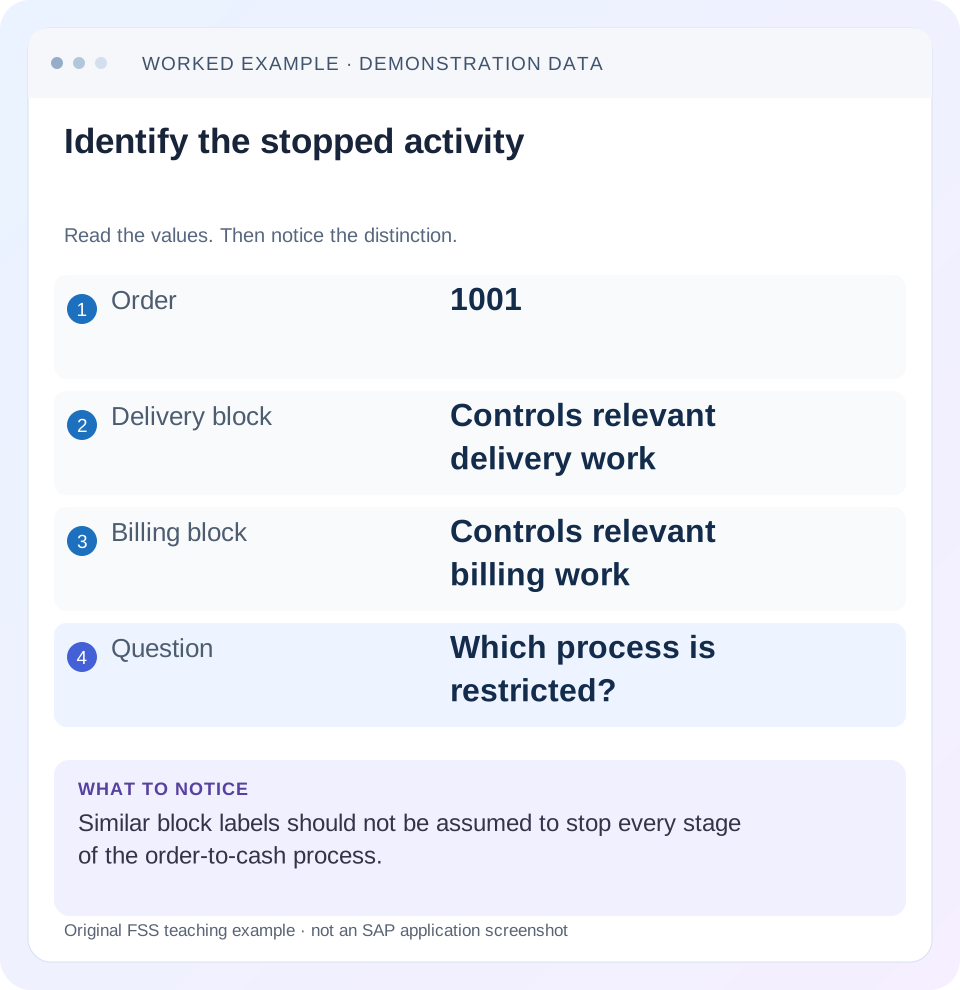
Read the example values
- Order
- 1001
- Delivery block
- Controls relevant delivery work
- Billing block
- Controls relevant billing work
- Question
- Which process is restricted?
Words you’ll meet in this guide
- Sales order
- A record of a customer’s order.
- Delivery
- A document organizing goods to be sent.
- Billing
- The process that creates a customer charge.
Preview the practical steps
SEE THE CONNECTION
See it in a simple example.
A small example to make the idea concrete.
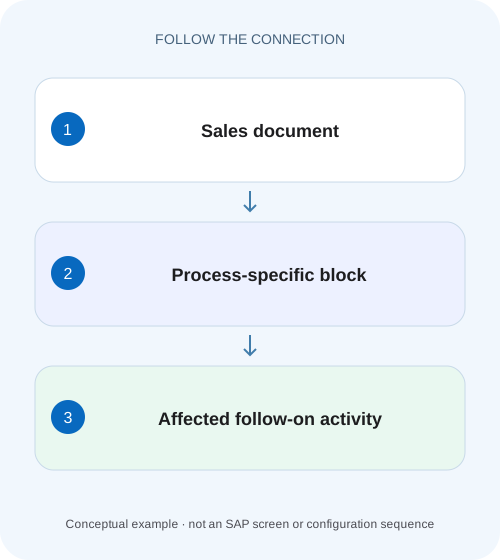
Separate dispatch approval from invoice review
An equipment shipment is ready for a logistics decision while finance still reviews its billing conditions.
Identify which business action is stopped
A delivery block and a billing block control different stages.
Audience and prerequisites
This tutorial is for sales operations, SD support and the owners of shipping/billing reviews.
Worked case: release shipping, retain a value review
Our fictional order 47000123 has item 10 for 60 PC at EUR 20 and item 20 for 10 PC at EUR 100.
Separate dispatch approval from invoice review
An equipment shipment is ready for a logistics decision while finance still reviews its billing conditions.
Identify the affected document level and block purpose before assuming that releasing dispatch also authorizes billing.
| Reader | Business question | Evidence to carry forward |
|---|---|---|
| Equipment and component sales, dispatch and customer-service teams | Separate dispatch approval from invoice review | Identify the affected document level and block purpose before assuming that releasing dispatch also authorizes billing. |
01 Identify which business action is stopped
A delivery block and a billing block control different stages. Ask whether the user is trying to create a delivery, post goods issue, create billing or perform another function, then inspect the exact document/item and message. “Order blocked” is too broad to identify the responsible control.
SAP's sales-order documentation distinguishes delivery and billing blocks, including item-level billing blocks. Complaint processing can propose blocks for review. Treat a block as a business state with a reason and release condition, not as an error to remove whenever a downstream team wants faster processing. [1] [2]
02 Audience and prerequisites
This tutorial is for sales operations, SD support and the owners of shipping/billing reviews. Obtain the order/item, attempted action, actual block reason, document flow and expected next event. Begin with display. Any release follows the organization's authorized process and the configured application behavior.
The example uses a conventional SD order with two items. Different releases and document categories can support header, item or schedule-related controls with different effects. A credit block and an incompletion status are separate mechanisms. This article does not assert that all delivery blocks affect confirmation identically or that every app offers the same maintenance fields.
03 Worked case: release shipping, retain a value review
Our fictional order 47000123 has item 10 for 60 PC at EUR 20 and item 20 for 10 PC at EUR 100. A header delivery hold awaits an approved shipping prerequisite. Item 20 also has a billing review hold because its commercial allowance is unresolved.
The simplified net values are EUR 1,200 and EUR 1,000, totaling EUR 2,200 before tax. Shipping approval can justify removing the delivery hold while the item-20 billing review remains. That does not automatically authorize EUR 2,200 invoicing. The two decisions have different evidence and potentially different owners.
| Context | Control | Expected decision |
|---|---|---|
| Order header | Delivery prerequisite hold | Shipping owner reviews release |
| Item 20 | Billing allowance review | Commercial/billing owner reviews value |
| Item 10 | 60 PC at EUR 20 | EUR 1,200 simple net value |
| Item 20 | 10 PC at EUR 100 | EUR 1,000 before allowance review |
04 Locate the effective block and its level
Inspect the actual document and relevant item/schedule context supported by your process. Record block type, reason text/code, level and observation time. Do not assume a clear header means every item is unblocked, or that a block in the order explains an independently blocked later delivery.
For the fixture, identify the header delivery hold and the item-20 billing hold separately. If the app shows a summarized overall block status, drill into its components through supported navigation. The summary can be useful for finding work but should not replace the exact reason and level in the incident record.
05 Explain the reason and release condition
Ask what evidence permits release: customer instruction, review completion, an accepted commercial decision or another documented prerequisite. Identify the owner of that condition and retain the approved outcome. An email saying “please deliver urgently” does not establish that an unresolved billing allowance has been reviewed.
SAP's complaint guidance describes automatically proposed blocks and review before release or rejection. That teaches a general workflow distinction: the entry team can record a claim while another owner decides its processing outcome. Removing the block is the application action implementing a decision, not the decision itself. [2]
06 Compare block effects with the actual next function
A delivery block can prevent delivery creation under the applicable process. A billing block can stop billing while physical fulfillment may have progressed. Specific reason configuration and document context determine the actual effect. Read the current message instead of assuming all subsequent actions are stopped. [2]
If the warehouse says goods issue fails, inspect the delivery's own state, incompletion and warehouse integration in addition to order blocks. If billing fails, inspect source relevance, dates, prior billing and item controls. The observed action establishes which control must be explained; a similarly named block elsewhere may be incidental.
07 Read existing document flow before release or retry
Determine whether a delivery or invoice already exists from an earlier attempt. A delivery block added after delivery creation does not erase the existing delivery. A billing hold does not by itself cancel an already-created invoice. The recovery path depends on actual documents and statuses.
For the worked order, suppose delivery 80000123 already covers item 10 after an earlier authorized partial release. The remaining question is not whether to create another 60-PC delivery. Inspect that existing document and the open order quantity. Before any repeat action after a timeout, reconcile the persisted chain to prevent duplicate fulfillment or billing.
08 Release only the control whose condition is satisfied
If shipping review is approved, use the supported maintenance process to release the identified delivery hold. Leave the unresolved item-20 billing review visible until its own owner completes the decision. Verify saved state and any automatically maintained dependent status.
Do not remove every block in a mass-change selection to solve one order's shipping issue. Review the selected population and block reasons. Some controls can be maintained by another process, such as an applicable down-payment workflow; manual removal may be inappropriate when that process should supply the release event. Follow the actual design rather than assuming all holds are manual exceptions. [1]
09 Understand why release does not equal completion
After the delivery hold is removed, the order can still lack confirmed quantity, correct shipping-point determination or complete required data. After the billing hold is removed, a source can still fall outside the due-list date or fail copy-control requirements. A removed block is one changed prerequisite.
For item 10, verify the intended delivery reference and 60-PC quantity. For item 20, keep the agreed commercial allowance and billing decision separate from physical quantity. If an allowance reduces its simple value from EUR 1,000 to EUR 900, that pricing/correction process needs its own evidence; clearing the block alone does not perform the value adjustment.
10 Troubleshoot recurrent or apparently ineffective releases
If a block returns, inspect whether an automated rule or later document change legitimately sets it again. Compare the release time with subsequent edits and the owning process. Repeated manual clearing can hide an unresolved prerequisite rather than repair a defect.
If the block disappears but the action still fails, capture the new exact message and investigate the next boundary. If another user still sees a hold, compare document version, client/environment and saved state. If only one item remains blocked, inspect item-specific scope rather than changing header settings globally.
| Observation | Next evidence |
|---|---|
| Hold reappears | Owning automated rule and later edits |
| Hold gone, delivery still absent | Confirmation, selection, logistics and completeness |
| Billing still fails | Source basis, date, item block and prior billing |
| Existing delivery found | Open quantity and actual execution state |
| Mixed mass-change population | Approved reason and exact selected scope |
11 Verify selective release with a practical matrix
The positive training test approves the shipping prerequisite and verifies the header delivery hold is released and the intended delivery step is possible, subject to other prerequisites. The negative test leaves item 20's billing review unresolved and verifies it remains governed by that control.
A boundary test adds an already-created delivery: the learner should inspect it rather than propose duplicate creation. Another test gives zero confirmation after release, requiring availability analysis. A mass-selection test mixes two reasons and asks the learner to restrict the action to the approved population. These checks verify scope as well as successful progression.
12 Build a release record that explains the outcome
Record document/item, block type/level/reason, business release evidence, authorized action, saved state and follow-on result. Include remaining blocks and other prerequisites. For the fixture, the record should explicitly retain the item-20 billing review after shipping progresses.
A useful statement says: “Order 47000123 shipping prerequisite approved; header delivery hold released. Existing item-10 delivery checked for 60 PC. Item-20 billing review remains until allowance decision; no claim of complete invoicing.” That gives downstream teams an accurate operational picture and prevents another analyst from clearing the remaining control as an overlooked error.
Create a control ledger with one row per actual hold. For the header delivery hold, record its reason and shipping evidence; for item 20, record the pending allowance decision and billing owner. After shipping release, the ledger should show the first decision completed and the second still open. This prevents a handover from reducing two independent states to a misleading single word such as released.
For the paper verification, introduce a second order with a different shipping-hold reason in a mass-change selection. Only order 47000123 has the required evidence. The learner should restrict the approved action and preserve the other order’s control. That boundary matters in practical apps where a list action can affect several documents faster than an analyst can inspect their business reasons.
A timing boundary adds a billing hold after an invoice already exists. The learner should identify the existing invoice and its supported correction/status process, rather than claim that the new hold canceled it. Similarly, a newly applied delivery hold does not erase a previously created or goods-issued delivery. Compare when the control was set with when the downstream event occurred. This makes block diagnosis historical as well as current: the incident needs to explain which future action is restricted and which earlier business effects still require reconciliation.
13 Questions that prevent control confusion
Does a billing block necessarily stop physical shipment? Inspect its configured scope; it governs billing, while shipping has its own prerequisites. Does clearing a delivery hold reserve stock or complete picking? No; verify confirmations and delivery execution. Does an unblocked order prove no credit issue? Credit decisions are separate.
Can a requester's urgency authorize release? Use the established business authority and evidence for the block reason. Can blocks be automatically proposed? SAP documents that behavior in complaint processing and other application-specific designs. Continue with availability, incompletion, due-list and delivery-status lessons to investigate the actual remaining condition after a justified release.
Related services and next steps
Primary sources
Found this useful?
Share this guide with your network, or leave a like.
Your like is saved in this browser.