SAP billing due list missing a document? Check billing relevance and date
A manufacturer expects a delivered equipment item in the billing worklist, but its relevant date may fall outside the selected run.

Source review:
START HERE · NO PRIOR TOPIC KNOWLEDGE NEEDED
What it is. Why it matters.
A billing due list selects documents eligible for billing under its criteria. Billing relevance, dates and processing state all affect whether a document belongs in the list.
Completely new to SAP?
Manufacturers use SAP to connect work such as buying components, recording inventory, planning production, shipping equipment and accounting for costs. SAP S/4HANA is an enterprise resource planning system: it connects these activities through shared business data.
Sales and Distribution connects customer orders, logistics and billing. Each stage has its own documents, quantities and status, so one stage’s success does not prove the whole sale is complete.
A transaction code, or t-code, is a shortcut to a task in classic SAP GUI. Fiori apps provide another way to work. Names and screens depend on the product and release; you do not need a live system to learn the concepts in this guide.

Scope and source-review notes
Scope and evidence
Source review by FAST SAP SOLUTIONS® editorial. This badge describes our editorial review; it does not represent SAP certification or independent endorsement.
Classic SD billing relevance and VF04/Create Billing Documents due-list concepts, using S/4HANA on-premise documentation. Billing plans, third-party and external billing requests have additional eligibility/date rules. App names and fields vary by edition.
Documentation review on 14 November 2026 used the available official SAP indexed excerpts; several SAP Help pages returned no readable full text. The worked case and proposed checks are original illustrative teaching material, not execution evidence from a customer SAP system. Exact fields, permitted actions and behavior must be confirmed against the installed product, release and configuration.
A MANUFACTURING EXAMPLE
Explain a missing equipment billing item
A date filter excludes the delivery
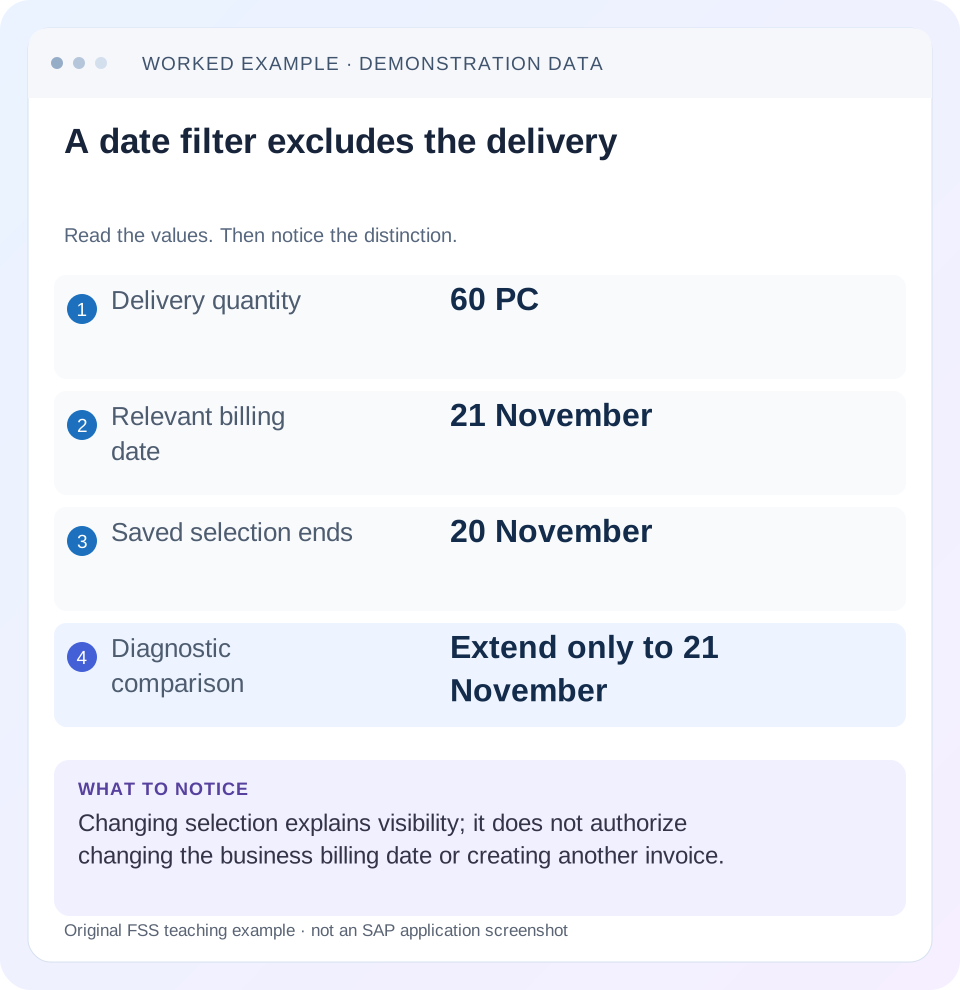
Read the example values
- Delivery quantity
- 60 PC
- Relevant billing date
- 21 November
- Saved selection ends
- 20 November
- Diagnostic comparison
- Extend only to 21 November
Words you’ll meet in this guide
- Sales order
- A record of a customer’s order.
- Delivery
- A document organizing goods to be sent.
- Billing
- The process that creates a customer charge.
Preview the practical steps
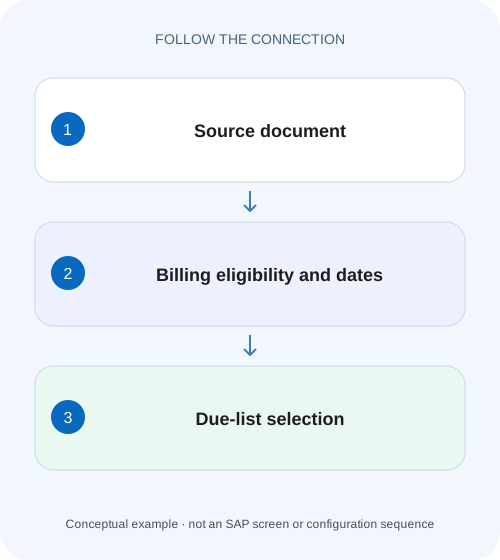
SEE THE CONNECTION
See it in a simple example.
A small example to make the idea concrete.
Explain a missing equipment billing item
A manufacturer expects a delivered equipment item in the billing worklist, but its relevant date may fall outside the selected run.
A missing row can be a selection result
When a document is absent from the billing due list, first identify what should be billed: an order item, delivery item, billing-plan date or another supported source.
Prerequisites and scope
This tutorial is for SD billing users and support consultants with permitted source-document and due-list display access.
Worked case: the delivery is due on the next day
In our fictional training flow, order 47000123/10 is 100 PC at EUR 20 net per PC.
Explain a missing equipment billing item
A manufacturer expects a delivered equipment item in the billing worklist, but its relevant date may fall outside the selected run.
Compare billing relevance, dates and selection scope before treating absence from one list as a failed invoice creation.
| Reader | Business question | Evidence to carry forward |
|---|---|---|
| Equipment and component sales, dispatch and customer-service teams | Explain a missing equipment billing item | Compare billing relevance, dates and selection scope before treating absence from one list as a failed invoice creation. |
01 A missing row can be a selection result
When a document is absent from the billing due list, first identify what should be billed: an order item, delivery item, billing-plan date or another supported source. Then compare its relevant billing date and organizational context with the actual list selection. A missing row is not automatically a billing defect.
SAP documents item-category billing relevance and due-list filters including billing-date range, type, reference SD document and customer/organizational data. These are separate mechanisms: relevance defines the billing basis, eligibility reflects business state and selection determines what the user sees. Investigate them in that order rather than changing configuration to force visibility. [1] [2]
02 Prerequisites and scope
This tutorial is for SD billing users and support consultants with permitted source-document and due-list display access. Obtain the source/item, expected billing type/date, actual list variant, exact message and document flow. Keep read-only selection review separate from billing creation.
The worked case uses conventional delivery-related billing in a classic VF04-compatible process. SAP also documents specialized order-related bases and billing plans. Third-party items can depend on purchasing events, while plan-based billing follows its own dates/status. The same missing-row checklist needs the correct process-specific basis before its conclusions are valid.
03 Worked case: the delivery is due on the next day
In our fictional training flow, order 47000123/10 is 100 PC at EUR 20 net per PC. Delivery 80000123 covers 60 PC and has the required execution state complete under this process. Its relevant billing date is 21 November. A saved list variant selects 1–20 November and the intended sales organization.
The delivery is outside that date selection. Broadening only the upper billing-date bound to 21 November makes it a candidate if all other conditions are satisfied. This does not mean that the date should be changed to 20 November. The investigation has explained visibility, while the business billing date remains governed by the actual process.
| Input | Value | Effect |
|---|---|---|
| Delivery quantity | 60 PC | Potential delivery-billing basis |
| Relevant billing date | 21 November | Compare with selected date field |
| Original upper bound | 20 November | Excludes the illustrated date |
| Diagnostic upper bound | 21 November | Removes that one selection exclusion |
04 Confirm the actual item billing relevance
Inspect the source item's category and documented billing relevance. SAP distinguishes delivery-related billing, order-related billing with different status bases and plan-based or procurement-linked scenarios. A delivery number is the wrong expected reference when the item is billed from the order under its process. [1]
For the fixture, the intended basis is delivery 80000123. If the actual category instead uses a billing plan, inspect the relevant plan date and status. If it is third-party billing linked to invoice receipt quantity, inspect the supported purchasing prerequisite. Do not change the category merely because a familiar delivery does not appear.
05 Preserve the original selection and defaults
Record every active relevant filter: billing-date interval, reference document, billing type, customer/payer context, organization and other supported restrictions. Include saved variants and defaults that may not be visible in a cropped screenshot. Compare two users' selections before comparing their row counts. [2]
SAP's VF04 documentation also describes default data for newly created billing documents. Keep selection criteria separate from creation defaults. Changing a proposed billing type or date for new documents can have business consequences; it is not simply a harmless way to widen a search. Begin by reproducing the existing selection in display. [2]
06 Compare the billing date with other dates carefully
Order date, requested delivery date, actual goods-issue date, billing date and posting period are different concepts. A document created today may be billable under another date. Use the field that the specific due-list selection evaluates rather than assuming every date should equal today.
In the worked case, 21 November is an illustrative documented source date, not a universal derivation from goods issue. Establish the actual proposal through the process and configuration. If the date is unexpectedly wrong, investigate its source and business rule as a separate correction; do not overwrite it merely to fit a user’s saved variant.
07 Broaden one criterion at a time
Use an authorized diagnostic search for the known reference and adjust only the suspected date bound first. Record whether the document appears. If it does, preserve the original and revised criteria as evidence. If it does not, return to relevance, organizational scope and eligibility rather than removing all restrictions at once.
A broad list can produce many rows without explaining the original absence. It can also expose another document for the same customer, tempting the analyst to pick the wrong reference. Keep the source/item identity in every comparison. A successful search is one in which the expected reference is explained, not merely one that returns some billable work.
08 Inspect blocks and completion prerequisites
Review applicable billing blocks, incompletion, source execution state and other process-specific eligibility. For delivery-related billing, inspect the relevant delivery status and exact billing message. An unblocked header does not establish that every item is eligible; item controls and status can differ.
Do not remove a block as a diagnostic shortcut. Establish its reason and authorized release condition. A document that becomes visible after a selection change can still be rejected during processing for a valid prerequisite. Conversely, a clear incompletion log does not prove the billing date and relevance match the chosen list.
09 Reconcile existing billing and open quantity
Inspect document flow for earlier billing and corrections before a create attempt. The fixture's delivery quantity is 60 PC. If it is already fully billed under the supported process, absence from an open due list may be expected. If an allowed partial-billing process billed 20 PC, investigate the remaining 40-PC billing basis.
Do not add every displayed invoice and cancellation as if all had the same effect. Preserve original/cancellation relationships and applicable status. A timeout after an earlier billing attempt creates uncertainty that must be resolved through existing documents before another attempt. The list is an investigation aid, not proof that no invoice exists.
10 Separate list appearance from invoice acceptance
For the simple case, 60 PC at EUR 20 gives EUR 1,200 net before tax and other conditions. Seeing the source in the list does not validate that amount, copied quantity, pricing or accounting transfer. Those require the resulting billing-document and accounting evidence if creation is authorized.
Likewise, a trial run or preview supported by the installed app can identify processing messages but does not equal a posted customer invoice. Label observations according to the action actually performed. A read-only diagnosis can conclude that the saved date filter excluded the source without issuing any billing document. [3]
11 Troubleshoot the remaining branches
If widening the date bound reveals the source, update the user's selection practice or approved variant as appropriate. If the correct date still gives no row, inspect source basis, organizational filters, blocks and prior billing. If the row appears but processing fails, use the exact processing log and copy-control prerequisites.
If only one item is missing, compare item relevance, quantity and status rather than changing header selection globally. If two apparently identical sources differ, compare dates and item categories as well as execution state. If a specialized process applies, return to its documented due-item creation rules instead of forcing a standard stock-delivery explanation.
| Observation | Next evidence |
|---|---|
| Known reference appears after date change | Original versus revised selection |
| Still absent with correct date | Relevance, organization, blocks and prior billing |
| Item missing, header found | Item category and open quantity |
| Listed but processing rejects | Exact log and copying prerequisite |
| Third-party or plan process | Its documented basis and date/status |
12 Positive, negative and boundary verification
A positive paper check selects through 21 November and predicts the known eligible delivery's appearance. A negative check retains 20 November and expects it to remain outside the range. A boundary check makes it already fully billed, so widening the date should not recreate an open billing requirement.
Another test changes the item to plan-based billing and requires the learner to identify the plan date/status rather than the delivery date. For an approved real correction, repeat the original list selection and inspect the resulting source/item. Before creation, reconcile existing flow; after creation, verify the expected 60-PC EUR 1,200 simplified invoice and its actual accounting state.
For a practical selection review, retain the original variant name and a compact before/after record: same delivery reference, same organization, original upper bound 20 November and diagnostic upper bound 21 November. If another filter also changes, the comparison no longer isolates the date. Restore the original conditions in the paper fixture and confirm that the missing-row behavior returns, demonstrating the precise selection cause without changing any business document.
An additional identity check compares two partial-billing candidates for the same source with different relevant billing dates in a process that supports them. The reference number alone can be insufficient to explain which dated candidate the list selected. Preserve item/date/context together and inspect existing billing for that specific basis. This prevents an analyst from finding one row for the delivery and concluding that every expected amount or period is represented. The same principle applies to plan-based billing: identify the actual dated requirement rather than treating the order header as one undifferentiated due item.
13 Questions and a useful missing-row explanation
Does goods issue automatically put every delivery in every due list? Billing relevance, eligibility and selection still matter. Should the billing date be moved to today to make a row appear? Only a justified business correction can change it; selection should reflect the intended scope. Does a row prove billing will succeed? Processing can still reveal errors.
A useful note says: “Delivery 80000123/10 is delivery-billed for 60 PC; relevant billing date 21 November. Variant ended 20 November, excluding it. Extended-date selection reviewed; prior billing and remaining eligibility checked separately.” That explains the absence precisely and leaves invoice creation and financial acceptance as their own controlled outcomes.
Related services and next steps
Primary sources
Found this useful?
Share this guide with your network, or leave a like.
Your like is saved in this browser.