SAP SMICM: Investigate the ICM layer of an HTTP problem
A manufacturer's HTTP application alternates between success and timeout while the affected communication path needs identification.

Source review:
START HERE · NO PRIOR TOPIC KNOWLEDGE NEEDED
What it is. Why it matters.
The Internet Communication Manager, or ICM, handles web communication in relevant SAP systems. SMICM helps administrators inspect that communication layer before blaming application logic.
Completely new to SAP?
Manufacturers use SAP to connect work such as buying components, recording inventory, planning production, shipping equipment and accounting for costs. SAP S/4HANA is an enterprise resource planning system: it connects these activities through shared business data.
SAP Basis work keeps relevant SAP systems running. Logs, background jobs and connection tools help explain what happened to a task at a particular time.
A transaction code, or t-code, is a shortcut to a task in classic SAP GUI. Fiori apps provide another way to work. Names and screens depend on the product and release; you do not need a live system to learn the concepts in this guide.

Scope and source-review notes
Scope and evidence
Source review by FAST SAP SOLUTIONS® editorial. This badge describes our editorial review; it does not represent SAP certification or independent endorsement.
Classic AS ABAP ICM monitoring for Basis and integration support. Documentation covers SMICM services, connections and trace concepts across NetWeaver and ABAP Platform; installed kernel/release and proxy architecture govern exact behavior.
Documentation review on 14 November 2026 used the available official SAP indexed excerpts; several SAP Help pages returned no readable full text. The worked case and proposed checks are original illustrative teaching material, not execution evidence from a customer SAP system. Exact fields, permitted actions and behavior must be confirmed against the installed product, release and configuration.
A MANUFACTURING EXAMPLE
Investigate intermittent factory app connectivity
Trace the web boundary
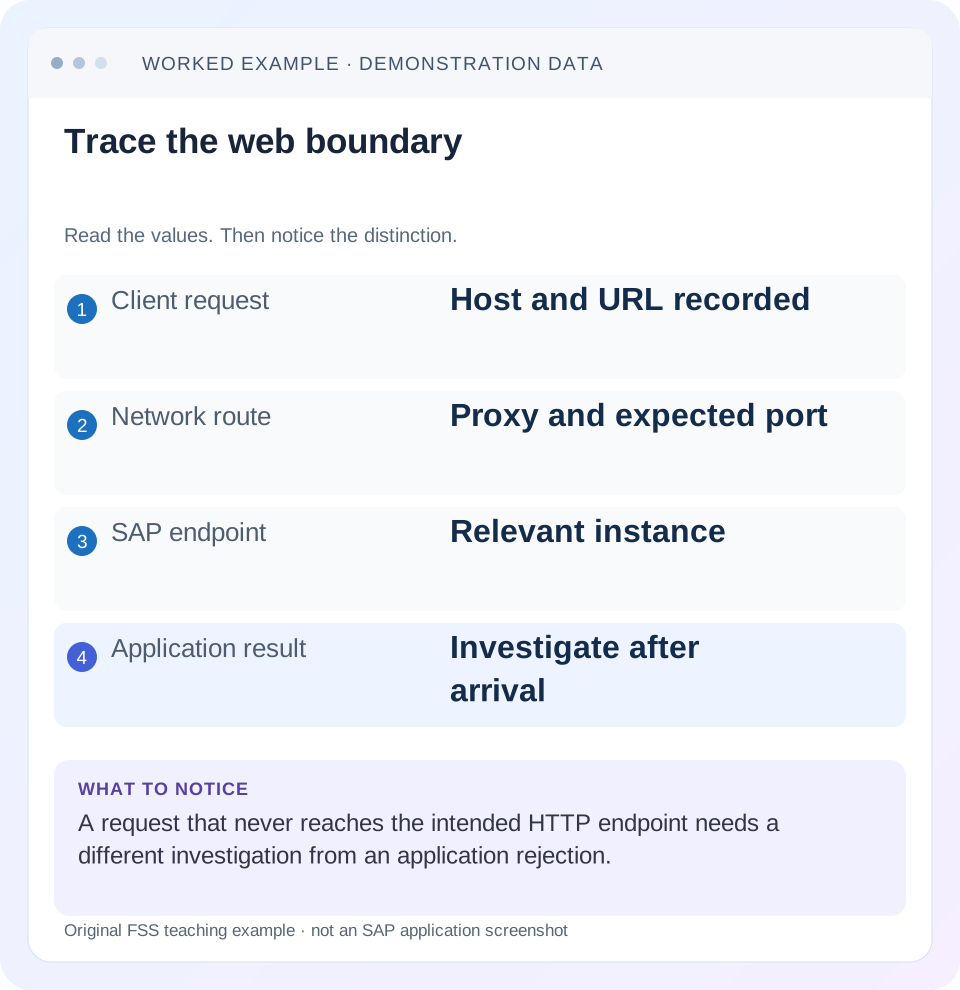
Read the example values
- Client request
- Host and URL recorded
- Network route
- Proxy and expected port
- SAP endpoint
- Relevant instance
- Application result
- Investigate after arrival
Words you’ll meet in this guide
- Instance
- A running SAP application-server environment.
- Client
- A logically separate data and configuration context in an ABAP system.
- Log
- A recorded sequence of events and messages.
- ABAP
- SAP’s programming language for business applications.
- API
- A defined interface through which programs exchange data or request actions.
- HTTP
- The request-and-response protocol used by web applications and APIs.
Preview the practical steps
SEE THE CONNECTION
See it in a simple example.
A small example to make the idea concrete.
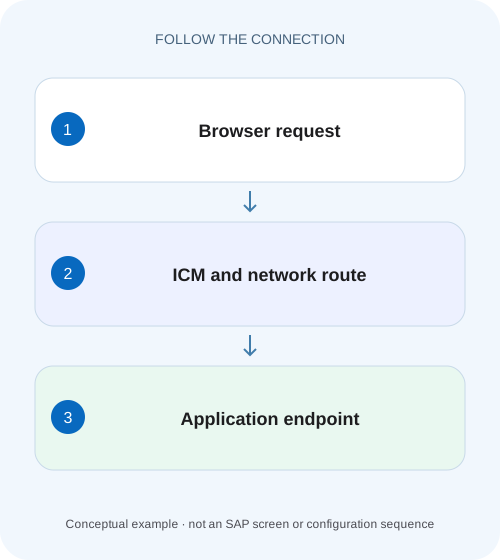
Investigate intermittent factory app connectivity
A manufacturer's HTTP application alternates between success and timeout while the affected communication path needs identification.
SMICM investigates the communication layer
SMICM exposes the Internet Communication Manager's status and configuration.
Prerequisites: route, time and an authorized harmless request
This walkthrough is for Basis and integration analysts with permitted SMICM display access.
Worked case: alternating success and timeout
In our fictional QAS landscape, external host api.example.invalid routes requests to ABAP instances A and B.
Investigate intermittent factory app connectivity
A manufacturer's HTTP application alternates between success and timeout while the affected communication path needs identification.
Correlate the actual request with the relevant ICM evidence before changing unrelated application logic or restarting services.
| Reader | Business question | Evidence to carry forward |
|---|---|---|
| SAP developers and application teams supporting manufacturers | Investigate intermittent factory app connectivity | Correlate the actual request with the relevant ICM evidence before changing unrelated application logic or restarting services. |
01 SMICM investigates the communication layer
SMICM exposes the Internet Communication Manager's status and configuration. Use it when you need to establish whether the relevant instance's communication service and connection handling match an HTTP incident. It does not replace the ICF service configuration or the application's own processing evidence. [1]
An ICM listener being active means more limited progress than a successful business request. A request can reach a listening port and fail during TLS, routing, logon, authorization or application processing. Identify the earliest failed boundary and use the tool that owns that boundary instead of changing every HTTP-related component.
02 Prerequisites: route, time and an authorized harmless request
This walkthrough is for Basis and integration analysts with permitted SMICM display access. Obtain the external URL, method, request time, sanitized response and intended backend route. Include Web Dispatcher, load balancer or reverse proxy where present. Use a documented read-only application request for controlled reproduction.
The examples concern classic AS ABAP ICM. A managed cloud endpoint may not expose the same monitor or administrative functions. Even in an ABAP landscape, the instance you are logged into may differ from the instance handling the failed HTTP request. The route must be established before a quiet local display can be interpreted.
03 Worked case: alternating success and timeout
In our fictional QAS landscape, external host api.example.invalid routes requests to ABAP instances A and B. A read-only status request succeeds intermittently. At 09:20 a request routed to A returns the expected application result; at 09:21 a request intended for B times out. The hostname is illustrative and not a live endpoint.
The initial hypothesis is an instance-specific communication issue. It is not yet a conclusion: the timeout could occur at the proxy, before B, inside B or while B waits for another component. Preserve the routing evidence and exact timestamps so the same request can be traced across boundaries.
| Request | Route | Result |
|---|---|---|
| R-A, 09:20 | Proxy to A | Expected status response |
| R-B, 09:21 | Proxy toward B | Consumer timeout |
| Controlled repeat | Same object and identity | Determine earliest failed boundary |
04 Inspect ICM status on the relevant instance
Open SMICM on the identified instance using the supported route for your system. Record current ICM status and the observation time. SAP documents status/configuration and worker-thread information in the monitor. A current healthy state does not prove the process was healthy during an earlier timeout. [2]
If the ICM is not running or cannot accept new connections, retain the exact state and associated diagnostic context. Review the documented operations procedure with the responsible owner before intervention. Restarting first can erase useful continuity and affects other endpoints sharing that instance. The diagnostic objective is to explain the failed route, not simply to change a red display to green.
05 Compare the intended protocol and listener
Inspect the configured services for the relevant instance and compare protocol, host/port context and active state with the expected backend route. A proxy can expose external port 443 while using a different internal port, so do not require the external and internal numbers to match without understanding the architecture.
SAP's troubleshooting guidance identifies inactive services and binding problems as possible reasons requests cannot be accepted. If B lacks the expected active service while A has it, compare their approved configuration and startup evidence. Do not create an arbitrary listener just to match A; confirm the intended instance role and the actual reason for the difference. [3]
06 Use connection views as time-bound evidence
The connection view shows connections currently open through the ICM. Compare the relevant peer and route with the request timing. A short request may have completed before the analyst refreshes the display. Therefore, absence from a later snapshot does not prove that it never reached the instance.
Keep connection identity separate from business-request identity. Persistent connections may carry several requests, and a connection can remain open while an application has already returned an error. For the intermittent case, correlate proxy request logs or a supported request reference with B's communication evidence. A screenshot of many open connections alone cannot identify the failed status read.
07 Distinguish TLS failures from HTTP responses
If the connection fails during TLS negotiation, there may be no application HTTP status at all. Check which side is client, which side is server and where TLS terminates. If the proxy terminates external TLS and opens a separate backend connection, those are two separate trust and identity relationships.
If an HTTP response such as a business authorization error is returned, some communication stages have completed. Still identify which component generated it. A proxy-generated error page and an ABAP application's structured error can share a status code. Continue into SICF or the application only when the evidence places the request there.
08 Inspect dev_icm with a bounded diagnostic question
SAP documents dev_icm as the ICM trace and provides display and trace-level controls. Start with existing relevant trace content. Record instance, interval and the specific question, such as whether B accepted the connection or reported a TLS error. Preserve the useful original context before any trace reset. [1]
If a higher trace level is necessary, use the approved procedure with a brief scope, reproduction plan, storage consideration and restoration step. Traces can contain sensitive headers or other request data. Retain only the permitted evidence and return the diagnostic setting to its intended state. An indefinite high-level trace is not a complete investigation plan.
09 Follow the evidence after the ICM boundary
If B accepts the request and dispatches it into the application, inspect the ICF node and application log or runtime error corresponding to the request. If B shows no relevant arrival during a controlled reproduction but the proxy claims to have routed there, investigate the intermediate route and correlated timestamps.
If B accepts connections but waits on an outbound dependency, examine that separate destination and its response timing. The incoming endpoint and outgoing call have different client/server roles. Reusing one certificate conclusion for both directions can send the investigation to the wrong PSE. Preserve the chain of request identities rather than treating all HTTP traffic as one connection.
10 Troubleshoot intermittent patterns with paired observations
Compare one successful A request and one failed B request using equivalent input and identity. Record route, time, response, listener state and relevant trace evidence for each. An input difference can mimic an instance difference, so keep the payload and business object controlled where possible.
If failures follow one instance, inspect that instance's documented configuration and resource state. If failures follow one user, investigate identity and permission. If failures follow one object, inspect application handling. If failures follow peak periods, correlate connection/resource evidence over that interval. These patterns guide the next measurement; none supplies a universal parameter adjustment.
| Observation | Next evidence |
|---|---|
| Listener inactive | Approved instance role and startup/binding messages |
| TLS failure | Connection direction, peer and PSE selection |
| HTTP application denial | Effective user, SICF and business authorization |
| No current connection | Timed trace or correlated request record |
| Only B fails | Equivalent paired request and B-specific evidence |
11 Verify each layer after a reviewed correction
Repeat the harmless request through the real external route and intended identity. Confirm the expected application payload, not just a TCP connection or HTTP success. Where load balancing is involved, obtain evidence that the relevant backend paths are covered through the supported test method; one successful request can hit only A.
A negative test uses an approved unauthorized identity and expects controlled rejection. Boundary tests include an unknown business reference and, in a training fixture, an unavailable backend path. The expected failure should remain diagnosable without accidental fallback to another identity or repeated business writes. Recheck temporary trace settings and retain the before/after evidence.
12 Capture the paired requests in a reproducible worksheet
For R-A and R-B, preserve a paired record from the consumer to the backend. The failed B route needs its own arrival and listener evidence; A’s successful response establishes only that A’s path handled the chosen request at that time.
For a proxy-terminated TLS design, draw two separate connections: consumer to proxy, and proxy to ABAP. The first uses the external endpoint’s server identity; the second uses the backend peer and its configured security relationship. A successful external handshake can coexist with a failed backend handshake. Conversely, a healthy backend listener cannot establish that the consumer trusts the external certificate. Put both connection legs and their timestamps in the paired-request worksheet. That extra boundary explains why importing a certificate into ABAP may have no effect when the failing validation actually occurs on the consumer-to-proxy leg.
Record the consumer boundary
For R-A and R-B, retain timestamp, method, effective external host and sanitized result. Use the same supported status query and identity so the pair tests route differences rather than different business inputs.
Expected observation: The request comparison has a controlled input.
Record the backend boundary
Obtain permitted routing evidence for A and B and inspect the corresponding instance rather than assuming the local login server handled the call. Note any missing correlation reference or clock difference.
Expected observation: Backend attribution is supported or explicitly unresolved.
Record the next failed stage
Compare listener and relevant trace observations with the consumer result. If B accepted the request, move into TLS or application evidence as appropriate; if arrival remains absent, pursue the intermediate route.
Expected observation: The handover names one concrete unresolved boundary.
13 Questions and a useful incident statement
Does an active ICM prove the SICF service is active? No. Does a missing current connection prove the earlier request never arrived? No. Can a successful local request validate the external proxy route? Only that local path; reproduce through the real consumer route to include routing and identity handling.
For the fictional case, a useful statement says: “A returns the expected read result; B-path request times out at 09:21. B listener state and dev_icm interval reviewed; request arrival remains unconfirmed.” Replace the final clause when evidence establishes the next boundary. This gives the next team a concrete unresolved question instead of an unsupported instruction to restart ICM.
Related services and next steps
Primary sources
Found this useful?
Share this guide with your network, or leave a like.
Your like is saved in this browser.