AS03 versus AW01N: Read asset master data and values in the right view
A finance analyst compares a machine's asset master with values in different depreciation areas and finds different but potentially valid results.

Source review:
START HERE · NO PRIOR TOPIC KNOWLEDGE NEEDED
What it is. Why it matters.
AS03 displays asset master information in classic SAP Asset Accounting. AW01N, Asset Explorer, helps examine the asset’s valuation context, including area-specific planned and posted information.
Completely new to SAP?
Manufacturers use SAP to connect work such as buying components, recording inventory, planning production, shipping equipment and accounting for costs. SAP S/4HANA is an enterprise resource planning system: it connects these activities through shared business data.
Financial Accounting records business events as accounting documents. An account groups relevant amounts; individual entries explain how the total arose.
A transaction code, or t-code, is a shortcut to a task in classic SAP GUI. Fiori apps provide another way to work. Names and screens depend on the product and release; you do not need a live system to learn the concepts in this guide.

Scope and source-review notes
Scope and evidence
Source review by FAST SAP SOLUTIONS® editorial. This badge describes our editorial review; it does not represent SAP certification or independent endorsement.
Classic SAP Asset Accounting AS03/AW01N display concepts. Available Fiori equivalents, depreciation areas and valuation behavior depend on the installed release and accounting design.
Reviewed relevant official SAP indexed documentation excerpts on 14 November 2026. Examples, identifiers, amounts and expected observations are illustrative; no customer SAP execution was performed. Transaction availability, labels and results depend on the installed release, deployment and local configuration.
A MANUFACTURING EXAMPLE
Read a production machine's values
Align the asset value context
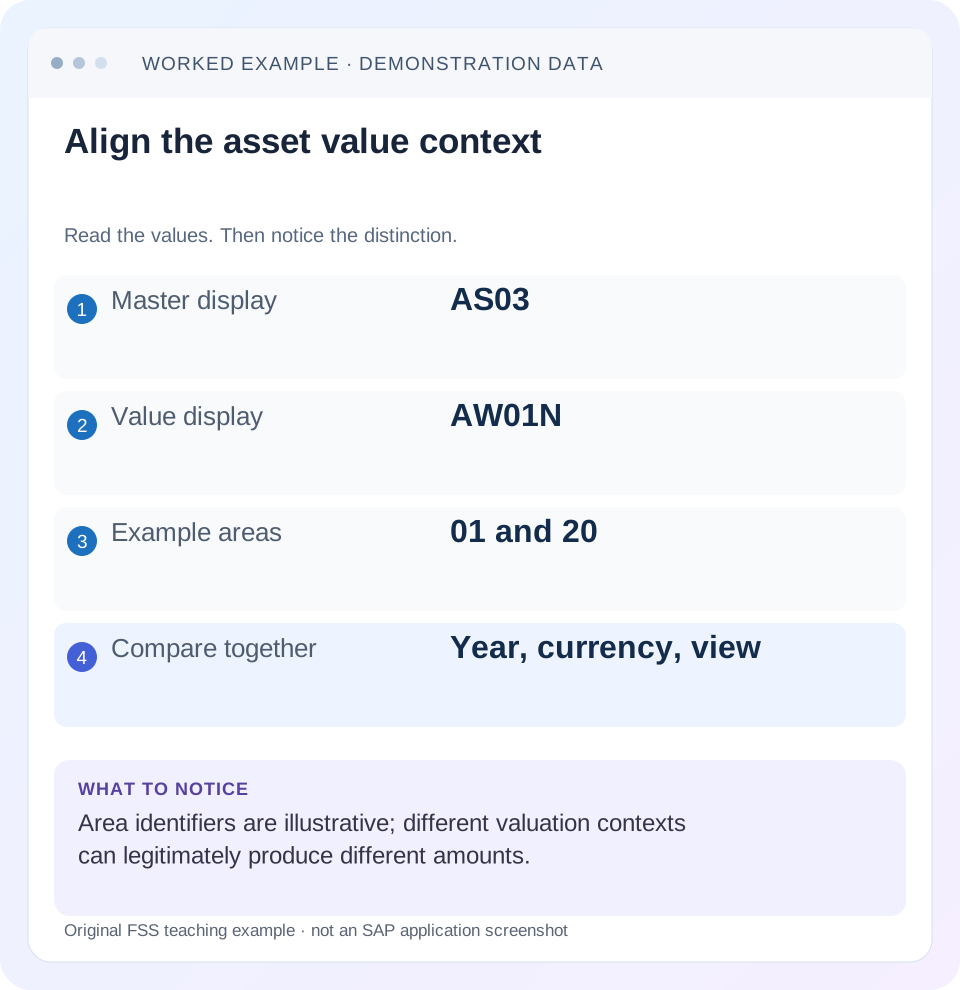
Read the example values
- Master display
- AS03
- Value display
- AW01N
- Example areas
- 01 and 20
- Compare together
- Year, currency, view
Words you’ll meet in this guide
- Posting
- Recording a financial entry.
- General ledger
- The main collection of financial accounts.
- Open item
- An accounting entry still needing matching or settlement.
- Company code
- An organizational unit used for separate financial accounts.
- Accounting document
- A record of a financial entry with a header and individual account lines.
- Fiori
- SAP’s approach to business application design.
- HANA
- SAP’s database platform.
Preview the practical steps
SEE THE CONNECTION
See it in a simple example.
A small example to make the idea concrete.
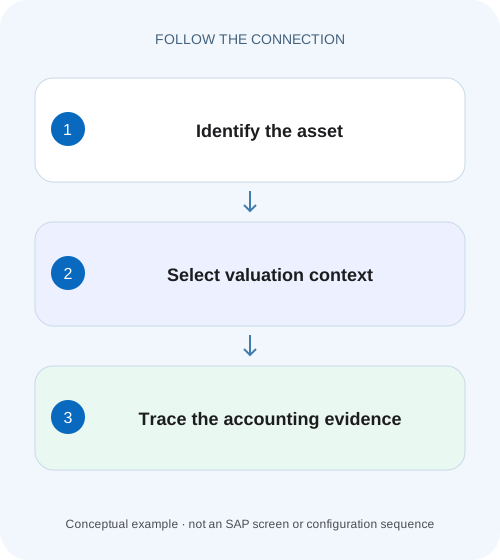
Read a production machine's values
A finance analyst compares a machine's asset master with values in different depreciation areas and finds different but potentially valid results.
Start with the question: master attribute or financial movement?
Use AS03 when the question concerns the asset master record in a classic SAP Asset Accounting process.
Identify the asset before comparing any number
Record company code, main asset number and subnumber, plus fiscal year and the relevant accounting question.
Read master data as calculation and responsibility context
In the supported master-data display, inspect the asset class, description, capitalization context, time-dependent organizational assignments and depreciation-area parameters relevant to the question.
Read a production machine's values
A finance analyst compares a machine's asset master with values in different depreciation areas and finds different but potentially valid results.
Align the asset, area and fiscal-year context before treating the values as contradictory.
| Reader | Business question | Evidence to carry forward |
|---|---|---|
| Manufacturing finance, controlling and purchasing teams | Read a production machine's values | Align the asset, area and fiscal-year context before treating the values as contradictory. |
01 Start with the question: master attribute or financial movement?
Use AS03 when the question concerns the asset master record in a classic SAP Asset Accounting process. Use AW01N, Asset Explorer, when the question concerns asset values, movements and depreciation in a selected valuation context. The two views complement each other. An asset description, cost-center assignment or useful-life parameter does not prove that an acquisition or depreciation posting exists; a value total does not explain every master-data attribute that produced it. [1] [2]
This guide is for asset accountants and analysts with authorized display access in SAP ERP or a supported S/4HANA landscape. Fiori equivalents and Asset Accounting architecture vary by edition and release. Confirm the application available in your system. The tutorial uses a fictional asset and a simplified straight-line calculation to teach reading and reconciliation, rather than prescribing a depreciation key or accounting policy.
02 Identify the asset before comparing any number
Record company code, main asset number and subnumber, plus fiscal year and the relevant accounting question. A description such as “Packaging machine” is not a unique identity. Subnumbers can represent separate components or acquisitions under a common main number; comparing one subnumber with an aggregated report can create a difference even when both reports are correct.
Also record the observation date and whether the comparison is individual-asset or totalized. If another accountant posts a later acquisition or retirement between screenshots, the views can legitimately change. Begin with an exact identity and time scope, then investigate the amount. This avoids changing master data for the wrong machine or explaining a current-year total with a prior-year screenshot.
03 Read master data as calculation and responsibility context
In the supported master-data display, inspect the asset class, description, capitalization context, time-dependent organizational assignments and depreciation-area parameters relevant to the question. Separate descriptive fields from fields that influence posting or depreciation. A corrected spelling has a different effect from changing useful life, depreciation key or a time-dependent cost-center assignment.
For a depreciation issue, retain the actual area, key, useful life and start information rather than writing “master data looks fine.” For a responsibility issue, compare the assignment interval with the transaction or reporting period. A current assignment does not by itself explain every historical depreciation posting. Display the relevant historical context through the supported process instead of assuming today’s master values were always in effect.
04 Select the valuation context in Asset Explorer
SAP describes Asset Explorer as showing planned and posted asset balance-sheet values and depreciation at different levels of summarization. Its area selection matters: depreciation areas represent valuation purposes under the configured design. Area numbers alone do not universally mean local books, tax or group valuation; obtain that meaning from the actual chart of depreciation and company-code setup. [1] [2]
For each amount, write a compact label such as “company 1000, asset 400010-0, FY2026, area A, currency EUR, posted values.” Planned values, posted values and transaction details answer different questions. If the visible view changes, carry its context into the comparison rather than copying only the number into a spreadsheet.
05 Worked case: one machine, two valid valuation results
Fictional asset 400010-0 is acquired for 24,000 on 1 January. For the arithmetic exercise only, Area A uses four years, Area B uses six years, both use a zero residual value and an even monthly straight-line calculation starting in January. These are declared teaching assumptions, not SAP defaults or statutory rules. There are no additions, impairments, retirements, tax effects or currency differences.
Area A therefore has an illustrative annual depreciation of 24,000 / 4 = 6,000 and monthly 500. Area B has annual 4,000 and monthly 333.333… before the system’s currency rounding. By the end of September, the unrounded comparative depreciation is 4,500 versus 3,000. The two net values are 19,500 and 21,000. Different values are expected because the chosen valuation assumptions differ.
| Measure | Area A | Area B |
|---|---|---|
| Acquisition value | 24,000 | 24,000 |
| Assumed useful life | 4 years | 6 years |
| Annual depreciation | 6,000 | 4,000 |
| Nine-month depreciation | 4,500 | 3,000 |
| Net value after nine months | 19,500 | 21,000 |
06 Separate a full-year plan from posted depreciation
Suppose Area A shows a full-year planned depreciation of 6,000 while only 4,500 has been posted through September. Those amounts do not conflict: they describe different scopes. The remaining 1,500 is a planned amount in this simple illustration. It does not prove that October, November and December documents have been posted or that the posting run will produce exactly the same values after later transactions. [2] [3]
Use the posted-values and period information available in Asset Explorer, then trace the actual depreciation posting evidence through supported document navigation. SAP support documentation distinguishes planned-value parameters and already-posted or scheduled period values. Preserve the period labels and posting state. A screenshot containing a yearly plan is insufficient evidence for a claim that a particular month reached the general ledger.
07 Trace the acquisition rather than trusting a plausible opening value
Inspect the asset transactions that explain acquisition and production cost, additions, transfers or retirements for the selected year. Open the relevant source or accounting document where supported and confirm asset identity, amount, currency, posting date, asset value date and transaction context. A value of 24,000 might be correct because one acquisition posted; it might also be the net of several movements.
If the expected acquisition is absent, investigate whether it was parked, posted to a different asset or posted in another period before changing depreciation parameters. If the acquisition is present but the calculated start differs, move to the value-date and period-control investigation. These are distinct branches: the calculation cannot depreciate a missing acquisition merely because the master record exists.
08 Reconcile master, transaction and value views in order
Use a consistent worksheet rather than alternating screenshots without context. The following sequence makes the first unexplained relationship visible.
Capture identity and area
Display 400010-0 in company 1000 and record the year and selected area. Confirm its intended valuation purpose.
Expected observation: Both reviewers are discussing the same asset and basis.
Read calculation parameters
Display the relevant depreciation parameters and dates. For the example, confirm the declared four-year or six-year assumption.
Expected observation: A difference in valuation assumptions is explicit.
Reconstruct value movements
List beginning value, acquisitions and other signed changes, then the selected depreciation amounts.
Expected observation: The illustrative acquisition base is 24,000.
Compare posted periods with evidence
Distinguish the full-year plan from amounts already posted and trace a representative posting document.
Expected observation: 4,500 through September is not mistaken for a 6,000 posted full-year total.
Explain or investigate the residual
Write expected minus observed on the same basis, then inspect the first unexplained date, movement or parameter.
Expected observation: The next action follows evidence rather than a preferred net book value.
09 Troubleshoot common asset-value mismatches
Treat each mismatch as a relationship to test. A difference between areas is often a valuation-design question; a difference between asset values and an accounting report can involve period, ledger, currency, posting state or selection. Do not presume that one side is authoritative for a different question.
| Observation | First comparison | Next evidence |
|---|---|---|
| Area A and B differ | Valuation purpose and parameters | Useful life, key, dates and area definition |
| Plan exceeds posted amount | Yearly plan versus posted periods | Period values and posting documents |
| Expected acquisition absent | Asset/subnumber and posting state | Source transaction and accounting reference |
| Current cost center differs from report | Assignment validity and period | Time-dependent master history |
| Net book value unexpectedly changes | Additional signed movements | Transfers, retirements and corrections |
| G/L total differs from one asset | Aggregation and accounting scope | Other assets, ledger/currency and posting period |
10 Verify the explanation with controlled exercises
A positive worksheet check reproduces Area A: 24,000 acquisition less 4,500 depreciation equals 19,500 after nine assumed months. Compare the same year, area and posted scope in an authorized training system if available. The independent arithmetic establishes what the declared example means; it does not replace the actual SAP calculation for a different depreciation key.
A negative test deliberately compares Area A’s nine-month posted amount with Area B’s full-year plan. Label the comparison invalid before making any posting. A boundary test introduces an acquisition late in the year and asks which date and period rule determine depreciation. Another introduces a retirement and requires a signed movement reconstruction. These proposed exercises teach why the original simple straight-line worksheet must be revised when its assumptions change.
11 Avoid changing parameters to fit one screenshot
Changing useful life, depreciation key or value date to force a desired net value can affect more than the displayed period. Establish the correct accounting basis, supported correction process and downstream effects before maintenance. If your release provides a documented simulation feature, use it within its supported scope to understand an alternative; a simulation is not a posted correction.
Keep the original value evidence and resulting approved correction together. Reopen the same asset, year, area and view after the change, then separately verify any required posting. An updated plan may be the expected immediate result while posted values remain unchanged until the appropriate process executes. State that distinction in the resolution instead of declaring completion from a changed master field.
12 Frequently asked questions and next lessons
Can AS03 answer why the asset has its current net value? It can reveal relevant master parameters, but the value explanation also needs movements, area and posting information. Can AW01N prove a supplier was paid? No; asset acquisition and supplier payment are separate document and open-item questions.
Why is the same asset different in two reports? First align identity, subnumber aggregation, year, area, currency and planned/posted basis. Only then diagnose the remaining difference. If depreciation begins in a surprising period, follow the asset-value-date lesson. If the asset transaction reaches a reconciliation account, use the reconciliation-account guide to understand why direct G/L adjustments are not a substitute for a correct subledger process.
Related services and next steps
Primary sources
Found this useful?
Share this guide with your network, or leave a like.
Your like is saved in this browser.