SAP duplicate-invoice checks: Verify the reference and supplier configuration
A component supplier resends an invoice with a slightly changed reference, and the manufacturer's accounts-payable team needs to assess possible duplication.

Source review:
START HERE · NO PRIOR TOPIC KNOWLEDGE NEEDED
What it is. Why it matters.
A duplicate-invoice check looks for signs that the same supplier invoice has already been entered. Reference data and system settings determine what is compared.
Completely new to SAP?
Manufacturers use SAP to connect work such as buying components, recording inventory, planning production, shipping equipment and accounting for costs. SAP S/4HANA is an enterprise resource planning system: it connects these activities through shared business data.
Financial Accounting records business events as accounting documents. An account groups relevant amounts; individual entries explain how the total arose.
A transaction code, or t-code, is a shortcut to a task in classic SAP GUI. Fiori apps provide another way to work. Names and screens depend on the product and release; you do not need a live system to learn the concepts in this guide.

Scope and source-review notes
Scope and evidence
Source review by FAST SAP SOLUTIONS® editorial. This badge describes our editorial review; it does not represent SAP certification or independent endorsement.
Classic FI duplicate-invoice checking using SAP support documentation. Logistics Invoice Verification and newer applications can have different controls and customizing.
Reviewed relevant official SAP indexed documentation excerpts on 14 November 2026. Examples, identifiers, amounts and expected observations are illustrative; no customer SAP execution was performed. Classic FI support excerpts and separate Risk and Assurance analytical documentation reviewed; no runtime or local enhancement inspection. Logistics Invoice Verification and country-specific behavior require their own release-specific checks.
A MANUFACTURING EXAMPLE
Check a repeated component invoice
Compare the invoice identity
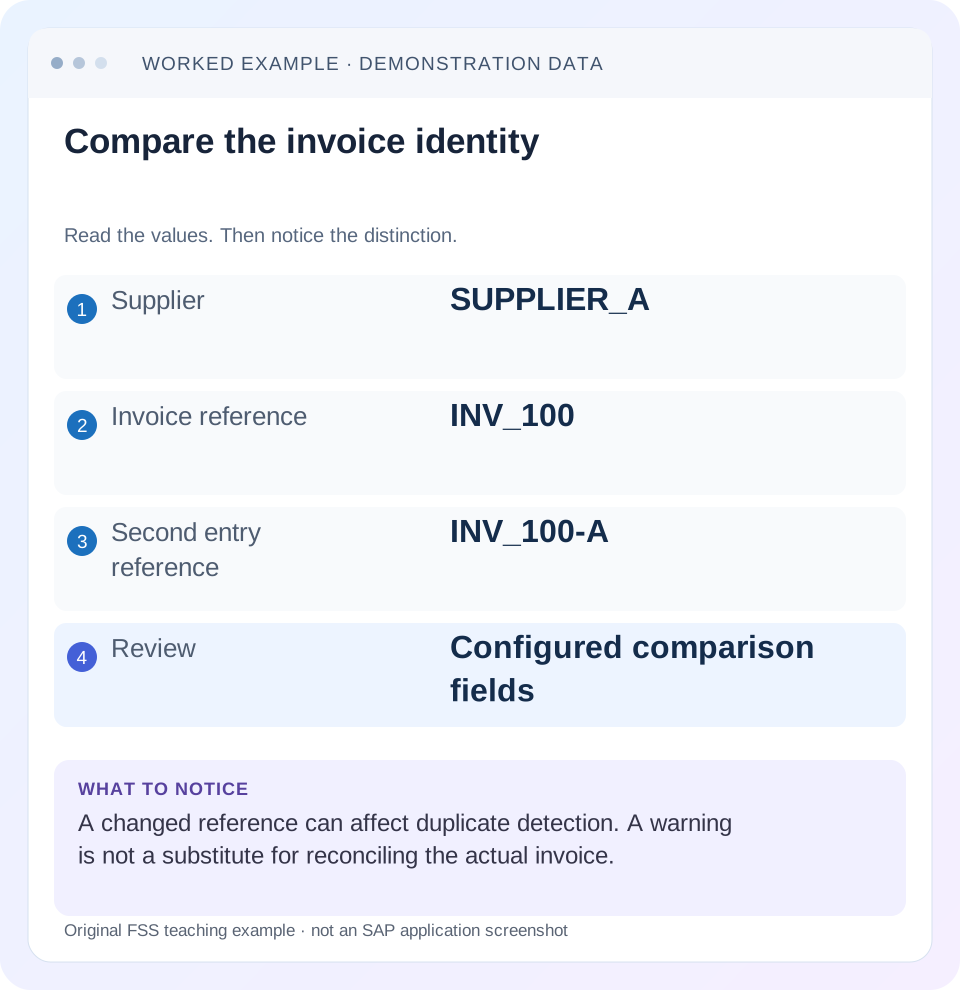
Read the example values
- Supplier
- SUPPLIER_A
- Invoice reference
- INV_100
- Second entry reference
- INV_100-A
- Review
- Configured comparison fields
Words you’ll meet in this guide
- Posting
- Recording a financial entry.
- General ledger
- The main collection of financial accounts.
- Open item
- An accounting entry still needing matching or settlement.
- Company code
- An organizational unit used for separate financial accounts.
- Accounting document
- A record of a financial entry with a header and individual account lines.
- HANA
- SAP’s database platform.
- FI
- Financial Accounting: the SAP area for financial postings and reporting.
Preview the practical steps
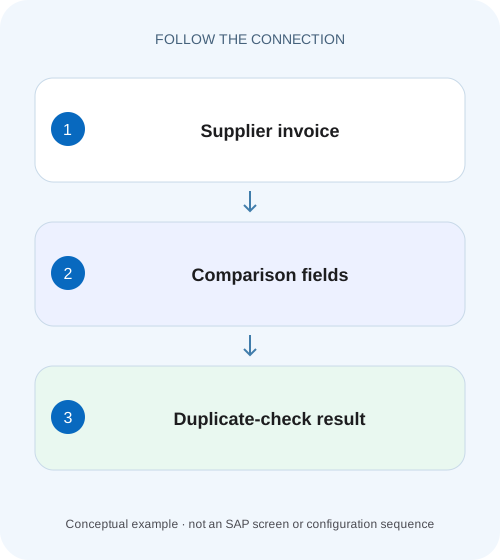
SEE THE CONNECTION
See it in a simple example.
A small example to make the idea concrete.
Check a repeated component invoice
A component supplier resends an invoice with a slightly changed reference, and the manufacturer's accounts-payable team needs to assess possible duplication.
Reconcile invoice identity before diagnosing the warning
A duplicate-invoice check compares defined attributes under the actual posting route and configuration.
Separate exact online checks from broader duplicate analysis
An online posting check applies a defined rule during entry.
Know the classic FI comparison fields
The reviewed SAP FI support guidance lists supplier, currency, company code, gross invoice amount, reference document number and invoice document date in its comparison.
Check a repeated component invoice
A component supplier resends an invoice with a slightly changed reference, and the manufacturer's accounts-payable team needs to assess possible duplication.
Compare the configured duplicate-check inputs and original invoice evidence before relying on a familiar amount or document number.
| Reader | Business question | Evidence to carry forward |
|---|---|---|
| Manufacturing finance, controlling and purchasing teams | Check a repeated component invoice | Compare the configured duplicate-check inputs and original invoice evidence before relying on a familiar amount or document number. |
01 Reconcile invoice identity before diagnosing the warning
A duplicate-invoice check compares defined attributes under the actual posting route and configuration. It does not understand every supplier PDF or every variation in a reference number. When two invoices look duplicated but no warning appeared, compare the values actually saved in SAP, confirm that the relevant control was enabled and identify the entry application. [1] [2]
This guide is for accounts-payable analysts, invoice-entry teams and FI support in classic ERP and supported S/4HANA scenarios. The main reference describes classic FI behavior; Logistics Invoice Verification, country-specific functions and newer applications can differ. You need authorized display of both documents, supplier/company-code settings and posting-route evidence. The fictional invoice comparison is a diagnostic exercise, not proof that any production duplicate-prevention control was tested.
02 Separate exact online checks from broader duplicate analysis
An online posting check applies a defined rule during entry. An analytical detection process can search posted documents for similar suppliers, amounts, dates or other patterns. SAP Risk and Assurance Management documents parameterized duplicate detection, which is a different mechanism from the classic FI posting check. Do not use an analytical similarity result to infer the exact online message behavior. [3]
Both can be useful. An exact control may catch repeated references quickly, while a later review can detect cases with changed references or master-data inconsistencies. Neither makes every suspicious pair a confirmed duplicate. Two monthly invoices can legitimately share an amount; two different supplier records can represent the same commercial party. Resolve the business evidence as well as the technical comparison.
03 Know the classic FI comparison fields
The reviewed SAP FI support guidance lists supplier, currency, company code, gross invoice amount, reference document number and invoice document date in its comparison. It also documents activation in supplier company-code data and scope limitations. Treat that as the starting point for a classic FI investigation, then inspect local enhancements and the actual application. [1]
Compare gross with gross and document date with document date. A net amount copied from a PDF line is not necessarily the entered gross total, and posting date is not the invoice document date. Preserve the exact saved reference, including significant characters. A business reference and a free-text description are different fields; entering the invoice number only in item text may leave the intended comparison field empty.
04 Worked case: the second entry changes one significant field
Fictional supplier S100 sends invoice INV_100, dated 5 November, for a gross 1,200 EUR in company 1000. The first FI entry saves those values. A second entry uses the same supplier, date, currency and amount but reference INV_100-A. Assume the local comparison includes reference and no custom normalization equates the two strings.
The two entered records are not identical under that declared comparison. The missing expected warning is therefore a reason to inspect reference capture and rule behavior, not evidence that the system ignored two identical inputs. The underlying commercial documents may still describe the same invoice, so AP must reconcile them before payment or correction.
| Field | First entry | Second entry |
|---|---|---|
| Supplier | S100 | S100 |
| Company/currency | 1000 / EUR | 1000 / EUR |
| Gross amount | 1,200 | 1,200 |
| Invoice document date | 5 November | 5 November |
| Reference | INV_100 | INV_100-A |
| Business question | Original invoice | Duplicate or legitimate amendment? |
05 Inspect what the application received
For a manually entered document, compare saved header and supplier-line data rather than relying on what the operator remembers typing. For an import or integration, retain the sanitized input and mapping. Determine whether the supplier invoice identifier maps to the intended reference field, is truncated, is transformed or is omitted.
Use one-field-at-a-time comparison. If supplier, date and reference all differ, there is no useful basis for blaming reference alone. Also check whether the second document was posted, parked, rejected or reversed. A document listed in an intake queue may not be an accounting invoice, and a reversed original can be treated differently by the documented classic check.
06 Verify supplier activation and posting-route scope
Inspect the relevant supplier/company-code duplicate-check indicator through the supported master-data application. In S/4HANA, Business Partner and application processes can replace classic vendor-maintenance entry points. The important evidence is the actual saved setting in the correct company code, not a universal screen path. [1] [2]
Then identify how the invoice was posted: direct FI, logistics invoice verification, parked document, background integration or another route. The cited classic support page describes exclusions and behavior for particular transaction categories. Do not generalize a credit-memo or special G/L example to every invoice application. If local enhancements affect the check, record that boundary and review their implementation with the responsible application team.
07 A practical investigation sequence
Treat the suspected duplicate as a pair of business events with technical representations. Preserve both references and prevent investigative retries from creating a third entry.
Collect the two complete identities
Record company, year, document, supplier and source invoice reference; confirm posted/parked/reversed state.
Expected observation: The comparison concerns two observed records.
Build the comparison matrix
Read saved supplier, gross amount, currency, document date and reference for each.
Expected observation: Every actual difference is explicit.
Confirm the enabled control
Inspect supplier/company-code setting and the application’s documented criteria or local extension.
Expected observation: The expected warning has a supported rule basis.
Reproduce safely
In an approved nonproduction route, vary one comparison field at a time and record actual messages.
Expected observation: A changed result can be tied to one input.
Resolve the commercial pair
Review source invoices and AP evidence, then use the approved correction process for a confirmed duplicate.
Expected observation: Technical similarity and business duplicate status are reconciled.
08 Reference consistency is an operational control
Agree how invoice identifiers are captured, including prefixes, separators, leading zeroes and amendments. Preserve meaningful distinctions. Blindly removing all punctuation or suffixes can merge legitimate invoice numbers; preserving accidental spaces inconsistently can prevent an expected exact comparison. Establish the supplier-document convention before choosing normalization.
In the example, determine whether “-A” identifies a genuine amended invoice or merely a clerk’s attempt to bypass a warning. If an amendment replaces the original, the business process must explain the original’s status. If the suffix was invented for reentry, fix the operational practice and resolve the documents. A technically unique string does not create a new commercial obligation.
09 Troubleshoot the absence or presence of a warning
A warning can be a valid signal requiring review without proving duplication. An absent warning can reflect valid differences, unsupported scope or disabled control. Inspect the actual route before changing message severity or broadening the comparison.
| Observation | Inspect | Conclusion to test |
|---|---|---|
| Same PDF, no warning | Saved comparison fields | Inputs may differ from the source image |
| Supplier differs | Master-data identity | Same commercial party may use duplicate masters |
| Date differs by one day | Document-date capture | Exact comparison may no longer match |
| Reference is empty | Input mapping and field used | Invoice number may exist only in text |
| Original is reversed | Original state and route rules | Reentry may be treated differently |
| Legitimate invoice warned | Business identifier and criteria | Similar attributes do not prove duplicate liability |
10 Test positive, negative and boundary cases
A positive test uses the same eligible supplier, company, EUR currency, gross 1,200, document date and reference in a supported training route with the control enabled. Record the actual message and whether it is warning or error under local configuration. Do not claim that every installation uses the same severity.
A negative test changes the reference to a genuinely separate invoice identifier while retaining the amount and date, then checks that the business process can distinguish it. A boundary test uses a missing reference, a different company code or a reversed original and documents the route-specific result. Another test changes only the entry channel. These checks establish scope; they do not authorize production test invoices or prove detection of every fuzzy duplicate.
11 Correct confirmed duplicates without hiding the trail
If both records represent the same liability, establish whether either was paid, cleared, blocked or linked to a logistics document. The appropriate correction depends on those states. Use the supported source-process reversal or other approved accounting treatment, and separately resolve any payment consequence. Deleting intake attachments does not reverse a posted liability.
Retain the paired documents, commercial determination, control-gap explanation and correction references. If the issue was inconsistent reference mapping, verify a new permitted test after the mapping correction and include a legitimate similar invoice to avoid excessive false positives. A control that blocks every repeated amount may stop valid business without solving identity capture.
12 Compare supplier identity across company-code records
A duplicate can cross an organizational or master-data boundary that the selected online rule does not compare. Suppose the same commercial invoice reaches supplier S100 in company 1000 and a separately created supplier S900 in company 2000. Even identical reference and amount do not make every comparison field identical. Record both supplier and company identities rather than reporting only “same invoice number.”
This is a reason for a scoped cross-record reconciliation, not a reason to remove company-code distinctions or merge suppliers casually. Establish whether the two records represent one commercial party and whether both documents represent the same obligation. Then address master-data quality, intake routing and the appropriate analytical review in addition to the online posting rule. The original accounting and any correction must retain their actual entity ownership.
13 Frequently asked questions
Can a reference alone guarantee duplicate detection? No; the actual criteria, supplier setting, transaction scope and data quality matter. Should AP ignore a warning because the second document has a new SAP number? No; a new accounting number is not evidence of a new supplier obligation. Can analytics replace the online check? They complement it but operate at a different stage and with different criteria.
Why did the check behave differently in MIRO and a direct FI route? Identify each application’s documented controls and local configuration. For an invoice already posted, use document display and payment-block lessons to establish its state before resolution. If reversal is appropriate, preserve source and correction relationships rather than entering another invoice to compensate.
Related services and next steps
Primary sources
Found this useful?
Share this guide with your network, or leave a like.
Your like is saved in this browser.