SAP foreign-currency amount unexpected? Check the rate date before changing rates
A manufacturer buys components in foreign currency and finds a local-currency amount different from its purchasing estimate.

Source review:
START HERE · NO PRIOR TOPIC KNOWLEDGE NEEDED
What it is. Why it matters.
Currency conversion translates an amount into another currency using a rate and relevant date. Different date or rate-type selections can explain apparently inconsistent values.
Completely new to SAP?
Manufacturers use SAP to connect work such as buying components, recording inventory, planning production, shipping equipment and accounting for costs. SAP S/4HANA is an enterprise resource planning system: it connects these activities through shared business data.
Financial Accounting records business events as accounting documents. An account groups relevant amounts; individual entries explain how the total arose.
A transaction code, or t-code, is a shortcut to a task in classic SAP GUI. Fiori apps provide another way to work. Names and screens depend on the product and release; you do not need a live system to learn the concepts in this guide.

Scope and source-review notes
Scope and evidence
Source review by FAST SAP SOLUTIONS® editorial. This badge describes our editorial review; it does not represent SAP certification or independent endorsement.
FI foreign-currency document entry using S/4HANA on-premise documentation. Currency types, rate determination and ledger configuration can add scenario-specific rules.
Reviewed relevant official SAP indexed documentation excerpts on 14 November 2026. Examples, identifiers, amounts and expected observations are illustrative; no customer SAP execution was performed. Official FI posting-conversion excerpt reviewed. Rates, factors and rounding worksheets are original illustrations, not SAP defaults or live market data. Parallel currency/ledger determination and actual rounding require local documentation and runtime checks.
A MANUFACTURING EXAMPLE
Explain a foreign-currency component invoice
Make rates comparable
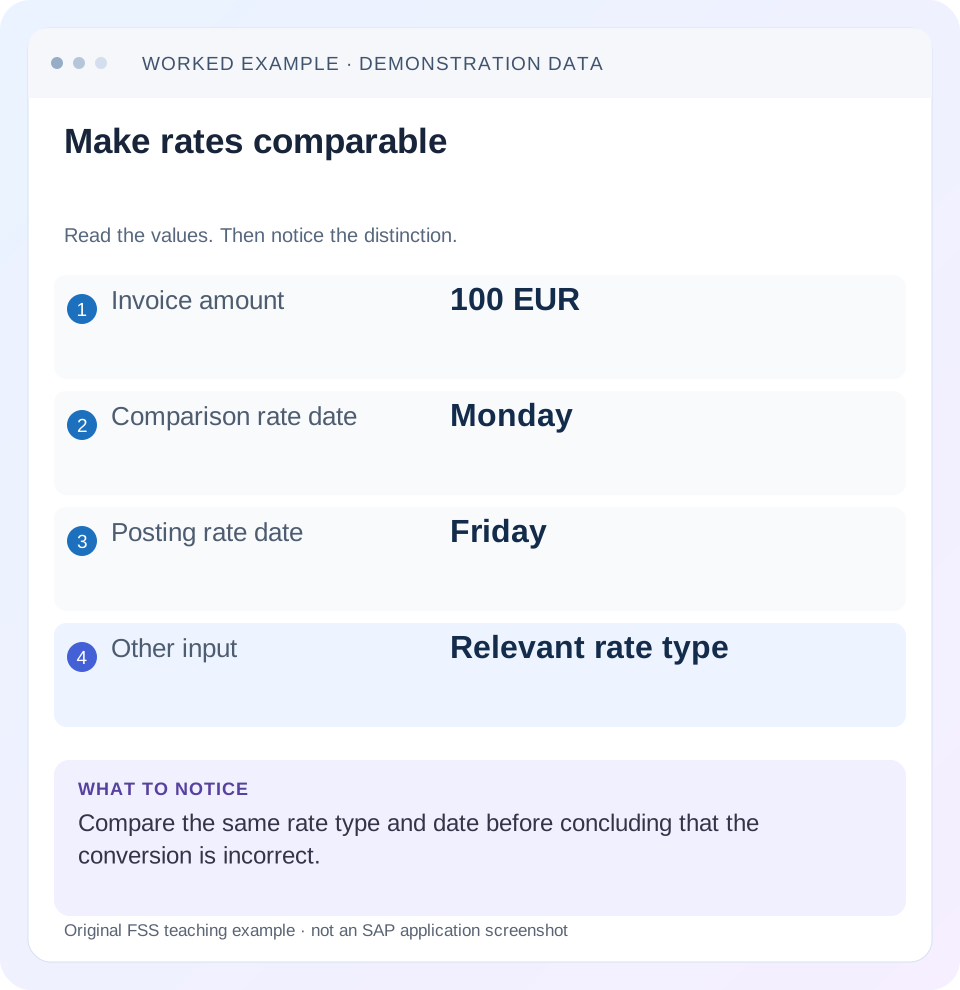
Read the example values
- Invoice amount
- 100 EUR
- Comparison rate date
- Monday
- Posting rate date
- Friday
- Other input
- Relevant rate type
Words you’ll meet in this guide
- Posting
- Recording a financial entry.
- General ledger
- The main collection of financial accounts.
- Open item
- An accounting entry still needing matching or settlement.
- Company code
- An organizational unit used for separate financial accounts.
- Accounting document
- A record of a financial entry with a header and individual account lines.
- HANA
- SAP’s database platform.
- FI
- Financial Accounting: the SAP area for financial postings and reporting.
Preview the practical steps
SEE THE CONNECTION
See it in a simple example.
A small example to make the idea concrete.
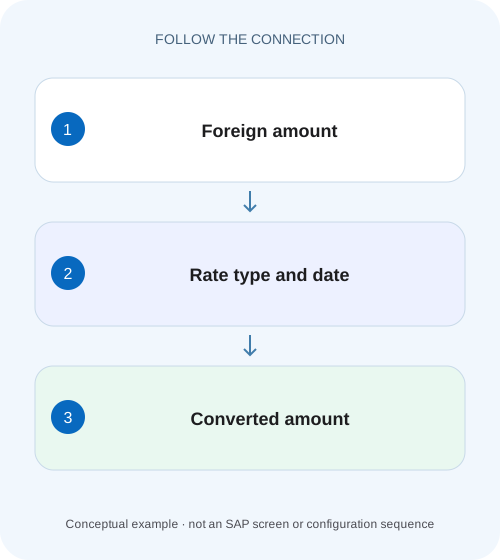
Explain a foreign-currency component invoice
A manufacturer buys components in foreign currency and finds a local-currency amount different from its purchasing estimate.
Check the saved conversion basis before changing a rate
An unexpected local-currency amount often comes from comparing different dates, quotation directions, factors or input rates.
Capture every input that can explain the amount
Record company code, document currency, local or other target currency type, original amount and saved converted amount.
Understand date selection and valid-from rates
SAP’s foreign-currency posting documentation describes automatic use of the rate valid on the posting date, an entered translation date, or an explicitly entered exchange rate.
Explain a foreign-currency component invoice
A manufacturer buys components in foreign currency and finds a local-currency amount different from its purchasing estimate.
Compare currency, translation date and rate context before proposing a rate change to make the amounts agree.
| Reader | Business question | Evidence to carry forward |
|---|---|---|
| Manufacturing finance, controlling and purchasing teams | Explain a foreign-currency component invoice | Compare currency, translation date and rate context before proposing a rate change to make the amounts agree. |
01 Check the saved conversion basis before changing a rate
An unexpected local-currency amount often comes from comparing different dates, quotation directions, factors or input rates. Start with the posted document’s actual currency context. A current market quote or a spreadsheet using another date cannot establish that the historical SAP conversion is wrong. [1]
This tutorial is for FI accountants and support analysts investigating ordinary foreign-currency document entry in SAP ERP or supported S/4HANA processes. The main reference describes on-premise FI posting conversion; parallel currencies, ledgers, valuation and specialized source processes can add rules. You need authorized document display and rate/configuration evidence. All rates here are invented arithmetic inputs, not current market rates, financial advice or executed SAP results.
02 Capture every input that can explain the amount
Record company code, document currency, local or other target currency type, original amount and saved converted amount. Then collect posting date, document date, translation date and any explicitly entered rate or local amount. Identify the applicable rate type and quotation/factor convention through the actual configuration or source process.
Keep these observations separate from the proposed cause. “1,000 USD became 920 EUR” is an observation. “The rate table is wrong” is a hypothesis. The investigation must explain the transformation using the saved inputs before deciding whether maintenance is required. An explicit document rate can explain a result even when the shared maintained rate is different.
03 Understand date selection and valid-from rates
SAP’s foreign-currency posting documentation describes automatic use of the rate valid on the posting date, an entered translation date, or an explicitly entered exchange rate. It explains that where the relevant date has no new maintained entry, an earlier valid entry can apply. The date on the transaction and the date of the selected maintained rate can therefore differ legitimately. [1]
Do not assume a missing daily row means there is no valid rate. Inspect the effective interval and applicable rate type. Also do not assume the invoice document date is automatically the conversion date in every process. Read the actual saved translation context and the product-specific determination rules.
04 Worked case: two dates explain a 20 EUR difference
A fictional invoice contains 1,000 USD, with EUR as the comparison currency. Declare a direct arithmetic convention of EUR per 1 USD and factors 1:1. The maintained example rate is 0.90 valid from 1 November and 0.92 valid from 10 November. The document is posted on 12 November with translation date 8 November and no manually entered rate.
Under the declared date-selection assumption, 8 November uses the earlier 1 November rate, so 1,000 × 0.90 = 900 EUR. A spreadsheet using the posting-date rate calculates 920 EUR. The 20 EUR difference is explained by date basis. It does not prove an incorrect rate entry, and it should not be repaired by changing a shared rate to make the spreadsheet match.
| Basis | Rate date selected | Calculation | Result |
|---|---|---|---|
| Translation date 8 November | 1 November valid-from entry | 1,000 × 0.90 | 900 EUR |
| Posting date 12 November comparison | 10 November valid-from entry | 1,000 × 0.92 | 920 EUR |
| Difference | Different rate basis | 920 − 900 | 20 EUR |
05 Quotation direction and factors change the arithmetic
A rate shown as EUR per USD is not the same number as USD per EUR. Under a simple reciprocal relationship, converting in the reverse direction requires division or the reciprocal rate. The actual SAP quotation and translation-ratio settings determine how the maintained value is interpreted. Never multiply merely because the field contains a positive decimal.
For a separate arithmetic exercise, assume a rate is stated as 100 JPY = 0.62 EUR. Then 10,000 JPY corresponds to 100 groups of 100 JPY, producing 62 EUR under that declared convention. Multiplying 10,000 by 0.62 would be off by a factor of 100. This original illustration teaches why factors must be retained; it does not assert a delivered SAP ratio for JPY.
06 Explicit rates and amounts need their own branch
If the document or source process supplies an exchange rate directly, inspect that value and its permitted use before investigating the shared maintained table. If a local-currency amount was entered explicitly, inspect how the application accepted and stored it. The main documentation notes multiple entry possibilities, so one observed conversion cannot be explained by date alone. [1]
For the 1,000 USD example, an explicit 0.91 input would give a simple 910 EUR calculation under the declared 1:1 convention. That is a third basis, different from both 900 and 920. Preserve the source payload or entry evidence where authorized. A rate changed later in configuration does not by itself establish the rate saved in a previously posted document.
07 Investigate in an order that isolates the first difference
Use one representative line and the exact target currency type. Do not compare a document-currency total with a report that has translated into a different display currency.
Read the saved amounts
Display the document and record 1,000 USD and the actual EUR amount with complete identity.
Expected observation: The comparison uses observed document evidence.
Identify rate determination
Capture translation/posting dates, explicit rate/local inputs and relevant source process.
Expected observation: The basis is defined before rate lookup.
Read the applicable maintained entry
Inspect rate type, valid-from date, currency pair, quotation and factors for the relevant date.
Expected observation: 8 November can correctly select the 1 November example entry.
Recalculate with stated precision
Apply the actual direction and factors, then the relevant currency rounding basis.
Expected observation: The independent worksheet explains 900 EUR in the simplified example.
Separate any remaining difference
Investigate tax-line rounding, other currencies or valuation/reporting scope only after the base conversion is aligned.
Expected observation: The next branch follows a specific unexplained amount.
08 Rounding can produce small line-versus-total differences
Currency precision and line-level conversion can make the sum of rounded line amounts differ from a single conversion of the document total. Establish how the application records and balances relevant amounts before treating a minor difference as a bad exchange rate. Keep rounding observations separate from material date or factor errors.
For an independent worksheet example, two foreign amounts of 0.03 multiplied by a declared rate of 0.50 each give 0.015 before rounding. Rounding each to two decimals can differ from converting 0.06 once. This is not a prediction of a specific SAP rounding allocation; it demonstrates why the actual line-level rules and currency decimals must be inspected.
09 Troubleshoot the conversion rather than the final number
A shared-rate change can affect many documents. Identify the incorrect input or rule before proposing one.
| Observation | Check first | Possible explanation |
|---|---|---|
| Spreadsheet differs by 20 | Rate/translation date | Different valid-from entry |
| Difference is a factor of 100 | Translation ratios | Rate is quoted per multiple units |
| Result looks reciprocal | Quotation direction | Multiply/divide convention differs |
| Only one document differs | Explicit rate or local amount | Document input overrides expected lookup |
| Only small cents differ | Currency decimals and line rounding | Aggregation precision |
| Later report differs from original | Valuation/display currency basis | Different process or reporting date |
10 Posting conversion is distinct from later valuation
A foreign-currency open item can be valued at a later closing date, and a report can translate into another presentation currency. Those processes answer different questions from the original posting conversion. SAP’s foreign-currency guidance notes exchange differences arising during clearing or valuation and the need for corresponding posting setup. [1]
If the original invoice is 900 EUR under the declared example but a later valuation uses another rate, preserve the valuation adjustment and its date separately. Do not overwrite the original explanation with the latest report value. Likewise, a settlement exchange difference does not prove the original conversion was wrong; it can reflect a later rate under the supported accounting process.
11 Verify positive, negative and boundary cases
For the positive worksheet check, use 8 November translation date and 0.90 valid from 1 November to reproduce 900 EUR. For a negative comparison, deliberately use 0.92 from the posting-date basis and identify why 920 is not a like-for-like check. Keep the currency pair and factors fixed so only the date changes.
For a boundary test, place the translation date exactly on 10 November and inspect the maintained entry’s validity. Another date before the earliest valid entry tests missing-rate handling in an authorized training process; record the actual message rather than inventing a fallback. A final test supplies an explicit rate and confirms the actual saved basis. These are proposed learning checks; no current exchange-rate table or customer posting was changed.
12 Retain rate evidence without altering the historical document
A reproducible worksheet records the maintained rate entry and its valid-from date as observed, along with the saved document inputs. If rates are maintained later, preserve the earlier observation or permitted change evidence; simply reopening today’s rate display may no longer reproduce what was available when the invoice posted.
For the example, retain the declared 1 November 0.90 entry and the 8 November translation date separately from the 10 November 0.92 entry. If an integration supplied 0.91, retain that sanitized input as a third fact. This evidence lets the accounting team distinguish a wrong entry, a later maintenance change and an intentionally supplied rate. The decision to correct a posted journal then follows the actual accounting error rather than an unexplained spreadsheet difference.
13 Frequently asked questions
Should I use today’s rate to verify last month’s invoice? Use the document’s actual supported conversion basis. Does document date always choose the rate? No universal assumption is safe; inspect translation date, posting date, explicit inputs and source rules. Can a zero account balance prove currency conversion was correct? No; balances can offset while individual inputs are wrong.
What belongs in a useful handover? Complete document identity, currencies/types, original and converted amounts, date basis, rate type, valid-from entry, direction, factors and the independent calculation. Use FB03 to collect the document evidence and clearing guidance if the issue concerns later matching or settlement exchange differences rather than original posting conversion.
Related services and next steps
Primary sources
Found this useful?
Share this guide with your network, or leave a like.
Your like is saved in this browser.