SAP special posting periods: What changes at year-end?
A manufacturer's year-end team records an adjustment and needs to explain the relationship between posting date, fiscal year and special posting period.

Source review:
START HERE · NO PRIOR TOPIC KNOWLEDGE NEEDED
What it is. Why it matters.
Posting periods organize accounting entries within a fiscal year. Special periods allow designated year-end adjustments to be separated from ordinary period activity in supported configurations.
Completely new to SAP?
Manufacturers use SAP to connect work such as buying components, recording inventory, planning production, shipping equipment and accounting for costs. SAP S/4HANA is an enterprise resource planning system: it connects these activities through shared business data.
Financial Accounting records business events as accounting documents. An account groups relevant amounts; individual entries explain how the total arose.
A transaction code, or t-code, is a shortcut to a task in classic SAP GUI. Fiori apps provide another way to work. Names and screens depend on the product and release; you do not need a live system to learn the concepts in this guide.

Scope and source-review notes
Scope and evidence
Source review by FAST SAP SOLUTIONS® editorial. This badge describes our editorial review; it does not represent SAP certification or independent endorsement.
Conceptual guide using the linked SAP product documentation. Confirm the product, release, deployment model and customer configuration before applying operational details. Historical or product-specific references support the concept; they do not establish universal screen paths or settings.
Reviewed relevant official SAP indexed documentation excerpts on 14 November 2026. Examples, identifiers, amounts and expected observations are illustrative; no customer SAP execution was performed. Transaction availability, labels and results depend on the installed release, deployment and local configuration.
A MANUFACTURING EXAMPLE
Explain a manufacturing year-end adjustment
Separate year-end adjustments
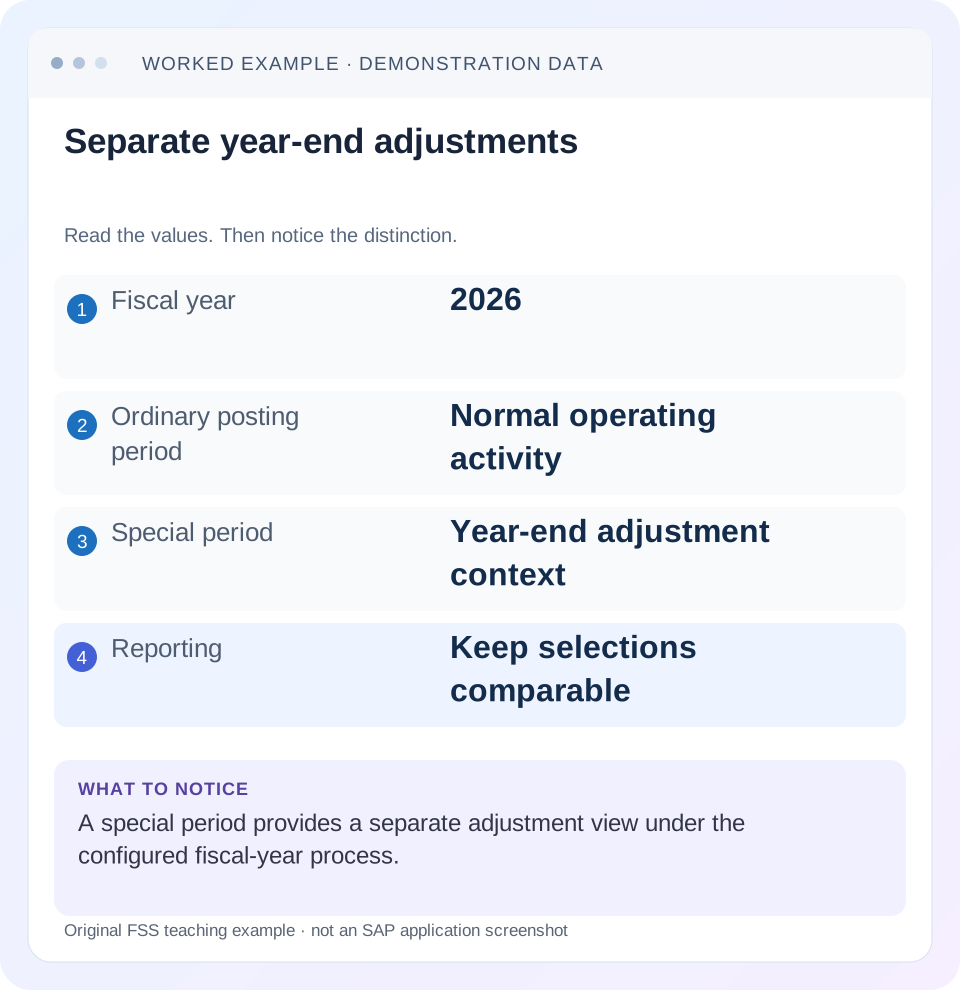
Read the example values
- Fiscal year
- 2026
- Ordinary posting period
- Normal operating activity
- Special period
- Year-end adjustment context
- Reporting
- Keep selections comparable
Words you’ll meet in this guide
- Posting
- Recording a financial entry.
- General ledger
- The main collection of financial accounts.
- Open item
- An accounting entry still needing matching or settlement.
- Company code
- An organizational unit used for separate financial accounts.
- Accounting document
- A record of a financial entry with a header and individual account lines.
- HANA
- SAP’s database platform.
- FI
- Financial Accounting: the SAP area for financial postings and reporting.
Preview the practical steps
SEE THE CONNECTION
See it in a simple example.
A small example to make the idea concrete.
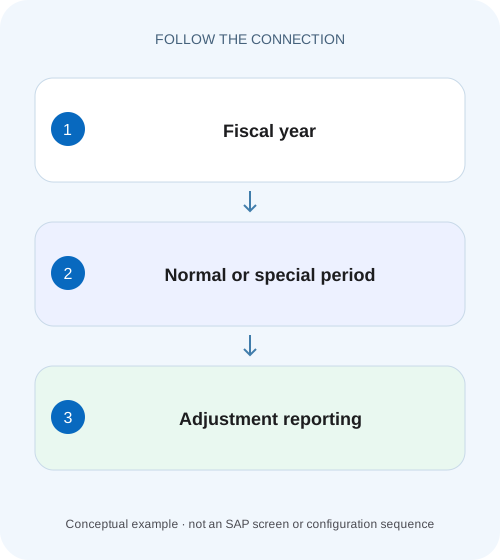
Explain a manufacturing year-end adjustment
A manufacturer's year-end team records an adjustment and needs to explain the relationship between posting date, fiscal year and special posting period.
Special periods subdivide closing activity, not the calendar
Special posting periods divide the last regular fiscal period into additional closing buckets.
Read the fiscal-year variant before using period 13
A fiscal-year variant defines the relationship between dates and posting periods and the number of regular/special periods.
Posting date and explicit period must work together
SAP documents two key conditions for special-period posting: the posting date falls within the last regular posting period, and the special period is entered explicitly in the document header because it cannot be inferred automatically from the date.
Explain a manufacturing year-end adjustment
A manufacturer's year-end team records an adjustment and needs to explain the relationship between posting date, fiscal year and special posting period.
Check the configured fiscal-year and period context before interpreting a special period as another calendar month.
| Reader | Business question | Evidence to carry forward |
|---|---|---|
| Manufacturing finance, controlling and purchasing teams | Explain a manufacturing year-end adjustment | Check the configured fiscal-year and period context before interpreting a special period as another calendar month. |
01 Special periods subdivide closing activity, not the calendar
Special posting periods divide the last regular fiscal period into additional closing buckets. They are not extra calendar months. A finance team can separate successive year-end adjustments for reporting while keeping the posting date within the last regular period of the relevant fiscal year. [1] [2]
This guide is for G/L accountants, close coordinators and FI support using SAP ERP or supported S/4HANA general-ledger processes. Reviewed on-premise 2025 and cloud2608 documentation describe the same central concept, with release-specific application limits. You need display of the fiscal-year variant, period controls and resulting documents. Illustrative adjustment buckets are a teaching design, not statutory closing policy or a required SAP default.
02 Read the fiscal-year variant before using period 13
A fiscal-year variant defines the relationship between dates and posting periods and the number of regular/special periods. SAP’s referenced guidance describes the usual 12 regular plus up to 4 special arrangement and a maximum total of 16 in that scope, with additional possibilities when fewer regular periods are used. Do not assume every company has periods 13–16 configured. [1] [2]
For a noncalendar fiscal year, the last regular period may not be December. Identify the actual year-end date and period mapping before entering an adjustment. “Year2026” can refer to a configured fiscal-year label whose calendar span needs explanation. A familiar period number alone does not establish the correct date.
03 Posting date and explicit period must work together
SAP documents two key conditions for special-period posting: the posting date falls within the last regular posting period, and the special period is entered explicitly in the document header because it cannot be inferred automatically from the date. The date does not uniquely identify which closing bucket is intended. [1] [2] [3]
For a declared calendar-year 12+4 design, 31 December 2026 can belong to ordinary period 12 or an explicitly selected supported special period. A posting date in January 2027 is not converted into a 2026 special-period posting simply by typing 13. The account and period must also be open under the applicable controls and authorization.
04 Worked case: separate two year-end adjustment stages
Fictional company 1000 uses a calendar fiscal year with 12 regular and 4 special periods. Assume the close team has approved period 13 for a first adjustment stage and 14 for a later reviewed stage; these meanings are local teaching assumptions. Ordinary period 12 has a maintenance expense balance of 10,000. A period 13 accrual adds 1,200 and a period 14 correction credits 200.
The expense total through 12 is 10,000; through 13 it is 11,200; through 14 it is 11,000. The special-period movements are 1,200 and−200. All example adjustments use posting date 31 December 2026 with explicitly selected period, and their offsetting liability lines balance the journals. No posting is claimed to have been executed.
| Selection | Expense movement added | Cumulative expense |
|---|---|---|
| Periods1–12 | Ordinary activity | 10,000 |
| Special13 | Debit1,200 accrual | 11,200 |
| Special14 | Credit200 correction | 11,000 |
| Through14 | 10,000+1,200−200 | 11,000 |
| Special periods only | Net debit 1,000 | Adjustment view, not all-year total |
05 Report selections determine which close version is visible
A report limited to regular periods can omit special-period adjustments by design. A report through 14 includes them on the declared example basis. Two reviewers can therefore show 10,000 and 11,000 without either report miscalculating. The reconciliation must state the period range, ledger, currency and account scope.
Do not call the special-only 1,000 figure the full-year expense. It is the net adjustment layer. A useful close pack can show ordinary activity, each adjustment stage and final cumulative total separately. This makes the business effect reviewable and prevents adjustments from becoming an unexplained lump added to a prior screenshot.
06 Period opening is a separate control
A configured special period is not automatically open. SAP period-management guidance describes posting-period variants, intervals, account-type distinctions and authorized-user restrictions. Inspect the actual company-code variant and account context. A regular period can be closed while an approved special-period interval remains available for closing work. [3]
If the adjustment is rejected, do not open every historical period or change its date until it posts. Establish whether the document has the correct last-period date, explicit special period and eligible account scope, then whether the requested closing window is approved. The period owner should make a scoped supported change where necessary.
07 Use a controlled adjustment-entry sequence
The accounting purpose comes first, then the dated period selection and resulting evidence.
Define the adjustment and close stage
For the example, document the approved 1,200 accrual and the intended period 13 stage.
Expected observation: The bucket has a business meaning.
Confirm fiscal mapping
Read the actual fiscal-year variant and last regular period.
Expected observation: 31 December 2026 is valid in the declared calendar design.
Check date and explicit period
Enter the supported header period separately from posting date and inspect application validation.
Expected observation: The date alone has not defaulted the entry to ordinary 12.
Review period/account controls
Inspect the applicable open interval, account category and authorized close access.
Expected observation: The posting is allowed for the intended scoped window.
Verify the saved journal and report
Display fiscal year/period/date and reconcile both adjustment movement and cumulative total.
Expected observation: Period13 adds 1,200 and final through 14 reaches11,000.
08 An ordinary reversal and a closing correction need period reasoning
If the period 13 accrual is wrong, determine the approved correction period and supported reversal process. A later correction in 14 preserves a different close-stage history from an adjustment back in 13. Both may yield a similar final total but differ in the audit and review sequence.
For the example, a200 credit in 14 explains a later partial correction to the expense, but it does not by itself prove that the original 1,200 document was formally reversed. If the intended process is reversal/reposting, retain those linked documents. If it is a separate approved adjustment, explain it as such. Do not use the same word for every offsetting entry.
09 Special periods do not override source-process restrictions
A general-ledger special-period concept does not guarantee that every logistics, asset, payroll or integration application accepts the same manual header input. Identify the supported source process and its period behavior. A manual FI adjustment cannot be assumed to correct operational quantities or subledger states.
When a year-end issue originates in MM or another component, reconcile the source document chain and approved closing process. The fact that a G/L journal can be entered in a special period does not authorize replacing a missing goods receipt or invoice correction with a financial balancing amount. Preserve the business event as well as the closing presentation.
10 Troubleshoot the exact period mismatch
Capture the posting date, explicit period, fiscal-year variant, company/ledger/account context and exact message before proposing changes.
| Observation | Check | Reasoning |
|---|---|---|
| Period13 rejected | Variant and configured count | The bucket may not exist for that design |
| Date rejected for special period | Last regular-period mapping | Special periods subdivide year-end |
| Posted to 12 unexpectedly | Explicit header period | Date alone cannot identify a special bucket |
| Report misses adjustment | Period range and view | Regular-only reporting can exclude it |
| One user allowed, another denied | Close authorization/interval | Scoped period access can differ |
| Source app lacks period option | Supported source process | General FI capability is not universal app support |
11 Verify positive, negative and boundary cases
A positive worksheet test reconstructs 10,000+1,200−200=11,000 and labels each period. In an authorized training process, inspect the saved fiscal year, period and 31 December date. Verify a regular-only report and a through 14 report separately.
A negative test uses a January 2027 posting date with requested special 13 of 2026 in the declared calendar design and explains the date/period incompatibility. A boundary test uses the last day of a noncalendar fiscal year and determines its actual final regular period from configuration. Another uses a variant with fewer or no special periods and requires documentation-based validation. These are proposed exercises, not year-end journal execution.
12 Check carryforward and downstream reporting separately
Year-end balances and retained earnings follow the relevant carryforward process, while special periods organize closing postings. After later adjustments, verify the installed process’s carryforward and reporting treatment rather than assuming that a prior exported opening balance is final. Use account type and actual process evidence.
Also inspect downstream consolidation or statutory-report mapping where relevant. A consuming application may handle special-period data differently from a G/L display. Do not assume that every report offers the same 13/14 columns or preserves each adjustment bucket. The accounting owner should reconcile the resulting reporting basis explicitly.
13 Keep adjustment-stage totals distinct from complete journal totals
The expense bridge follows only one side of balanced journals. The period 13 accrual also credits the relevant liability 1,200, and the period 14 correction debits that liability 200 under the declared simplified treatment. The net liability effect is credit 1,000. A close worksheet must therefore distinguish an expense-account movement from total document debits and credits.
If someone adds expense 1,200 and liability 1,200 as though both were new costs, the adjustment is doubled. If someone sums signed whole-document amounts, they may get zero and wrongly conclude that no expense changed. Both mistakes come from aggregating unlike accounting meanings. State which account or financial-statement measure the bridge explains.
For the example, the final expense is 11,000 and the incremental liability is 1,000; each underlying journal balances. An independently reviewed period table can show account, debit, credit, fiscal period, posting date and source reference for every adjustment. When another close stage adds a further entry, extend that table rather than replacing the previous total without explanation. This preserves ordinary activity, the first adjustment and the correction as separate evidence while giving the final cumulative result. It also lets a reviewer distinguish an intentionally separate period 14 correction from a formal reversal of the period 13 document.
14 Frequently asked questions
Are special periods four extra months? No; they subdivide the last regular period. Does31 December automatically mean period 13? No; the special period is explicit. Can a company use a noncalendar year? Establish its actual fiscal mapping and supported special-period setup.
Why do two year-end totals differ? Compare inclusion of special periods, ledger, currency and carryforward context before changing postings. Use the closed-period lesson for control diagnosis, balance-display guidance for the adjustment bridge and reversal guidance when the original posted document itself needs correction.
Related services and next steps
Primary sources
Found this useful?
Share this guide with your network, or leave a like.
Your like is saved in this browser.