Integration Suite XML mapping empty? Check namespaces before changing XPath
A manufacturer's supplier message contains an item quantity that an integration expression fails to extract because namespace context matters.

Source review:
START HERE · NO PRIOR TOPIC KNOWLEDGE NEEDED
What it is. Why it matters.
XML uses named elements to organize data. A namespace distinguishes elements with otherwise similar names, so a mapping must match both the name and its namespace.
Completely new to SAP?
Manufacturers use SAP to connect work such as buying components, recording inventory, planning production, shipping equipment and accounting for costs. SAP S/4HANA is an enterprise resource planning system: it connects these activities through shared business data.
SAP Business Technology Platform, or BTP, provides cloud services for applications, data and integration. A connection needs a route, an identity and permission to perform the intended task.
A transaction code, or t-code, is a shortcut to a task in classic SAP GUI. Fiori apps provide another way to work. Names and screens depend on the product and release; you do not need a live system to learn the concepts in this guide.

Scope and source-review notes
Scope and evidence
Source review by FAST SAP SOLUTIONS® editorial. This badge describes our editorial review; it does not represent SAP certification or independent endorsement.
SAP Cloud Integration XML XPath/runtime namespace mapping. The exact expression engine and mapping-step behavior depend on the integration component and runtime.
Documentation review on 14 November 2026 using official SAP sources and indexed official excerpts where full Help text was unavailable. Scope and service or release differences are explained in the lesson. All datasets, requests and checks are illustrative; no customer SAP runtime execution or measured results are claimed.
A MANUFACTURING EXAMPLE
Find a missing component quantity in XML
Names need their namespace
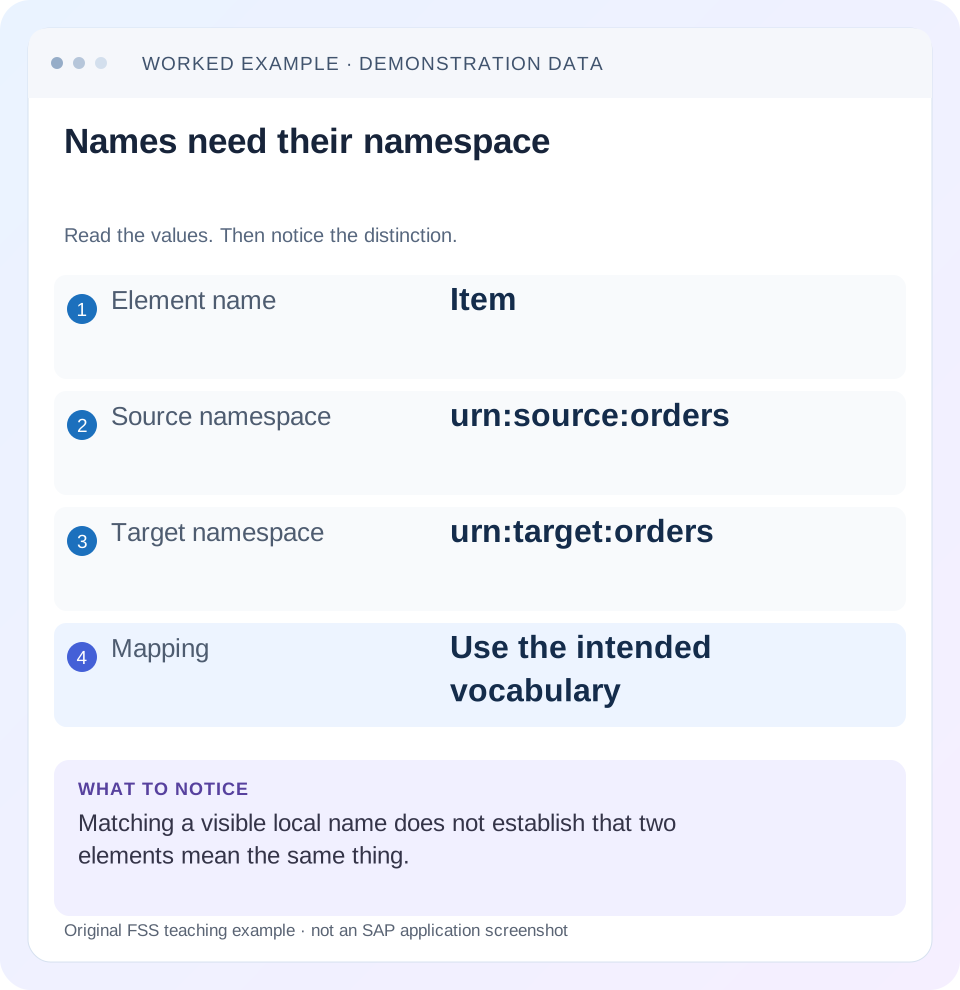
Read the example values
- Element name
- Item
- Source namespace
- urn:source:orders
- Target namespace
- urn:target:orders
- Mapping
- Use the intended vocabulary
Words you’ll meet in this guide
- Backend
- The service or system doing the work behind an interface.
- Destination
- Named connection settings for another service.
- Credential
- Access information used to prove an identity.
- Subaccount
- A BTP scope for applications, services and access settings.
- XML
- A format that organizes data into named, nested elements.
Preview the practical steps
SEE THE CONNECTION
See it in a simple example.
A small example to make the idea concrete.
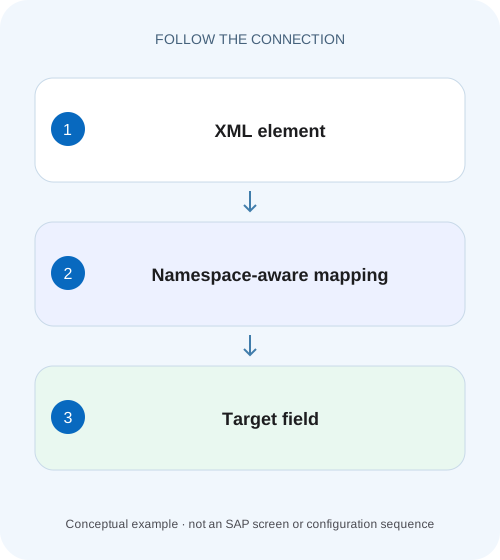
Find a missing component quantity in XML
A manufacturer's supplier message contains an item quantity that an integration expression fails to extract because namespace context matters.
Match the namespace URI and local name, then verify the step context
When an XML field is visibly present but an XPath-based Cloud Integration step returns nothing, inspect the element’s namespace URI and local name together.
Read expanded names rather than visual labels
An XML element’s identity combines its namespace URI and local name.
Worked case: a Content Modifier extracts an empty item quantity
Imagine a Content Modifier configured to extract /Order/Items/Item[@id="10"]/Quantity into a property.
Find a missing component quantity in XML
A manufacturer's supplier message contains an item quantity that an integration expression fails to extract because namespace context matters.
Compare the actual XML names and namespace binding before replacing the quantity with a default or blaming the sender for omission.
| Reader | Business question | Evidence to carry forward |
|---|---|---|
| SAP developers and application teams supporting manufacturers | Find a missing component quantity in XML | Compare the actual XML names and namespace binding before replacing the quantity with a default or blaming the sender for omission. |
01 Match the namespace URI and local name, then verify the step context
When an XML field is visibly present but an XPath-based Cloud Integration step returns nothing, inspect the element’s namespace URI and local name together. A default namespace can qualify every unprefixed element below it. The prefix used in an XPath must resolve to the intended URI in that expression’s context; it does not need to match the sender’s chosen prefix text. [1] [3]
This tutorial is for Cloud Integration developers configuring Content Modifier, router, filter or splitter expressions. You need a minimal sanitized payload, the failing expression, its namespace configuration and the exact consuming component. Expression engines and component-specific syntax differ. The worked selection uses explicit prefixes as in SAP’s Content Modifier guidance; the separate Splitter documentation has additional rules that must be checked for that step. [2] [3]
02 Read expanded names rather than visual labels
An XML element’s identity combines its namespace URI and local name. In the authored example below, Order and Item both belong to urn:fss:orders because the default namespace applies to those unprefixed elements. The id attribute is unprefixed and has no namespace under ordinary XML namespace rules. It should not be given the element prefix merely because its parent has one. [4]
Namespace prefixes are aliases within a document or expression context. An o:Item bound to urn:fss:orders has the same expanded element name as p:Item bound to that URI. Conversely, o:Item bound to urn:other:orders is a different element. Comparing only prefix spellings or only local names misses that distinction.
<Order xmlns="urn:fss:orders" id="ORD-1001">
  <Items>
    <Item id="10"><Quantity>2</Quantity></Item>
    <Item id="20"><Quantity>3</Quantity></Item>
  </Items>
</Order>
03 Worked case: a Content Modifier extracts an empty item quantity
Imagine a Content Modifier configured to extract /Order/Items/Item[@id="10"]/Quantity into a property. The payload has the default namespace shown above, while the expression context does not bind those unprefixed names to urn:fss:orders. The visible names look identical, but the expression’s element tests and payload expanded names differ. The result is empty rather than quantity 2.
Configure an expression prefix o for urn:fss:orders and use /o:Order/o:Items/o:Item[@id="10"]/o:Quantity in the field that supports XPath. SAP’s runtime configuration supports namespace-prefix mappings, and its Content Modifier documentation illustrates explicitly prefixed element paths. Preserve @id as unprefixed for the fixture’s unqualified attribute. [1] [3]
Namespace Mapping: xmlns:o=urn:fss:orders
XPath: /o:Order/o:Items/o:Item[@id="10"]/o:Quantity
Expected selected value: 2
04 Establish the exact body at the expression boundary
The sender’s original payload is not necessarily the body processed by the failing step. A Request Reply can replace it with a lookup response. A mapping can change the namespace, wrap the document or remove an element. Capture a permitted sanitized snapshot immediately before the expression and compare its actual root and parent chain.
If the expected Order is now nested in an envelope, an absolute /o:Order path no longer addresses the document root. If an earlier step produced target vocabulary urn:fss:orders:v2, the old namespace mapping becomes wrong. Do not respond to either difference by stripping every namespace. Establish whether the transformation is intended and update the selection to the correct contract.
05 Configure namespace mapping where the consuming step expects it
SAP documents the integration flow’s Runtime Configuration Namespace Mapping property for elements such as content-based router, Content Modifier and content filter. The documented format maps a prefix to a namespace. Confirm the mapping is present in the deployed flow version and that the expression uses that exact prefix. A mapping in a local XSLT stylesheet is not automatically the same as the flow runtime mapping. [1]
For a Splitter, use its own documented XPath syntax and namespace guidance. SAP’s splitter article also explains cases where descendant selection and repeated structures can produce unexpected parent context. Do not assume a path that selects two nodes in a generic XPath evaluator guarantees the desired General Splitter output shape. Inspect each emitted split message in the actual supported component. [2]
06 Use cardinality as part of the business contract
The worked expression should select exactly one Quantity for item 10. If it selects zero, investigate namespace, path, attribute value and body state. If it selects more than one, investigate repeated item identity or an overly broad path. Simply obtaining nonempty text is not enough: a broad descendant expression might read quantity 3 from item 20 instead.
Write expected identities alongside counts. Selecting both Item nodes is correct for splitting this two-item order but wrong for extracting item-10 quantity. A scalar consumer may convert a node sequence differently from a splitter, and behavior can depend on the expression engine and field type. Use the component’s documented return type and verify that the chosen expression has the intended cardinality.
A useful second ledger follows the selected value through conversion. For item 10, record expanded element name {urn:fss:orders}Quantity, selected text 2, numeric value 2 and target unit or business context. This prevents a namespace repair from being confused with quantity conversion. If the target expects a decimal string or a specific unit, verify that separately. An XPath producing text does not automatically establish that the receiving business field accepts it. Include the original item identity when checking the transformed result so a value from another line cannot satisfy the test accidentally.
| Selection intent | Expected identities | Expected count |
|---|---|---|
| Order root | ORD-1001 | 1 |
| All item elements | 10 and 20 | 2 |
| Quantity for item 10 | 2 | 1 |
| Quantity for absent item 99 | None | 0 |
07 Avoid local-name-only expressions as an accidental contract relaxation
A local-name() predicate can deliberately ignore namespaces, but that changes the selection’s meaning. Imagine an envelope containing both orders:Item and audit:Item. A broad expression matching every element whose local name is Item can select an audit record alongside the business order. The resulting quantity might be nonempty and still wrong.
If supporting several namespace versions is an explicit requirement, model that supported set deliberately and test each version. Do not silently accept any namespace because one payload changed. Similarly, a blanket namespace-removal transformation can break schema validation, digital signatures or a receiver contract. Fix the namespace-aware selection when the underlying XML is valid for the agreed interface.
08 Troubleshoot syntax, empty selection and mapping errors separately
An unbound prefix can produce an expression error, while a correctly bound prefix pointing to the wrong URI can produce a valid expression with zero matches. A downstream mapping may then report a missing required target value. Preserve where the first mismatch occurred instead of treating the final target error as the root cause.
| Observation | Likely boundary | Next comparison |
|---|---|---|
| Prefix error when saving or executing | Expression namespace binding | Configured prefix and consuming component syntax |
| Valid expression, zero nodes | Expanded name or path | URI, root, ancestors and body at this step |
| Different sender prefix changes result | Incorrect text-based assumption | Resolve both prefixes to their URIs |
| Too many Item nodes | Selection too broad | Parent context and supported vocabularies |
| Attribute filter fails | Attribute qualification or value | Unqualified @id and exact value |
| Splitter parent shape unexpected | Component splitting behavior | General/Iterating behavior and documented XPath limits |
09 Verify a prefix change without changing business meaning
Create a second fixture in which every element is explicitly prefixed p and p maps to urn:fss:orders. Keep the same order and item identities. The o-prefixed expression should still select item-10 quantity 2 when its own o binding remains correct. This proves the selection depends on namespace URI, not the sender’s alias spelling.
For the negative fixture, change the element namespace to urn:fss:other-orders while keeping the local names and values. The original expression should not select it. If it still does, inspect whether the implementation uses local-name-only selection or a preprocessing transformation. That test catches a repair that merely fills the target field with something.
For a boundary fixture, set xmlns="" on a child subtree to reset the default namespace. That subtree now needs different name tests from its qualified parent. This is useful when a real payload mixes qualified and unqualified elements. Read the declarations in scope at each level rather than assuming the root declaration describes every node.
10 Test missing and duplicate business keys
Remove item 10 and verify the flow’s explicit missing-value handling. It should not select item 20 as a fallback unless the business contract actually permits it. Then add a second item with id 10 in an isolated fixture. Verify that the flow detects the invalid cardinality or handles the documented list contract instead of silently choosing the first.
Also test whitespace and numeric conversion separately from namespace selection. A selected Quantity containing spaces or invalid text can fail later conversion even when the XPath is correct. Keep the investigation layered: first confirm which node was selected, then confirm its text and the required target type. Changing namespace mappings cannot repair a nonnumeric quantity.
11 Record a minimal reproducible selection contract
A useful handoff includes the root and affected child with namespace declarations, the exact expression, runtime mapping, consuming step/version and expected node identities and counts. That is more informative than a screenshot showing a red mapping line. Keep real customer identifiers and payload detail out of the teaching fixture.
Why can an expression work in another tool? That tool can use another XPath version, default element namespace or namespace resolver. Compare its static context and result type before treating it as proof about Cloud Integration. A local parser test can verify expanded names in a fixture, but it is not execution evidence for a specific tenant component.
When should the schema change? If the producer’s namespace identifies a new interface vocabulary, investigate the contract version and intended mapping update. A new URI may reflect a genuine semantic change. The related message-mapping lesson explains why structural selection must then be followed by business-value and target-schema checks.
Related services and next steps
Primary sources
Found this useful?
Share this guide with your network, or leave a like.
Your like is saved in this browser.