SAP OBYC explained: Follow the goods movement to its account-determination key
A plant receives bought-in components and finance asks why the goods movement created the particular inventory and difference postings.

Source review:
START HERE · NO PRIOR TOPIC KNOWLEDGE NEEDED
What it is. Why it matters.
Automatic account determination chooses relevant accounting accounts for inventory-related postings. OBYC is a classic configuration entry point, with the result depending on several business and valuation inputs.
Completely new to SAP?
Manufacturers use SAP to connect work such as buying components, recording inventory, planning production, shipping equipment and accounting for costs. SAP S/4HANA is an enterprise resource planning system: it connects these activities through shared business data.
Financial Accounting records business events as accounting documents. An account groups relevant amounts; individual entries explain how the total arose.
A transaction code, or t-code, is a shortcut to a task in classic SAP GUI. Fiori apps provide another way to work. Names and screens depend on the product and release; you do not need a live system to learn the concepts in this guide.

Scope and source-review notes
Scope and evidence
Source review by FAST SAP SOLUTIONS® editorial. This badge describes our editorial review; it does not represent SAP certification or independent endorsement.
Classic MM automatic account determination/OBYC, with illustrative S/4HANA account-key references. Chart-of-accounts values and localized examples are not universal settings.
Reviewed relevant official SAP indexed documentation excerpts on 14 November 2026. Examples, identifiers, amounts and expected observations are illustrative; no customer SAP execution was performed. Transaction availability, labels and results depend on the installed release, deployment and local configuration.
A MANUFACTURING EXAMPLE
Trace a component receipt to its accounts
Follow the posting inputs
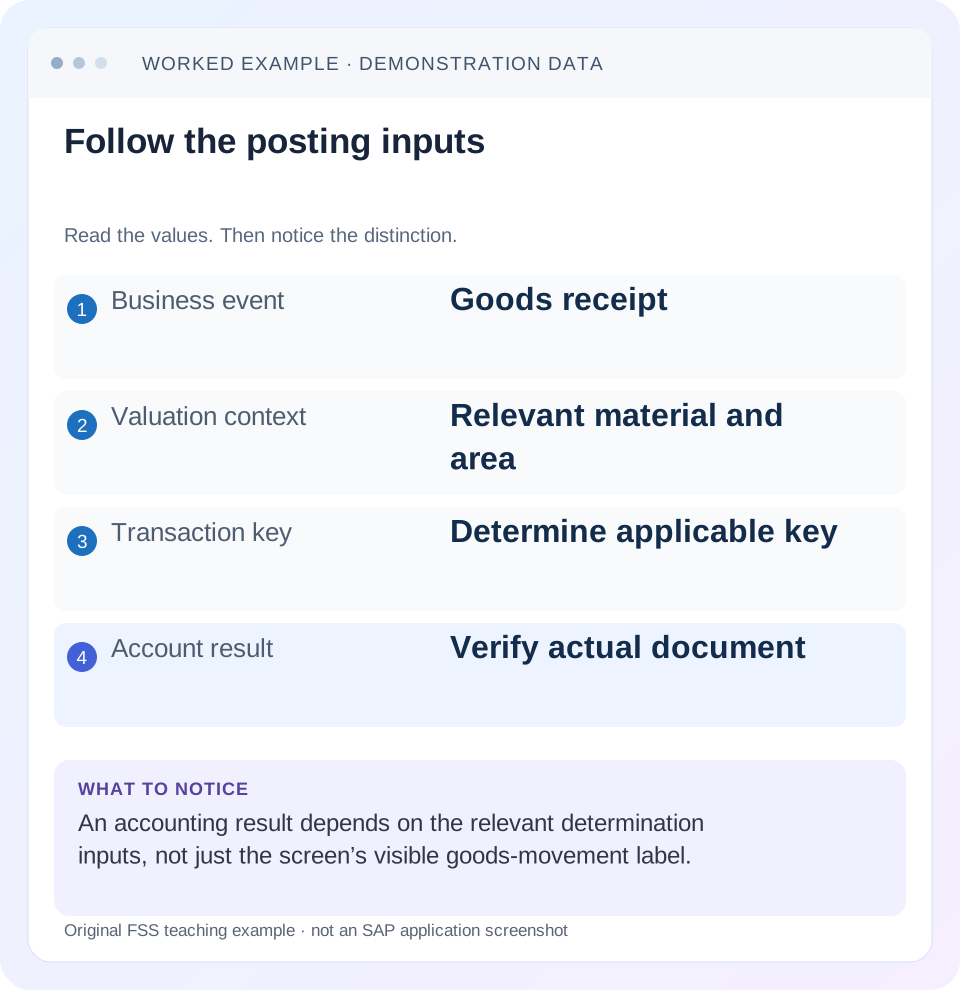
Read the example values
- Business event
- Goods receipt
- Valuation context
- Relevant material and area
- Transaction key
- Determine applicable key
- Account result
- Verify actual document
Words you’ll meet in this guide
- Posting
- Recording a financial entry.
- General ledger
- The main collection of financial accounts.
- Open item
- An accounting entry still needing matching or settlement.
- Company code
- An organizational unit used for separate financial accounts.
- Accounting document
- A record of a financial entry with a header and individual account lines.
- HANA
- SAP’s database platform.
- FI
- Financial Accounting: the SAP area for financial postings and reporting.
Preview the practical steps
SEE THE CONNECTION
See it in a simple example.
A small example to make the idea concrete.
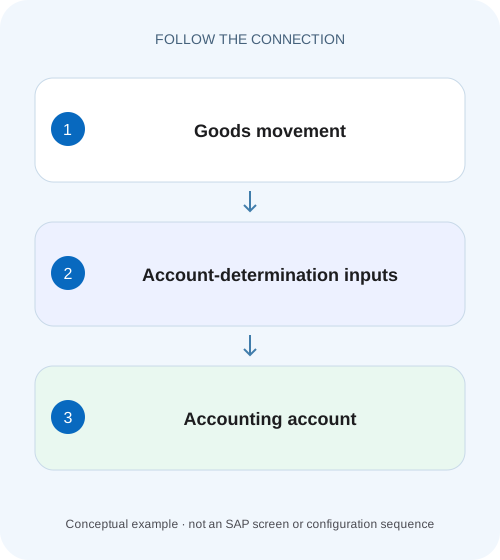
Trace a component receipt to its accounts
A plant receives bought-in components and finance asks why the goods movement created the particular inventory and difference postings.
Start with the goods movement, not a missing-looking configuration row
OBYC is a classic entry point for MM automatic account configuration.
Separate the business event from the accounting operations
A valuated goods receipt for a standard stock purchase can require an inventory posting and a GR/IR offset.
Understand the influencing factors
The reviewed SAP learning lists chart of accounts, valuation area/grouping, material valuation class and transaction/event key with relevant account grouping as influencing factors.
Trace a component receipt to its accounts
A plant receives bought-in components and finance asks why the goods movement created the particular inventory and difference postings.
Follow the applicable account-determination inputs and actual accounting document before changing an account assignment.
| Reader | Business question | Evidence to carry forward |
|---|---|---|
| Manufacturing finance, controlling and purchasing teams | Trace a component receipt to its accounts | Follow the applicable account-determination inputs and actual accounting document before changing an account assignment. |
01 Start with the goods movement, not a missing-looking configuration row
OBYC is a classic entry point for MM automatic account configuration. The account selected for an inventory-related event depends on the transaction and valuation context, including the chart of accounts and relevant material/plant/account-grouping inputs. A transaction key such as BSX or WRX describes a posting function; it is not itself a G/L account number. [1] [2]
This tutorial is for MM/FI analysts investigating automatic account determination in SAP ERP or supported S/4HANA private/on-premise processes. Current cloud configuration uses its supported activities rather than necessarily exposing OBYC. You need authorized display of the source event, material valuation context, account configuration and accounting result. Examples use fictional accounts and simple quantities; they are not configuration values to copy into another chart.
02 Separate the business event from the accounting operations
A valuated goods receipt for a standard stock purchase can require an inventory posting and a GR/IR offset. A goods issue can require an inventory credit and a consumption or other offset. SAP learning explains that value strings contain transaction/event keys for these operations instead of hard-coded G/L numbers. [1] [3]
One business event can therefore request several different account determinations. If BSX resolves but WRX does not, inventing a replacement inventory account will not address the missing GR/IR branch. Read the exact message and determine which operation failed. Preserve movement context, source reference, material, plant/valuation area and attempted posting date before opening configuration.
03 Understand the influencing factors
The reviewed SAP learning lists chart of accounts, valuation area/grouping, material valuation class and transaction/event key with relevant account grouping as influencing factors. The active combination depends on the transaction key’s configured rules. Do not assume every key always uses every possible field. [1] [2]
The valuation class groups materials for differentiated stock or consumption account selection. The valuation grouping code can differentiate valuation areas under the design. An account grouping or modification can subdivide a transaction key for different business uses. Inspect the actual source values and active rule columns; the same material description or movement label does not establish the same determination combination.
04 Read BSX, WRX and GBB in their documented roles
BSX is used for stock/inventory postings in the documented standard example. WRX represents the GR/IR clearing function. GBB is an offsetting-inventory-posting function that can be further differentiated by an account grouping code. These roles are useful vocabulary, not a complete posting recipe for every movement. [2] [3]
For a goods issue, distinguish production consumption from scrapping or another event even when both can involve GBB under their supported value strings. The account grouping helps express that distinction in relevant scenarios. If the business selected the wrong movement/process, adding a G/L mapping can make an incorrect event post successfully; correct the event interpretation before configuration.
05 Worked case: standard-price receipt with a price difference
Fictional material M100 is received 10 PC against a standard stock PO at 10 EUR each. Declare a standard valuation price of 8 EUR per PC and no tax, delivery cost, currency or other differences. The simple receipt valuation is inventory80, price difference20 and GR/IR credit 100. This mirrors the mechanism of SAP’s documented standard-price example but uses original teaching figures and account labels.
Assume the approved local account mappings resolve BSX to inventory INV100, WRX to GRIR100 and the applicable price-difference function to PRD100. The labels are fictional G/L identifiers. A missing WRX mapping prevents the intended full accounting result even if the inventory value 80 can be calculated.
| Function | Account meaning | Debit | Credit |
|---|---|---|---|
| BSX | Inventory INV100 | 80 | 0 |
| Applicable price difference | PRD100 | 20 | 0 |
| WRX | GR/IR GRIR100 | 0 | 100 |
| Total | 10 PC ×10 purchase basis | 100 | 100 |
06 Follow the later invoice without assuming the supplier account comes from OBYC
If a supplier invoice for the same declared 100 purchase basis posts with no additional differences, it debits GR/IR100 and credits the supplier 100 in this simplified chain. The supplier reconciliation relationship comes from its supported subledger/master process, not from treating every invoice line as an OBYC mapping. [3] [4]
SAP learning distinguishes inventory/GRIR/price-difference automatic determination from the supplier reconciliation account in Business Partner. Tax and other operations can also have separate determination. When diagnosing a posting error, identify which mechanism owns the failed line. Searching OBYC for a missing supplier master or tax control can send the investigation to the wrong configuration layer.
07 Reconstruct the missing combination completely
Create a worksheet with the source event and each active determination input. Record the actual chart, valuation area/grouping, valuation class, key and modification where used. Compare that exact combination with the approved mapping, not just another row with the same transaction key.
If another material posts successfully, compare its valuation class and process context before assuming the failed material needs the same account. A difference can be intentional, or it can expose wrong master data. If another plant differs, inspect its valuation and chart relationship. Configuration should implement the intended design; it should not mask a wrong material extension or organizational input.
08 Use supported account-determination simulation and document evidence
SAP learning documents a simulation in Configure Automatic Postings that can consider materials or valuation classes, plants and transactions, show influencing factors and check account existence. It also notes that simulation can display all keys in a value string, including ones not significant to the particular company scenario. Read the result in context rather than treating every displayed key as a required posting. [5]
Where available, use that supported simulation before an approved test event. Then inspect actual material and accounting documents. A simulation resolving accounts does not prove stock quantity, price, cost assignment and document state are all correct in a real posting. Both sides and any difference line need verification.
09 A practical investigation sequence
The sequence should identify whether the cause is wrong business input, wrong master data, missing mapping or a different posting restriction.
Capture the failed event
Record source document/item, material, movement/process context, plant, date and exact message.
Expected observation: The failed accounting operation is identifiable.
Read valuation inputs
Display the relevant material valuation class, price control/basis and valuation-area context.
Expected observation: The intended80 inventory and 20 difference are explainable in the example.
Identify required operations
Use supported determination evidence to identify keys and active grouping inputs.
Expected observation: WRX is distinguished from BSX and the price-difference branch.
Compare the exact mapping
Inspect the approved chart/key/group/class combination and account validity.
Expected observation: A missing combination is not confused with a different valid row.
Verify an authorized correction
Use supported simulation/test, then inspect all resulting document lines and quantities.
Expected observation: Inventory80+price difference20 equals GR/IR100 under the declared assumptions.
10 Troubleshoot account determination without copying accounts
A valid G/L number is not sufficient: it must have the intended economic classification and compatible posting controls. Coordinate the MM event with the FI account design.
| Observation | Check | Reasoning |
|---|---|---|
| Missing WRX combination | GR/IR key and active inputs | Inventory mapping alone cannot supply the offset |
| Material posts to unexpected stock account | Valuation class and BSX mapping | Master data or mapping may differ |
| Consumption and scrap share a key | Account grouping/modification | Business subtypes can need distinct offsets |
| Account exists but posting rejected | Account/company/field restrictions | Determination and posting validity are separate |
| Simulation shows extra keys | Value string/context | Displayed key need not be used in that event |
| Other plant works | Valuation grouping/chart context | Do not copy its account without design review |
11 Verify positive, negative and boundary cases
For the positive worksheet test, calculate 10×8=80 inventory and 10×(10−8)=20 price difference, with 100 GR/IR credit. In an authorized training execution, inspect quantity, units, account functions, amounts and source references. A balanced total alone cannot prove the inventory account is correct.
For a negative test, deliberately omit the WRX combination only in a safe configuration/test context and inspect the actual determination error; do not invent the message text. For a boundary test, set the declared purchase and standard price equal so the simple price difference becomes zero, then inspect actual supported posting behavior. Another changes valuation class and requires an explicit approved mapping comparison. No goods movement or configuration change was executed for this article.
12 Keep valuation changes separate from account fixes
Changing a standard price, valuation class or movement type can alter more than the account error. A price change affects valuation; a class change can affect account assignment; a different movement changes the business event. Choose the correction that addresses the actual cause and review its scope.
For M100, the 20 difference is expected under the declared 8-versus10 inputs. It is not proof that PRD100 is wrong. If the business says the standard price should be 10, that is a separate valuation decision with its own supported process. Do not change valuation merely to remove a legitimate price-difference line from a test result.
13 Check field compatibility after the account resolves
An account can be determined successfully and still reject a posting because required or suppressed fields do not fit the movement’s entry controls. The documented simulation includes a screen-layout check for inventory-management transactions. Use it where supported to compare the selected movement and assigned account. [5]
For example, if a consumption account requires a cost assignment that the chosen business process does not supply, adding the same account in another determination row does not solve the field conflict. Establish whether the account choice, movement/process or required business assignment is wrong. After a reviewed change, verify both account resolution and the actual resulting line data. “Account found” and “correct business posting” are separate acceptance checks.
14 Frequently asked questions
Is BSX a G/L account? No; it is a transaction/event key used in relevant determination. Does every goods receipt post directly to a supplier? The standard stock example uses GR/IR at receipt; inspect the actual process. Can one key lead to several accounts? Relevant active factors and groupings can differentiate the mapping.
What should the handover contain? Source event, full active combination, approved intended account and resulting document evidence. Use GR/IR reconciliation for receipt/invoice differences, material-valuation guidance for price-control questions and reconciliation-account guidance for the supplier subledger connection.
Related services and next steps
Primary sources
- Describing Automatic Account Determination | SAP Learning
- Subdividing a Transaction with the Account Grouping Code | SAP Learning
- Describing Automatic Account Determination, MM | SAP Learning
- WRX GR/IR Clearing Account | SAP Help Portal
- Setting Up Account Determination for Specific Transactions | SAP Learning
Found this useful?
Share this guide with your network, or leave a like.
Your like is saved in this browser.