SAP MRP type PD versus reorder-point planning: Start with the planning trigger
A manufacturer plans both demand-driven assembly parts and regularly replenished maintenance spares, and must understand why proposals arise differently.

Source review:
START HERE · NO PRIOR TOPIC KNOWLEDGE NEEDED
What it is. Why it matters.
An MRP type selects a material’s planning approach. Demand-based planning and reorder-point planning use different triggers to decide when more supply is needed.
Completely new to SAP?
Manufacturers use SAP to connect work such as buying components, recording inventory, planning production, shipping equipment and accounting for costs. SAP S/4HANA is an enterprise resource planning system: it connects these activities through shared business data.
Production Planning determines what to make or procure and when. Product definitions, supply proposals and execution orders connect demand with factory work.
A transaction code, or t-code, is a shortcut to a task in classic SAP GUI. Fiori apps provide another way to work. Names and screens depend on the product and release; you do not need a live system to learn the concepts in this guide.

Scope and source-review notes
Scope and evidence
Source review by FAST SAP SOLUTIONS® editorial. This badge describes our editorial review; it does not represent SAP certification or independent endorsement.
SAP ERP/S/4HANA MRP procedure and reorder-point concepts. PD/VB are familiar standard codes,but actual MRP-type configuration,stock eligibility,external-requirement horizon and MRP Live differences must be checked.
Documentation review on 14 November 2026 used the official SAP sources listed below, including indexed excerpts where full text was unavailable. Scope and availability depend on the stated product, release and configuration. All document references, quantities, dates and outcomes in worked cases are illustrative; no customer SAP system or tenant was accessed and the proposed exercises were not executed.
A MANUFACTURING EXAMPLE
Choose the planning trigger for spares
Two planning triggers
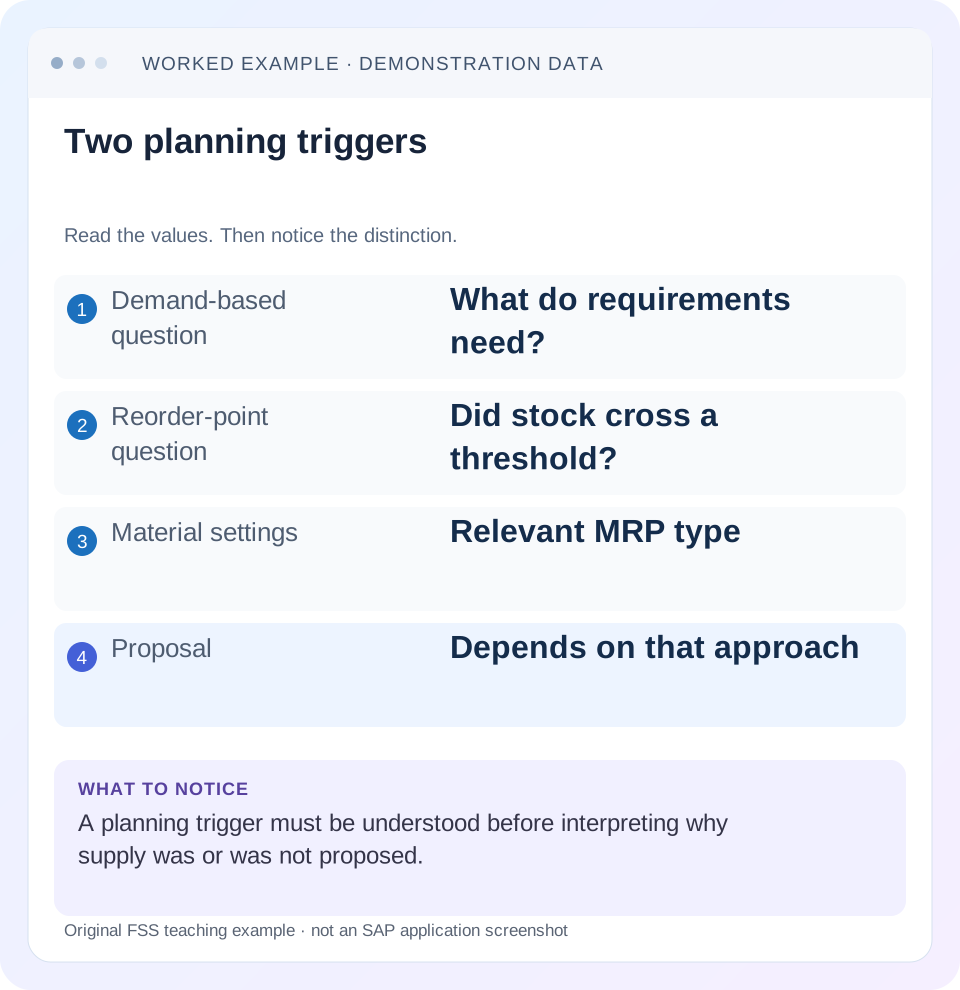
Read the example values
- Demand-based question
- What do requirements need?
- Reorder-point question
- Did stock cross a threshold?
- Material settings
- Relevant MRP type
- Proposal
- Depends on that approach
Words you’ll meet in this guide
- BOM
- Bill of materials, the components needed for a product.
- Routing
- A description of manufacturing work operations.
- MRP
- Material requirements planning, which compares demand and supply.
- Confirmation
- A record of relevant production progress or completed work.
Preview the practical steps
SEE THE CONNECTION
See it in a simple example.
A small example to make the idea concrete.
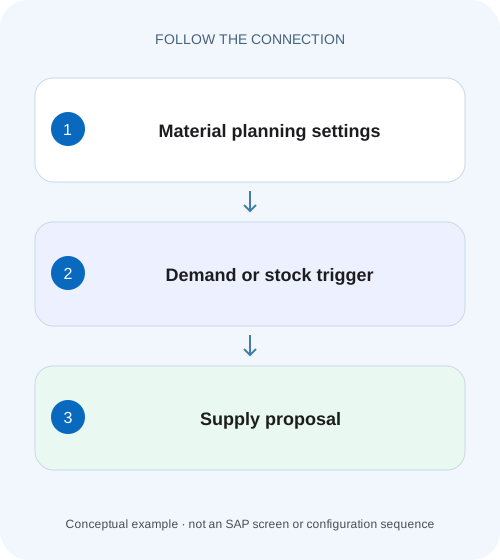
Choose the planning trigger for spares
A manufacturer plans both demand-driven assembly parts and regularly replenished maintenance spares, and must understand why proposals arise differently.
Start with what should trigger replenishment
Requirements-driven planning responds to relevant current/future demand and supply.
Understand requirements-driven planning
SAP distinguishes material requirements planning, where planned/exact requirements trigger net calculation, from consumption-based procedures.
Understand the basic reorder-point case
SAP's classic reorder-point documentation states that net calculation occurs when available stock falls below the reorder level, and describes issue elements displayed without inclusion in the basic documented calculation.
Choose the planning trigger for spares
A manufacturer plans both demand-driven assembly parts and regularly replenished maintenance spares, and must understand why proposals arise differently.
Compare the applicable planning type and trigger before expecting the same reaction to every stock or demand change.
| Reader | Business question | Evidence to carry forward |
|---|---|---|
| Production planners and shop-floor application teams | Choose the planning trigger for spares | Compare the applicable planning type and trigger before expecting the same reaction to every stock or demand change. |
01 Start with what should trigger replenishment
Requirements-driven planning responds to relevant current/future demand and supply. Reorder-point planning uses a stock-threshold replenishment policy under its configured rules. A sales order visible in MD04 does not automatically participate in every planning procedure's net calculation. Identify the material's actual MRP type and its configuration before concluding that MRP ignored demand.
This guide is for MRP controllers and procurement planners. You need material, plant/MRP area, MRP type, stock/receipt evidence, reorder point, requirements and quantity policy. The fixtures isolate trigger logic from lot sizing. They do not recommend changing a production-critical material to another procedure solely to obtain one proposal.
02 Understand requirements-driven planning
SAP distinguishes material requirements planning, where planned/exact requirements trigger net calculation, from consumption-based procedures. In a simplified requirements-driven case, stock 40 PC against relevant demand 60 leaves 20 uncovered before other factors. Requirement dates and existing receipts matter, so a total across all dates can conceal a time-specific shortage. [1]
PD is commonly associated with standard requirements-driven MRP, but inspect the actual configured MRP type. Customer changes and related settings can affect behavior. The policy question is whether explicit requirements are the right replenishment signal for this material, not which two-character code happens to be familiar.
03 Understand the basic reorder-point case
SAP's classic reorder-point documentation states that net calculation occurs when available stock falls below the reorder level, and describes issue elements displayed without inclusion in the basic documented calculation. Its available-stock definition and receipt treatment must be read in the actual process; do not substitute a total from an unrelated stock screen. [2]
Suppose the illustrative reorder level is 50 PC. Available stock 60 does not cross the threshold; available stock 40 does. Under a simplified case with no other contributing receipts, the gap to the threshold is 10 PC. Lot sizing then determines the actual procurement quantity; the trigger and the proposed amount are separate decisions.
04 Work a demand-versus-threshold comparison
Use the same physical stock 60 PC and a customer requirement 20 PC. In basic reorder-point planning that excludes the requirement, the trigger comparison can remain 60 against 50 and produce no threshold shortage. In requirements-driven planning, the requirement reduces projected supply to 40, but whether a procurement proposal is needed also depends on other relevant needs, receipts and policy.
The table deliberately shows why “PD would always create more supply”is also incorrect. With only 20 demand and 60 stock, requirements-driven planning has no uncovered requirement in the isolated fixture. The procedures differ in trigger logic; one is not simply a stronger version of the other.
| Case | Included available basis | Policy comparison |
|---|---|---|
| Basic reorder point, requirement excluded | 60 PC | 60 is above 50 threshold |
| Reorder point with relevant requirement included | 60−20=40 PC | 40 is below 50 by 10 |
| Simple requirements-driven need | 60 stock versus 20 demand | No uncovered demand in this isolated case |
| Physical stock falls to 40, no receipts | 40 PC | Reorder threshold shortage 10 |
05 Inspect external-requirement variants
SAP documents reorder-point planning with external requirements, including configuration for relevant requirements during replenishment lead time or a broader horizon. Therefore, both blanket statements—“reorder point always ignores sales orders”and“every visible requirement is included”—are unreliable without the actual settings. [3]
For a requirement-inclusive fixture,60−20 gives 40 and crosses the 50 threshold. Move that 20-PC requirement outside the configured inclusion horizon and the result can differ. Inspect the maintained indicator and requirement category under the relevant release. MRP Live can have documented differences from older classic behavior, so preserve the planning technology in the evidence.
06 Review the material and configuration together
The material supplies procedure-specific values such as reorder point and lot size; the MRP-type configuration defines the selected planning behavior. Reading only one field can mislead. Also establish which organizational planning segment and stock categories are relevant.
Identify actual policy
Record MRP type, procedure and external-requirement settings.
Expected observation: Basic and requirement-inclusive reorder point are distinguished.
Reconcile available supply
Inspect eligible stock and fixed receipts in the correct scope.
Expected observation: 60 or 40 is justified rather than copied from a broad total.
Classify requirements
Determine category, date and inclusion horizon.
Expected observation: The 20-PC requirement is included or excluded for a stated reason.
Calculate trigger, then quantity
Compare with threshold or net requirement, then apply lot sizing.
Expected observation: 10-PC threshold gap is not confused with final proposal size.
07 Keep reorder point, safety stock and lot size distinct
The reorder point is a replenishment trigger. Safety stock is a separate protection concept, and the documented basic reorder-point shortage calculation treats it differently from simply adding another arbitrary demand amount. Lot size determines how much to procure after the trigger. A fixed lot 100 can yield 100 even when the threshold gap is 10.
Do not change the reorder point to make the proposal quantity equal a desired purchase amount. That changes when future replenishment triggers. Likewise, a smaller lot does not necessarily solve a late trigger. Evaluate timing and quantity as separate policy choices using actual consumption and lead-time assumptions.
08 Troubleshoot a missing proposal
Determine whether the material was planned, what the trigger saw and whether existing fixed supply already covers the relevant need. A green run with no proposal can be correct; it can also conceal wrong scope or configuration.
| Observation | Main question | Next evidence |
|---|---|---|
| Demand visible, no proposal | Included by procedure? | MRP-type requirement settings |
| Stock below broad threshold, no proposal | Same available-stock definition? | Eligible receipts/scope and run result |
| Proposal larger than threshold gap | Lot-size policy? | Fixed/minimum/rounding settings |
| Requirement near horizon changes outcome | Inclusion boundary? | Requirement date and replenishment horizon |
| Same code behaves differently by plant | Configuration/master context? | Actual type and planning parameters |
| Material unchanged after run | Was it processed? | Run scope and material log |
09 Verify positive, negative and horizon cases
The positive threshold test uses 40 available against 50 and explains the 10 gap before lot sizing. The negative test uses 60 and no included requirement, expecting no threshold shortage. The boundary test uses 50 exactly and then 49 under the documented“below”rule, and records actual behavior in a fixture.
For external requirements, hold stock 60 and requirement 20 constant while moving its date across the configured horizon. Verify that the observed result follows the intended policy. Include an existing fixed receipt to test the actual available-stock calculation. These are proposed tests, not runtime evidence from a customer plant.
10 Inspect replenishment lead time when requirements are conditionally included
For the 60-stock/50-threshold/20-requirement fixture, add a documented configuration assumption that only relevant external requirements within replenishment lead time are included. A requirement inside that window can reduce the comparison basis to 40 and create a 10-PC threshold gap. The same requirement outside the window can leave the comparison basis 60 under that rule.
Do not turn that observation into a statement that the customer order is absent. It can remain visible in the current stock/requirements display for information while being excluded from this specific calculation. Preserve both visibility and planning relevance in the worksheet. This explains a common support disagreement in which one user points at the row and another says it is not netted.
Read the actual replenishment-lead-time context and MRP-type indicator in the installed system. The source documentation distinguishes broader-horizon alternatives. If the business expects inclusion across the whole horizon, the question is whether policy/configuration matches that expectation, not whether the displayed demand number can be manually removed.
11 Choose a replenishment policy with an observable acceptance test
Suppose a maintenance consumable has steady usage and accurate stock records. A reorder threshold can be a reasonable policy candidate, but its success depends on stock accuracy and lead-time assumptions. A highly variable component tied to explicit production demand may need a different planning design. The article does not decide that policy from a code; it shows how to verify the chosen mechanism.
Write acceptance conditions using actual business events. For threshold planning, post a controlled consumption that moves eligible stock from 51 to 49 against a 50 threshold, then inspect whether the material is selected/processed and what quantity policy proposes. For requirement-inclusive planning, hold physical stock fixed and move the 20-PC requirement across the configured horizon. For requirements-driven planning, add demand beyond available supply and inspect date-specific coverage.
Keep lot sizing unchanged while testing triggers. If a fixed lot 100 is active, the observed proposal may be 100 for both a 1-PC and 10-PC shortage. That does not mean the trigger calculation produced the same gap. Record computed uncovered need and final supply quantity separately so the policy is explainable.
Add a fixed receipt to the fixture and use the actual procedure's available-stock definition. A stock screen total 49 alone does not establish that replenishment is required if relevant receipts or planning segments change the comparison. Conversely, inaccurate stock can keep the threshold from triggering even while the physical shelf is empty. That is an inventory-data problem, not proof the MRP type is defective.
A useful resolution states which event changed the trigger basis, which requirements were included, why the horizon applied, and how the lot rule transformed the gap. It should remain understandable when the familiar PD/VB code is replaced by a customer-defined code with the same documented procedure. The mechanism and test evidence carry the explanation.
12 Questions and related lessons
Should every material use PD? Choose the procedure appropriate to demand and replenishment policy. Does VB universally ignore all requirements? Check configuration and supported variants. Does a 10-PC shortage imply a 10-PC proposal? Lot sizing can change it. Does stock equal to reorder point necessarily mean below it? Test the exact boundary under the actual rule.
Close with procedure, stock/receipt basis, threshold, requirement inclusion, run scope and resulting proposal. Continue with lot sizing for quantity, MD01N for processing scope, and MD04/MRP-list comparison for current versus historical evidence.
Related services and next steps
Primary sources
Found this useful?
Share this guide with your network, or leave a like.
Your like is saved in this browser.